
AI Eye Test: Why Claude, Gemini and GPT Miss the Details in Your Photos
Send a big photo to an AI service and you'd assume the model sees every pixel. It doesn't. Every provider shrinks the image first in its own way, or rejects it outright. A new paper measures the text size at which models stop reading, when cropping helps, and which model confidently gives you the wrong answer.
What this is about
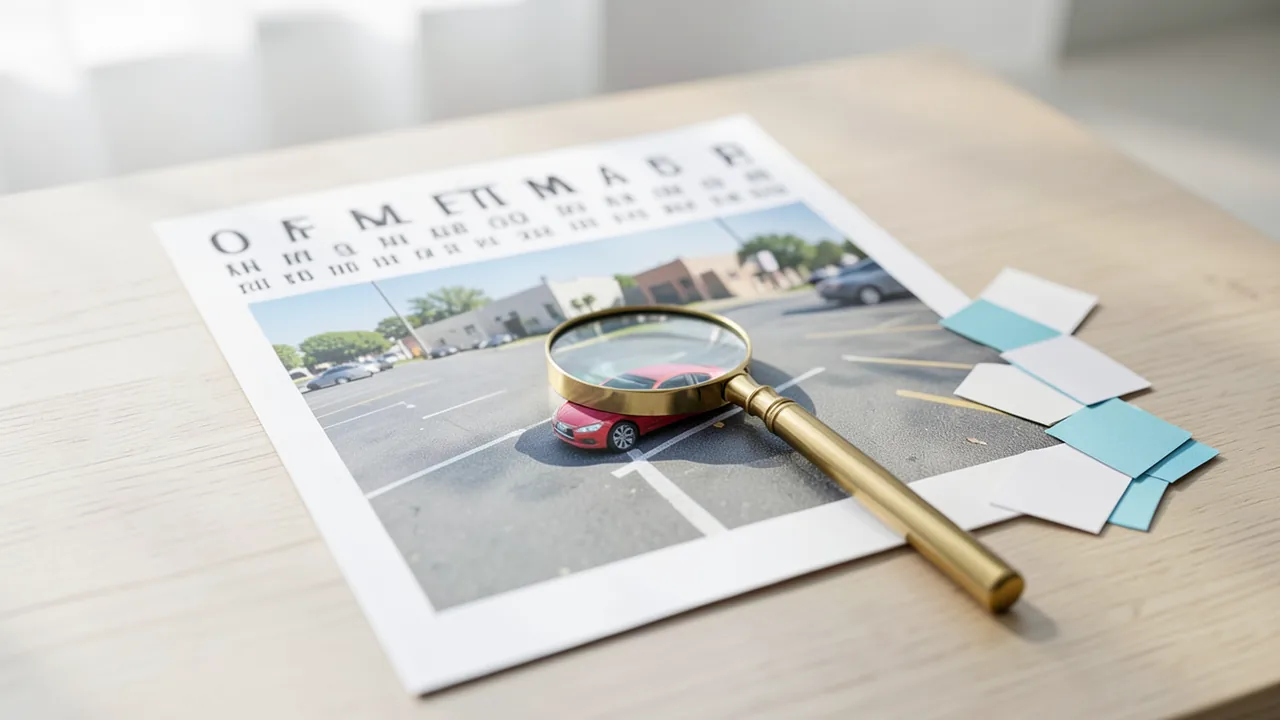
You fly a drone over a parking lot, shoot an 8000 × 6000 pixel photo and ask an AI what color the car in the far corner is. In the original photo the car is 20 pixels wide. By the time it reaches Claude, it's about 6 pixels. OpenAI won't process the photo at all at default settings and rejects it. So the model isn't necessarily “blind”: the image gets shrunk before the model ever sees it.
That's the opening scenario of the paper “Know When to Zoom” by Siddharth Vohra and Min Xu of Carnegie Mellon University. It came out on November 17 and, according to the project page, has been accepted to the SENSE workshop at WACV 2027. The two put seven models from four providers through a kind of eye test, asking 601 questions about small objects in real photos. The code (MIT license), test material and all 31,053 model responses are on GitHub. The topic matters right now because AI agents are increasingly operating screens. Google, for example, launched Computer Use for the Gemini app on the Mac on November 19. Whether a tiny checkbox or a footnote actually reaches the model depends on exactly these rules.
What happens to your photo before the AI sees it
Language models don't process images pixel by pixel but as image tokens: the image is cut into small squares (patches), and each square becomes one unit of computation. Each provider sets a maximum number of tokens per image. If the image is bigger, it gets downscaled. We checked the rules against the official documentation:
- Claude: According to the Anthropic docs, one token covers 28 × 28 pixels. From Claude 4.7 onward, the cap is 2,576 pixels on the long edge and 4,784 tokens; older models get 1,568 pixels and 1,568 tokens. For almost all photos, the docs say, the token limit is the tighter one. Images over 8000 pixels are rejected.
- Gemini 4 and 3: The
media_resolutionparameter offers four levels: 280, 560, 1,120 (default) and 2,240 tokens. The top level is called “ultra_high”; Google says it's meant for Computer Use among other things, and it can only be set per image. Google doesn't say how many pixels a token covers. The authors estimate that Gemini Flash keeps about 2,300 to 2,600 pixels on the long edge at the default level. - OpenAI: Patches here are 32 × 32 pixels. At the default “auto” setting, an image keeps its full size. But if it needs more than 30,000 patches, it is rejected rather than downscaled. According to the current docs, that also applies to gpt-6-astra. The “high” setting, by contrast, shrinks the image to at most 2,500 patches.
- Qwen3.8-27B (open model via a hosting provider): Downscaling only kicks in above 16,384 tokens.
OpenAI's rejection isn't a theoretical problem. In a GitHub issue on an agent project, the developers describe how gpt-6.1-sol rejected a 4536 × 8064 pixel JPEG with an HTTP 400 error: it needed 35,784 patches. Their fix now downscales such images to 1,568 pixels. The image gets accepted, but small details are lost along the way.
We worked out what's left of the 20-pixel-wide car, based on the documented rules and, for Gemini, the authors' estimate:
| Service and setting | Image arrives at approx. | Car (originally 20 px) |
|---|---|---|
| Claude 4.7 and later | ~2,200 px wide | ~5.5–6 px |
| Claude older models | ~1,280 px | ~3 px |
| Gemini “high” (default) | ~2,300–2,600 px (estimated) | ~6 px |
| Gemini “ultra_high” | ~3,100–3,400 px (estimated) | ~8 px |
| OpenAI “auto” | rejected (47,000 patches) | – |
| OpenAI “high” | ~1,850 px | ~4.6 px |
| Qwen (host default) | ~4,700 px | ~12 px |
The eye test: where the models stop seeing
For the eye test, the researchers printed random five-character codes in ten font sizes, from 4 to 128 pixels cap height (the height of a capital letter), onto gray canvases in four sizes from 1024 × 768 to 8000 × 6000 pixels. They measured the font size at which a model reads the code exactly right half the time.
| Model (setting) | 1024 px image | 8000 px image |
|---|---|---|
| Claude Sonnet 5.5 | 4.2 px | 12.0 px |
| Claude Haiku 5.5 | 4.7 px | 14.4 px |
| Claude Haiku (old rule) | 4.4 px | 24.8 px |
| Gemini 3.8 Flash “high” | 4.2 px | 13.2 px |
| Gemini 3.8 Flash “ultra_high” | 4.2 px | 10.8 px |
| Gemini 3.8 Flash “low” | 4.4 px | 26.7 px |
| GPT-6.1 Sol “auto” | 4.3 px | rejected |
| GPT-6.1 Sol “high” | 4.2 px | 15.7 px |
| Qwen3.8-27B | 5.4 px | 15.1 px |
On small images, all models are nearly neck and neck. The differences only appear once downscaling kicks in. For an 8K photo (7680 × 4320), the authors predict a reading threshold of 10 to 13 pixels at default settings. Qwen stands out: it keeps the most pixels, yet reads no better than Sonnet on the large canvas. More pixels only help if the model can actually use them.
Cropping helps, if you do it right
Two strategies were tested. With tiling, the model gets a downscaled overview plus the photo as a 2 × 2 or 3 × 3 grid, with tiles overlapping by a tenth. With the two-step zoom, the model first names the region it needs. Then it gets the overview plus a crop from the original with a 20 percent margin.
| Model | Photo unchanged | 3×3 tiles | Two-step zoom |
|---|---|---|---|
| Claude Haiku 5.5 | 59.2 % | 73.7 % | 73.5 % |
| Claude Sonnet 5.5 | 72.4 % | 83.5 % | 81.0 % |
| Gemini 3.5 Flash-Lite | 58.6 % | 70.5 % | 72.2 % |
| Gemini 3.8 Flash | 68.1 % | 80.5 % | 83.0 % |
| GPT-6 Luna | 38.6 % | 65.7 % | 70.2 % |
| GPT-6.1 Sol | 50.7 % | 83.7 % | 82.2 % |
At default settings, OpenAI rejected 215 of the 601 photos. On the photos it accepted, Sol already hit 79.0 percent without any cropping. So the big jump mostly comes from photos no longer being rejected. Cranking Gemini's resolution to the top level gained only 3.7 and 5.5 points respectively, far less than tiling. The two-step zoom got by with about 40 percent of the image tokens that tiling needs. For GPT-6 Luna it beat tiling by 4.5 points; for Sonnet it trailed by 2.5 points.
Who admits they can't see
The researchers took a closer look at cases where the detail was lost in the full photo but recognized with tiling. Here a clear difference emerged:
| Model | “I can't make it out” | confidently wrong |
|---|---|---|
| Claude Haiku 5.5 | 53 % | 9 % |
| Claude Sonnet 5.5 | 49 % | 5 % |
| Gemini Flash-Lite | 52 % | 48 % |
| Gemini Flash | 57 % | 43 % |
Gemini gave every wrong answer with a self-rated confidence of at least 70 out of 100. The authors point to one possible contributing factor: multiple-choice questions always offer a plausible answer to guess. There's a practical upshot: Claude's uncertainty is a useful signal. If you send the photo unchanged first and only tile after an uncertain answer, you end up at most 1.4 points behind “always tile” while using 62 to 70 percent of the tokens. With Gemini, that signal is often missing.
A pre-call check that decides whether to zoom based on detail size worked less well. With a 16-pixel threshold, it passed at least 96 percent of photos through unchanged, throwing away almost the entire gain.
Cross-check: what other studies say
“Why VLMs Miss Small Objects” by Shi, Gan and Jiang backs up the result with around 187,000 requests to twelve models, including GPT-6.1, Claude Opus 5.5 and Gemini 4. The study adds an important caveat: tiling only helps if no tile is rendered smaller than in the full image. Splits where that happens (“zooming out”) lowered accuracy in 19 of 21 cases. So if you, say, stitch tiles into a collage or send each one at a low setting, you make things worse. Using the study's own rule, Gemini 3.8 went from 0.62 to 0.90 on blueprint symbols, at a cost of 3.1 to 8.6 times the tokens.
“The Last Visible Pixel” tests open models on 448-pixel canvases. There, perception of small targets maxes out at around 12 pixels, and Gemma-4-31B already hits the 50 percent threshold at 7.3 pixels. The NeurIPS workshop paper “Can't Find Waldo” names two more causes besides downscaling: grid artifacts at unusual aspect ratios and attention spread across too many tokens.
A counterexample comes from Claude Code Camp. There, Claude's higher resolution barely helped on dashboard screenshots (41 versus 42 entries) and cost about three times the tokens. That fits the eye test: images already below the limit lose nothing. An experiment with slides using a small Qwen model also exposes a weakness of zooming. Crops delivered real detail, but the model often picked the wrong region (10 errors from wrong boxes).
Practical guide
- Claude: Send the photo unchanged. Tile only if the answer sounds uncertain, and always when accuracy matters. Anthropic itself recommends cropping small targets but warns against cutting off important context. So always send an overview along with it.
- Gemini: Use the two-step zoom and be wary of confident answers about small details. Just turning up the resolution doesn't buy you much.
- OpenAI via the API: Count patches before sending (width/32 × height/32, each rounded up). Above 30,000 patches, tile or send a crop that stays below the limit.
- Local models: According to an analysis on DEV, some tools such as Ollama assign only about 1,280 tokens per image by default. If you're hunting for tiny details, set
max_pixelsexplicitly. That's a third-party claim we haven't independently verified. - In the chat apps: According to the docs, Claude.ai accepts at most 10 MB per image. None of the providers document whether the Anthropic, Google and OpenAI apps downscale beyond that. The safest bet is to crop the relevant region yourself and upload the full image as well.
Our take
The study explains an error many users know but misread: the cause often isn't the model but how the provider preprocesses the image. The finding on confidence is especially valuable. For agents that independently analyze screens and photos, a model that says “I don't know” is far less dangerous than one that guesses.
There are limits, though. Each question was asked only once per setting, all models ran at a low reasoning level, and medical images are missing. Provider rules can change at any time. But you can rerun the published eye test with your own API keys. The results haven't been independently verified yet; the paper is only a few days old.
Our assessment: the rule of thumb “when in doubt, crop, but never zoom out, and always include an overview” is well supported by three independent studies. The specific percentages, on the other hand, only apply to the model versions tested.
Sources
- arXiv: Know When to Zoom (HTML) arxiv.org
- arXiv: Know When to Zoom (Abstract) arxiv.org
- GitHub: siddvoh/know-when-to-zoom github.com
- Projektseite Know When to Zoom siddvoh.com
- arXiv: Why VLMs Miss Small Objects, and When Zooming In Is Safe arxiv.org
- arXiv: Why VLMs Miss Small Objects (HTML) arxiv.org
- arXiv: The Last Visible Pixel arxiv.org
- NeurIPS 2026: Can't Find Waldo neurips.cc
- Anthropic Docs: Vision platform.claude.com
- Anthropic Docs: Coordinates and bounding boxes platform.claude.com
- Google AI Studio Docs: Media resolution aistudio.google.com
- OpenAI Docs: Images and vision developers.openai.com
- GitHub Issue: fazer-ai/agents #1378 (OpenAI-Patch-Limit) github.com
- GitHub PR: fazer-ai/agents #1375 github.com
- Claude Code Camp: Images cost 3x more tokens in Claude Opus 4.7 claudecodecamp.com
- GitHub: Ladik-v/vlm-slides-under-magnifier github.com
- DEV: max_pixels is a token budget in disguise dev.to
- arXiv: CropVLM arxiv.org
- arXiv: ViRGo / Look Before You Zoom arxiv.org
- Google Blog: Gemini Computer Use auf dem Mac blog.google
- OpenAI Community: Understanding very large images community.openai.com
Ask the AI assistant
Questions about this article, installation or background? Our assistant knows this page and runs on our own machine, not in someone else's cloud.
The Assistant is an AI (Gemma 4) and can make mistakes – please check important details against the source. Questions are used only to generate an answer and are deleted after one hour. Please don't enter any personal data.
Comments
What do you think? Already tried it? Write it here, no sign-up needed.
Comments are public. Links aren't allowed, and we delete abusive posts. You can delete your own comment at any time in this browser. Learn more in the Privacy Policy.