
Ant Group open-sources LingSante medical AI, including a 124B model for local use
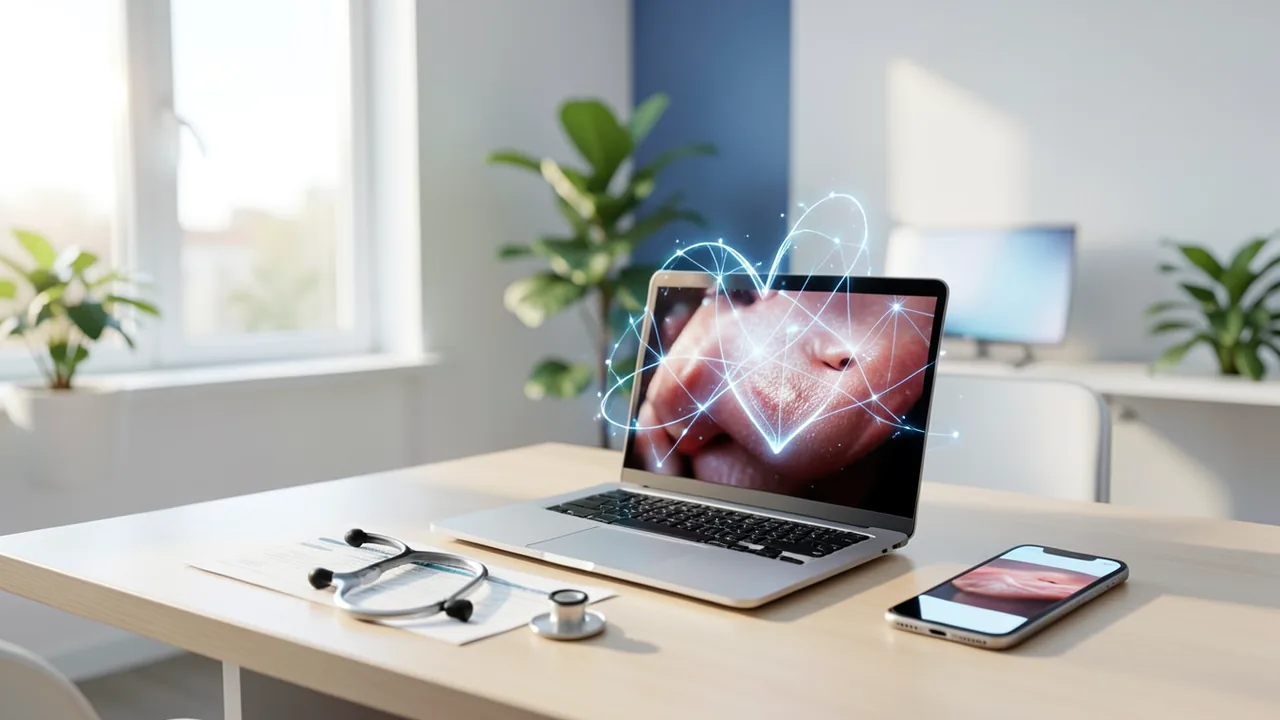
Ant Group, the parent company of Alipay, has unveiled a family of medical AI models called LingSante and open-sourced two of them. The multimodal LingSante-3.1-air-VL analyzes skin photos, lab reports and videos and is meant to run locally, while the large LingSante-3.1-flash is aimed at hospitals.
What's going on
China's Ant Group, best known as the operator of the Alipay payment service, unveiled an entire family of medical AI models on November 23, 2026. It belongs to the company's Bailing model series ("Ling" in English) and goes by the name LingSante. "Santé" is French for "health" and also a toast, and Ant says it wants to raise a glass to health.
Ant open-sourced two of the models the same day. LingSante-3.1-air-VL understands images and video in addition to text. LingSante-3.1-flash is a large model for complex medical reasoning. More models in the family are set to follow over time and be opened up to hospitals, research teams and developers.
A note on the source: according to a disclaimer at the end, the QbitAI report is a text supplied by Ant. That means all performance claims are the company's own.
The model family at a glance
| Model | Purpose | Key specs according to Ant | Open? |
|---|---|---|---|
| LingSante-3.1-air-VL | multimodal understanding of text, images and video | 124B parameters, 5.5B active | yes, since Nov 23 |
| LingSante-3.1-flash | deep medical reasoning, agentic tasks | 560B parameters, up to 1M tokens of context | yes, since Nov 23 |
| LingSante Pulse | disease risk prediction | more than 150 diseases, six years ahead | announced |
| LingSante MedGuard | safety filter for medical applications | lightweight | announced |
| LingSante Live | real-time agent for voice and video | in the Ant Afu app | announced |
LingSante-3.1-air-VL: skin photos, meal pictures, lab reports
The air-VL model is natively multimodal, meaning it was trained on text, images and video from the start rather than having a vision module bolted on later. It's designed to analyze a description of symptoms together with a photo of the skin, a picture of a meal or a scanned checkup report. According to Ant, it ranks first worldwide on several medical tests, specifically medical image reporting, skin disease recognition and explaining medical reports. The source doesn't say exactly which benchmarks these are or which models it was compared against.
The architecture is technically interesting. Of the 124 billion parameters, only 5.5 billion are active per computation step. That points to a mixture-of-experts architecture: the model consists of many specialized subnetworks ("experts"), and only a small selection of them is used for each token. That makes it compute almost as fast as a small model, but the whole thing still has to fit in memory. Ant is pitching it as something you can run on laptops and other local devices. The idea is that doctors get professional medical AI "with a single computer" without sending patient data to a cloud. What that means for hardware in practice is covered further down.
LingSante-3.1-flash: the model for hospitals
The flagship has 560 billion parameters and a context window of up to 1 million tokens. That's how much text the model can keep in view at once, enough for many medical records, exam reports and research papers at the same time. According to Ant, it works like an agent: it searches for information over multiple rounds, cross-checks medical evidence and calls tools. When information is incomplete or the clinical picture is unclear, it's supposed to assess what's missing, what conclusions the available evidence supports and what should happen next.
On the overall index of the InclusionMed evaluation platform, the model ranks first among open-source models, according to Ant. On a test suite covering medical reasoning, safety and agentic tasks, it reportedly hits the current best score (SOTA, "state of the art") among open models. The source doesn't say how independent InclusionMed is. The name is strikingly similar to "inclusionAI", the label under which Ant usually publishes its models. That observation is our own; the source says nothing about it.
Risk prediction, safety filtering and video consultations
LingSante Pulse is meant to predict the risk of more than 150 diseases over the next six years. In other words, the AI shouldn't just react to existing symptoms but flag risks early. LingSante MedGuard is a guard model that checks other AIs' answers for hidden risks with regard to patient safety, legal requirements and ethics, taking the patient's history into account. Ant says that despite its small size, it matches the level of leading safety models.
Finally, LingSante Live processes voice and video simultaneously in real time. Ant calls it the industry's first multimodal interaction architecture for collaboration in healthcare. In the Ant Afu app (蚂蚁阿福), you can hold symptoms, medications or reports up to the camera during a video call. The AI asks follow-up questions, understands dialects and pulls in readings from connected devices. Ant compares this to the four classic diagnostic methods of Chinese medicine: looking, listening and smelling, asking, and taking the pulse. If needed, a real doctor is brought in. The app is also meant to become a health companion, with plans for blood sugar management, weight loss or parenting.
Background: Ant and the Afu app
According to Ant, Afu has 150 million users and answers almost 20 million health questions every day. This real-world usage data feeds back into improving the models. According to BigGo Finance, the app reached 150 million users within a year of launch, making it the world's largest AI health management app by user count. It works with health authorities in 10 provinces and medical insurance bureaus in 20, and is connected to more than 5,000 hospitals and 300,000 doctors. 55 percent of users come from smaller cities, a quarter are older people, and 16 percent of queries come in between midnight and 6 a.m.
According to BigGo, Ant has been investing in open source for 14 years and maintains more than 2,000 open code repositories. The release fits the broader trend in China: DeepSeek, Kimi and Alibaba's Qwen family also mostly ship with open weights.
What you need to try it
Take the "runs on a laptop" claim with a grain of salt. Even if only 5.5 billion parameters are computing at any given time, all 124 billion have to live in memory somewhere. Compressed to 4 bits, that's roughly 70 to 80 GB. That's realistic on a Mac with an Apple chip and 96 or 128 GB of unified memory, on a workstation with several large GPUs, or on a PC that offloads the experts to a large pool of system RAM (well over 64 GB) and runs only part of the model on the GPU. Because the active compute load is small, that kind of offloading can still be reasonably fast. Ant doesn't give concrete figures. A normal laptop with 16 GB won't cut it, and neither will Google Colab's free tier. You'll need roughly 70 to 250 GB of disk space, depending on the format. The 560-billion-parameter flash model is strictly for data center server hardware. The source doesn't say exactly where the weights are hosted or under what license.
The bigger picture
Open medical models of this size are rare. For hospitals and researchers who aren't allowed to hand patient data to third-party clouds, a multimodal model that can run locally is appealing, especially one specialized in skin images and lab reports. At the same time, caution is warranted. All benchmark claims come from Ant itself, and the source is a text supplied by the company. Independent tests are still missing. The model is tailored mainly to Chinese users and the Chinese healthcare system, so it's an open question how well it handles Western medical reports, terminology and clinical guidelines. It also has no approval as a medical device in Europe. No matter how well it scores in tests, it doesn't replace a doctor.
Sources
- QbitAI 量子位 (CN) qbitai.com
- finance.biggo.com finance.biggo.com
- heise.de heise.de
- Bing News (zh-TW) msn.cn
- Google News (TH) news.google.com
- Bing News (zh-TW) news.qq.com
- Google News (US) news.google.com
- Bing News (zh-TW) cls.cn
- Bing News (zh-TW) sohu.com
- Bing News (zh-TW) sohu.com
- Unite.AI unite.ai
- Google News (DE) news.google.com
- Google News (US) news.google.com
Try it yourself: LingSante-3.1-air-VL
Explained step by step, no prior knowledge needed – on your own computer or free in your browser.
What can I do with it?
LingSante-3.1-air-VL is a medicine-focused model that understands text, images and video together. You can show it a photo of a skin patch, a scanned lab report or a picture of your meal, for example, and ask a question about it. It then explains medical terms, puts values in context or describes what's in the image. According to its maker, Ant Group, it leads several tests worldwide on medical image reporting, skin disease recognition and explaining reports – that hasn't been independently verified yet. Because only 5.5 of its 124 billion parameters compute at once, it responds relatively quickly but needs a lot of memory. It was trained mainly for the Chinese market, so it may be weaker with other languages and Western report formats. It's not an approved medical device and doesn't replace a medical diagnosis. Compared with general-purpose models like Qwen or Llama, its strength is medical expertise; for general tasks there are smaller and simpler models.
Who is it worth it for?
It's interesting for doctors, medical students, researchers and healthcare developers who want to analyze medical images and text locally without sending data to a cloud – and who have the right hardware. For laypeople with a normal laptop or a single gaming GPU, the roughly 70 to 80 GB memory requirement makes it a poor fit. It's not meant for self-diagnosis anyway.
Ideas: What you can do with it
Take a photo of your blood test printout and have each value explained in plain language. At the end, ask for a list of questions for your next doctor's appointment. That way you walk in better prepared.
Doctors or nurses paste in a long discharge letter and have diagnoses, medications and follow-up appointments pulled out into a table. Because the model runs locally, the data never leaves the computer. The result is a draft that needs to be checked.
Students generate case studies or have textbook images described and differential diagnoses explained. Then they compare the answer against the textbook. It's good training for clinical reasoning.
If you have diabetes or are trying to lose weight, photograph your meals and get rough estimates of carbs and calories. At the end of the week, the model summarizes the patterns. The estimates are ballpark figures, not exact measurements.
Developers build an internal tool that reads scanned reports and fills in fields automatically. With a locally running model, you can test something like this in a privacy-friendly way before thinking about real-world deployment.
What your computer needs
Which variant is right for me?
Many models come in several sizes or "quantizations." These are compressed versions: smaller and faster, but slightly less accurate. Rule of thumb: pick the largest variant whose memory requirement fits in your VRAM (video memory). The scripts below choose this for you automatically.
| Variant | Download | Needs approx. | Compatible graphics cards |
|---|---|---|---|
Q2_K |
45 GB | 51 GB | e.g. multiple professional GPUs (2× A6000, H100) or DGX Spark |
Q3_K_M |
59 GB | 66 GB | e.g. multiple professional GPUs (2× A6000, H100) or DGX Spark |
Q4_K_M Default |
75 GB | 84 GB | e.g. multiple professional GPUs (2× A6000, H100) or DGX Spark |
For local use, only LingSante-3.1-air-VL is an option; the 560-billion-parameter LingSante-3.1-flash needs server hardware. For air-VL, a 4-bit version needing roughly 70 to 80 GB of memory is the realistic route, for example on a Mac with 96 to 128 GB of unified memory or on several large GPUs. The source doesn't say whether ready-made compressed versions (e.g. GGUF) exist yet. Keep an eye on Ant's official repository (inclusionAI) or the community. At 8-bit or full precision, the requirement rises to about 130 or 250 GB respectively.
- All 124 billion parameters have to fit in memory, even though only 5.5 billion are active at a time. At 4 bits, that's roughly 70 to 80 GB.
- Apple Silicon Macs with 96 or 128 GB of unified memory are the most obvious way to live up to the company's "runs on a laptop" claim.
- On PCs, you can offload the experts to a large pool of system RAM (well over 64 GB). Thanks to the small active compute load, that often stays reasonably fast, but the source gives no concrete numbers.
- Images and video consume a lot of tokens. Long videos or many images at once need extra memory.
- Plan for 70 to 250 GB of free disk space, depending on the format.
- LingSante-3.1-flash, with 560 billion parameters and up to 1 million tokens of context, only makes sense on data center hardware.
Groß (124,8 B parameters, MoE): running entirely on the GPU takes a lot of VRAM (video memory). With MoE offloading, a regular graphics card plus plenty of RAM is enough (see table). Colab Free isn't enough.
How do I find out what my computer has?
- Windows: Press Ctrl + Shift + Esc → Task Manager → Performance tab → click GPU on the left. At the bottom you'll see Dedicated GPU memory (that's your VRAM). You'll find system memory under Memory.
- Mac: Apple menu at the top left → About This Mac. You'll see your chip (e.g. M2) and memory (e.g. 16 GB). On Apple chips, graphics and processor share this memory.
- Linux: Type
nvidia-smiin the terminal (shows your graphics card and its memory) andfree -hfor system memory.
Guide
Google Colab (in your browser, no installation)
Google Colab is a free service from Google. It gives you a computer with a graphics card in your browser for a few hours. All you need is a Google account. For this model: Colab Pro/Pro+ only – needs an A100 with 80 GB or an H100.
- Download the notebook. Click the button and save the file.
- Open Colab. Go to colab.research.google.com and sign in with your Google account.
- Upload the notebook. In the window that appears, click Upload on the left (or choose File → Upload notebook at the top) and select the file
colab.ipynb. - Turn on the GPU. In the top menu, go to Runtime → Change runtime type → under Hardware accelerator, select T4 GPU (with Colab Pro: L4 or A100) → Save.
- Start everything. Runtime → Run all (keyboard shortcut Ctrl + F9). If you see the warning “This notebook was not authored by Google,” click Run anyway.
- Wait. The cells run one after another. A green checkmark appears to the left of each cell when it's done. Installation and download take about 29 minutes here.
- Try it out. The result appears below the last cell. To test something else, change the text in the cell and run it again with Shift + Enter. The last cell starts a proper chat with an input field.
- Clean up. When you're done: Runtime → Disconnect and delete runtime. This saves your free quota.
Good to know: The free GPU is limited (usually a few hours per day). After about 90 minutes of inactivity, Colab disconnects, and you'll have to start everything over.
Windows 10 / 11
The easiest way is Ollama, a free program that launches AI models with a single command.
- Update your graphics driver (NVIDIA cards only): Install the NVIDIA app or the latest driver. For AMD cards, use the latest Adrenalin driver.
- Install Ollama. Download the file OllamaSetup.exe from ollama.com/download/windows, double-click it, and choose Install. Afterward, a small llama icon appears in the taskbar at the bottom right.
- Open a terminal window. Press the Windows key, type PowerShell and press Enter. A blue or black window opens.
- Start the model. Copy this command ("Copy" button), paste it into the window with a right-click, and press Enter:
The first time, Ollama downloads the model (75 GB (about 1.7 hr at 100 Mbit/s)). After that, it's instant.ollama run hf.co/mradermacher/LingSante-3.1-air-VL-GGUF:Q4_K_M - Start typing. Once
>>> Send a messageappears, type your question and press Enter. Type/byeto end the chat.
Not enough memory? Pick a smaller variant from the table above, e.g. ollama run hf.co/mradermacher/LingSante-3.1-air-VL-GGUF:Q2_K.
Prefer automatic? A script that picks the right variant for you
- Download both files into the same folder: try_windows.ps1 demo.py
- Open the folder in File Explorer, right-click an empty spot and choose Open in Terminal.
- Paste this command and press Enter:
powershell -ExecutionPolicy Bypass -File try_windows.ps1
If needed, the script installs Ollama via winget, measures your VRAM (video memory) and downloads the matching variant.
macOS
Macs with an Apple chip (M1 to M5) are ideal. Older Intel Macs are very slow.
- Install Ollama. Download it from ollama.com/download/mac, open the file, and drag Ollama into your Applications folder. Launch Ollama once – a llama appears in the menu bar at the top.
- Open Terminal. Press Cmd + Space, type Terminal, and press Enter.
- Start the model. Paste the command (Cmd + V) and press Enter:
The first time, the model is downloaded (75 GB (about 1.7 hr at 100 Mbit/s)).ollama run hf.co/mradermacher/LingSante-3.1-air-VL-GGUF:Q4_K_M - Start typing. Type your question and press Enter. Quit with
/bye.
Linux
- Check your GPU.
nvidia-smishould show your card. If it doesn't, install the driver on Ubuntu and restart:sudo ubuntu-drivers install - Install Ollama:
curl -fsSL https://ollama.com/install.sh | sh - Start the model:
Exit withollama run hf.co/mradermacher/LingSante-3.1-air-VL-GGUF:Q4_K_M/bye. Useollama psto check whether the model is running on the GPU. - Or let it pick the right variant automatically:
bash try_linux.sh
# mit Python/transformers statt Ollama:
MODE=hf bash try_linux.sh
Try it
Explain in simple terms what HbA1c, LDL and TSH mean on a blood test.[Photo of a lab report] Which values are outside the reference range, and what questions should I ask at my next doctor's appointment?[Photo of a lunch] Roughly estimate how many carbs this meal has, and give tips on how to make it a better fit for people with diabetes.[Photo of a skin patch] Describe objectively what you see in the image, what possible causes there are, and when you should see a dermatologist about it.Summarize this doctor's letter in a structured way: diagnoses, medications with dosages, recommended follow-ups. Flag any places where information is missing.Tips for better results
- Provide context, such as age, pre-existing conditions and your specific question. The model is designed to analyze text and images together.
- Explicitly ask it to point out uncertainties and missing information. According to Ant, the model family is trained to recognize open questions.
- Use a low temperature for factual questions (around 0.2 to 0.5) so the answers are less creative and more consistent.
- Photograph reports straight on, in focus and well lit. Poor image quality quickly leads to misread numbers.
- Always check important statements against clinical guidelines or medical advice – the model can be wrong or make things up.
If something goes wrong
It's easy to underestimate the memory requirement. "5.5 billion active" doesn't mean 8 GB of VRAM (video memory) is enough – the whole model has to be loaded.
Brand-new architectures are often only supported by tools like llama.cpp, LM Studio or Ollama after a few days or weeks. Use the latest version or wait for official support.
For images, a multimodal model usually needs a separate file for the vision part (e.g. mmproj for GGUF). Without it, the model only understands text.
The source doesn't state the license or exact download location. Check the license terms before any professional or clinical use.
The model was geared mainly toward Chinese data. Answers in other languages may be rougher – if in doubt, ask in English.
Only process real patient data if data protection and responsibilities have been cleared at your institution. The model is not an approved medical device.
“out of memory,” a crash, or your computer freezes
The model is too big for your VRAM (video memory). Pick a smaller variant from the table above and close other programs, especially games and browsers with lots of tabs.
It runs, but extremely slowly
Your CPU is probably doing the work instead of your graphics card. In Ollama, the PROCESSOR column of ollama ps shows how much runs on the GPU. If it says "100% CPU", update your graphics driver or pick a smaller variant that fits entirely into VRAM (video memory).
“ollama” or “python” is not found
Close the terminal window and open it again so it recognizes the newly installed program. For Python on Windows: reinstall it and check Add python.exe to PATH.
Windows: "Running scripts is disabled on this system"
Run the script with exactly the command above: powershell -ExecutionPolicy Bypass -File try_windows.ps1. This allows execution for this one time only.
Error message when loading the model (version, "trust_remote_code", unknown architecture)
Brand-new models often need the latest software version. With Ollama: update Ollama. With Python: pip install -U transformers in the activated environment. The Model Card usually lists the exact version.
Tokenstrom generates the scripts and notebook automatically. Please take a quick look before running them – they're plain, readable text. Mind the model's license: mit.
Ask the AI assistant
Questions about this article, installation or background? Our assistant knows this page and runs on our own machine, not in someone else's cloud.
The Assistant is an AI (Gemma 4) and can make mistakes – please check important details against the source. Questions are used only to generate an answer and are deleted after one hour. Please don't enter any personal data.


Comments
What do you think? Already tried it? Write it here, no sign-up needed.
Comments are public. Links aren't allowed, and we delete abusive posts. You can delete your own comment at any time in this browser. Learn more in the Privacy Policy.