
ChatGPT Images 2.6 turns pictures into GIFs and is 50% faster, OpenAI says
OpenAI has unveiled Images 2.6. ChatGPT can now create animated GIFs from text or photos and reuse saved reference images by their @name. OpenAI also says it generates images about 50% faster. Developers get two new models in the API, SVG export and a setting that controls how much the model plans before it draws.
What's new
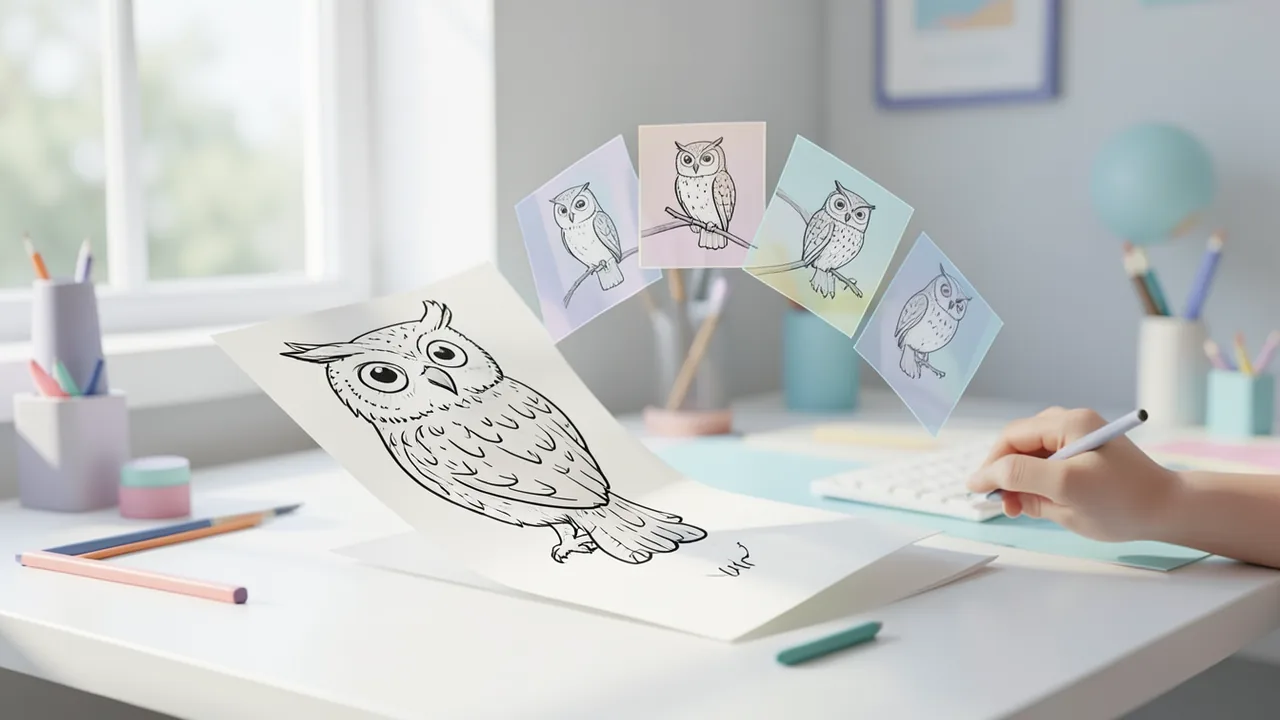
On November 4, 2026, OpenAI introduced Images 2.6, the latest version of image generation in ChatGPT. The biggest change is something ChatGPT couldn't do before: it can now turn a text description or an uploaded photo straight into an animated GIF. OpenAI also says image generation is about 50 percent faster. You can now reuse saved reference images in new chats, and editing should be more precise.
Images 2.6 is available in ChatGPT on the web, in the desktop app and on mobile, as well as in the coding tool Codex and through the developer API. According to OpenAI, it's open to every plan, including the free version. How many images you can generate depends on your subscription. TechRepublic notes that the GIF feature is still rolling out gradually, so if you don't see it yet, update the app or wait a little. The Taiwanese tech blog Grenade puts the start of the global rollout on November 5. The other sources say November 4.
GIFs from text or photos
In ChatGPT it's simple. Type something like "Turn this image into a GIF" or "Make a GIF of a waving cat." You can specify which parts of the image should move and how fast. Once the GIF is ready, you can refine it with follow-up instructions. Change the playback speed, fix individual frames of the animation, then save or share the result. TechRepublic points out one limitation: ChatGPT can't yet edit GIFs you upload yourself.
OpenAI's suggested uses include animated brand mascots, reaction images and memes for social media, and animated storyboards for testing motion before a video goes into production. According to a blog post on note.com, the announcement shows an owl scribbled in ballpoint pen coming to life as an expressive, moving character. Grenade reports that the API lets you set 2 to 16 frames, each displayed for 20 to 2,000 milliseconds, so you can control the animation's length and pacing precisely. For more consistent results, spell out in your prompt the order of movements, which elements should stay unchanged and what kind of loop you want.
The Next Web points out that the GIF feature arrives a few months after OpenAI shut down its Sora video app in March. Moving images are coming back to ChatGPT, just in a smaller format.
Call up reference images by @name
You can now save reference images permanently. Upload an image, say of yourself, your pet or a character you've invented, and give it a name. According to TechRepublic, you can then call it up in later chats with @ followed by the saved name. Previously you had to upload the original again for every new image and explain that you meant that exact character. That's handy if you need the same character in new situations for blog posts or social media. The author on note.com reminds readers not to use other people's photos or characters without permission.
Two API models: Flare and Sunburst
For developers, OpenAI offers two models. According to The Next Web, Images 2.5 already had the same split in September:
| GPT-Image-2.6 Flare | GPT-Image-2.6 Sunburst | |
|---|---|---|
| Focus | Speed, quick iteration | Image quality, precise editing |
| Speed | from about 6 seconds at low quality | slower, but more detailed |
| Strength | Layouts for posters and product shots | Consistent look across multiple edits |
| GIF, SVG, complexity | yes | yes |
Flare suits first drafts and high volumes, such as social media graphics. Sunburst is meant for finished assets where characters, products and brand elements have to look the same even after many changes. Actual generation time depends on image size, quality level and content. The 50 percent speedup comes from OpenAI and hasn't been independently measured.
New editing tools
With Markup, you mark exactly which part of an image should change, for example the background of a product photo or the color of an object. The rest of the image stays as untouched as possible. ChatGPT already had this. Now it's in the API too.
Also new is SVG export. SVG is a vector format: instead of being built from pixels, the image is described as shapes, so it stays sharp at any size. That makes it ideal for logos, icons and simple illustrations. SVG output is static for now.
There's also a new parameter called complexity, with Low, Medium and High settings. It controls how much the model plans before it draws. A low setting is faster and is enough for a simple background swap or a text fix. Scenes with lots of objects, lots of text or a tricky composition benefit from a higher setting. OpenAI recommends starting with Low when editing. Image quality is set separately with the quality parameter.
Pricing
According to note.com, token prices are unchanged from Images 2.5 and apply to both models. Tokens are the small units that text and images are split into for processing, and they're what you're billed for.
| API item | Price per 1M tokens |
|---|---|
| Text input | $5 |
| Image input | $8 |
| Image output | $30 |
| Cached image input | $2 |
| Cached text input | $1.25 |
What a single image costs depends on how many tokens it uses, which comes down to size and quality level. The cache temporarily stores inputs you send repeatedly, which makes them cheaper.
Background: image generation at massive scale
OpenAI says ChatGPT, Codex and the API produce more than 4 billion images every week, an average of over 500 million a day. According to The Next Web, the figure was 3 billion in September. These numbers come from OpenAI alone. The company has updated its image tools in quick succession this year. Images 2.0 arrived in April as OpenAI's first image model that "thinks" before it draws. Images 2.5 followed in September, when Adobe added one of the models to its Firefly app. In October, according to The Next Web, OpenAI began testing ads inside image generation in the US.
Our take
Images 2.6 isn't a big leap in image quality. It's an update for everyday work. GIFs, saved reference images and targeted editing are aimed at people who produce visuals regularly, for social media, marketing or blogs. Letting free users make GIFs too should help the feature spread quickly. For developers, SVG export and the complexity setting mean more control.
The big open question is how good the results are in practice. The speed claim comes from OpenAI, and there were no independent tests at the time of writing. TechRepublic advises businesses to check every generated version against the real product, because packaging, logos or ad claims can change without anyone noticing. Companies should also follow ad platforms' rules on labeling AI content. What matters in the end is whether faster generation actually produces usable images or just creates more cleanup work.
Related videos
Sources
- Google News (TW) grenade.tw
- note.com note.com
- techrepublic.com techrepublic.com
- thenextweb.com thenextweb.com
Ask the AI assistant
Questions about this article, installation or background? Our assistant knows this page and runs on our own machine, not in someone else's cloud.
The Assistant is an AI (Gemma 4) and can make mistakes – please check important details against the source. Questions are used only to generate an answer and are deleted after one hour. Please don't enter any personal data.
Comments
What do you think? Already tried it? Write it here, no sign-up needed.
Comments are public. Links aren't allowed, and we delete abusive posts. You can delete your own comment at any time in this browser. Learn more in the Privacy Policy.