
Homescape turns your smart home into a 3D dollhouse, every object coded by AI
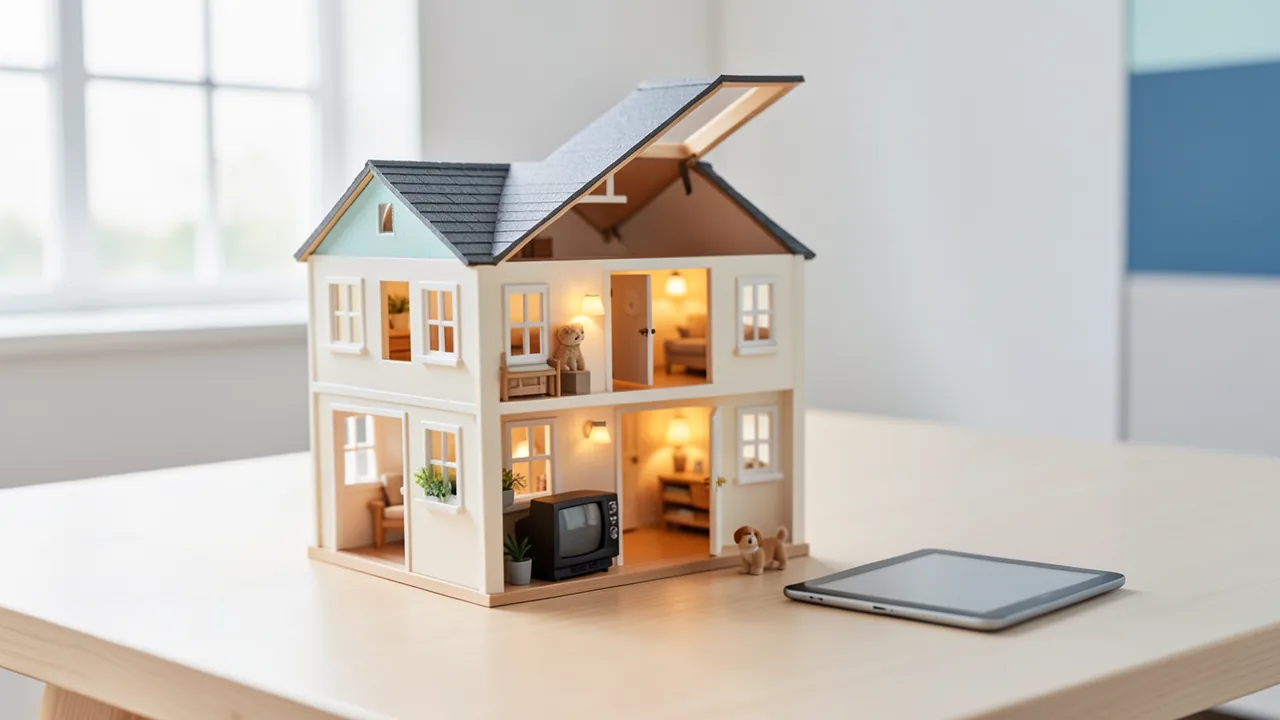
The free open-source project Homescape shows your Home Assistant home as a living 3D dollhouse in the browser: lights glow, doors open, residents walk from room to room. What stands out is how it's built. There isn't a single 3D model file. Every object is generated from code, and an AI wrote all of it.
What's happening
Developer Murat Öztürk (GitHub: @muratozturkdev) from Turkey has released Homescape, an open-source project that renders a smart home as a living 3D dollhouse in the browser. It's built on Home Assistant, the popular free software for controlling smart home devices, which usually runs on a small computer on your local network. Homescape reads your rooms and devices from there and automatically builds a three-dimensional house where everything moves in real time: lights glow in their rooms, the TV plays, doors and windows open as soon as their sensors report it, and people and pets move through the house.
If you want to try it without installing anything, open the live demo at homescape.muratozturk.dev in your browser. The source code is on GitHub at github.com/muratozturkdev/homescape. Homescape is free and licensed under GPL-3.0: no subscription, no account, no cloud.
The AI angle: not a single 3D model, everything from code
For an AI news site, the most interesting part is how Homescape is built. 3D applications usually rely on ready-made model files in formats like GLB, glTF or OBJ, created by designers in tools such as Blender. According to the README, Homescape doesn't use a single one. Every object, from the sofa to the street lamps to the people, is generated procedurally: at startup, a program assembles the shapes from basic geometric building blocks like boxes, cylinders and spheres. Think of building a piece of furniture from assembly instructions rather than copying it from a photo.
The developer stresses that all the code for these objects was written by AI, and that the sounds were generated with AI too. The repository also includes a file called CLAUDE.md that describes the architecture, folder structure and rules for the 3D scene. Files like this typically serve as instructions for Anthropic's AI coding assistant Claude Code. The source doesn't say exactly which models were used or how much manual work went into it. Still, the project is a good showcase of what "vibe coding" (building software largely by giving instructions to an AI) can now achieve: more than 150 types of furniture, devices and outdoor objects, each with its own look and animation.
Under the hood, Homescape uses well-known web building blocks: Vite, React, three.js with React Three Fiber for 3D rendering, zustand for state management, Tailwind CSS and the home-assistant-js-websocket library to connect to Home Assistant.
What Homescape can do
The feature list is extensive:
- Live 3D home: Lights, heating and climate, blinds, media players, fans, robot vacuums, locks, alarm systems and sensors each get their own 3D representation and state animations. Day and night follow the real position of the sun.
- Control: Quick actions on hover or tap, a detail card for each device, a customizable dashboard view with favorites, and search via keyboard shortcut (⌘K).
- Build your floor plan in 3D: The first plan is generated automatically from your areas and entities in Home Assistant (entities are the individual devices and sensors). After that, you draw rooms and walls, add floors and roofs, place furniture and link it to devices. Multiple houses, each with its own floors, are supported.
- Walkthrough: A first-person mode lets you walk through the house, with the real sun position, stairs between floors and doors that open.
- Life in the house: Characters go wherever motion sensors trigger, watch TV, sleep at night and leave the house when the alarm is set to "away." There are also pets, visitors, street traffic and weather pulled from your weather entity: rain, snow, thunderstorms with lightning, fog and wind.
- Spatial audio: You can hear devices, rain, birds and the street, quieter behind walls.
- Works everywhere: The plan syncs with your Home Assistant user, works on tablets and smartphones, can be added to your home screen and shows up directly in the Home Assistant sidebar.
- 14 languages, including English, German, Turkish, Japanese and Chinese. The language is picked up automatically.
Privacy and data safety
According to the developer, Homescape is fully local. It consists of static files served by Home Assistant itself and runs in your browser. It only talks to your own Home Assistant instance, never sees your password and makes no other network requests: no cloud, no account, no tracking. Once installed, it works on your home network even without internet. You sign in through Home Assistant's login page or, alternatively, with a long-lived access token.
The floor plan is stored under your user in Home Assistant, so it's automatically included in your backups. Homescape says it never overwrites data it can't read, makes a copy before replacing a plan and can restore older versions via a "plan history."
How to get it on your system
The recommended route is through Home Assistant itself: go to Settings > Apps > Install app, open the menu in the top right, choose Repositories and add https://github.com/muratozturkdev/homescape. Then install Homescape, start it and open it from the sidebar. The GitHub page also has a button that opens this dialog pre-filled.
If you run Home Assistant without the app system (the "Container" or "Core" installation types), copy the prebuilt files to /config/www/homescape and create a webpage dashboard. For development or running it without Home Assistant, you need Node.js 20 or later; after npm install and npm run dev, the app runs at localhost:5190. Without a connection, you can explore demo houses. npm run build produces a static website you can host anywhere, but then you'll need to enable CORS in Home Assistant, which means allowing an external web address to access its API.
The source doesn't say how well Homescape runs on weaker tablets or older smartphones. A complex 3D scene with weather, characters and sound is likely to demand more horsepower than a classic dashboard, though.
Our take
Homescape isn't an AI model, but it's a vivid example of how AI coding tools are changing the way hobby developers work. A single developer built a 3D application in his spare time that would once have needed 3D artists and sound designers alongside programmers. Generating every object from code instead of model files isn't a drawback, either: the code is small, can be version-controlled and is easy for contributors, or another AI, to extend.
For Home Assistant users, it's a playful alternative to classic floor plan dashboards, which have mostly been static images with icons overlaid. The local, cloud-free approach fits well with the Home Assistant community, which cares a lot about privacy.
What remains to be seen is how quality and maintainability hold up over time in a project written largely by AI, and how mature the software is in everyday use with lots of devices. It's a brand-new side project, and all claims come from the developer himself. If you're curious, the browser demo costs you nothing.
Sources
- GitHub (neue Projekte) github.com
Ask the AI assistant
Questions about this article, installation or background? Our assistant knows this page and runs on our own machine, not in someone else's cloud.
The Assistant is an AI (Gemma 4) and can make mistakes – please check important details against the source. Questions are used only to generate an answer and are deleted after one hour. Please don't enter any personal data.



Comments
What do you think? Already tried it? Write it here, no sign-up needed.
Comments are public. Links aren't allowed, and we delete abusive posts. You can delete your own comment at any time in this browser. Learn more in the Privacy Policy.