
Inkling 2 Mini: Thinking Machines' looped open model is built to run on your own PC
Mira Murati's startup, Thinking Machines, has released Inkling 2 Mini, a compact multimodal model with open weights. The model runs some of its layers three times in a row, so it behaves like a bigger model than it is. Hugging Face says it performs on par with Qwen 3.8 27B, and a 4-bit version means it fits on consumer graphics cards.
What's going on
Thinking Machines Lab, the startup founded by former OpenAI CTO Mira Murati, has released Inkling 2 Mini. Hugging Face introduced it in a joint blog post. It's the smallest member of the Inkling 2 family and is built for local use: your own PC, your Mac or a single server. The weights are on Hugging Face at thinkingmachines/Inkling-2-Mini. Quantized versions are available too, with 4-bit and 8-bit GGUF files for llama.cpp and MLX builds for Apple machines.
The model handles text and images, takes up to 1 million tokens of context and supports tool calling. Hugging Face says it's "super excited". In its own fairly informal "vibe tests", the team found the model at least comparable to Qwen 3.8 27B. It also admits that more validation is needed.
The loop trick
Inkling 2 Mini is a Mixture-of-Experts model (MoE). Instead of one large network, it has many specialized sub-networks, called "experts", and only a small selection of them is active for each token. The model has about 26 billion parameters in total, but only around 3 billion do any work per token. That's why it's relatively fast.
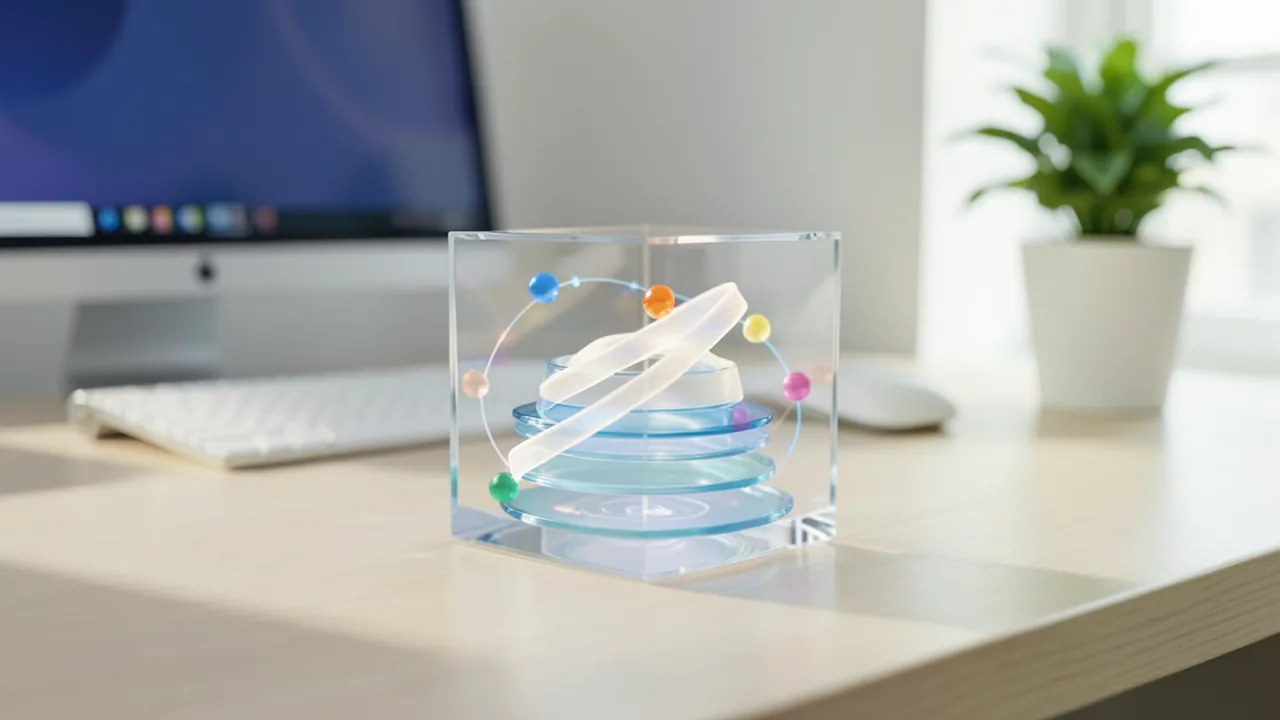
What's really new is the looped transformer. The model has 24 physical layers. Layers 0 to 5 and 18 to 23 run once. The twelve middle layers, 6 to 17, run three times in a row with the same weights each time. In terms of compute, the model acts like it has 48 layers (6 + 3 × 12 + 6), but it only has to store 24. Think of it as one editor revising a text three times instead of hiring three different editors.
Other architectures, such as Nanbeige, have tried loops before. Inkling 2 Mini does it differently. Every pass through the looped core starts from the same input: the output of the first six layers. Each pass hands what it learned to the next one through "cross-pass messages". Every loop layer reads one of these messages from the results of the previous pass. A small gating mechanism then decides how much of the current input to forget and how much of the message to take in. That way, each pass refines the work of the one before it.
More technical specs from the blog post:
| Feature | Inkling 2 Mini | Inkling 2 Small |
|---|---|---|
| Layer passes per token | 48 | 48 |
| Physical layers | 24 (12 of them looped) | n/a |
| Hidden size (width) | 2,304 | 4,608 |
| Experts per layer | 128 | 384 |
| Active experts per pass | 8 | 8 |
| Total / active parameters | approx. 26B / 3B | 594B / 17B |
In each block of six layers, five use sliding-window attention. They only look at the last 1,024 tokens, much like you only keep the last few paragraphs in your head while reading. Just one layer per block sees the full context. This saves memory and compute on long texts. Attention uses 24 query heads and eight KV heads. Each pass has its own KV cache, so the loop isn't entirely free in terms of memory.
Thinking Machines ships the expert weights in a mixed format, NVFP4 and MXFP8. These are compact 4-bit and 8-bit number formats that newer Nvidia chips in particular can accelerate natively. There's also a DSpark drafter, a small three-layer helper model. It guesses several tokens ahead, and the big model only has to verify them. This technique is called speculative decoding. It speeds up output at the cost of a bit more memory.
A research variant with an adjustable loop
Alongside the main model, there's a research artifact called TML-d24-varloop-research. It has the same architecture but was trained to cope with a variable number of loop passes. With one or two passes instead of three, it runs much faster, though answers may get a bit worse. Hugging Face tested the variant and says it works, but hasn't evaluated it thoroughly yet.
What it can do: benchmarks and demos
According to Hugging Face, Inkling 2 Mini is the best model in its class on the Artificial Analysis Intelligence Index v5. It was compared against Gemma 4 31B, Muse Glimmer, Qwen3.8-27B and Nemotron 3.5 Super VL, and came out ahead on 32 of 48 benchmarks. These cover coding, agentic search and tool use, image understanding, reasoning and safety. In coding, it leads on FrontierCode v2.0, ties with Qwen3.8-27B on Terminal-Bench 4.0 and trails Qwen on AutomationBench-AA. The blog post gives no actual numbers. Hugging Face says they're in the Model Card. All comparisons come from the companies involved.
The demos mostly show agentic coding with the Pi coding harness, an environment where the model writes code, runs it and checks screenshots on its own:
- Animated Starry Night: From a reference image of Van Gogh's "The Starry Night", the model wrote an HTML page with a single WebGL shader. The image is generated entirely in code, with a swirling sky, a swaying cypress and flickering windows. Inkling checked and improved its work over 24 rounds of screenshots.
- From napkin sketch to app: From a photo of a hand-drawn sketch for a travel-expense-splitting app, the model built a working web app with an expense list, a form, a balance view and browser storage. The first of three attempts passed all 13 automated checks.
- A website in 4-bit mode: Even the heavily compressed IQ4_NL version built a website for a fictional company called "Plant Therapy" from a single sentence, complete with hand-drawn SVG graphics and matching logic.
- 3D flyover: In a head-to-head with Qwen 3.8 27B, both models produced a sunset flight over procedurally generated mountains.
You can adjust the reasoning depth (reasoning_effort): from "none" (0.0) through "low" (0.2) and "medium" (0.7) to "high" (0.9, the default) and "max" (0.99), or any number in between. The lower the value, the fewer "thinking tokens" the model generates and the faster you get an answer.
What you need to try it
The easiest route is the Llama App (Mac and Windows) or llama.cpp. On Linux, all you need is llama serve -hf ggml-org/Inkling-2-Mini-GGUF:IQ4_NL. For the 8-bit version, swap the suffix for :Q8_0. The app also exposes an OpenAI-compatible API that coding agents and editors can use.
- Graphics card: The 4-bit version of a 26-billion-parameter model needs roughly 16 to 18 GB of VRAM (video memory), so it should just about fit on a 24 GB card. With 16 GB it gets tight, and part of the model has to be offloaded to system RAM. With MoE models that have few active parameters, that usually stays tolerably fast. The 8-bit version needs about twice as much memory. The developers haven't published official figures. These numbers are our own estimates.
- Long context: 1 million tokens is the maximum, but it costs a lot of extra memory. At home, start with much shorter context lengths.
- Mac: Via MLX, the model runs on Apple Silicon, including image input. Hugging Face recorded the demo animation on an M4 Max. A Mac with 32 GB of unified memory should be enough for the 4-bit variant.
- Data center: SGLang supports the model from day one, but according to the blog it requires Nvidia's newest architecture (SM103, e.g. B300). That doesn't matter for home users.
- Disk space: Plan on roughly 15 to 20 GB of free space for the 4-bit file.
Background: Thinking Machines and the Inkling family
Mira Murati founded Thinking Machines in February 2025, with co-founders including John Schulman and Lilian Weng. In July 2025, the startup raised $2 billion at a $12 billion valuation. According to Memeburn, its first model, Inkling, came out in July 2026. It was a 975-billion-parameter MoE giant under the Apache 2.0 license, and it only runs on servers or workstations with hundreds of gigabytes of RAM. Memeburn notes that synthetic data from the Chinese model Kimi K2.5 was used in early post-training.
Shortly before the Mini model came Inkling 2 Small, with 594 billion parameters (17 billion active). According to Trending Topics, it scored 31 points on the Artificial Analysis index, which made it the strongest open model outside China, ahead of Mistral Large 4. That came with a caveat: the weights still had to actually ship. Artificial Analysis also criticized the model's sharp drop in hallucinations, saying it came mainly from the model declining to answer more often. Meanwhile, Business Insider reports that Murati is negotiating a $5 billion funding round.
Our take
Inkling 2 Mini is interesting because it puts a real architectural idea into a model you can run at home. The loop gives a small model more compute depth without doubling its memory footprint. The research variant with an adjustable loop count lets you try the idea out yourself. It understands images, supports tool calling, lets you set the reasoning depth and works in all the major tools at launch. That makes it a serious contender for local coding and agents.
Caution is still warranted. The benchmark claims come from Hugging Face and Thinking Machines, and there are no independent results yet. Hugging Face itself says it needs "more validation". The blog post also doesn't name the Mini model's license. Its predecessors were released under Apache 2.0 with an added usage policy. The comparison with Qwen 3.8 27B is intriguing, since Inkling uses only a fraction of the active parameters per token. The next few weeks will show whether it really keeps up in everyday use.
Sources
- Hugging Face Blog huggingface.co
- memeburn.com memeburn.com
- trendingtopics.eu trendingtopics.eu
Try it yourself: Inkling 2 Mini
Explained step by step, no prior knowledge needed – on your own computer or free in your browser.
What can I do with it?
Inkling 2 Mini is a local all-rounder for text and images that's strongest at coding and agentic tasks. From a short description, it can build complete websites or small web apps in a single HTML file. It reads labels and notes in photos of sketches and turns them into code. It describes images, answers questions about them and can call tools such as a weather API on its own. You can set how long it thinks, from "none" to "max". Hugging Face's own tests put it at least on par with Qwen 3.8 27B. It only uses about 3 billion active parameters per token, which keeps it quick. There are no independent tests yet, and a model this size can't match the big cloud models.
Who is it worth it for?
It's worth trying if you have a graphics card with around 24 GB of memory or a Mac with 32 GB or more, and you want a local coding assistant or agent that also understands images. Tinkerers interested in new architectures can use the research variant to experiment with loop depth. If you only have 8 GB of VRAM or just want a simple chat model, a smaller model will serve you better.
Ideas: What you can do with it
Take a photo of a hand-drawn app idea, say a travel expense calculator, and give the image to the model along with a request for an HTML app. It reads the labels and notes and builds a working page you can open in your browser.
Describe what it's about in a sentence or two, for example your community garden club. Inkling 2 Mini creates a complete HTML page with its own graphics that you can tweak and upload straight away.
Connect the model to your code editor via the Llama App's OpenAI-compatible API. It explains code, writes functions and fixes bugs, and your source code never leaves your machine.
Upload an image, such as a screenshot, a chart or a photo of a sign, and have the model describe or explain it. That's handy for accessibility or for quickly making sense of material.
With tool calling, the model can decide on its own when to call a function, such as a weather lookup or a database search. That lets you build small assistants that work with real data.
Have it write animated WebGL scenes, from sunsets to recreations of paintings like Van Gogh's Starry Night. The result runs in your browser as a single HTML file.
What your computer needs
Which variant is right for me?
Many models come in several sizes or "quantizations." These are compressed versions: smaller and faster, but slightly less accurate. Rule of thumb: pick the largest variant whose memory requirement fits in your VRAM (video memory). The scripts below choose this for you automatically.
| Variant | Download | Needs approx. | Compatible graphics cards |
|---|---|---|---|
UD-Q2_K_XL |
9.1 GB | 12 GB | e.g. RTX 3060 12 GB, RTX 4070, RTX 5070, RX 7700 XT |
UD-Q3_K_XL |
14 GB | 16 GB | e.g. RTX 4060 Ti 16 GB, RTX 4080, RTX 5080, RX 7800 XT |
UD-Q4_K_XL Default |
18 GB | 20 GB | e.g. RTX 3090, RTX 4090, Tesla P40 |
UD-Q8_K_XL |
23 GB | 26 GB | e.g. RTX 5090 |
For most people, the 4-bit GGUF (IQ4_NL) from ggml-org/Inkling-2-Mini-GGUF is the best place to start. By our rough estimate it fits on 24 GB cards. With 16 GB, part of it has to be offloaded to system RAM. If you have plenty of memory (around 32 GB or more), go for the 8-bit Q8_0 version for slightly better quality. On a Mac, use MLX, either the quants from mlx-community or the original checkpoint in its native NVFP4/MXFP8 format, which means no quality loss from conversion. The research variant TML-d24-varloop-research (also available as GGUF) is worth a look if you want more speed with 1 or 2 loop passes. SGLang is only meant for data center hardware.
- The 4-bit version (IQ4_NL) needs roughly 16 to 18 GB of VRAM by our estimate. A 24 GB card is ideal.
- The 8-bit version (Q8_0) needs about twice as much memory, roughly 30 GB.
- On Apple Silicon, the model runs via MLX, including image input. Hugging Face showed the demos on an M4 Max.
- The maximum context of 1 million tokens costs a lot of extra memory. At home, start with 8,000 to 32,000 tokens.
- According to the blog, SGLang requires an Nvidia GPU with the SM103 architecture (e.g. B300) and isn't meant for home PCs.
- Since only about 3 billion parameters are active per token, the model stays relatively fast even when part of it is offloaded to RAM.
How do I find out what my computer has?
- Windows: Press Ctrl + Shift + Esc → Task Manager → Performance tab → click GPU on the left. At the bottom you'll see Dedicated GPU memory (that's your VRAM). You'll find system memory under Memory.
- Mac: Apple menu at the top left → About This Mac. You'll see your chip (e.g. M2) and memory (e.g. 16 GB). On Apple chips, graphics and processor share this memory.
- Linux: Type
nvidia-smiin the terminal (shows your graphics card and its memory) andfree -hfor system memory.
Guide
Google Colab (in your browser, no installation)
Google Colab is a free service from Google. It gives you a computer with a graphics card in your browser for a few hours. All you need is a Google account. For this model: runs for free – The free Tesla T4 GPU with 15 GB is enough.
- Download the notebook. Click the button and save the file.
- Open Colab. Go to colab.research.google.com and sign in with your Google account.
- Upload the notebook. In the window that appears, click Upload on the left (or choose File → Upload notebook at the top) and select the file
colab.ipynb. - Turn on the GPU. In the top menu, go to Runtime → Change runtime type → under Hardware accelerator, select T4 GPU → Save.
- Start everything. Runtime → Run all (keyboard shortcut Ctrl + F9). If you see the warning “This notebook was not authored by Google,” click Run anyway.
- Wait. The cells run one after another. A green checkmark appears to the left of each cell when it's done. Installation and download take about 10 minutes here.
- Try it out. The result appears below the last cell. To test something else, change the text in the cell and run it again with Shift + Enter. The last cell starts a proper chat with an input field.
- Clean up. When you're done: Runtime → Disconnect and delete runtime. This saves your free quota.
Good to know: The free GPU is limited (usually a few hours per day). After about 90 minutes of inactivity, Colab disconnects, and you'll have to start everything over.
Windows 10 / 11
The easiest way is Ollama, a free program that launches AI models with a single command.
- Update your graphics driver (NVIDIA cards only): Install the NVIDIA app or the latest driver. For AMD cards, use the latest Adrenalin driver.
- Install Ollama. Download the file OllamaSetup.exe from ollama.com/download/windows, double-click it, and choose Install. Afterward, a small llama icon appears in the taskbar at the bottom right.
- Open a terminal window. Press the Windows key, type PowerShell and press Enter. A blue or black window opens.
- Start the model. Copy this command ("Copy" button), paste it into the window with a right-click, and press Enter:
The first time, Ollama downloads the model (18 GB (about 23 min at 100 Mbit/s)). After that, it's instant.ollama run hf.co/unsloth/Inkling-2-Mini-GGUF:UD-Q4_K_XL - Start typing. Once
>>> Send a messageappears, type your question and press Enter. Type/byeto end the chat.
Not enough memory? Pick a smaller variant from the table above, e.g. ollama run hf.co/unsloth/Inkling-2-Mini-GGUF:UD-Q2_K_XL.
Prefer automatic? A script that picks the right variant for you
- Download both files into the same folder: try_windows.ps1 demo.py
- Open the folder in File Explorer, right-click an empty spot and choose Open in Terminal.
- Paste this command and press Enter:
powershell -ExecutionPolicy Bypass -File try_windows.ps1
If needed, the script installs Ollama via winget, measures your VRAM (video memory) and downloads the matching variant.
macOS
Macs with an Apple chip (M1 to M5) are ideal. Older Intel Macs are very slow.
- Install Ollama. Download it from ollama.com/download/mac, open the file, and drag Ollama into your Applications folder. Launch Ollama once – a llama appears in the menu bar at the top.
- Open Terminal. Press Cmd + Space, type Terminal, and press Enter.
- Start the model. Paste the command (Cmd + V) and press Enter:
The first time, the model is downloaded (18 GB (about 23 min at 100 Mbit/s)).ollama run hf.co/unsloth/Inkling-2-Mini-GGUF:UD-Q4_K_XL - Start typing. Type your question and press Enter. Quit with
/bye.
Linux
- Check your GPU.
nvidia-smishould show your card. If it doesn't, install the driver on Ubuntu and restart:sudo ubuntu-drivers install - Install Ollama:
curl -fsSL https://ollama.com/install.sh | sh - Start the model:
Exit withollama run hf.co/unsloth/Inkling-2-Mini-GGUF:UD-Q4_K_XL/bye. Useollama psto check whether the model is running on the GPU. - Or let it pick the right variant automatically:
bash try_linux.sh
# mit Python/transformers statt Ollama:
MODE=hf bash try_linux.sh
Try it
Why is the sky blue? Explain it so a ten-year-old can understand.What's in this picture? Describe every detail and read out any text you see. (with a photo attached)Build me a website for my startup "Plant Therapy", which matches houseplants with licensed therapists. Deliver everything in a single HTML file.Here's a photo of my hand-drawn app sketch. Turn it into a working web app in one HTML file using plain HTML, CSS and JavaScript, and store the data in localStorage.Write a single index.html with a WebGL fragment shader that shows an endless camera flight over procedurally generated mountains at sunset, with no external files.Tips for better results
- For coding tasks, use an agent tool like the Pi coding harness or an editor connected through the Llama App's OpenAI-compatible API. That way the model can test and improve its own results.
- Let the model check its own work. In the demos, it looked at screenshots of its output and refined it over as many as 24 rounds.
- For simple questions and tool calls, reasoning_effort="low" is enough and saves a lot of time. For complex code, use "high" or "xhigh".
- Write your tasks like a spec: exactly what you want, in what format (e.g. a single HTML file) and what constraints apply.
- If the 4-bit version seems too imprecise and you have enough memory, switch to Q8_0. On a Mac, you can load the original checkpoint with MLX.
If something goes wrong
The model uses a new architecture. You need current versions of llama.cpp/Llama App, Transformers, mlx-lm or SGLang. Older versions won't load it.
In Transformers, you load the model with the AutoModelForMultimodalLM class, not AutoModelForCausalLM.
For the research variant, you set the number of passes at load time with text_config={"loop_num_passes": 2}. Fewer passes are faster but may give worse answers.
By default, reasoning_effort is set to "high" (0.9), so the model may think for a long time. Pick "low" or "none" if you want fast answers.
In SGLang, the DSpark speculative decoding drafter is only active with --speculative-algorithm DSPARK, and in the example it caps the context at 131,072 tokens.
The blog post doesn't name the Mini model's license. Check the Model Card on Hugging Face before using it commercially.
“out of memory,” a crash, or your computer freezes
The model is too big for your VRAM (video memory). Pick a smaller variant from the table above and close other programs, especially games and browsers with lots of tabs.
It runs, but extremely slowly
Your CPU is probably doing the work instead of your graphics card. In Ollama, the PROCESSOR column of ollama ps shows how much runs on the GPU. If it says "100% CPU", update your graphics driver or pick a smaller variant that fits entirely into VRAM (video memory).
“ollama” or “python” is not found
Close the terminal window and open it again so it recognizes the newly installed program. For Python on Windows: reinstall it and check Add python.exe to PATH.
Windows: "Running scripts is disabled on this system"
Run the script with exactly the command above: powershell -ExecutionPolicy Bypass -File try_windows.ps1. This allows execution for this one time only.
Error message when loading the model (version, "trust_remote_code", unknown architecture)
Brand-new models often need the latest software version. With Ollama: update Ollama. With Python: pip install -U transformers in the activated environment. The Model Card usually lists the exact version.
Tokenstrom generates the scripts and notebook automatically. Please take a quick look before running them – they're plain, readable text. Mind the model's license: apache-2.0.
Ask the AI assistant
Questions about this article, installation or background? Our assistant knows this page and runs on our own machine, not in someone else's cloud.
The Assistant is an AI (Gemma 4) and can make mistakes – please check important details against the source. Questions are used only to generate an answer and are deleted after one hour. Please don't enter any personal data.

Comments
What do you think? Already tried it? Write it here, no sign-up needed.
Comments are public. Links aren't allowed, and we delete abusive posts. You can delete your own comment at any time in this browser. Learn more in the Privacy Policy.