
Instagram brings Edits to the Mac, and AI agents can now cut your videos
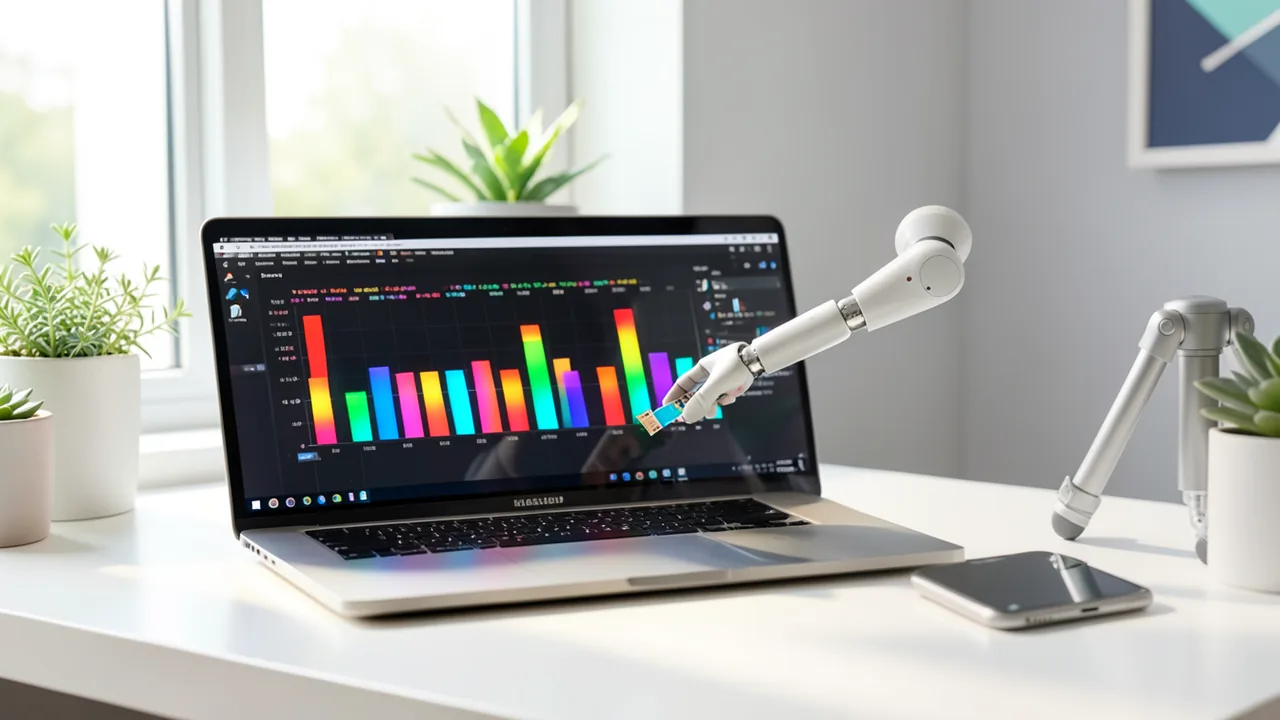
Instagram's video editing app Edits is now available as a free desktop app for Macs with Apple chips. The standout feature: through the Model Context Protocol, you can connect AI agents like Meta's Muse, which can use every editing tool in the app and put together a rough cut for you.
What's going on
On November 5, 2026, Instagram released a desktop version of its video editing app Edits. Until now, Edits was smartphone-only. The new version runs exclusively on the Mac for now, and only on machines with Apple's own chips (M1 or newer). It's free at edits.com/desktop, and you sign in with your Instagram account. There's no version for Windows or Linux yet.
The feature getting the most attention involves AI: Edits Desktop supports the Model Context Protocol (MCP). It's an open standard that lets AI assistants access other programs and use their features, a bit like a USB port for AI. That means you can hand off some or all of your editing to an AI agent, an AI that carries out several steps in a row on its own.
Editing with an AI agent
Matthew Simari leads product management for Edits at Instagram. He told The Verge that with the desktop app, Meta is shipping MCP access to all of the program's tools:
"You can use any agent you want. You can use Muse, we'd love that, but really any agent of your choice to cut, tweak and work on your video."
Muse is Meta's own AI agent. So Meta isn't locking creators into its in-house AI. Any assistant that speaks MCP can plug in. Simari gave an example: a creator asks the agent to build a rough cut from the footage in their Downloads folder. The agent talks to the MCP interface and calls the necessary tools one after another ("tool calls"). The result is a project file you open in Edits and keep refining by hand. According to Simari, you'll be able to switch freely between "agentic and manual editing."
The idea isn't entirely new. Other editing apps can already be controlled with AI, and the creator scene is full of guides on, say, automating CapCut with AI assistants through workarounds. The difference, according to presse-citron, is that Instagram creators get a tool straight from the platform and don't have to rely on third-party software.
Back in September, Instagram added an AI "creative assistant" to the mobile Edits app. According to The Verge, it offers suggestions and feedback on videos based on metrics from your own Instagram account, such as views and how long viewers stick around (retention). Simari said creators had asked "massively" for a desktop version, but the AI plans were also a reason for the move.
What else the desktop app can do
Even without AI, Edits Desktop is far more capable than the phone app. According to Instagram, TechCrunch and FoneArena, features include:
- Multitrack timeline: video, audio and text sit on multiple stacked layers.
- Keyframes for transitions: you set anchor points, and properties like position or brightness change smoothly between them.
- Audio waveforms: audio is shown as a curve, so you can cut precisely on the beat.
- Color grading: color wheels, curves, conversion of log footage (flat-looking video shot with lots of room for post-production) and custom LUTs, saved color looks you can import like a filter.
- Keyboard shortcuts: fully customizable, and you can carry over shortcuts from other editing apps.
- Custom fonts via import.
- Automatic captions in multiple languages, unlimited and free according to FoneArena.
- Music and effects library: licensed and royalty-free music, sound effects and video effects. According to presse-citron, they're free to use as long as the video is published on Instagram.
Audio and text styles saved in the phone app show up automatically on the Mac. You can export in portrait and landscape up to 4K, with no watermark, so you can use your videos on other platforms or privately too.
Publishing directly, and what's still missing
You can post videos to Instagram straight from the desktop app. Instagram features like tagging other accounts, adding locations and Trial Reels (test videos shown only to non-followers at first) are built in. Instagram says this cuts out an annoying detour: edit on your computer, export the file, move it to your phone, tweak it there, and only then post.
Brett Westervelt, head of Edits, explained the move in a blog post:
"So many creators have described the same moment to us: a project gets too big for the phone. You've got a dozen clips, you want to land a cut exactly on the beat, and your thumb is covering the exact part of the timeline you need to see."
There are gaps, though. Besides Windows, the biggest missing piece is cross-device work: you can't yet edit the same project alternately on your phone and your Mac. Meta says it's working on it and plans to update the desktop app every week. The mobile app will keep being developed in parallel. According to Instagram, it now has more than 50 million users, just over a year after launch.
Background: the fight against CapCut and for long-form video
Meta launched Edits last year explicitly as a rival to CapCut, the hugely popular editing app from TikTok parent ByteDance. According to TechCrunch, CapCut has been available for Windows and Mac since 2021. So Edits is playing catch-up here, and the missing Windows version is a clear disadvantage by comparison.
The move to desktop fits Instagram's strategy of leaning harder into longer landscape videos, which are easier to edit on a big screen. According to presse-citron, Instagram is testing a new format in the US called "Features" that runs up to 90 minutes. Rumor has it the platform even plans to pay some creators for long videos.
Our take
Edits Desktop is mainly interesting for creators who produce for Instagram regularly and currently bounce between a phone app, a desktop editor and the upload. The features cover much of what ambitious social media videos need. But as things stand, Edits is unlikely to replace a pro tool like DaVinci Resolve or Premiere.
The MCP interface is the more exciting part. It's notable that a major platform is opening its editing app to any AI agent from day one, not just its own AI. How well it works in practice, meaning how usable an AI rough cut actually is and which agents work reliably with it, can't be judged from the reports so far. There are no independent tests yet. It's also unclear what data flows to Meta when you use Muse. For many users, the restriction to Macs with Apple chips and the lack of shared projects between phone and computer remain the biggest hurdles.
Sources
- Merkliste: presse-citron.net presse-citron.net
- theverge.com theverge.com
- techcrunch.com techcrunch.com
- fonearena.com fonearena.com
Ask the AI assistant
Questions about this article, installation or background? Our assistant knows this page and runs on our own machine, not in someone else's cloud.
The Assistant is an AI (Gemma 4) and can make mistakes – please check important details against the source. Questions are used only to generate an answer and are deleted after one hour. Please don't enter any personal data.



Comments
What do you think? Already tried it? Write it here, no sign-up needed.
Comments are public. Links aren't allowed, and we delete abusive posts. You can delete your own comment at any time in this browser. Learn more in the Privacy Policy.