
Mirage: 22 MB vision model detects objects, reads text and segments in one pass
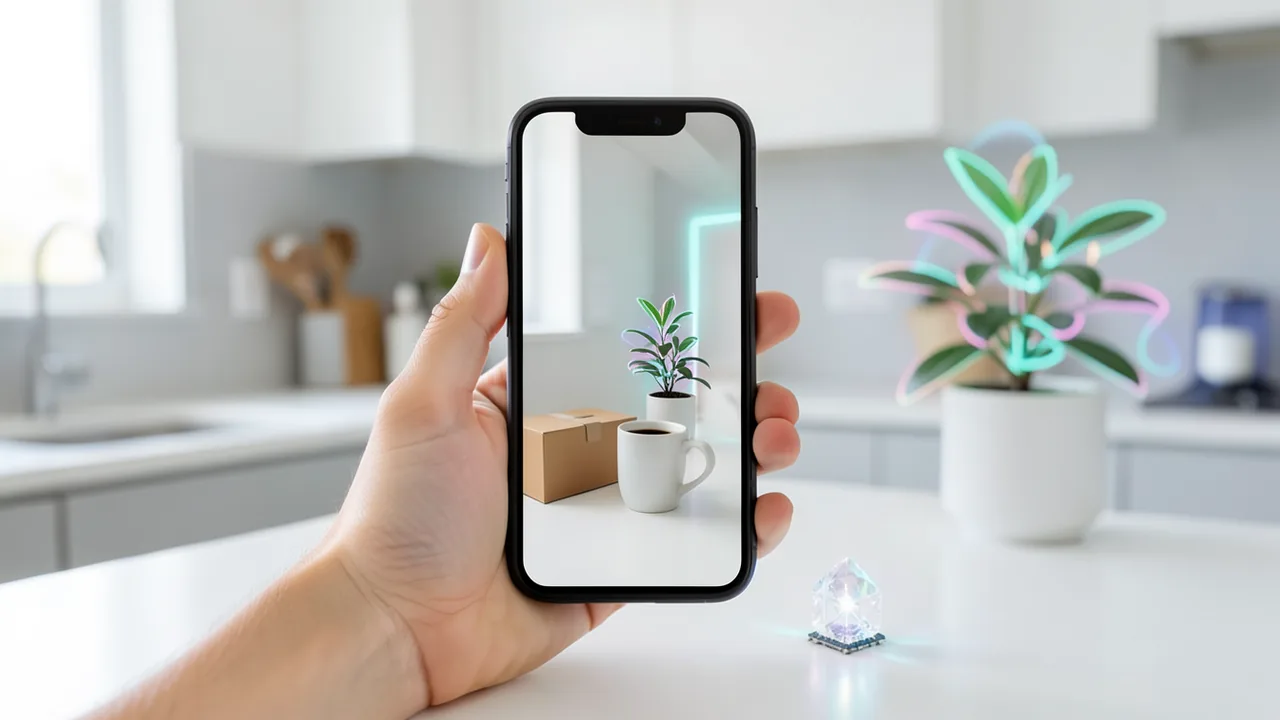
Cactus Compute has released Mirage, a tiny vision model built for smartphones, wearables and robots. With just 51.3 million parameters and a 22 MB footprint, it describes scenes, finds objects, reads text and generates masks, all in 74 milliseconds on a phone. Just as interesting is the idea of using it to give text-only models the ability to see.
What's going on
Startup Cactus Compute has unveiled Mirage, a very small vision model for smartphones, wearables, robots and other consumer devices. Mirage has 51.3 million parameters and, using the company's own 2-bit quantization scheme "Cactus Quants," comes in at only around 22 MB. Quantization means shrinking a model by storing its numbers at lower precision. For comparison: typical vision-language models (VLMs, models that understand both images and text) usually take up several gigabytes.
Despite its size, Mirage is said to describe scenes, detect objects, read text (OCR), generate segmentation masks (pixel-accurate object outlines), work out spatial relationships and make simple decisions, all in a single pass. On a Samsung Galaxy S26, that takes 74 milliseconds on the NPU, the phone's AI accelerator chip, and 107 milliseconds on the regular processor, according to the company. The measurement covers the entire pipeline from image to result.
Henry from Cactus Compute introduced the model on the r/LocalLLaMA subreddit. Weights and config are on Hugging Face, the source code is on GitHub. Mirage runs on the same engine as the company's sibling models Needle and Whistle. The blog post includes a demo that runs directly in your browser: point your camera at a mug or a label, or upload a photo, and the detections appear as an overlay on the image.
What Mirage returns
Instead of free-form prose, your app gets a structured JSON record it can work with right away:
- Scene: What kind of place is this, and what are the lighting, surfaces and background like?
- Objects and attributes: names, bounding boxes, positions and attributes such as color, shape or material. The names come from the model's language component, so they aren't limited to a fixed list of classes the way classic object detectors are.
- Segmentation: a mask for every described object, as an outline, as individual pieces or as a bitmap.
- Text: written words in the image, each with a bounding box and confidence score. They're read by a dedicated text recognizer inside the model.
- Relationships and events: Which object is attached to which, what's on the table, what action is happening?
- Decisions and forms: a choice from predefined labels, a count within a range, a short text field or a box belonging to a selected object.
Together, names, attributes and relationships form a small scene graph, a network of objects and how they connect. An app can use it to jump from a sign to its pole, for example, or pull out every red object. There's also a short reasoning trace that shows how the model arrived at its description. Cactus itself points out, though, that this text is generated too and should be read critically.
Descriptions are available in English, German, French, Spanish, Italian, Dutch and Polish. The Python API lets you pick exactly which parts you need. Boxes are given on a 0 to 1000 scale relative to the image size. Parameters such as conf and text_conf set detection thresholds, while max_objects, max_text_lines and max_tokens cap the output. Set language="de" and you get the description in German. On the first call, the package downloads the engine and weights and caches them. The image analysis itself runs on your own device.
Letting text models see, no fine-tuning required
Cactus calls out the most interesting finding itself: you simply pass Mirage's JSON to a text-only model along with a question about the image. Mirage does the seeing, and the language model reads the observations as plain text. Neither model needs to be adapted.
The team tested this with 256 questions about 128 images from the VQAv2 dataset (Visual Question Answering). They measured the standard VQA consensus score from 0 to 100:
| Text model | Question only | With Mirage record and reasoning |
|---|---|---|
| Qwen3-0.6B | 9.3 | 31.3 |
| Qwen3-1.7B | 27.5 | 31.6 |
| Qwen3-4B-Instruct-2507 | 33.4 | 37.3 |
For Qwen3-0.6B, the jump is big. Control runs show that the right image data is what matters: given the record from a different image, the model scored only 22.2. Without the reasoning trace, it even hit 33.1. So Cactus found no reliable benefit from the reasoning; the structured data was enough.
With larger text models, Cactus says the results are mixed. The scores also blend correct answers with format compliance: the task required a JSON object with an "answer" text field, and any response that missed the format scored zero. Nemotron failed this on 214 of 256 answers, Qwen3-1.7B on 34. Cactus also lists perception errors. On a skateboarding photo, Mirage missed the skateboard and described cars, people and shoes. From the question alone, Qwen had correctly guessed "a skateboard"; after seeing the Mirage record, it answered "a car." What Mirage doesn't see, even the best text model can't know. Next, Cactus plans to fine-tune a text model specifically on Mirage records paired with questions and answers.
How the model is built
The 51.3 million parameters are split between a 7.8 million-parameter image encoder, a 40.8 million-parameter language decoder and 2.6 million parameters of heads for text recognition and spatial outputs. Henry explains the core idea like this: full sentences, connecting filler words and open-ended reasoning eat up capacity that a small model is better off spending on the image itself. That's why Cactus built structure into the task, with dedicated heads for spatial outputs, a dedicated text recognizer and short references linking names to image regions.
The encoder uses a building block called HConvGLU. Fixed Walsh-Hadamard transforms, a mathematical reshuffle that mixes all channels together, wrap three small learned convolutions with 65 channels. Each convolution stores 512 × 65 values, roughly eight times fewer than a full 512 × 512 matrix. The encoder works on 256 image cells and uses grouped-query attention, which shares computation to save memory. On top of that come four "register tokens" that act as scratch pads, plus a normalization that balances the channels. The detection and mask heads receive finer image features from the early layers so details are preserved.
The decoder has eight layers and comes from the same family as Needle and Whistle. It generates names, attributes, relationships and the reasoning trace, and points to detected boxes with short references. The engine merges all of that with the boxes, masks and text recognition into the JSON. That way the decoder has to generate fewer tokens. For quantization, most matrices are reduced to 2 bits. Some sensitive parts stay at 4 or 16 bits, which brings the file to 21.6 MB.
What you need to try it
The barrier to entry is unusually low: the browser demo on the Cactus blog runs locally in your browser, with no installation and no graphics card. For your own projects, there's a Python API that accepts file paths, image bytes, Pillow images or RGB arrays. Native apps load the mirage.cact file with cactus_load and analyze images with cactus_describe. You don't need a GPU: Mirage is built for phone processors and NPUs, and a few hundred MB of RAM plus a few MB of storage are enough. A separate repository lists exactly which platforms the engine supports. There's no GGUF version for llama.cpp or Ollama; Mirage requires the Cactus engine.
The bigger picture
Mirage shows how far visual understanding can be shrunk. Normally, detection, text recognition, segmentation and captioning take several models. Here, it all fits into 22 MB that run on a phone in a tenth of a second. That's interesting for apps that need to work offline and keep data on the device, such as assistive tools for blind and low-vision users, robots or camera glasses. The idea of teaching text models to see via structured observations is also appealing for small local systems.
All figures come from the company, though, and there are no independent tests yet. The VQA sample of 256 questions is small, and absolute scores around 31 out of 100 show the duo is still far behind large vision-language models. Cactus is upfront about weaknesses, including missed objects and mixed results with larger text models, and has published every answer from the experiment. The source doesn't mention a license for the weights. If you want to use Mirage commercially, check the license on Hugging Face.
Sources
- Reddit: lokale Modelle & Bild-KI cactuscompute.com
Try it yourself: Mirage
Explained step by step, no prior knowledge needed – on your own computer or free in your browser.
What can I do with it?
Mirage looks at a photo or camera frame and returns a structured report in one go: what kind of scene it is, which objects are visible (with boxes, color, material), pixel-accurate outlines, recognized text with its position, relationships between objects and a short explanation. You can also give it a set of options, such as "empty, half full, full," and it decides with probabilities. Descriptions are available in seven languages. Because it's only 22 MB, it runs fully offline, even on phones, in a tenth of a second. The limits: it's not a chat model you can talk to about an image. It also misses objects sometimes; in testing, it overlooked a skateboard. For conversations about images, you pair it with a small text model. That works, but it falls well short of large vision AIs like the well-known cloud models.
Who is it worth it for?
Ideal for developers and tinkerers who want to build image recognition into apps, Raspberry Pi projects, robots or camera gadgets without the cloud and without a GPU. If you just want to chat with an AI about your photos, a larger vision-language model will serve you better.
Ideas: What you can do with it
Point your phone camera at packaging, signs or letters. Mirage reads the text along with its position and describes the scene. Add text-to-speech and you've got an offline aid for people with low vision.
Snap your shelves, toolboxes or pantry and have Mirage list the objects with color and material. The JSON drops straight into a spreadsheet, giving you a stock list without any typing.
Have Mirage regularly analyze a shot of your front door or garden and make a decision, such as "package there: yes or no." Since everything runs locally, no camera images ever leave your home.
Use the segmentation masks to automatically cut out or highlight objects. That way you can quickly isolate product shots for an online classifieds listing, for example.
Pass Mirage's JSON to a local text model and ask questions about the image, like "What's on the table?" That gives you a simple image chat that runs completely offline, even if it can't match large cloud models.
What your computer needs
Which variant is right for me?
Many models come in several sizes or "quantizations." These are compressed versions: smaller and faster, but slightly less accurate. Rule of thumb: pick the largest variant whose memory requirement fits in your VRAM (video memory). The scripts below choose this for you automatically.
| Variant | Download | Needs approx. | Compatible graphics cards |
|---|---|---|---|
Q2_K |
3 GB | 4.5 GB | e.g. RTX 2060, RTX 3050 8 GB, RX 6600 |
Q3_K_M |
3.8 GB | 5.5 GB | e.g. RTX 2060, RTX 3050 8 GB, RX 6600 |
Q4_K_M Default |
4.7 GB | 6.5 GB | e.g. RTX 3060 Ti, RTX 4060, RTX 5060, RX 7600 |
Q5_K_M |
5.4 GB | 7 GB | e.g. RTX 3060 Ti, RTX 4060, RTX 5060, RX 7600 |
Q6_K |
6.3 GB | 8 GB | e.g. RTX 3060 Ti, RTX 4060, RTX 5060, RX 7600 |
There's only one variant: the 2-bit version at 21.6 MB (file mirage.cact). For a first impression, the browser demo on the Cactus blog is enough. For your own scripts, use the Python API; for mobile and native apps, use the Cactus engine with cactus_load. There's no GGUF or Ollama version.
- You don't need a graphics card; the model is built for smartphone CPUs and NPUs.
- According to the company, a full pass on the Samsung Galaxy S26 takes 74 ms on the NPU and 107 ms on the CPU.
- The model file is only about 22 MB, so memory requirements are tiny.
- The demo runs locally in your web browser, with no installation.
- The engine's supported platforms are listed in a separate Cactus repository.
How do I find out what my computer has?
- Windows: Press Ctrl + Shift + Esc → Task Manager → Performance tab → click GPU on the left. At the bottom you'll see Dedicated GPU memory (that's your VRAM). You'll find system memory under Memory.
- Mac: Apple menu at the top left → About This Mac. You'll see your chip (e.g. M2) and memory (e.g. 16 GB). On Apple chips, graphics and processor share this memory.
- Linux: Type
nvidia-smiin the terminal (shows your graphics card and its memory) andfree -hfor system memory.
Guide
Google Colab (in your browser, no installation)
Google Colab is a free service from Google. It gives you a computer with a graphics card in your browser for a few hours. All you need is a Google account. For this model: runs for free – The free Tesla T4 GPU with 15 GB is enough.
- Download the notebook. Click the button and save the file.
- Open Colab. Go to colab.research.google.com and sign in with your Google account.
- Upload the notebook. In the window that appears, click Upload on the left (or choose File → Upload notebook at the top) and select the file
colab.ipynb. - Turn on the GPU. In the top menu, go to Runtime → Change runtime type → under Hardware accelerator, select T4 GPU → Save.
- Start everything. Runtime → Run all (keyboard shortcut Ctrl + F9). If you see the warning “This notebook was not authored by Google,” click Run anyway.
- Wait. The cells run one after another. A green checkmark appears to the left of each cell when it's done. Installation and download take about 6 minutes here.
- Try it out. The result appears below the last cell. To test something else, change the text in the cell and run it again with Shift + Enter.
- Clean up. When you're done: Runtime → Disconnect and delete runtime. This saves your free quota.
Good to know: The free GPU is limited (usually a few hours per day). After about 90 minutes of inactivity, Colab disconnects, and you'll have to start everything over.
Windows 10 / 11
This model runs on Python. Our script handles the setup automatically: it creates an isolated Python environment, installs the required packages (PyTorch, approx. 3 GB) and downloads the model (4.7 GB (about 6 min at 100 Mbit/s)).
- Update your graphics driver (NVIDIA): install the latest driver. Without an NVIDIA card, it runs on the CPU – much more slowly.
- Install Python. Download Python 3.12 from python.org and run the installer. Important: At the bottom of the first window, tick Add python.exe to PATH, then click Install Now.
- Create a folder and download the files. Create a folder, e.g.
Documents\AI-Test, and save both files into it: - Open a terminal in the folder. Open the folder in File Explorer, right-click an empty spot → Open in Terminal.
- Run it. Paste this command and press Enter:
Installation and download are running now. The first time, this can take 10–30 minutes.powershell -ExecutionPolicy Bypass -File try_windows.ps1 - Result. The model is in the
modelssubfolder. For exactly how to use it, see the Model Card on Hugging Face. - Try your own input: Open
demo.pyin an editor, change the sample text, and save. Then run this in the terminal:.\.venv-mirage\Scripts\Activate.ps1 python demo.py
macOS
Macs with an Apple chip (M1 to M5) are ideal. Older Intel Macs are very slow.
- Open Terminal. Press Cmd + Space, type Terminal, and press Enter.
- Install the developer tools (first time only; includes Python):
Click Install in the window. If you see "already installed," everything is already in place.xcode-select --install - Download the files – both end up in your Downloads folder:
- Run it:
The first time, installation and download take 10–30 minutes.cd ~/Downloads bash try_mac.sh - Result. The model is in the
modelssubfolder. For exactly how to use it, see the Model Card on Hugging Face.
Linux
- Check your GPU.
nvidia-smishould show your card. If it doesn't, install the driver on Ubuntu and restart:sudo ubuntu-drivers install - Install the Python basics (Ubuntu/Debian):
sudo apt update && sudo apt install -y python3-venv python3-pip git - Put the files in a folder and open a terminal there:
- Run it:
bash try_linux.sh - Result. The model is in the
modelssubfolder. For exactly how to use it, see the Model Card on Hugging Face.
Try it
A photo of your desk with language="de": get the scene, objects and their colors described in German.A photo of a shipping label: read the text and return only objects and text lines (cap max_text_lines).A photo of the inside of your fridge with the decision question "Is the fridge empty, half full or full?" and those three labels.A street photo: Which objects are red, and what is the sign attached to? (Use the relationships in the scene graph.)A living room photo: pass Mirage's JSON along with the question "How many chairs are at the table?" to a small text model like Qwen3-0.6B.Tips for better results
- Look at the full output first, then request only the parts your app actually needs. That saves time.
- Use the language parameter (e.g. language="de" for German) to get descriptions in one of the seven supported languages.
- For clear yes/no or category questions, decision mode with your own labels is more reliable than free-form descriptions.
- Treat the reasoning trace as a debugging aid, not established fact. Cactus found no reliable benefit in passing it to text models.
- Well-lit, sharp photos with clearly visible objects give noticeably better results.
If something goes wrong
On the first call, the package downloads the engine and weights from the internet; after that they're cached and everything runs offline.
Mirage doesn't run on llama.cpp or Ollama, only on the Cactus engine (Python or native library).
Boxes use a 0 to 1000 scale relative to image size. To draw them, you need to convert them to actual pixel dimensions.
If expected objects or text lines are missing, lower the conf or text_conf thresholds, or raise max_objects and max_text_lines.
If you pass Mirage's output to a text model, watch the response format. In testing, some models missed the required JSON format very often.
The source doesn't specify a license. Check it on Hugging Face before any commercial use.
“out of memory,” a crash, or your computer freezes
The model is too big for your VRAM (video memory). Pick a smaller variant from the table above and close other programs, especially games and browsers with lots of tabs.
It runs, but extremely slowly
Your CPU is probably doing the work instead of your graphics card. In Ollama, the PROCESSOR column of ollama ps shows how much runs on the GPU. If it says "100% CPU", update your graphics driver or pick a smaller variant that fits entirely into VRAM (video memory).
“ollama” or “python” is not found
Close the terminal window and open it again so it recognizes the newly installed program. For Python on Windows: reinstall it and check Add python.exe to PATH.
Windows: "Running scripts is disabled on this system"
Run the script with exactly the command above: powershell -ExecutionPolicy Bypass -File try_windows.ps1. This allows execution for this one time only.
Error message when loading the model (version, "trust_remote_code", unknown architecture)
Brand-new models often need the latest software version. With Ollama: update Ollama. With Python: pip install -U transformers in the activated environment. The Model Card usually lists the exact version.
Tokenstrom generates the scripts and notebook automatically. Please take a quick look before running them – they're plain, readable text. Mind the model's license: apache-2.0.
Ask the AI assistant
Questions about this article, installation or background? Our assistant knows this page and runs on our own machine, not in someone else's cloud.
The Assistant is an AI (Gemma 4) and can make mistakes – please check important details against the source. Questions are used only to generate an answer and are deleted after one hour. Please don't enter any personal data.


Comments
What do you think? Already tried it? Write it here, no sign-up needed.
Comments are public. Links aren't allowed, and we delete abusive posts. You can delete your own comment at any time in this browser. Learn more in the Privacy Policy.