
n8n's Nod: a free, open-source AI agent that gets things done on your own PC
Automation company n8n has released Nod, a personal AI agent, as open source. It runs on your own Mac or Windows PC and uses its own browser to cancel subscriptions, download invoices or track prices. You pick the AI model that powers it. Unlike Meta or Anthropic, n8n doesn't ask you to trust someone else's cloud.
What's going on
n8n is best known for its platform that lets teams connect apps and automate workflows, such as "new email → row in a spreadsheet → message in Slack". On November 10, 2026, the company unveiled something different: Nod, a personal AI agent. An AI agent doesn't just answer questions. It carries out tasks on its own, for example by clicking its way through websites. Nod comes from n8n Labs, a new team for experiments outside the core product.
Nod is a standalone app for Mac and Windows. It's free, and its code is on GitHub under the Apache 2.0 license, a permissive open-source license that also allows commercial use and modification. You don't need an n8n account, a server or a cloud service. According to n8n, you install the app, connect your accounts and start giving Nod jobs. The company explicitly calls it a Labs experiment that doesn't change its overall direction. Work on the n8n platform and its built-in agent continues as before.
An agent with its own computer
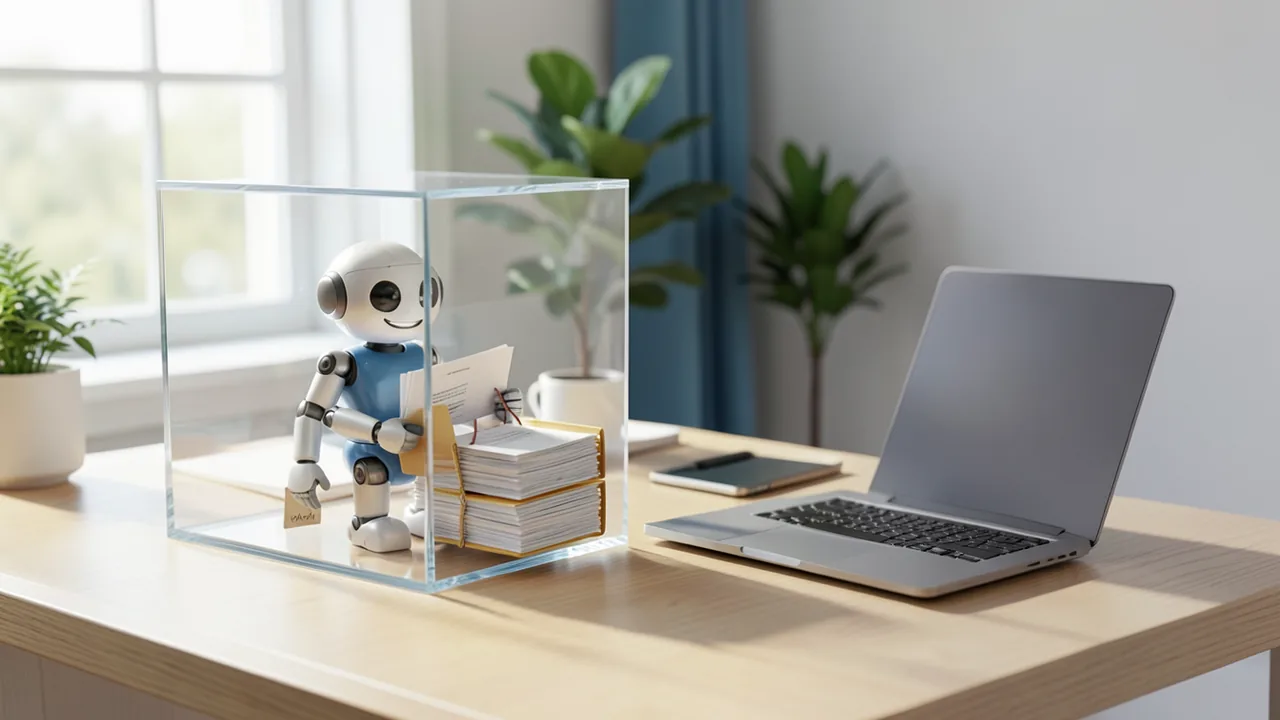
Technically, what sets Nod apart from many chat assistants is a sandbox: an isolated area, in this case a private virtual machine on your computer – a "computer inside your computer". Inside it, Nod has its own browser. That means it can log in to websites that don't offer an official integration. At that point, a regular chatbot usually just hands you a to-do list. Nod is supposed to actually do the job.
n8n gives examples like these:
- cancel a subscription, turn down the retention offers and request a refund
- watch a product's price and let you know when it drops
- find a suitable hotel for a trip and book it once you approve
- download invoices from supplier portals every month and file them for your accountant
- copy numbers from a dashboard that has no export function into a report
According to Unite.AI, the documentation goes further. Nod researches the web and PDFs, creates documents, spreadsheets and code in a Linux workspace, and can read and draft in Gmail, Google Calendar, Slack, Notion and Linear. If you already use n8n, you can optionally connect your own n8n instance so Nod can work with your workflows there.
You hold a single conversation with Nod, either in the app or via Telegram and WhatsApp. Behind the scenes, several tasks run in parallel. Recurring jobs such as a morning briefing or a price check can be scheduled. Nod is also meant to take the initiative: it reads your connected apps and suggests tasks it could take off your plate. n8n describes the division of labor like this: a chat assistant is for thinking and writing, n8n is for shared team workflows ("multiplayer"), and Nod handles the tasks that only concern you ("singleplayer").
A memory that lasts for months
Nod is designed to remember conversations for months. The agent learns your preferences. If you connect Gmail, it analyzes your sent emails so its drafts sound like you. It also takes notes on how it solved a task, reuses those notes next time and updates them when a website changes. You can view, edit and delete everything Nod stores about you.
As evidence, n8n cites 93.2 percent on the LongMemEval benchmark, a public test of long-term memory in AI systems. According to the GitHub repository, an earlier version scored 79 percent. The test asks 500 questions about past chats in a fresh session. It checks whether a system can extract information, reason across multiple sessions, account for updated knowledge, understand temporal relationships and admit when it doesn't know something. n8n says this puts Nod among the best published memory systems. But Unite.AI rightly points out that the score only tells you about memory. It doesn't measure how reliably Nod completes a booking or a refund.
Security: local by default
An agent that can send emails and pay with your credit card is risky. That's why n8n relies on several layers of protection:
- Data stays local: The database, files, memory and saved logins stay on the machine running Nod. The AI provider only receives the information it needs for the task at hand. According to the product page, app connections go through a connection service. Apart from update checks, n8n itself only receives data if you turn on usage analytics or send feedback.
- Approval check: If Nod wants to send, pay for, publish or delete something your request doesn't cover, a separate review model asks you first. A website or email can't give Nod orders. This is meant to protect against prompt injection – text that tries to manipulate an AI with hidden instructions.
- Encrypted credentials: Passwords and cards are stored encrypted on the device. Nod enters them through private forms that the AI model can't read.
- Audit log: Every login, every card use, every action in your apps and the cost of every task are recorded.
n8n is upfront about the limits: the approval check is also an AI model and can get things wrong. So Nod asks whenever your wording doesn't clearly cover an action. The check is an extra safeguard, not a guarantee.
Costs and requirements
The app is free. What you pay for is the AI model you connect. According to Unite.AI, supported providers include OpenAI, Anthropic, OpenRouter, Amazon Bedrock, Google Vertex AI and Azure OpenAI, either via an API key (an access code billed by usage) or a ChatGPT Plus or Pro subscription. You can also connect an open-source model running locally.
n8n admits that some testers found the cost per task higher than expected, though it says costs have dropped significantly in recent versions. As a safeguard, Nod shows the cost of every task and gives you a receipt at the end. You can set a monthly spending limit. If a task costs more than $5, Nod checks with you first; the threshold is adjustable. For each scheduled task, Nod also shows the estimated monthly cost.
On a Mac, you need macOS 14 or later. Windows 11 support is still labeled as a preview. You can also run Nod on your own server. There are limitations, though: on a laptop, Nod stops as soon as the device goes to sleep, which is why some testers use an always-on Mac mini or a server. Each installation has just one owner, and Nod can't make phone calls. A hosted version and team sharing are on the roadmap.
The race for personal agents
Nod is entering a crowded market. According to 247wallst, as cited by Ecosistema Startup, Meta announced on October 21, 2026 that more than 10 million people in the US and Canada have set up its agent Muse, mostly for shopping. According to CBS News, Anthropic is testing its first consumer agent, Claude Duet, initially US-only, with a waitlist and for Pro and Max subscribers. OpenAI has Dots. And according to Ars Technica, the US Federal Trade Commission (FTC) has sent information requests to Anthropic and OpenAI over possible harm to consumers.
Our take
Nod takes a different approach from the big AI labs. With Meta, Anthropic and OpenAI, the agent runs in the cloud of the same company that owns the model. With Nod, the code, the machine and the choice of model are in your hands. That's appealing if you'd rather not hand your logins and credit cards to a cloud agent. But it comes at a price. You pay the model costs directly, and they're hard to estimate in advance. Scheduled tasks need a computer that's always on. And setting things up with API keys is aimed more at tech-savvy users.
The open question is how reliably Nod handles complex everyday tasks. The only figure published so far concerns memory. And because the approval check is itself a model, some risk remains once the agent has access to your email and payment methods. If you want to try Nod, start with a boring, easy-to-verify task such as fetching invoices. Set a low spending limit and connect only the accounts the task really needs.
Sources
- Merkliste: ecosistemastartup.com ecosistemastartup.com
- unite.ai unite.ai
Ask the AI assistant
Questions about this article, installation or background? Our assistant knows this page and runs on our own machine, not in someone else's cloud.
The Assistant is an AI (Gemma 4) and can make mistakes – please check important details against the source. Questions are used only to generate an answer and are deleted after one hour. Please don't enter any personal data.


Comments
What do you think? Already tried it? Write it here, no sign-up needed.
Comments are public. Links aren't allowed, and we delete abusive posts. You can delete your own comment at any time in this browser. Learn more in the Privacy Policy.