
Nvidia releases Alpamayo 2 Edge, an open self-driving model that explains its moves
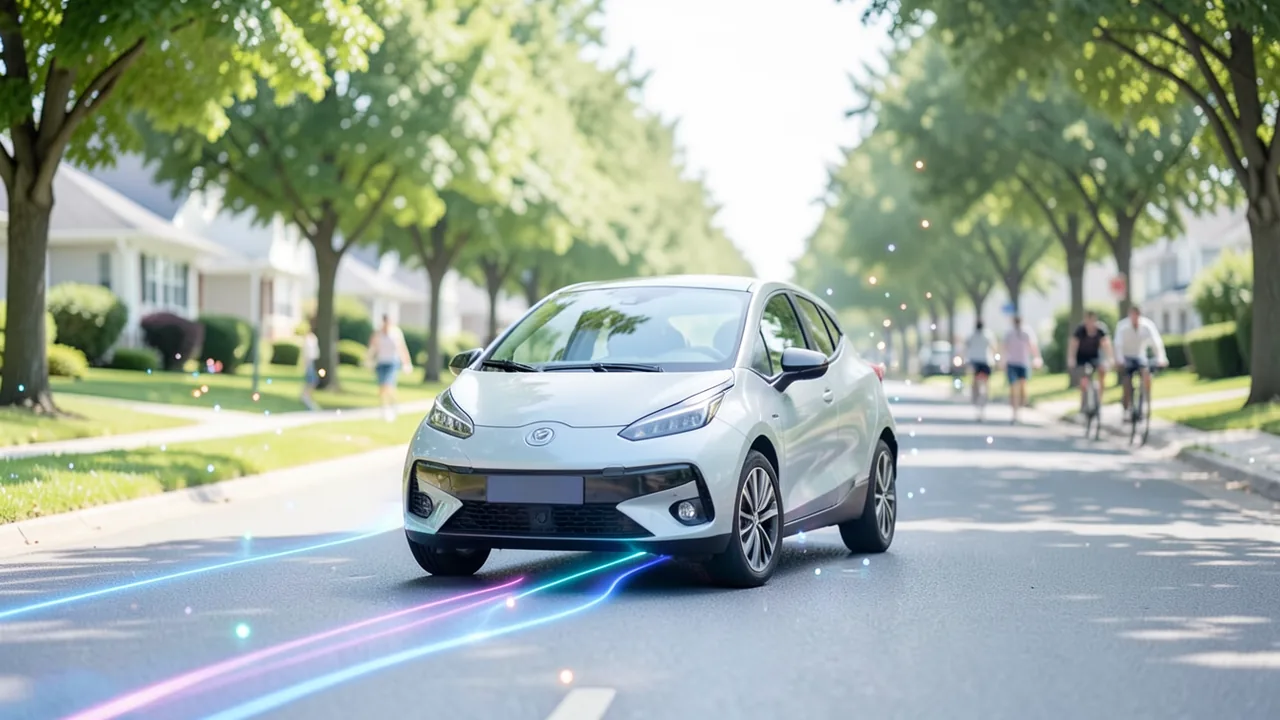
Nvidia has published the weights for Alpamayo 2 Edge on Hugging Face. The 2-billion-parameter model takes images from six cameras, plans the car's path and tells you why it chose that path. It's built for autonomous vehicle developers, not your home PC.
What's going on
On November 10, 2026, Nvidia published the weights for Alpamayo 2 Edge on Hugging Face. The model is built for self-driving cars and is small enough to run inside the vehicle itself. Nvidia first announced it on October 21, 2026, at GTC Berlin, together with its Hyperion in-vehicle compute platform. The model has 2 billion parameters. It takes in images from six cameras around the car, the vehicle's recent motion and navigation instructions. From those it calculates a trajectory, meaning the path the car plans to take over the next few seconds. It can also explain in plain words why it's driving that way.
The release got attention on r/LocalLLaMA through a post by an employee of Embedl, a Swedish company. Embedl says it has already shipped an optimized version that runs more than ten times faster than the standard PyTorch version on vehicle hardware like AGX Thor. According to the post, you can even run the model on a real Thor computer at embedl.com/nvidia/alpamayo2-edge/thor.
How the model is built
Alpamayo 2 Edge is a vision-language-action (VLA) model. It combines seeing (camera images), language (navigation instructions and explanations) and acting (driving commands) in one system. According to Unite.ai, its reasoning backbone comes from Cosmos 3 Edge, a Nemotron-based Nvidia model. The actual driving moves come from a diffusion action expert. This part of the model works like an image generator: it refines a rough guess step by step until it ends up with a clean trajectory.
The inputs are video from the surround cameras, temporal context, the car's own motion history (Nvidia calls this "ego-motion") and navigation text. The model produces two outputs: a planned trajectory and a chain-of-causation explanation. This chain of reasoning links a decision to what caused it, for example "I'm braking because a pedestrian is stepping into the road." The model can also answer open-ended questions about a traffic scene.
One standout feature is adaptive reasoning. In routine situations, like cruising steadily down an empty road, the model skips the explanation. Instead of writing out a full text, it emits special NOMINAL tokens that simply mean "all normal." That saves compute while the trajectory keeps getting calculated.
Training: learn from the big sibling, then practice in the simulator
Edge is a distilled model. Distillation means a large "teacher" model passes its knowledge on to a small "student" model. The teacher here was Alpamayo 2 Super, with 34 billion parameters. According to Nvidia's product page, Super is meant for driving predictions, scene understanding, automatic data labeling and training smaller models. It generated the explanations Edge learned from.
According to the Model Card, the training data includes about 115,000 hours of multi-camera driving video with motion and trajectory data. On top of that come roughly 3.7 million chain-of-causation explanations, some of them synthetic. Data from inertial sensors (acceleration and rotation) and GPS went in too.
After that, the model practiced in the AlpaGym simulator using closed-loop reinforcement learning. The model drives through a simulated world, sees the results of its own decisions and gets rewarded for driving well. Think of a learner driver who doesn't just watch videos but actually gets behind the wheel. Nvidia says this step improved closed-loop driving performance by 48.9 percent compared with the best checkpoint before it.
Numbers and benchmarks
All figures come from Nvidia and haven't been independently verified. The comparison is against Qwen-Drive-1.0, a 4-billion-parameter driving model:
| Metric | Alpamayo 2 Edge (2B) | Qwen-Drive-1.0 (4B) |
|---|---|---|
| Kilometers between at-fault incidents (AlpaSim) | 9.87 km | 0.25 km |
| Minimum average displacement error (minADE, lower = better) | 0.53 m | 1.68 m |
That's roughly 40 times the distance without an at-fault incident. But keep in mind: just under ten kilometers per incident in simulation also shows how far these models still are from a production-ready robotaxi.
On speed: on DRIVE AGX Thor, the model plans at about 10 hertz, or roughly ten times per second. Depending on how much explanation it generates, camera-to-trajectory latency is 160 to 190 milliseconds, measured on Thor-X with DRIVE OS 7.2.7.0, CUDA 13.4 and TensorRT 11.3.1.9. You only get that with Nvidia's optimization recipe, though. The model is calibrated to FP8, a coarser number format, exported via ONNX and accelerated with TensorRT and TensorRT-Edge-LLM. On top of that comes speculative decoding with DFlash2: a fast helper guesses several tokens ahead, and the main model just checks them.
Early feedback from partners
According to Blockchain.news, early adopters report clear gains. Matas Simonavicius, CTO of PORT, says Edge stays in its lane twice as often as its predecessor Alpamayo 1.5 and plans twice as fast. Luca Crotti, co-founder of Niulinx, cites 46.1 percent lower lateral prediction error at three seconds. That was measured zero-shot, meaning without adapting the model to their own data. Embedl CEO Hans Salomonsson says his team reached real-time planning at 10 Hz on AGX Thor within 48 hours.
AlpaJudge: a referee for explanations
Alongside the driving model, Nvidia released AlpaJudge under the same licenses. It rates the quality of the explanations and was aligned with human judgments. It comes in two variants:
- AlpaJudge-RB (reference-based) gets a question, a reference answer and a candidate answer, with no images. It outputs a probability between 0 and 1 for how well the two match.
- AlpaJudge-RF (reference-free) sees six camera images, the motion history and an explanation. It scores five criteria and gives overall scores.
Nvidia itself warns against treating a good explanation as good driving. You still need to measure collisions, off-road events and trajectory errors. That's why the public training recipe keeps the trajectory check in place, so a fluent but wrong explanation can't earn a high reward on its own. Nvidia also says you should review low-scoring examples instead of discarding them, because they can reveal rare failures.
What you need to try it
Alpamayo 2 Edge isn't a chatbot for your living room. According to the Model Card, the BF16 weights run as a PyTorch model on supported Nvidia GPUs. But the only officially tested setup is an Nvidia H100 with 80 GB. Other GPU architectures haven't been validated yet. On paper, 2 billion parameters fit in the memory of a regular consumer graphics card with 8 to 12 GB. Whether that holds up with the camera inputs and the diffusion component is an open question. Real-time operation only works on DRIVE AGX Thor with Nvidia's optimizations. Mac, CPU-only and Ollama aren't supported. You'll also need multi-camera driving data, for example from Nvidia's PhysicalAI-AV dataset. If you don't have a Thor, you can kick off a run on real hardware through Embedl's site.
The bigger picture
Open driving models at this level are rare. Most manufacturers keep their autopilot software under wraps. With Edge, AlpaJudge, training recipes and a simulator, research groups, startups and suppliers get a complete development loop. Strategically, it makes sense for Nvidia: the more companies build on Alpamayo, the more likely they are to buy Thor chips and Hyperion computers. Volvo Cars plans to use Hyperion and the Alpamayo stack in future vehicles. There's also the Halos SAFE safety framework, developed with dSPACE, IVEX and TÜV Rheinland, plus an "Alpamayo Agentic Factory" for AI agents slated for early 2027.
The Reddit headline "Open Source Self Driving is here" overstates things. Nvidia itself stresses that any integration into a real vehicle needs its own testing with suitable data, plus validation at the component and system level. All performance numbers are vendor claims from simulation. The OpenMDW-1.1 license is considered permissive, but it's a custom model license, not classic open source. For specialists, this release is an important building block. It's not a finished self-driving system.
Sources
- Reddit r/LocalLLaMA reddit.com
- cryptobriefing.com cryptobriefing.com
- unite.ai unite.ai
- blockchain.news blockchain.news
Try it yourself: Alpamayo 2 Edge
Explained step by step, no prior knowledge needed – on your own computer or free in your browser.
What can I do with it?
Alpamayo 2 Edge takes video frames from six vehicle cameras, the car's recent motion and navigation hints. From those it calculates which path the vehicle should take over the next few seconds. It can also explain in words why it made that decision and answer questions about a traffic scene. In routine situations it skips the explanation to save compute. According to Nvidia, it clearly beats Qwen-Drive-1.0, a model twice its size, in simulation: 9.87 versus 0.25 kilometers between at-fault incidents. But it's a research and development building block, not a finished autopilot. It isn't a chatbot either. Without suitable multi-camera driving data, there's not much you can do with it.
Who is it worth it for?
Worth it for researchers, students and companies working on autonomous driving and robotics who have an Nvidia datacenter GPU or DRIVE hardware. If you're looking for a local chat assistant or only have a gaming graphics card, you won't get much out of it.
Ideas: What you can do with it
Feed the model sample clips from a public driving dataset and have it explain its decisions. You'll see which factors the AI considers important, like pedestrians, traffic lights or lane changes.
For a thesis, compare the predicted trajectories with the actual driven paths and calculate error metrics like minADE. That gives you a solid, reproducible evaluation without having to train a model yourself.
Have the model annotate your own camera footage and use AlpaJudge to filter out the most unusual scenes. That way you find rare situations that need a closer look much faster.
Companies with delivery robots or test vehicles can use the model as a starting point and fine-tune it on their own data. Then you measure in simulation whether the driving behavior improves.
What your computer needs
There's only the Edge variant with 2 billion parameters in BF16. For desktop experiments, use the PyTorch version. It's only officially tested on an H100 with 80 GB. For real-time use in a vehicle, you need Nvidia's recipe with FP8, TensorRT and TensorRT-Edge-LLM on DRIVE AGX Thor, or Embedl's optimized version. The larger Alpamayo 2 Super (34 billion parameters) is meant for data labeling and training smaller models, not for deployment in the car.
- The only officially tested GPU is an Nvidia H100 with 80 GB. According to the Model Card, other GPU architectures haven't been validated yet.
- Real-time operation at about 10 Hz with 160 to 190 ms latency is only available on DRIVE AGX Thor-X with DRIVE OS 7.2.7.0, CUDA 13.4 and TensorRT 11.3.1.9.
- On paper, 2 billion parameters fit on consumer graphics cards too. With six camera streams and the diffusion component, though, the actual memory requirements are unclear.
- There's no official guidance for Apple Silicon, CPU-only operation, or GGUF/Ollama.
- If you don't have your own hardware, you can start a run on a real Thor through Embedl's site.
How do I find out what my computer has?
- Windows: Press Ctrl + Shift + Esc → Task Manager → Performance tab → click GPU on the left. At the bottom you'll see Dedicated GPU memory (that's your VRAM). You'll find system memory under Memory.
- Mac: Apple menu at the top left → About This Mac. You'll see your chip (e.g. M2) and memory (e.g. 16 GB). On Apple chips, graphics and processor share this memory.
- Linux: Type
nvidia-smiin the terminal (shows your graphics card and its memory) andfree -hfor system memory.
Guide
This model runs with its developers' own program (NVlabs/alpamayo2-edge on GitHub). The commands below come from the Model Card and the developers' instructions.
Windows 10 / 11
Windows 10 / 11: not supported. According to the instructions, you need a Linux machine with an NVIDIA graphics card. On Windows, your only option is WSL2 (Linux running inside Windows) with the NVIDIA driver, following the Linux steps. The developer hasn't tested this.
macOS
macOS: not supported. The model needs CUDA, which means an NVIDIA graphics card on Linux. Macs don't have one, so it won't run there. Your workaround is renting a Linux cloud machine with an NVIDIA GPU and at least 16 GB of VRAM.
Linux
Linux: supported. Linux is the only supported system. By default, the program uses PyTorch SDPA (PyTorch's built-in attention implementation) on an NVIDIA card with BF16. Only the NVIDIA H100 has been tested. Other cards with 16 GB or more and BF16 support (roughly RTX 30xx and newer) should work but haven't been verified.
- Check the requirements. You need Linux, an NVIDIA graphics card with at least 16 GB of VRAM and BF16 support (BF16 is a special number format that newer cards handle), plus an up-to-date NVIDIA driver. You'll also need Python 3.12, Git and uv, a tool that manages the Python environment. Run nvidia-smi to see your graphics card and driver. You can install uv via pip.
nvidia-smi python3.12 --version git --version pip install uv - Get access on Hugging Face. Create a free account on huggingface.co. Then go to the nvidia/Alpamayo2-Edge page and the nvidia/PhysicalAI-Autonomous-Vehicles dataset and accept the terms of use on each. After that, create a read access token in your account settings. Without both approvals, the example will fail.
- Download the code. This downloads the code from GitHub and switches into the new folder. Run all the following commands from inside this folder.
git clone https://github.com/NVlabs/alpamayo2-edge cd alpamayo2-edge - Set up the environment and install. uv creates a dedicated Python environment in the .venv folder and installs the pinned versions of PyTorch 2.8.0 and Transformers 5.17.0 there. The extra "dataset" package is needed for the sample data. Then you activate the environment: you'll see (.venv) in front of your prompt. The download takes a while.
export UV_PROJECT_ENVIRONMENT=.venv uv sync --locked --extra dataset --dev source .venv/bin/activate - Test your graphics card. The first command shows the program's help. The second checks whether PyTorch can find your graphics card. Both cuda_available and bf16_supported should say True. If you see False, it's usually the NVIDIA driver.
python -m alpamayo2_edge.inference --help python - <<'PY' import sys import torch print("python:", sys.executable) print("torch:", torch.__version__) print("cuda_runtime:", torch.version.cuda) print("cuda_available:", torch.cuda.is_available()) if torch.cuda.is_available(): print("device:", torch.cuda.get_device_name(0)) print("bf16_supported:", torch.cuda.is_bf16_supported()) PY - Log in to Hugging Face. Log in here with your access token from step 2. Paste it when prompted. The program can then download the model and the sample data.
hf auth login - Download the model. This command downloads the model, about 5.3 GB, into the .work/Alpamayo2-Edge folder. The EDGE_MODEL variable stores this folder for the following commands. If you open a new terminal later, you'll need to run the export command again.
python - <<'PY' from huggingface_hub import snapshot_download snapshot_download( repo_id="nvidia/Alpamayo2-Edge", revision="f8951d095de3589b3face1dec3f4394c8ecedb38", local_dir=".work/Alpamayo2-Edge", ) PY export EDGE_MODEL="$PWD/.work/Alpamayo2-Edge" - Run your first example. The example pulls camera images of a real driving scene from the PhysicalAI-AV dataset, along with the instruction "Turn right in 30m." The model then writes an explanation and plans the trajectory for the next 6.4 seconds. On the first run it also downloads the image data, so it takes a bit longer.
python -m alpamayo2_edge.inference \ --model-id "$EDGE_MODEL" \ --manifest examples/nav_samples.json \ --output outputs/local-model - Look at the results. You'll find the results in the outputs/local-model folder. The output.json file contains the model's explanation as text, and output.safetensors holds the planned trajectory. This command finds the files and shows you the text.
find outputs/local-model -name output.json cat $(find outputs/local-model -name output.json | head -n 1) - Result. The outputs/local-model folder contains output.json with the model's explanation and output.safetensors with 64 planned waypoints covering the next 6.4 seconds.
What to do after your first result
- Use --num-traj-sets 1 --num-traj-samples 6 to generate six independent trajectory proposals, each with its own explanation.
- Use --nav-text "Turn right in 30m" to set your own driving instruction. Use --clip-id and --t0-us to pick a different scene from the dataset.
- The notebook shows images, explanations and trajectories visually. Install the extra packages with uv sync --locked --extra notebook, then run jupyter lab notebooks/inference.ipynb. In the Freeform VQA section, you can ask the model your own questions about the scene under QUESTION.
- For more speed, install FlashAttention 2 and add --accel tuned to the command.
Try it
Describe the current traffic scene in one sentence.Why is the vehicle braking in this situation?Which road users matter for the next three seconds?Navigation: Turn right in 200 meters. Plan the trajectory and explain it.What would change about your decision if the cyclist on the left suddenly swerved out?Tips for better results
- Don't just use AlpaJudge to rate the explanations. Always measure collisions and trajectory errors too. A plausible-sounding explanation doesn't mean the model drives well.
- Don't automatically throw out low-scoring examples. According to Nvidia, they often reveal rare failure cases.
- According to Nvidia, examples with mid-range AlpaJudge scores are especially useful for targeted fine-tuning.
- If you fine-tune it yourself, keep the trajectory check in the RL recipe and log the individual scores.
If something goes wrong
The model needs multi-camera video in the expected format plus ego-motion data. Without suitable data, such as samples from PhysicalAI-AV, you won't get meaningful output.
The plain PyTorch version can't run in real time. For 10 Hz you need FP8 calibration, ONNX export and TensorRT or TensorRT-Edge-LLM.
Running it on GPUs other than the H100 isn't validated. Driver and CUDA versions can cause problems.
NOMINAL tokens in the output aren't an error. They just mean the model skipped the explanation during routine driving.
The model isn't approved for use on real public roads. Nvidia requires your own validation at the component and system level.
“out of memory,” a crash, or your computer freezes
The model is too big for your VRAM (video memory). Pick a smaller variant from the table above and close other programs, especially games and browsers with lots of tabs.
It runs, but extremely slowly
Your CPU is probably doing the work instead of your graphics card. In Ollama, the PROCESSOR column of ollama ps shows how much runs on the GPU. If it says "100% CPU", update your graphics driver or pick a smaller variant that fits entirely into VRAM (video memory).
“ollama” or “python” is not found
Close the terminal window and open it again so it recognizes the newly installed program. For Python on Windows: reinstall it and check Add python.exe to PATH.
Windows: "Running scripts is disabled on this system"
Run the script with exactly the command above: powershell -ExecutionPolicy Bypass -File try_windows.ps1. This allows execution for this one time only.
Error message when loading the model (version, "trust_remote_code", unknown architecture)
Brand-new models often need the latest software version. With Ollama: update Ollama. With Python: pip install -U transformers in the activated environment. The Model Card usually lists the exact version.
Tokenstrom generates the scripts and notebook automatically. Please take a quick look before running them – they're plain, readable text. Mind the model's license: openmdw-1.1.
Ask the AI assistant
Questions about this article, installation or background? Our assistant knows this page and runs on our own machine, not in someone else's cloud.
The Assistant is an AI (Gemma 4) and can make mistakes – please check important details against the source. Questions are used only to generate an answer and are deleted after one hour. Please don't enter any personal data.

Comments
What do you think? Already tried it? Write it here, no sign-up needed.
Comments are public. Links aren't allowed, and we delete abusive posts. You can delete your own comment at any time in this browser. Learn more in the Privacy Policy.