
PAN 2: Open 29B-parameter world model simulates actions as video
MBZUAI's Institute of Foundation Models in Abu Dhabi has released PAN 2, a world model that takes a scene and an action instruction and generates a video of up to 20 seconds showing the likely outcome. Weights, training and inference code are under Apache 2.0. Its own tests put it ahead on multi-step plans, but it still fails about two out of three.
What's going on
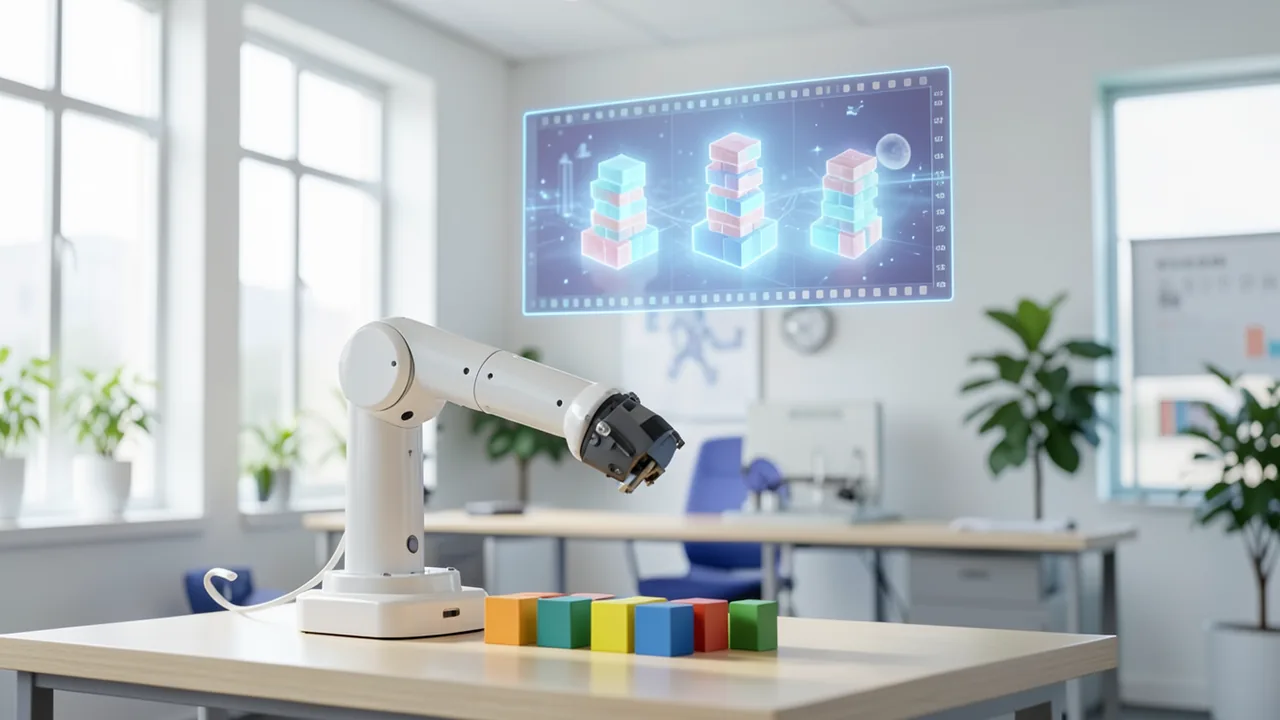
On November 10, 2026, the Institute of Foundation Models (IFM) at the Mohamed bin Zayed University of Artificial Intelligence (MBZUAI) in Abu Dhabi announced PAN 2 on X. It's a so-called world model: an AI system meant to predict how a scene changes when someone does something in it. You enter a description of the starting situation (optionally with a start image) and the planned actions as text. PAN 2 then generates a video showing what it predicts will happen.
The model succeeds PAN, which came out in November 2025. The IFM has released the weights, training code and inference code under the permissive Apache 2.0 license. The weights are at huggingface.co/IFM/PAN2. PAN 2 is aimed mainly at robotics and AI agents: an agent proposes several possible plans, PAN 2 plays each one out as a video, and the agent executes the plan whose simulated outcome looks best. The IFM calls this "simulative reasoning."
How PAN 2 works: think first, then paint
PAN 2 follows the "Generative Latent Prediction" (GLP) architecture the IFM described in its paper "Critique of World Models." The simulation runs in two stages.
Conceptual reasoning: First, a large language model (LLM) reads the starting situation and the desired actions. From these, it writes the next state of the world as a structured description in JSON, a machine-readable list of fields instead of free text. It covers events, timed actions with the person performing each one, and the camera movement. According to the IFM, any LLM that reliably follows instructions can take on this role. In the technical report, Kimi K3 serves as the default planner. Claude Opus 5.5, GPT-6 Astra and Qwen 3.8 Flash were tested as well. Claude Opus 5.5 delivered the most fully completed plans.
Perceptual reasoning: Then the actual video model takes over. It's a dense multimodal diffusion transformer (MMDiT) with 29 billion parameters. Diffusion here means the model starts with noise and refines it step by step into an image, a bit like a photo slowly coming into focus. The IFM trained it from scratch on hundreds of millions of annotated videos described in the same structured format. A "frozen" text encoder (Qwen3.5-9B), meaning one that isn't trained further, translates the description into control signals. Finally, the VAE decoder from Wan 2.2 turns the compressed internal representation (the "latents") into visible frames. A VAE is a component that packs images into a compact form and unpacks them again.
Ablation tests, where individual components are removed, show how important the first stage is. Without conceptual reasoning, the share of fully completed plans drops from 34 to 0 percent, and the rate of completed individual steps falls from 75.1 to 8.7 percent. If the input is merely rewritten into the right format without any actual planning, the model still reaches 27.8 percent. Another lesson from training: after an early phase, the IFM removed video game, animation and simulation footage from the training data. A 9-billion-parameter test model trained without this material won 58 percent of votes in a blind comparison.
Numbers and benchmarks: ahead on long plans, not everywhere
All figures come from the IFM itself. Its test suite covers six capabilities with 300 individual actions, plus 100 multi-step everyday tasks from a first-person perspective (200 prompts, 456 steps).
| Metric | PAN 2 | MiniMax-H3 | Cosmos 3 Super | LTX-2.5 | Others |
|---|---|---|---|---|---|
| Fully completed plans | 34.00% | 32.50% | 13.83% | 13.00% | FLUX 3: 26.77%, Seedance 2.5: 24.49% |
| Completed individual steps | 75.10% | 75.12% | – | – | – |
| Six capabilities overall | 84.48% | 87.20% | – | – | – |
| Physics-IQ Verified (leaderboard) | 49.38 | 39.79 | 48.62 | n/a | FLUX 3 (closed): 51.11 |
| RBench | 57.04 | 56.16 | 50.64 | – | – |
| Human evaluation (Elo) | 1595 | 1620 | 1380 | 1346 | – |
The picture is mixed. PAN 2 is narrowly ahead on complete multi-step plans. Even so, about two out of three simulated plans fail at least one step. On individual steps, PAN 2 is level with MiniMax-H3. MiniMax-H3 leads in all six individual capabilities. According to MarkTechPost, things look worse on Physics-IQ when each system runs in its default configuration: PAN 2 scores 37.48 there, MiniMax-H3 42.91. The top score of 49.38 was achieved with Claude Opus 5.5 as the planner. Physics-IQ is normalized so that the difference between two real recordings equals 100. In the human evaluation, 13 raters judged blind, across 1,400 pairwise comparisons, whether the videos carried out the action, were physically correct and stayed consistent. Elo is a points system like the one used in chess. PAN 2 scored 1595 with GPT-6 Astra as the planner, MiniMax-H3 1620. MarkTechPost also notes that the IFM's blog lists different plan scores for Cosmos 3 Super and LTX-2.5 than the Model Card does.
What the competition does differently
Compared with other large video models, PAN 2's main advantage is openness. MiniMax-H3 uses a 33-billion-parameter transformer and comes under its own community license. NVIDIA's Cosmos 3 Super is a 64-billion-parameter "Mixture-of-Transformers" under the OpenMDW 1.1 license. Lightricks' LTX-2.5 has 22 billion parameters, judging by its checkpoint file names. Only PAN 2 makes its full training code available under Apache 2.0. On the other hand, PAN 2 doesn't generate audio, while MiniMax-H3, Cosmos 3 Super and LTX-2.5 do. At 20 seconds, PAN 2's maximum clip length beats MiniMax-H3's 15 seconds.
What you need to try it
PAN 2 isn't for your gaming PC. You can run the model via Hugging Face Diffusers, vLLM, FastVideo or the generate.py script from the repository. According to the Model Card, every GPU worker loads the full 29-billion-parameter model in BF16, a 16-bit number format. As a fallback, there's "block offloading": parts of the model are moved out and only loaded onto the GPU when needed. The IFM gives neither VRAM requirements nor generation times. As a rough estimate, the BF16 weights alone take up just under 60 GB. On top of that come the Qwen3.5-9B text encoder, the VAE and memory for 241 to 481 frames. Realistically, you'll need a datacenter card with 80 GB or more. That's our own estimate, not an official figure. There's no smaller version, for example in GGUF format. Running on a Mac or CPU isn't supported either. If you don't have the hardware, your best bet is renting a cloud GPU.
The software requirements are cutting-edge: Python 3.14, PyTorch 2.12.1 with CUDA 13.2, a beta of FlashAttention 4 and the "quack-kernels." The text encoder (Qwen/Qwen3.5-9B) and VAE (Wan-AI/Wan2.2-TI2V-5B-Diffusers) are downloaded separately. For generate.py, you have to convert the checkpoint to the native format once using an included script. By default, the model runs with 50 steps, flow shift 9 and guidance 2.5. A clip has 241 frames, or about 10 seconds.
Inputs should be written as structured descriptions. A planner LLM rewrites free text first. For this, the IFM provides a "Conceptual Reasoner" skill for Claude Code and Codex, plus a script for local models. Each description has a hard limit of 1,536 tokens, with a recommended maximum of 1,480.
Safety and limitations
The IFM strongly recommends using the separately available pan2-guardrail safety filter. It checks the request before generation with Qwen3Guard-Gen-4B and the finished video with the Q16 image classifier. In internal tests, the share of harmful text-to-video requests that actually produced an unsafe video dropped from 33.9 to 1.5 percent. However, the filter also blocked 11.5 percent of harmless text requests and 3.3 percent of harmless image-to-video requests. The Model Card explicitly rules out deepfakes of real people, disinformation and safety-critical decisions without human review.
The Model Card itself lists several weaknesses. Long plans often fail. Only plans that were supposed to succeed were measured. How well PAN 2 simulates plans that ought to fail hasn't been studied yet, even though that's exactly what would matter for robotics. The model is sensitive to how the input is phrased. The case studies relied on hand-refined prompts. And because each clip starts from at most one start image, the appearance of scenes changes across multiple clips.
Our take
PAN 2 is one of the few large video world models where the full training code is open alongside the weights. That lets researchers understand and reproduce how it was built, setting it apart from MiniMax-H3, Cosmos or LTX with their own licenses. Splitting the system into a swappable LLM planner and a video generator is interesting too: better language models should improve the simulation without the video model needing to be retrained.
That said, all the numbers are self-reported, sometimes in favorably chosen configurations, and the margins over the competition are small. And a convincing video is no proof that a robot can actually perform the action shown in the real world. With a 34 percent success rate on complete plans and steep hardware requirements, PAN 2 is a research tool. It doesn't show that autonomous physical planning is solved.
Sources
- Merkliste: diariobitcoin.com diariobitcoin.com
- MarkTechPost marktechpost.com
- Reddit r/LocalLLaMA huggingface.co
- menafn.com menafn.com
Try it yourself: PAN 2
Explained step by step, no prior knowledge needed – on your own computer or free in your browser.
What can I do with it?
PAN 2 takes a scene description and an action and generates a video showing what the model thinks will happen. Clips run up to 20 seconds at 704×1248 pixels and 24 frames per second. You can start from text alone (text-to-video) or add a start image (image-to-video), say a photo of your kitchen plus the instruction "pick up the mug, pour coffee, put it on the table." Its strength is multi-step action sequences: according to the IFM, 34 percent of such plans are simulated fully correctly, more than with MiniMax-H3, FLUX 3 or Seedance 2.5. On single actions and visual quality in blind comparisons, though, MiniMax-H3 comes out ahead. About two out of three long plans contain at least one faulty step, and there's no audio. For good results, a language model has to rewrite your free text into a structured description first.
Who is it worth it for?
PAN 2 is worth it for researchers and developers in robotics, AI agents and video generation who have access to datacenter GPUs or can rent cloud GPUs. Since the training code is open too, it's well suited for fine-tuning and research. For hobbyists with a regular gaming graphics card or a Mac, it's not an option right now: there's no smaller version, and the memory requirements are very high.
Ideas: What you can do with it
Describe a task for a robot arm in several variants and have PAN 2 simulate each one as a video. Then compare which variant gets the objects to their destination most plausibly. It doesn't replace a real test, but it helps you weed out obviously bad plans early.
An AI agent proposes several action sequences, PAN 2 renders them, and a scoring model picks the best one. That lets you recreate simulative reasoning in your own lab, with swappable planner LLMs such as Kimi K3 or Claude.
Generate clips of simple physical situations like tipping, rolling or pouring and compare them with real footage. Because the training code is open, you can also test how different training data affects the results.
Turn a step-by-step guide, for example on replacing a printer cartridge, into a short first-person video. Since every third step can go wrong, check each result before you use it.
With the included configs (pretrain_29B_720p.yaml, sft_29B_720p.yaml), you can keep training the model on your own videos described in the same format, such as footage from a specific factory floor. You'll need a large GPU cluster for that, though.
What your computer needs
There's only one checkpoint of the diffusion model (IFM/PAN2, BF16), covering both text-to-video and image-to-video. On top of that come the Qwen/Qwen3.5-9B text encoder and the Wan-AI/Wan2.2-TI2V-5B-Diffusers VAE. No quantized variants or GGUF files are offered. If you're short on memory, your only fallback is block offloading, which is likely much slower. We recommend a single datacenter GPU with 80 GB or more, for example as a cloud instance. With multiple GPUs, each worker gets its own full copy of the model and handles a share of the prompts.
- Every GPU worker loads the full 29-billion-parameter model in BF16. The weights alone take up roughly 58 GB, plus the text encoder (9B) and VAE. That's our own estimate – there are no official VRAM figures.
- The IFM gives neither VRAM requirements nor generation times. The model is designed for datacenter GPUs.
- Block offloading is provided as a fallback if you don't have enough VRAM (video memory).
- You need an NVIDIA setup with CUDA 13.2 (PyTorch wheel cu132) and FlashAttention 4. Mac/Apple Silicon and CPU-only operation aren't supported.
- Longer clips (up to 481 frames or 20 seconds instead of 241) increase memory and compute requirements.
- With multiple GPUs, one generate.py worker runs per GPU, each taking every Nth prompt.
How do I find out what my computer has?
- Windows: Press Ctrl + Shift + Esc → Task Manager → Performance tab → click GPU on the left. At the bottom you'll see Dedicated GPU memory (that's your VRAM). You'll find system memory under Memory.
- Mac: Apple menu at the top left → About This Mac. You'll see your chip (e.g. M2) and memory (e.g. 16 GB). On Apple chips, graphics and processor share this memory.
- Linux: Type
nvidia-smiin the terminal (shows your graphics card and its memory) andfree -hfor system memory.
Guide
This model runs with its developers' own program (ifm-ai/PAN2 on GitHub). The commands below come from the Model Card and the developers' instructions.
Windows 10 / 11
Windows 10 / 11: not officially tested. The source doesn't mention Windows. The launch script is a Bash script and needs FlashAttention 4 with CUDA 13. Your best shot is WSL2 (an Ubuntu Linux built into Windows) with a very large NVIDIA card. A rented cloud machine with an H100/H200 is more realistic.
- Check the requirements. You need an NVIDIA graphics card with about 80 GB or more of VRAM and a recent NVIDIA driver that supports CUDA 13.2. CUDA is NVIDIA's compute interface. Plan for around 150 GB of free disk space. Install WSL2 with Ubuntu. From then on, you'll work only in the Ubuntu window.
wsl --install -d Ubuntu - Set up tools in Ubuntu. In the Ubuntu window, install Git and Miniconda. Miniconda is a program that manages separate Python environments. Run "nvidia-smi" to check whether Ubuntu can see your graphics card. If a table with your card shows up, it worked.
sudo apt install git nvidia-smi - Download the code. This downloads the PAN 2 code and switches into the new folder.
git clone https://github.com/ifm-ai/PAN2 cd PAN2 - Create the environment and install. These commands create an environment with Python 3.14. Then they install PyTorch for CUDA 13.2, FlashAttention 4, quack and the remaining packages. This takes a while. If FlashAttention fails with an error, your card or system probably isn't supported.
conda create -n pan python=3.14 -y && conda activate pan pip install torch==2.12.1 torchvision==0.27.1 --index-url https://download.pytorch.org/whl/cu132 pip install --pre "flash-attn-4[cu13]==4.0.0b29" --no-build-isolation pip install "quack-kernels[cu13]==0.6.4" pip install -r requirements.txt - Download the text model and VAE. HF_HOME sets where Hugging Face stores the models. Qwen3.5-9B translates your text for the model. The Wan 2.2 VAE turns the computed results into actual video frames. Together they're about 20 to 25 GB.
export HF_HOME=$HOME/hf hf download Qwen/Qwen3.5-9B hf download Wan-AI/Wan2.2-TI2V-5B-Diffusers - Download the PAN 2 weights. This downloads only the "transformer" folder. That's about 67 GB, so allow some time.
hf download IFM/PAN2 --include "transformer/*" --local-dir ./PAN2-weights - Convert the weights. The launch script needs the weights in its own format. You only have to do this conversion once. Afterwards, the finished folder is at ckpt/transformer.
python scripts/convert_checkpoint.py to-native \ --input ./PAN2-weights/transformer --output ./ckpt/transformer - Generate your first video. This command runs the examples from inference/prompts/examples.json: one video from text and one from an image. NUM_GPUS=1 tells the script you have one graphics card. Each video can take many minutes. When it's done, you'll find the MP4 files in outputs/t2v and outputs/i2v.
NUM_GPUS=1 bash inference/inference.sh ./ckpt/transformer ./outputs - Result. The output folder contains two sample videos as MP4 files, one in "outputs/t2v" (from text) and one in "outputs/i2v" (from a start image). Each comes with a *_config.json next to it.
macOS
macOS: not supported. According to the source, PAN 2 needs PyTorch with CUDA 13.2 and FlashAttention 4. Both are only available for NVIDIA graphics cards, which Macs don't have. As an alternative, you can rent a cloud machine with an H100/H200 and follow the Linux guide there. The Diffusers and vLLM options work there too.
Linux
Linux: supported. This is the system the source is built for: Linux with NVIDIA cards, CUDA 13.2 and FlashAttention 4. There's a separate guide for H200 cards (docs/environment_h200.md). It won't run on regular home graphics cards because of the memory requirements.
- Check the requirements. You need an NVIDIA graphics card with about 80 GB or more of VRAM, such as an H100 or H200. You'll also need an NVIDIA driver for CUDA 13.2, Git, Miniconda (a manager for Python environments) and around 150 GB of free disk space. Run "nvidia-smi" to check that the driver and card are detected.
nvidia-smi git --version conda --version - Download the code. This downloads the PAN 2 code and switches into the new folder.
git clone https://github.com/ifm-ai/PAN2 cd PAN2 - Create the environment. This creates a dedicated environment called "pan" with Python 3.14 and activates it. If it worked, your prompt will start with "(pan)".
conda create -n pan python=3.14 -y && conda activate pan - Install the packages. These commands install PyTorch for CUDA 13.2, FlashAttention 4 (a fast compute method for the GPU), quack and the remaining packages. Watch for error messages from FlashAttention. If you get one, your card or CUDA version doesn't match.
pip install torch==2.12.1 torchvision==0.27.1 --index-url https://download.pytorch.org/whl/cu132 pip install --pre "flash-attn-4[cu13]==4.0.0b29" --no-build-isolation pip install "quack-kernels[cu13]==0.6.4" pip install -r requirements.txt - Download the text model and VAE. HF_HOME is the folder where Hugging Face stores the models. Keep it the same in every new terminal, or the launch script won't find the models. Qwen3.5-9B translates your text for the model. The Wan 2.2 VAE turns the output into actual video frames.
export HF_HOME=$HOME/hf hf download Qwen/Qwen3.5-9B hf download Wan-AI/Wan2.2-TI2V-5B-Diffusers - Download the PAN 2 weights. This downloads only the "transformer" folder from the Hugging Face repo, about 67 GB. You don't need the other files in the repo for this route.
hf download IFM/PAN2 --include "transformer/*" --local-dir ./PAN2-weights - Convert the weights. The weights come in Diffusers format, but generate.py needs its own format. You only have to do this conversion once. It just renames things – quality doesn't change. Afterwards, the finished folder is at ckpt/transformer.
python scripts/convert_checkpoint.py to-native \ --input ./PAN2-weights/transformer --output ./ckpt/transformer - Generate your first video. This command runs the included examples from inference/prompts/examples.json: one video from text and one from a start image, each about 10 seconds at 704×1248. NUM_GPUS sets how many graphics cards you have. One worker process runs per card. If you run the command again, it skips videos that are already done.
NUM_GPUS=1 bash inference/inference.sh ./ckpt/transformer ./outputs - Check the result. Open the MP4 files in outputs/t2v and outputs/i2v with a video player. The *_config.json next to each one shows which settings were used to create the video.
ls outputs/t2v outputs/i2v - Result. The output folder contains two sample videos as MP4 files, one in "outputs/t2v" (from text) and one in "outputs/i2v" (from a start image). Each comes with a *_config.json next to it.
What to do after your first result
- Your own ideas: Write your own prompt JSON file in the format of inference/prompts/examples.json and pass it to inference.sh as the third argument. If an entry has an "image_path", a video is generated from that image.
- Rewrite free text first: The model works best with structured descriptions. So have your text rewritten with "python inference/prompts_rewritter.py" and a local language model. Alternatively, use the Conceptual Reasoner skill for Claude Code or Codex.
- Change settings: Use environment variables such as VIDEO_LENGTH (up to 481 frames = 20 seconds), NUM_STEPS, GUIDANCE_SCALE or SEED. For example: VIDEO_LENGTH=481 NUM_GPUS=1 bash inference/inference.sh ./ckpt/transformer ./outputs
- For safe use, the developer recommends the separate pan2-guardrail safety filter. PAN 2 also runs via Diffusers or vLLM.
Try it
A person opens a fridge door, takes out a bottle of milk and closes the door again.Start image: desk with a laptop and a coffee mug. Action: A hand pushes the mug to the edge, the mug tips over and coffee spills across the desk.First-person view: peel an onion, dice it and add the pieces to a pan while the camera tilts slightly downward.A robot arm grabs a red cube, stacks it on a blue cube and then places a green cube next to them.Start image: garden with a watering can. Action: A person fills the watering can at the tap, walks over to the tomato plants and waters them one by one, then sets the can down.Tips for better results
- Always have free text rewritten into a structured world-state description first, using the Conceptual Reasoner skill (Claude Code/Codex) or inference/prompts_rewritter.py.
- According to the IFM, Claude Opus 5.5 as the planner produces the most fully completed plans, followed by GPT-6 Astra, Kimi K3 and Qwen 3.8 Flash.
- Start with the defaults (50 steps, flow shift 9, guidance 2.5, seed 123) and adjust them as needed via environment variables such as NUM_STEPS, GUIDANCE_SCALE or VIDEO_LENGTH.
- Break long sequences into a few clearly named steps with timings. Longer plans fail much more often.
- For image-to-video, provide a meaningful start image so appearance and surroundings stay stable. Otherwise the look drifts across multiple clips.
If something goes wrong
For generate.py, you have to convert the checkpoint from the Diffusers layout once with scripts/convert_checkpoint.py to-native. Otherwise the script won't load it.
The text encoder (Qwen/Qwen3.5-9B) and VAE (Wan-AI/Wan2.2-TI2V-5B-Diffusers) aren't included in the PAN2 repo and have to be downloaded separately into the HF_HOME cache.
The environment requires very recent versions: Python 3.14, torch 2.12.1 with CUDA 13.2, the flash-attn-4 4.0.0b29 beta (install with --no-build-isolation) and quack-kernels 0.6.4. Other versions can easily cause build errors.
Free-text prompts produce weak results. Without the structuring planner stage, the plan completion rate drops from 34 to 0 percent according to the IFM, so always use the Conceptual Reasoner first.
Descriptions longer than 1,536 tokens don't fit into the text encoder. The included validator warns at 1,480 tokens.
The pan2-guardrail safety filter isn't included and has to be installed separately. It also blocks about 11.5 percent of harmless text requests.
“out of memory,” a crash, or your computer freezes
The model is too big for your VRAM (video memory). Pick a smaller variant from the table above and close other programs, especially games and browsers with lots of tabs.
It runs, but extremely slowly
Your CPU is probably doing the work instead of your graphics card. In Ollama, the PROCESSOR column of ollama ps shows how much runs on the GPU. If it says "100% CPU", update your graphics driver or pick a smaller variant that fits entirely into VRAM (video memory).
“ollama” or “python” is not found
Close the terminal window and open it again so it recognizes the newly installed program. For Python on Windows: reinstall it and check Add python.exe to PATH.
Windows: "Running scripts is disabled on this system"
Run the script with exactly the command above: powershell -ExecutionPolicy Bypass -File try_windows.ps1. This allows execution for this one time only.
Error message when loading the model (version, "trust_remote_code", unknown architecture)
Brand-new models often need the latest software version. With Ollama: update Ollama. With Python: pip install -U transformers in the activated environment. The Model Card usually lists the exact version.
Tokenstrom generates the scripts and notebook automatically. Please take a quick look before running them – they're plain, readable text. Mind the model's license: apache-2.0.
Ask the AI assistant
Questions about this article, installation or background? Our assistant knows this page and runs on our own machine, not in someone else's cloud.
The Assistant is an AI (Gemma 4) and can make mistakes – please check important details against the source. Questions are used only to generate an answer and are deleted after one hour. Please don't enter any personal data.

Comments
What do you think? Already tried it? Write it here, no sign-up needed.
Comments are public. Links aren't allowed, and we delete abusive posts. You can delete your own comment at any time in this browser. Learn more in the Privacy Policy.