
Pika H3 Flex: Open video model with sound in just six sampling steps
Pika Labs has released Pika H3 Flex, a post-training of MiniMax-H3 that generates video with synchronized stereo audio in just six sampling steps. The weights are freely downloadable as LoRA adapters, and ComfyUI workflows are included. Running it locally takes a lot of hardware, though.
What it's about
Pika Labs has released Pika H3 Flex on Hugging Face. It is a post-trained model built on MiniMax-H3 that generates video with synchronized stereo sound. The selling point, according to the vendor: it needs only six sampling steps (six passes through the model per generation), where other video models often need far more. Pika calls it a tool for professional creators who want to iterate quickly with precise control. The weights, code and ComfyUI workflows are all public. The release surfaced in a Reddit post on r/StableDiffusion.
Structure: two adapters on one base model
Pika H3 Flex is a video-and-audio model family with two "task adapters." An adapter here is a LoRA: a small add-on layer that steers a large base model toward a task without replacing all of its weights. Both adapters ship as FP32 LoRAs with rank/alpha 128.
- FL2VA (text and endpoint images): text-to-video, first frame, last frame, or both.
- Ref2VA (multimodal references): the model receives ordered image and video references, plus optional audio.
The pipeline encodes the prompt and input media, generates video and audio latents (compressed intermediate representations) with the chosen adapter, decodes them and muxes everything into a single MP4 file. The repository also contains the MiniMax-H3 base components in Diffusers format (transformer, text encoder, VAE, audio VAE, tokenizer). The transformer is only the base model; you have to apply the matching Pika adapter separately. One note from the manifest: generic six-step Euler sampling is not equivalent. You must use the bundled, exact sampling schedule.
Technical specs
| Property | Value |
|---|---|
| Inputs | Text; first/last image; image, video and audio references |
| Native resolution | 480p / 768p |
| Aspect ratios | 11, from 21:9 through 1:1 to 9:21 |
| Duration | 5–15 seconds (requested in whole seconds) |
| Frame rate | 24 fps |
| Audio | 32 kHz stereo, mixed into the video |
| Output | MP4 (H.264/AAC) plus JSON metadata |
| Prompt | 1–8,000 characters |
Duration is rounded up to the model's frame grid: 5 seconds gives 124 frames (about 5.17 s), and 15 seconds gives 362 frames (about 15.08 s).
References and modes
Supported modes are text-to-video, first image (i2va), last image (l2va), both images (fl2va) and reference mode (ref2va). Ref2VA takes up to 9 images, 3 videos and 3 separate audio clips, 12 files in total; at least one image or video is required. Videos and audio clips must each be 2–15 seconds long, and the total of the videos and the total of the audio clips may not exceed 15 seconds each. A video's embedded audio does not count as a separate audio file. Pika stresses that these are only accepted input limits. Not every maximum combination fits into GPU memory.
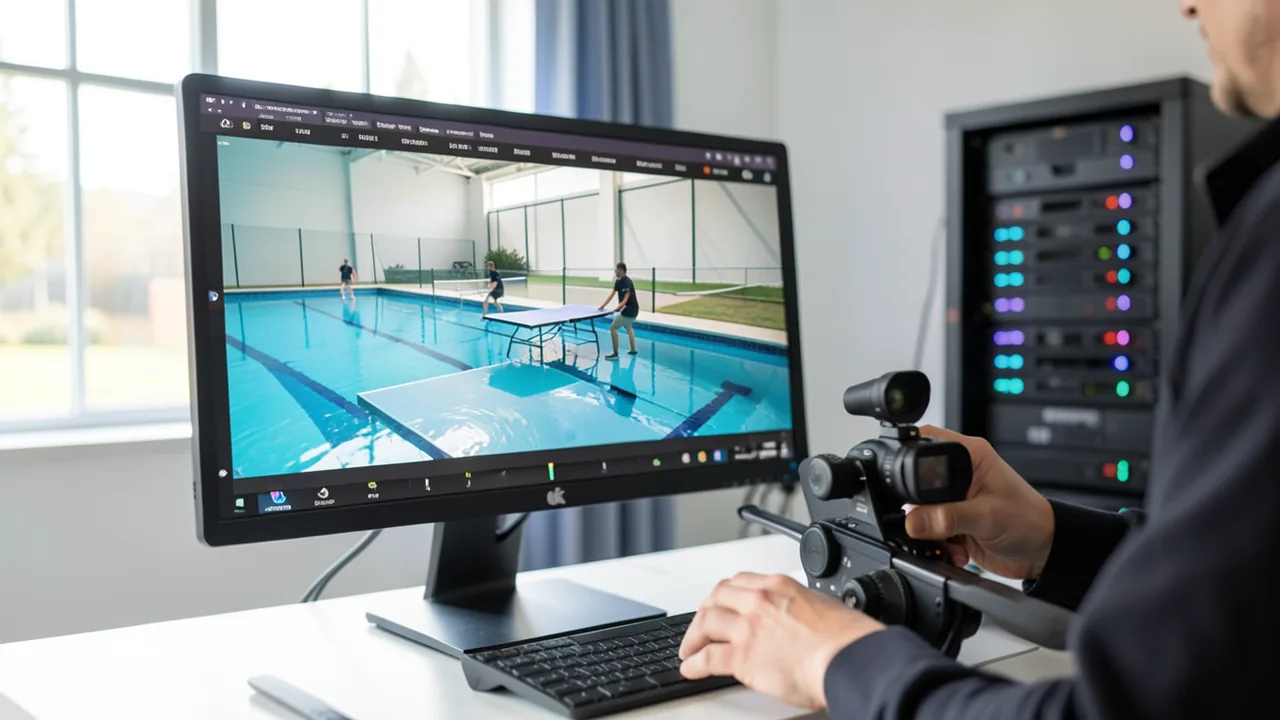
The example prompt in the repo shows what this means: a table tennis scene in an empty pool with camera moves timed to the second (top-down, crane shot, pans, a 180-degree orbit), characters kept consistent via a reference image, and detailed descriptions of sound effects and music. Pika notes that the showcase clips are creative examples, not validation renders or throughput benchmarks. Exact reproduction isn't guaranteed, and seeds and preprocessing are unspecified.
Pika API extensions
Separately from the downloadable weights, Pika offers hosted services: 1080p, 2K and 4K video from a draft video, separate audio stems, and prompt enhancement. These features don't apply to local inference, which delivers native 480p/768p with mixed stereo sound.
What you need to try it
The base components take up about 210 GB; a workflow loads only the transformer partition that matches it. The Pika CLI runs one request on one GPU. Representative 480p and 768p requests were tested on an 80 GB H100. Large requests need --cpu-offload and plenty of host RAM. That puts it at workstation or cloud level rather than gaming-PC level. The source gives no concrete figures for smaller cards (details are in the repo's hardware docs). You can install via pip, Conda or Docker; the pika-h3-pro command downloads the base and adapters automatically. Alternatively, there are ComfyUI workflows (T2V, FL2VA, R2V) with BF16 LoRAs, plus Diffusers examples. Google Colab and Kaggle are mentioned as platforms, but whether their hardware is enough remains unclear.
License
The adapters are derivatives of MiniMax H3 and fall under the MiniMax H3 Community License. The bundled base components keep the MiniMax license, the Qwen encoder and tokenizer are Apache 2.0, and so is the example code (but not the weights or sample media). Pika asks for attribution and a citation of the "Technical Deep Dive."
Our take
Six steps for video with sound is an attractive speed promise. Reference control with up to 12 files and prompt-based camera direction are also handy for multi-scene storytelling. So far, though, the only evidence is Pika's own showcases. Independent tests, speed measurements and quality comparisons are missing from the sources. Running it locally remains a high bar (210 GB base, an 80 GB card as the test configuration), and higher resolutions are tied to the paid Pika API. The community license may include usage restrictions, so check it before any commercial use.
Sources
- Reddit: lokale Modelle & Bild-KI huggingface.co
Try it yourself: Pika H3 Flex
Explained step by step, no prior knowledge needed – on your own computer or free in your browser.
What can I do with it?
Pika H3 Flex turns text, first/last-frame images or up to 12 reference files into short videos of 5–15 seconds with matching stereo sound. With just six sampling steps, it's meant to let you iterate fast. You can set camera moves on a timeline in the prompt and keep characters consistent via references. 480p/768p is possible locally; higher resolutions only via the Pika API. The sources don't show how it compares with other video models; there are only vendor examples. The hardware requirements are high.
Who is it worth it for?
Interesting for creators, studios and developers with access to a big GPU (e.g. an 80 GB H100 or cloud rental), and for ComfyUI users who want to experiment with video with sound and reference control. Not really for ordinary gaming PCs.
Ideas: What you can do with it
Use a product photo as a reference to generate a short clip with a camera move and music. Useful for shops or social media.
Use a first and last frame to animate the transition between two scenes and quickly test ideas.
With reference images, a character stays the same across multiple clips. That lets you build multi-scene stories.
Graphic elements and type-free animations as an intro or background for your own videos.
With an audio reference and a description, you get a short clip that fits the rhythm of a song.
What your computer needs
There are two adapters: FL2VA for text-to-video and first/last frames, Ref2VA for references. Pick based on your task. BF16 LoRAs are available for ComfyUI. The source mentions no smaller quantizations.
- Base components need about 210 GB of storage; each workflow loads only the matching transformer partition.
- Tested on an 80 GB H100 for 480p and 768p.
- Large requests need --cpu-offload and plenty of host RAM.
- The CLI uses one GPU per request.
- The Diffusers examples have their own installation and validation notes in examples/README.md.
How do I find out what my computer has?
- Windows: Press Ctrl + Shift + Esc → Task Manager → Performance tab → click GPU on the left. At the bottom you'll see Dedicated GPU memory (that's your VRAM). You'll find system memory under Memory.
- Mac: Apple menu at the top left → About This Mac. You'll see your chip (e.g. M2) and memory (e.g. 16 GB). On Apple chips, graphics and processor share this memory.
- Linux: Type
nvidia-smiin the terminal (shows your graphics card and its memory) andfree -hfor system memory.
Guide
Google Colab (in your browser, no installation)
Google Colab is a free service from Google. It gives you a computer with a graphics card in your browser for a few hours. All you need is a Google account. For this model: Colab Pro/Pro+ only – needs an A100 with 80 GB or an H100.
- Download the notebook. Click the button and save the file.
- Open Colab. Go to colab.research.google.com and sign in with your Google account.
- Upload the notebook. In the window that appears, click Upload on the left (or choose File → Upload notebook at the top) and select the file
colab.ipynb. - Turn on the GPU. In the top menu, go to Runtime → Change runtime type → under Hardware accelerator, select T4 GPU (with Colab Pro: L4 or A100) → Save.
- Start everything. Runtime → Run all (keyboard shortcut Ctrl + F9). If you see the warning “This notebook was not authored by Google,” click Run anyway.
- Wait. The cells run one after another. A green checkmark appears to the left of each cell when it's done. Installation and download take about 77 minutes here.
- Try it out. The result appears below the last cell. To test something else, change the text in the cell and run it again with Shift + Enter.
- Clean up. When you're done: Runtime → Disconnect and delete runtime. This saves your free quota.
Good to know: The free GPU is limited (usually a few hours per day). After about 90 minutes of inactivity, Colab disconnects, and you'll have to start everything over.
Windows 10 / 11
This model runs on Python. Our script handles the setup automatically: it creates an isolated Python environment, installs the required packages (PyTorch, approx. 3 GB) and downloads the model (220 GB (about 4.9 hr at 100 Mbit/s)).
- Update your graphics driver (NVIDIA): install the latest driver. Without an NVIDIA card, it runs on the CPU – much more slowly.
- Install Python. Download Python 3.12 from python.org and run the installer. Important: At the bottom of the first window, tick Add python.exe to PATH, then click Install Now.
- Create a folder and download the files. Create a folder, e.g.
Documents\AI-Test, and save both files into it: - Open a terminal in the folder. Open the folder in File Explorer, right-click an empty spot → Open in Terminal.
- Run it. Paste this command and press Enter:
Installation and download are running now. The first time, this can take 10–30 minutes.powershell -ExecutionPolicy Bypass -File try_windows.ps1 - Result. The folder now contains the generated image
output.png. - Try your own input: Open
demo.pyin an editor, change the sample text, and save. Then run this in the terminal:.\.venv-pika-h3-flex\Scripts\Activate.ps1 python demo.py
macOS
Macs with an Apple chip (M1 to M5) are ideal. Older Intel Macs are very slow.
- Open Terminal. Press Cmd + Space, type Terminal, and press Enter.
- Install the developer tools (first time only; includes Python):
Click Install in the window. If you see "already installed," everything is already in place.xcode-select --install - Download the files – both end up in your Downloads folder:
- Run it:
The first time, installation and download take 10–30 minutes.cd ~/Downloads bash try_mac.sh - Result. The folder now contains the generated image
output.png.
Linux
- Check your GPU.
nvidia-smishould show your card. If it doesn't, install the driver on Ubuntu and restart:sudo ubuntu-drivers install - Install the Python basics (Ubuntu/Debian):
sudo apt update && sudo apt install -y python3-venv python3-pip git - Put the files in a folder and open a terminal there:
- Run it:
bash try_linux.sh - Result. The folder now contains the generated image
output.png.
Try it
A golden retriever runs through a misty forest at sunrise, birdsong in the background, calm piano music.Image 1 shows my main character: keep her exactly as is. 0–5 s: top-down wide shot of a market square; 5–10 s: slow crane move down to the character; audio: murmur of voices and street music.Product film: A sports watch rotates on a pedestal, 180-degree orbit, soft studio lighting, subtle electronic beat.Two dancers in an empty hall, fast pans, real-time speed with no slow motion, squeaking shoes and reverb.Provide a first and last frame: day turns to night over a city, with a smooth transition and traffic sounds.Tips for better results
- Use the prompt guide: describe scene, motion, dialogue, ambience and music separately.
- Structure camera moves with timestamps, as in the example prompt.
- If needed, add "normal speed, no slow motion" to your prompt.
- Start with 480p and a short duration before trying 768p and 15 seconds.
If something goes wrong
Generic six-step Euler sampling is not equivalent; you must use the bundled sampling schedule.
The Diffusers examples need a specific upstream commit (examples/requirements-diffusers.txt); install them separately from the Pika CLI.
The transformer in the repo is only the base model; the adapter has to be loaded separately.
The maximum allowed reference combinations won't automatically fit into GPU memory.
License: check the MiniMax H3 Community License before working commercially.
Higher resolutions (1080p–4K) are only available through the hosted Pika API.
“out of memory,” a crash, or your computer freezes
The model is too big for your VRAM (video memory). Pick a smaller variant from the table above and close other programs, especially games and browsers with lots of tabs.
It runs, but extremely slowly
Your CPU is probably doing the work instead of your graphics card. In Ollama, the PROCESSOR column of ollama ps shows how much runs on the GPU. If it says "100% CPU", update your graphics driver or pick a smaller variant that fits entirely into VRAM (video memory).
“ollama” or “python” is not found
Close the terminal window and open it again so it recognizes the newly installed program. For Python on Windows: reinstall it and check Add python.exe to PATH.
Windows: "Running scripts is disabled on this system"
Run the script with exactly the command above: powershell -ExecutionPolicy Bypass -File try_windows.ps1. This allows execution for this one time only.
Error message when loading the model (version, "trust_remote_code", unknown architecture)
Brand-new models often need the latest software version. With Ollama: update Ollama. With Python: pip install -U transformers in the activated environment. The Model Card usually lists the exact version.
Tokenstrom generates the scripts and notebook automatically. Please take a quick look before running them – they're plain, readable text. Mind the model's license: custom license (see Model Card).
Ask the AI assistant
Questions about this article, installation or background? Our assistant knows this page and runs on our own machine, not in someone else's cloud.
The Assistant is an AI (Gemma 4) and can make mistakes – please check important details against the source. Questions are used only to generate an answer and are deleted after one hour. Please don't enter any personal data.

Comments
What do you think? Already tried it? Write it here, no sign-up needed.
Comments are public. Links aren't allowed, and we delete abusive posts. You can delete your own comment at any time in this browser. Learn more in the Privacy Policy.