
Sage-S2.1 Flash: Open science model beats Claude Opus 5 on ML engineering benchmark
Shanghai AI Laboratory has released Sage-S2.1 Flash (Chinese: 书生-S2.1 Flash), an open multimodal model built for science. It drives specialist software like Blender, QGIS and 3D Slicer on its own, and according to the lab it scores 90.3 on MLE-bench Lite. That's ahead of Claude Opus 5 and DeepSeek-V4.1-Flash.
What's going on
Shanghai AI Laboratory released Sage-S2.1 Flash on November 16, 2026. Its Chinese name is 书生-S2.1 Flash, which roughly means "scholar." It's a multimodal science model: on top of text, it understands images and many kinds of research data. The lab built it together with Fudan University, the Institute of Software and the Institute of Automation of the Chinese Academy of Sciences, Renmin University, East China Normal University, the Harbin Institute of Technology and Peking University.
You can download the weights for free:
- Hugging Face: huggingface.co/internlm/Sage-S2.1-Flash
- ModelScope: modelscope.cn/models/Shanghai_AI_Laboratory/Sage-S2.1-Flash
- Technical report: GitHub (PDF)
- Try it online: discovery.intern-ai.org.cn
The developers call their goal "AI4AI": AI should help build AI, and beyond that, support scientific work all the way from raw dataset to finished result. Part of that is being able to operate specialist software on its own.
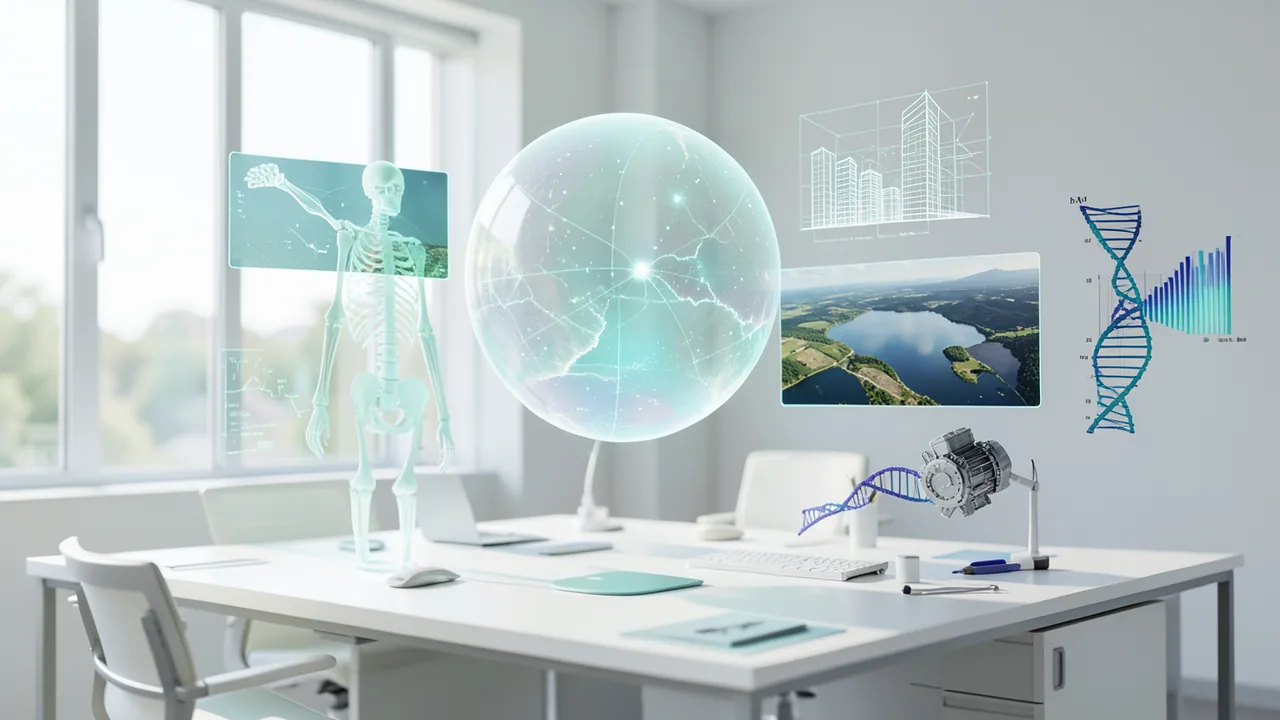
Driving specialist software: from CT scans to CAD engines
The launch centers on four demos. In each one, the model works as an agent, meaning an AI that carries out several steps in a row on its own and uses programs to do it. What the examples have in common: the model checks its intermediate results and then decides what to do next.
- CT analysis in 3D Slicer: First, the model puts the slices of a CT scan in the right order. Then it uses a density threshold to separate bone from other tissue and builds a 3D skeleton. It inspects the ribs and spine from several angles. When it spots a small bony protrusion, it pulls up the neighboring original slices to check the area. Only then does it write the preliminary finding into a report.
- A building in Blender: The input is a set of photos of the lab's new campus from several angles, plus a night shot. From these, the model picks out the stepped building volumes, the overhangs and the glass facade, and builds a 3D scene. Glass, metal grilles and interior lighting are added step by step. It puts the render preview next to the photos and corrects proportions, lighting and framing. The output is a presentation video and a .blend file you can keep editing.
- Water surfaces at Poyang Lake in QGIS: QGIS is a program for geospatial data. Using multispectral satellite images, which capture extra wavelengths beyond visible light, the model maps the water surfaces. It overlays them on the regular color image and zooms into the shoreline. It pays particular attention to shallow water and wet shore zones, where the boundary is hard to draw. It only compares areas within the region that's usable in both images. The end result is a change map, an area table and a QGIS project.
- An engine in CAD: From reference images, the model works out the structure, outline and layout of an engine's components. It then builds a parametric model, where you can change dimensions later by adjusting values, and assembles the complete engine. After that it checks whether any parts intersect each other, known in the trade as collision or interference checking. Any errors it finds, it fixes.
The developers stress that the end product is always editable files, not just pictures. That lets researchers trace every step and pick up where the model left off.
Beyond text and images: scientific data formats
According to the lab, Sage-S2.1 Flash understands more than ten types of scientific data:
- Molecular graphs and crystal structures
- Protein sequences and 3D protein structures
- DNA and RNA sequences
- Spectra, mass spectra and X-ray diffraction
- ECG and EEG traces
- Light curves from astronomy
Each data type gets its own encoder, a kind of translator that turns raw data into numbers the language model can work with. Combined with a plain-language instruction, the model uses this data for predictions, classification, locating specific features, quantitative analysis and inferring structures.
The model belongs to the lab's Intern-S2 family. According to a comparison article from the service OrcaRouter, the big flagship Intern-S2-397B landed on Hugging Face on September 13, 2026. It has 403 billion parameters and is a Mixture-of-Experts model: only part of the network is active for each token, about 10 billion parameters in Intern-S2-397B's case. It's released under the Apache 2.0 license and was trained directly on the pages of scientific papers, meaning text, figures and tables together. OrcaRouter says it can also ingest signal data such as .npy, .csv and .wav files. The Sage-S2.1 Flash announcement doesn't say whether the Flash variant inherits these properties, or how big it is. The model card and technical report probably have more detail.
Benchmarks: four first places in 33 tests
The lab tested the model on 33 agent benchmarks. These are standardized tests in which an AI has to use tools, write code or work on documents. The lab says Sage-S2.1 Flash came first four times and second seven times. Comparison models included DeepSeek-V4.1-Flash-1017 and Claude Opus 5.
| Benchmark | What it tests | Score | Rank |
|---|---|---|---|
| MLE-bench Lite | Machine learning engineering tasks | 90.3 (runner-up: 89.2) | 1 |
| OfficeQA Pro | Analyzing and editing complex office documents | 72.2 | 1 |
| Harvey LAB | Analyzing legal documents, delivering work product | 25.0 | 1 |
| SpreadsheetBench 2 | Completing, correcting and visualizing spreadsheets | 37.1 | 1 |
The model came second on AutomationBench, ALE-CLI, BFCL V4 (function calling), WebArena-Verified (browser tasks), DeepResearch Bench II, JobBench and OSWorld-Verified (operating a computer). The source doesn't say which model came first in those tests.
All the numbers come from the lab itself. There are no independent measurements yet. The OrcaRouter article shows why that matters, using the big sibling model as an example: Intern-S2-397B also launched without neutral listings, for instance on Artificial Analysis. On top of that, agent results from different test setups are often hard to compare.
Pricing and availability
Besides the free download, the lab offers the model through its own platform. It benchmarks the price against Zhipu's GLM 5.3 Flash. Until December 9, Sage-S2.1 Flash costs just 1 percent of that price, and 10 percent from December 10 to 31. New users also get free credits when they sign up. The announcement doesn't say what the model will cost after that.
What you need to try it
The announcement gives neither the model size nor the license or memory requirements. The word "Flash" hints at a smaller, faster variant, but that isn't confirmed. Before downloading, check the Hugging Face page for file sizes and the license. Ready-made GGUF files for tools like llama.cpp or Ollama aren't mentioned. For the big sibling Intern-S2-397B, OrcaRouter lists LMDeploy, vLLM and SGLang as self-hosting options. The easiest way to start is to test the model without your own hardware on the online platform. For the agent demos, you'll also need the relevant software, meaning Blender, QGIS, 3D Slicer or a CAD program, plus an agent environment that connects the model to those programs.
Our take
Sage-S2.1 Flash is an ambitious attempt to aim an open model not just at chat but at real research work: specialist software, scientific data formats and results you can keep editing. If it works as well as the demos suggest, it would be especially interesting for labs that aren't allowed to send data to cloud providers. That said, the claimed edge over Claude Opus 5 only covers selected benchmarks. In seven other tests the model only came second, and in the remaining 22 of the 33 tests it apparently did worse. The demos are carefully chosen examples. How reliably the model handles unfamiliar tasks remains to be seen. The model size, license and hardware requirements are also unclear. Before running it yourself, check those points in the Model Card and technical report.
Sources
- Bing News (zh-HK) finance.sina.com.cn
- orcarouter.ai orcarouter.ai
Try it yourself: Sage-S2.1-Flash
Explained step by step, no prior knowledge needed – on your own computer or free in your browser.
What can I do with it?
Sage-S2.1 Flash is a multimodal model for science. It reads text and images and, according to the lab, more than ten types of research data, including protein sequences, DNA, crystal structures, spectra, and ECG and EEG traces. Its standout strength is working as an agent: it operates specialist programs like Blender, QGIS, 3D Slicer or CAD software, checks its intermediate results and corrects itself. On machine learning engineering tasks (MLE-bench Lite: 90.3) and on office documents and spreadsheets, the lab says it beats Claude Opus 5 and DeepSeek-V4.1-Flash. Out of 33 benchmarks, though, it only won four, and independent tests are still missing. To use the agent features, you need a suitable agent environment and the relevant software on top of the model. Without them, it's primarily a strong chat and analysis model for technical questions.
Who is it worth it for?
The model is worth a look for researchers, students and developers who want to analyze scientific data or automate ML experiments and would like to run an open model on their own network. If you're just after an everyday chatbot or have a weak graphics card, try the online platform first or go for a smaller, well-documented general-purpose model.
Ideas: What you can do with it
Give the model a dataset and a task, such as 'Predict customer churn.' Have it write code for data preparation, training and evaluation. You get a runnable script with explanations that you can check step by step.
Upload a spectrum, an ECG trace or a light curve and have the model explain anything unusual. For students, it's a good study partner that puts peaks and patterns in context. Its explanations don't replace expert review, though.
Have the model check a messy spreadsheet for errors, fill in missing values and suggest suitable charts. According to the lab, SpreadsheetBench 2 is one of its strongest disciplines.
Give the model contracts, reports or office documents and ask specifically about deadlines, risks or figures. You get a structured summary that you can verify against the flagged passages in the original.
Describe a building or component from photos and have the model walk you through rebuilding it in Blender or a CAD program. With an agent environment, the model can also drive the software itself.
What your computer needs
The source gives neither the parameter count nor available quantizations. Check the file sizes on the Hugging Face page internlm/Sage-S2.1-Flash. Rule of thumb: with 4-bit quantization you need about 0.6 GB of VRAM (video memory) per billion parameters, plus 1–2 GB of headroom. If the model is too big for your graphics card, use the lab's online platform.
- The model size isn't in the announcement. Check the file sizes on Hugging Face before downloading.
- For self-hosting the Intern-S2 family, the lab lists LMDeploy, vLLM and SGLang. These usually require an NVIDIA graphics card with CUDA.
- Ready-made GGUF files for llama.cpp or Ollama aren't mentioned, so running it on a Mac or CPU-only is uncertain for now.
- Long agent sessions with many images and intermediate results use extra VRAM for the context.
- Without your own hardware, you can use the model via discovery.intern-ai.org.cn, heavily discounted until the end of the year.
Huge (321,3 B parameters): locally, practically only on servers with multiple GPUs. Colab Free isn't enough.
How do I find out what my computer has?
- Windows: Press Ctrl + Shift + Esc → Task Manager → Performance tab → click GPU on the left. At the bottom you'll see Dedicated GPU memory (that's your VRAM). You'll find system memory under Memory.
- Mac: Apple menu at the top left → About This Mac. You'll see your chip (e.g. M2) and memory (e.g. 16 GB). On Apple chips, graphics and processor share this memory.
- Linux: Type
nvidia-smiin the terminal (shows your graphics card and its memory) andfree -hfor system memory.
Guide
This model runs with its developers' own program. The commands below come from the Model Card and the developers' instructions.
Windows 10 / 11
Windows 10 / 11: not officially tested. The source doesn't name an operating system. On Windows, you can only run the small projector test on the CPU. The actual language model needs a vLLM server with lots of data center GPUs. That won't work on a home PC; a cloud provider is the realistic option.
- Install the prerequisites. Install Python 3.10 or newer from python.org. During installation, tick the "Add Python to PATH" box. You don't need a graphics card for this test. Then open PowerShell (the Windows command line). If `python --version` shows a version number, you're good.
python --version - Create a working folder. Create a new, empty folder for the project and switch into it. Run all further commands in this folder.
mkdir sage-test cd sage-test - Create a virtual environment. A virtual environment (venv) is a separate space just for this project, so its packages don't clash with other programs. Once activated, you'll see (.venv) at the start of the line. If Windows says scripts are blocked, run `Set-ExecutionPolicy -Scope CurrentUser RemoteSigned` first.
python -m venv .venv .venv\Scripts\Activate.ps1 - Install the packages. This command installs PyTorch, safetensors and huggingface_hub. huggingface_hub also gives you the `hf` command for downloading files. This can take a few minutes.
python -m pip install torch safetensors huggingface_hub - Download the projector and loader scripts. This only downloads the small projector files, not the 640 GB model. A projector translates scientific data, such as crystal structures, into the model's "language." Afterwards, switch into the new sage-s2.1-flash folder.
hf download internlm/Sage-S2.1-Flash --include "projectors/sage-s2.1-flash/**" --local-dir ./sage-s2.1-flash hf download internlm/Sage-SciPerception load_projector.py modeling_projector.py --local-dir ./sage-s2.1-flash cd sage-s2.1-flash - Create the test script. Open Notepad, paste in the code and save the file as check.py in the sage-s2.1-flash folder. Make sure the file doesn't end in .txt. The script loads the crystal structure (CIF) projector on the CPU.
from load_projector import load_projector projector, config = load_projector( "projectors/sage-s2.1-flash/cif/jarvis", device="cpu" ) print(config) - Run the test. Run the script. If the projector configuration appears without an error message, everything worked.
python check.py - Result. The terminal prints the configuration of the crystal structure projector, which means the projector has loaded on the CPU. You won't get a response from the language model yet.
macOS
macOS: not officially tested. The source doesn't name an operating system. On a Mac, only the small projector test works on the CPU. The full model needs a vLLM server with a large number of NVIDIA GPUs, for example in the cloud.
- Install the prerequisites. You need Python 3.10 or newer and the Xcode Command Line Tools (Apple's basic developer tools). Open the Terminal app and install the tools with the command below. You can get Python from python.org. If `python3 --version` shows a version number, you're good.
xcode-select --install python3 --version - Create a working folder. Create a new, empty folder and switch into it.
mkdir sage-test cd sage-test - Create a virtual environment. A virtual environment (venv) is a separate space just for this project. Once activated, you'll see (.venv) at the start of the line.
python3 -m venv .venv source .venv/bin/activate - Install the packages. This command installs PyTorch, safetensors and huggingface_hub. huggingface_hub also gives you the `hf` command for downloading.
python3 -m pip install torch safetensors huggingface_hub - Download the projector and loader scripts. This only downloads the small projector files, not the huge main model. A projector translates scientific data into the input format of the language model.
hf download internlm/Sage-S2.1-Flash --include "projectors/sage-s2.1-flash/**" --local-dir ./sage-s2.1-flash hf download internlm/Sage-SciPerception load_projector.py modeling_projector.py --local-dir ./sage-s2.1-flash cd sage-s2.1-flash - Create the test script. This command creates the file check.py. It loads the crystal structure (CIF) projector on the CPU.
cat > check.py << 'EOF' from load_projector import load_projector projector, config = load_projector( "projectors/sage-s2.1-flash/cif/jarvis", device="cpu" ) print(config) EOF - Run the test. Run the script. If the configuration appears without errors, the projector has loaded.
python3 check.py - Result. The terminal prints the configuration of the crystal structure projector, which means the projector has loaded on the CPU. You won't get a response from the language model yet.
Linux
Linux: not officially tested. The source provides Bash commands but doesn't name an operating system. The CPU is enough for the projector test. The full model only runs via a vLLM server (with --enable-prompt-embeds) on a machine with many large NVIDIA GPUs. Details are in deployment_guide.md in the repo.
- Install the prerequisites. You need Python 3.10 or newer with venv. You don't need a graphics card for this test. Check in the terminal that Python is installed. If venv is missing, install it through your package manager, for example the python3-venv package on Ubuntu.
python3 --version - Create a working folder. Create a new, empty folder and switch into it.
mkdir sage-test cd sage-test - Create a virtual environment. A virtual environment (venv) is a separate space just for this project. Once activated, you'll see (.venv) at the start of the line.
python3 -m venv .venv source .venv/bin/activate - Install the packages. This command installs PyTorch, safetensors and huggingface_hub. huggingface_hub also gives you the `hf` command for downloading.
python -m pip install torch safetensors huggingface_hub - Download the projector and loader scripts. This only downloads the small projector files, not the 640 GB main model. A projector translates scientific data, such as crystal structures, into the input format of the language model.
hf download internlm/Sage-S2.1-Flash --include "projectors/sage-s2.1-flash/**" --local-dir ./sage-s2.1-flash hf download internlm/Sage-SciPerception load_projector.py modeling_projector.py --local-dir ./sage-s2.1-flash cd sage-s2.1-flash - Create the test script. This command creates the file check.py. It loads the crystal structure (CIF) projector on the CPU.
cat > check.py << 'EOF' from load_projector import load_projector projector, config = load_projector( "projectors/sage-s2.1-flash/cif/jarvis", device="cpu" ) print(config) EOF - Run the test. Run the script. If the configuration appears without errors, the projector has loaded.
python check.py - Result. The terminal prints the configuration of the crystal structure projector, which means the projector has loaded on the CPU. You won't get a response from the language model yet.
What to do after your first result
- Take a look at the config.json file in the projector folder. It tells you which input format each task expects.
- For real responses, you need the full model on a vLLM server started with the --enable-prompt-embeds option. You then send the projector output as prompt_embeds to /v1/completions.
- The full guide, including an example for CIF files (crystal structures), is in the inference guide of internlm/Sage-SciPerception. Swap in the projector path and language model from this repo.
- For general tasks like coding or office work, see deployment_guide.md in the repo, which also covers the leaner FP8 variant.
Try it
Explain in simple terms what an X-ray diffraction analysis tells you about a crystal.Here's a protein sequence: MKTAYIAKQRQISFVKSHFSRQ. What structural features or functional regions might it contain?Write a Python script that loads a CSV dataset, handles missing values and trains a simple classifier with cross-validation. Explain each step.I have two satellite images of a lake from different years. Walk me through how to fairly compare the change in water surface in QGIS.Analyze this mass spectrum chart (attach image) and name the most likely fragments.Tips for better results
- Phrase tasks like a work order with a goal, data and desired output, for example 'Create a map and an area table.'
- Explicitly ask the model to check and justify its intermediate results. According to the lab, this self-checking is a core strength.
- Test demanding agent tasks on the online platform first before setting up hardware for self-hosting.
- Look up the recommended settings, such as temperature and context length, in the Model Card or technical report and use them.
If something goes wrong
The license and model size aren't in the announcement. Read the Model Card on Hugging Face before using it, especially commercially.
The scientific data formats such as sequences and signals need their own encoders and may only work with the recommended inference software. With the big sibling model, for example, signal input only worked with LMDeploy.
The Blender, QGIS and CAD demos won't work in a normal chat. You need an agent environment that connects the model to the software.
New model architectures often require recent versions of transformers, vLLM or LMDeploy. If loading fails, update the packages first.
The benchmark numbers come from the lab. Verify the results yourself for important tasks.
“out of memory,” a crash, or your computer freezes
The model is too big for your VRAM (video memory). Pick a smaller variant from the table above and close other programs, especially games and browsers with lots of tabs.
It runs, but extremely slowly
Your CPU is probably doing the work instead of your graphics card. In Ollama, the PROCESSOR column of ollama ps shows how much runs on the GPU. If it says "100% CPU", update your graphics driver or pick a smaller variant that fits entirely into VRAM (video memory).
“ollama” or “python” is not found
Close the terminal window and open it again so it recognizes the newly installed program. For Python on Windows: reinstall it and check Add python.exe to PATH.
Windows: "Running scripts is disabled on this system"
Run the script with exactly the command above: powershell -ExecutionPolicy Bypass -File try_windows.ps1. This allows execution for this one time only.
Error message when loading the model (version, "trust_remote_code", unknown architecture)
Brand-new models often need the latest software version. With Ollama: update Ollama. With Python: pip install -U transformers in the activated environment. The Model Card usually lists the exact version.
Tokenstrom generates the scripts and notebook automatically. Please take a quick look before running them – they're plain, readable text. Mind the model's license: custom license (see Model Card).
Ask the AI assistant
Questions about this article, installation or background? Our assistant knows this page and runs on our own machine, not in someone else's cloud.
The Assistant is an AI (Gemma 4) and can make mistakes – please check important details against the source. Questions are used only to generate an answer and are deleted after one hour. Please don't enter any personal data.


Comments
What do you think? Already tried it? Write it here, no sign-up needed.
Comments are public. Links aren't allowed, and we delete abusive posts. You can delete your own comment at any time in this browser. Learn more in the Privacy Policy.