
Thinking Machines releases Inkling 2 Small weights: a 594B MoE under Apache 2.0
Mira Murati's lab has made the weights of Inkling 2 Small available for download, one week after it launched as a cloud-only model. The former OpenAI CTO's Mixture-of-Experts model has 594 billion parameters, handles text and images, takes up to a million tokens of context and ships under the permissive Apache 2.0 license.
What's going on
Thinking Machines Lab, the AI lab founded by former OpenAI CTO Mira Murati, released the weights of its new language model Inkling 2 Small for download on November 12, 2026. The model was announced on November 5, but at first it was only available through Tinker, the lab's own cloud platform. There, developers can use and fine-tune the model without downloading the files. Now the model files are on Hugging Face, and a long list of API providers and software integrations has signed on too. Together AI lists the model under the Apache 2.0 license, a permissive license that explicitly allows use, modification and commercial products.
According to superpowerdaily, the dates are a little muddled. Together's catalog gives November 4 as the release date, the lab's official announcement is dated November 5, and the download only arrived with the November 12 update.
"Small" is relative: how the model is built
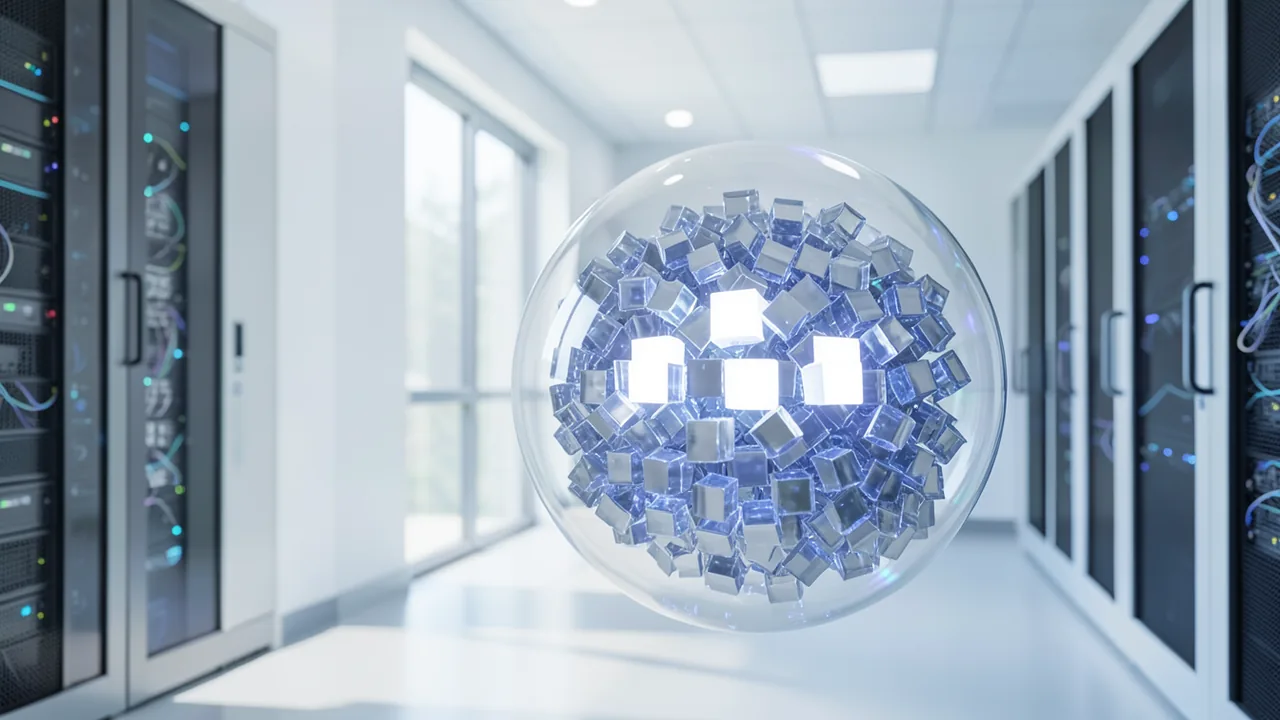
Despite the name, Inkling 2 Small is huge: 594 billion parameters. But it's a Mixture-of-Experts (MoE) model. Picture a big team of specialists where only a few get called in for any given task. The model has 384 expert blocks, and for each token (a piece of a word) only eight of them are selected. That leaves just 17 billion parameters active per token. This makes compute faster and cheaper. The memory footprint, however, is still that of a 594-billion-parameter model, because every expert has to be loaded.
Other key specs:
- Multimodal: The model understands text and images, but not audio. According to the Japanese blog note.com, it uses its own 292-million-parameter image encoder based on the "Perception Encoder".
- One-million-token context window: that's how much text the model can keep in view at once, roughly several thick books.
- Variable effort: You can set how hard the model thinks for each request, trading speed and cost against thoroughness.
In terms of size, it sits between its predecessors. The original Inkling from July 15, 2026 had 975 billion parameters (41 billion active), according to Crypto Briefing. Inkling-Small from July 30 had 276 billion (12 billion active).
Benchmarks: competitive, but no clean sweep
Thinking Machines reports a score of 31 on the Artificial Analysis Intelligence Index (version 5.0) for Inkling 2 Small. The index is a composite measure of general capability, and the score is well above the lab's earlier models. On coding, the picture is more mixed. From the official "Coding and Autoresearch" table (compiled by note.com and superpowerdaily):
| Benchmark | Inkling 2 Small | Best competitor in the table |
|---|---|---|
| DeepSWE v1.1 | 72.1% | DeepSeek-V4.1-Flash-1017: 77.0% |
| FrontierCode v2.0 | 25.4% | DeepSeek-V4.1-Flash-1017: 28.5% |
| SWE-Bench Pro v2 (Hard) | 86.3% | Kimi K3: 88.2% |
| Vibe Code Bench v1.1 | 81.6% | DeepSeek-V4.1-Flash-1017: 87.7% |
| PostTrainBench v1.2 | 31.9% | – |
According to superpowerdaily, Inkling beats GLM-5.3-Flash, Muse Spark Open and Kimi K3 on DeepSWE and FrontierCode. So it's in the race, but not out in front. All figures come from the lab itself. According to Together, they were measured at maximum reasoning effort (0.99, "xhigh") and a temperature of 1.0. Web design is where the model does better. Crypto Briefing reports that it ranks 4th overall on DesignArena and 1st among open-weight models, and shiftdelete cites a website Elo of around 1,340.
How it was trained
The lab credits improvements at every stage of training. Pretraining ran in four stages. According to note.com, the first stage alone covered 8.4 trillion tokens in 68 hours on NVIDIA GB300 NVL72 systems. It ran directly in NVFP4, a very compact 4-bit number format that saves compute and memory. Next came one large joint reinforcement learning run, where the model is rewarded for good results: more than 17 million rollouts, 1,075 steps, nine days on 2,048 GPUs.
According to the Together Model Card, this run covered coding, visual understanding, knowledge work, tool use and safety together. For coding, it included hundreds of thousands of long-running tasks. Some graders judged how the model reached a solution, not just whether the code passed the tests. Some training environments also rewarded the model for giving up on unsolvable tasks instead of faking a result. The model is also designed to use visual feedback. It can look at a website, game or 3D design it has built and improve it based on what it sees.
Access, pricing and tooling
If you don't want to run the model yourself, you can use it through Together AI (API name thinkingmachines/Inkling-2-Small) at $0.30 per million input tokens and $1 per million output tokens. According to shiftdelete, Tinker charges the same base prices. Cached input costs $0.03, and training costs $1.50 per million tokens at the 64K tier or $3 at the 256K tier. Other API providers include NVIDIA, Fireworks, Baseten, Nebius, Modal and Cloudflare.
For self-hosting, the lab lists integrations with the inference engines SGLang, vLLM and TokenSpeed, plus Unsloth. For fine-tuning, it lists Miles, SkyRL and Snowflake Cortex Training.
What you need to try it
Realistically, you need a server, not a home PC. Even quantized down to 4 bits, the 594 billion parameters need roughly 360 GB of memory by a rough estimate. That means several data center GPUs such as H100/H200 or B200. Having only 17 billion active parameters makes the model fast, but it doesn't shrink the memory footprint. A long context window eats additional memory on top of that. The sources don't say whether there are home-friendly variants that offload to system RAM. The most plausible option would be a machine with a huge amount of unified memory (Apple systems with 512 GB, for example), but that hasn't been confirmed. For everyone else, the easiest route is the Tinker Playground or an API provider like Together AI. Disk space: the model files alone are likely to take up several hundred gigabytes.
The big picture
With the download, Thinking Machines delivers on its promise. It also adds another large, openly licensed Western model to a field crowded with Chinese competitors from DeepSeek, Kimi and GLM. Apache 2.0 is about as permissive as it gets, so companies can fine-tune and self-host the model without licensing hurdles. According to the lab, the model's strengths are agentic coding and design tasks that check their own visual output.
Two concerns remain. First, the lab had named external safety testing and red-teaming (deliberate attacks to uncover weaknesses) as a condition for the release, but hasn't published the results. Second, every benchmark comes from the lab itself, and even its own numbers don't put the model consistently on top. DeepSeek-V4.1-Flash beats it on several coding tests. Shiftdelete also points to the missing audio support, less polished chat behavior, and alignment that still trails the best closed models. Independent testing is still to come.
Related videos
Sources
- Merkliste: superpowerdaily.com superpowerdaily.com
- note.com note.com
- shiftdelete.net shiftdelete.net
- cryptobriefing.com cryptobriefing.com
Try it yourself: Inkling 2 Small
Explained step by step, no prior knowledge needed – on your own computer or free in your browser.
What can I do with it?
Inkling 2 Small is a large language model that understands text and images. It's built especially for programming tasks that stretch across many steps. It can write code, track down bugs, and check and refine its own output, such as websites, games or 3D designs, by looking at images of it. With a one-million-token context window, it can take in very large codebases or long documents in one go. You can set the reasoning effort for each request: fast for simple questions, thorough for hard tasks. In the lab's own tables, its coding performance is roughly on par with today's top open models, though it falls just behind DeepSeek-V4.1-Flash on several tests. It ranks 1st among open models on DesignArena for web design. It can't process audio, and it's considered less polished at casual conversation.
Who is it worth it for?
Worth it for companies, research groups and developers with access to server GPUs who want to self-host or fine-tune a strong, openly licensed coding and vision model. If you're on a regular PC, running it locally just isn't practical because of the huge memory requirements. You're better off using Tinker or an API provider like Together AI.
Ideas: What you can do with it
Describe the site you want and let the model write the HTML and CSS. Then send it a screenshot of the result and ask for fixes. Step by step, you end up with a finished page.
With a context window of up to a million tokens, you can hand over an entire codebase at once. The model looks for the root cause of a bug and proposes a fix with an explanation.
Have the model write a simple game in a single HTML file, test it, and give it feedback or screenshots. Great for hobby projects or classroom examples.
Thanks to the Apache 2.0 license, companies can run the model on their own servers and fine-tune it on internal code. Sensitive data never leaves the building.
Send images of tables, charts or sketches and have the model explain them or turn them into text and code. You could turn a hand-drawn layout into a web page, for example.
What your computer needs
There's one size: 594 billion parameters, 17 billion active. The model was trained natively in the 4-bit NVFP4 format, so it should run especially efficiently on current NVIDIA Blackwell GPUs (e.g. GB300/B200). For self-hosting, use one of the listed inference engines, vLLM or SGLang, on a multi-GPU server. The sources don't mention smaller quantizations that would fit home hardware. Unsloth is listed as an integration partner, but no actual files have been confirmed.
- Even at 4 bits, the model needs roughly 360 GB of VRAM (video memory) or total memory by a rough estimate. That means several data center GPUs.
- Only 17 billion active parameters make responses fast, but the memory footprint is still that of the full 594-billion-parameter model.
- The context window of up to a million tokens costs extra memory. Start with a shorter context (e.g. 64K).
- Training ran natively in NVFP4 on NVIDIA GB300, so newer NVIDIA GPUs with FP4 support have a clear advantage.
- Running it on CPU only or on consumer graphics cards isn't realistic without special quantizations that haven't been confirmed.
- The model files take up several hundred gigabytes of disk space.
Groß (383,1 B parameters, MoE): running entirely on the GPU takes a lot of VRAM (video memory). With MoE offloading, a regular graphics card plus plenty of RAM is enough (see table). Colab Free isn't enough.
How do I find out what my computer has?
- Windows: Press Ctrl + Shift + Esc → Task Manager → Performance tab → click GPU on the left. At the bottom you'll see Dedicated GPU memory (that's your VRAM). You'll find system memory under Memory.
- Mac: Apple menu at the top left → About This Mac. You'll see your chip (e.g. M2) and memory (e.g. 16 GB). On Apple chips, graphics and processor share this memory.
- Linux: Type
nvidia-smiin the terminal (shows your graphics card and its memory) andfree -hfor system memory.
Guide
This model runs with its developers' own program (thinking-machines-lab/tinker-cookbook on GitHub). The commands below come from the Model Card and the developers' instructions.
Windows 10 / 11
Windows 10 / 11: not officially tested. Inkling 2 Small won't run locally on a Windows PC. The lab requires a cluster of GPUs with at least 500 GB of VRAM (video memory). What you can do is use the model through the Tinker cloud, either in your browser (Playground) or with the Python package tinker-cookbook. The lab hasn't explicitly tested this route on Windows. If it doesn't work, use the Playground or WSL2 (Linux running inside Windows).
- Install the prerequisites. Install a current version of Python 3 and Git. During the Python install, check "Add Python to PATH". You don't need a graphics card, because the model runs in the Thinking Machines cloud. You do need an internet connection and a Tinker account.
- Try it in the browser first. Open the Thinking Machines "Tinker Playground" in your browser (tinker.thinkingmachines.ai/playground). Pick Inkling 2 Small there and chat without installing anything. It's a quick way to see whether you like the model.
- Tinker account and API key. Sign up for Tinker. Once you've been approved, create an API key in the Tinker console. It's a secret password for programs. Copy it and don't share it.
- Download the code. Open PowerShell. These commands download the Tinker Cookbook and switch to the new folder. The Cookbook is a collection of examples.
- Create an environment. A virtual environment (venv) is an isolated folder for Python packages, so they don't get in the way of the rest of your system. If it worked, you'll see "(.venv)" at the start of the line. If Windows says scripts are blocked, run this command first: Set-ExecutionPolicy -Scope CurrentUser RemoteSigned
python -m venv .venv .venv\Scripts\Activate.ps1 - Install the packages. First, install uv, a fast installer for Python packages. uv then installs tinker-cookbook, which brings tinker, tml-renderers and torch along with it. You need marimo for the tutorial notebooks. The install may take a few minutes.
pip install uv uv pip install tinker-cookbook pip install marimo - Set your API key. This tells the program who you are. Replace DEIN_SCHLUESSEL with your actual key. The setting only applies to this PowerShell window. In a new window, you'll have to set it again.
$env:TINKER_API_KEY="DEIN_SCHLUESSEL" - Get your first result. This command opens the first tutorial as a notebook in your browser. The notebook sends requests to the Tinker cloud and shows you the responses. If the tutorial uses a different model, enter "thinkingmachines/Inkling-2-Small" as the model name.
git clone https://github.com/thinking-machines-lab/tinker-cookbook.git cd tinker-cookbook - Result. The first Tinker tutorial opens as a notebook in your browser and shows responses the model generated in the Tinker cloud.
macOS
macOS: not officially tested. The model won't run locally on any Mac. The lab requires several NVIDIA data center cards such as B300 or H200 with a combined total of at least 500 GB of VRAM (video memory). You can use the model through the Tinker cloud, in the browser Playground or with the Python package tinker-cookbook. The lab hasn't explicitly tested this route on the Mac.
- Install the prerequisites. Install the Xcode Command Line Tools, which also give your Mac Git. Install a current version of Python 3 as well. You don't need a graphics card, because the model runs in the cloud. You do need a Tinker account.
xcode-select --install - Try it in the browser first. Open the Thinking Machines "Tinker Playground" in your browser (tinker.thinkingmachines.ai/playground). You can chat with Inkling 2 Small there without installing anything.
- Tinker account and API key. Sign up for Tinker. Once you've been approved, create an API key in the Tinker console. It's a secret password for programs. Copy it and keep it somewhere safe.
- Download the code. Open Terminal. These commands download the Tinker Cookbook and switch to the new folder.
git clone https://github.com/thinking-machines-lab/tinker-cookbook.git cd tinker-cookbook - Create an environment. A virtual environment (venv) is an isolated folder for Python packages. If it worked, you'll see "(.venv)" at the start of the line.
python3 -m venv .venv source .venv/bin/activate - Install the packages. uv is a fast installer for Python packages. It installs tinker-cookbook and automatically pulls in tinker, tml-renderers and torch. You need marimo for the tutorial notebooks.
pip install uv uv pip install tinker-cookbook pip install marimo - Set your API key. Replace DEIN_SCHLUESSEL with your actual key. The setting only applies to this Terminal window.
export TINKER_API_KEY="DEIN_SCHLUESSEL" - Get your first result. This command opens the first tutorial as a notebook in your browser. The notebook sends requests to the Tinker cloud and shows you the responses. If it lists a different model, enter "thinkingmachines/Inkling-2-Small" as the model name.
marimo edit tutorials/101_hello_tinker.py - Result. The first Tinker tutorial opens as a notebook in your browser and shows responses the model generated in the Tinker cloud.
Linux
Linux: supported. You can only run the model locally on a GPU cluster, meaning several graphics cards working together, with at least 500 GB of VRAM (video memory). Examples are 2× NVIDIA B300 or 4× H200, running SGLang, vLLM, TokenSpeed or Unsloth according to their own guides. On a regular PC, the Tinker cloud is the way to go, as shown in the steps below.
- Install the prerequisites. You need a current version of Python 3 with venv, plus Git. On Ubuntu, the command below installs everything. You don't need a graphics card for the cloud route. You do need a Tinker account.
sudo apt install python3 python3-venv python3-pip git - Try it in the browser first. Open the Thinking Machines "Tinker Playground" in your browser (tinker.thinkingmachines.ai/playground). You can chat with Inkling 2 Small there without installing anything.
- Tinker account and API key. Sign up for Tinker. Once you've been approved, create an API key in the Tinker console. It's a secret password for programs.
- Download the code. These commands download the Tinker Cookbook with its examples and tutorials and switch to the new folder.
git clone https://github.com/thinking-machines-lab/tinker-cookbook.git cd tinker-cookbook - Create an environment. A virtual environment (venv) keeps the packages separate from your system. If it worked, you'll see "(.venv)" at the start of the line.
python3 -m venv .venv source .venv/bin/activate - Install the packages. uv is a fast installer for Python packages. It installs tinker-cookbook and automatically pulls in tinker, tml-renderers and torch 2.10 or later. You need marimo for the tutorial notebooks.
pip install uv uv pip install tinker-cookbook pip install marimo - Set your API key. Replace DEIN_SCHLUESSEL with your actual key. The setting only applies to this Terminal window.
export TINKER_API_KEY="DEIN_SCHLUESSEL" - Get your first result. This command opens the first tutorial as a notebook in your browser. The notebook sends requests to the Tinker cloud and shows you the responses. If it lists a different model, enter "thinkingmachines/Inkling-2-Small" as the model name.
marimo edit tutorials/101_hello_tinker.py - GPU cluster only: download the weights. You only need this step if you really have at least 500 GB of VRAM. The download is about 394 GB. After that, launch the model by following the vLLM or SGLang recipe for Inkling 2 Small.
pip install -U huggingface_hub hf download thinkingmachines/Inkling-2-Small - Result. The first Tinker tutorial opens as a notebook in your browser and shows responses the model generated in the Tinker cloud.
What to do after your first result
- Work through the other tutorials in the tutorials/ folder. There are more than 20 marimo notebooks. In each one, set model_name="thinkingmachines/Inkling-2-Small".
- Inkling 2 Small also understands images and has an adjustable reasoning effort. Tinker's Inkling documentation explains both.
- If you want to customize the model (fine-tuning), you'll find examples in the tinker_cookbook/recipes/ folder, such as sl_basic.py and rl_basic.py.
- You can also reach the model without your own code through providers like Together, Baseten, Nebius, Modal or Cloudflare.
Try it
Explain in plain language what this Python script does, and suggest three improvements: [paste code]Build me a responsive landing page for a small café in HTML and CSS, including a menu and opening hours.Here's a screenshot of my website. What looks visually off, and how do I fix it in the CSS?Write a small Snake-style browser game in a single HTML file and explain the controls.Analyze this entire repository, find the cause of the failing test in test_api.py, and write a fix with an explanation.Tips for better results
- Turn up the reasoning effort for hard coding tasks. The lab ran its benchmarks at effort 0.99 ("xhigh") and temperature 1.0.
- Use a low reasoning effort for simple questions. That saves time, and money if you're using the API.
- For design and web tasks, include screenshots so the model can use its visual feedback abilities.
- State tasks clearly and spell out test criteria, since the model was trained on long, multi-step tasks.
- If you want to adapt the model to your own data, you can fine-tune it on Tinker first and self-host it later.
If something goes wrong
Without a multi-GPU server, you can't run the model locally. For first tests, use the Tinker Playground or Together AI.
Use current versions of vLLM or SGLang, since Inkling 2 Small support only arrived with the release.
With a million tokens of context, memory fills up fast. Deliberately cap the maximum context length when you launch.
Image input works, audio doesn't. Audio files won't be processed.
The benchmark scores were measured at maximum reasoning effort. Expect weaker results at lower settings.
“out of memory,” a crash, or your computer freezes
The model is too big for your VRAM (video memory). Pick a smaller variant from the table above and close other programs, especially games and browsers with lots of tabs.
It runs, but extremely slowly
Your CPU is probably doing the work instead of your graphics card. In Ollama, the PROCESSOR column of ollama ps shows how much runs on the GPU. If it says "100% CPU", update your graphics driver or pick a smaller variant that fits entirely into VRAM (video memory).
“ollama” or “python” is not found
Close the terminal window and open it again so it recognizes the newly installed program. For Python on Windows: reinstall it and check Add python.exe to PATH.
Windows: "Running scripts is disabled on this system"
Run the script with exactly the command above: powershell -ExecutionPolicy Bypass -File try_windows.ps1. This allows execution for this one time only.
Error message when loading the model (version, "trust_remote_code", unknown architecture)
Brand-new models often need the latest software version. With Ollama: update Ollama. With Python: pip install -U transformers in the activated environment. The Model Card usually lists the exact version.
Tokenstrom generates the scripts and notebook automatically. Please take a quick look before running them – they're plain, readable text. Mind the model's license: apache-2.0.
Ask the AI assistant
Questions about this article, installation or background? Our assistant knows this page and runs on our own machine, not in someone else's cloud.
The Assistant is an AI (Gemma 4) and can make mistakes – please check important details against the source. Questions are used only to generate an answer and are deleted after one hour. Please don't enter any personal data.

Comments
What do you think? Already tried it? Write it here, no sign-up needed.
Comments are public. Links aren't allowed, and we delete abusive posts. You can delete your own comment at any time in this browser. Learn more in the Privacy Policy.