
Audio8-TTS-Realistic: a 0.6B model that clones voices in 23 languages
Startup Edge0 has released Audio8-TTS-Realistic, an open speech model with just 0.6 billion parameters. It clones a voice from a single reference clip plus transcript and speaks 23 languages. Weights and code are released under Apache 2.0.
What it's about
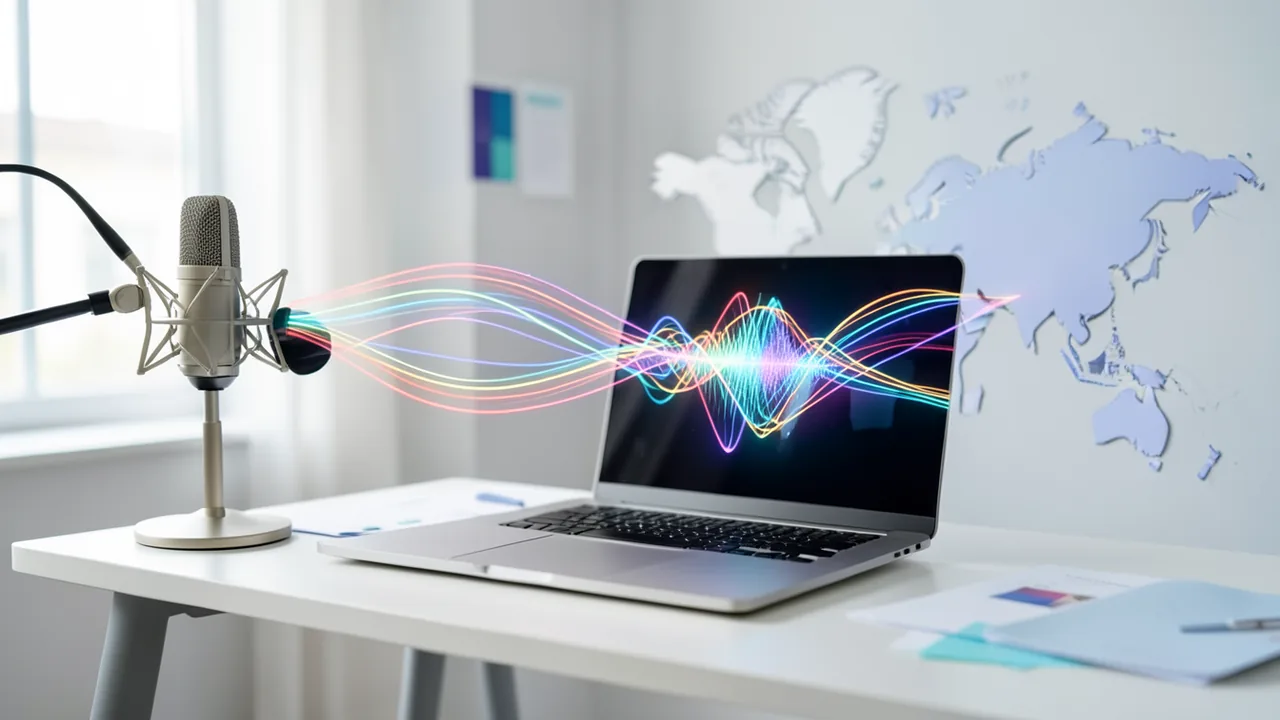
The company Edge0 has released Audio8-TTS-Realistic, a text-to-speech (TTS) model with freely downloadable weights. It supports zero-shot voice cloning: the model clones a voice from a single reference clip and its transcript, without needing extra training for that voice. It supports 23 languages and is the second 0.6B release in the Audio8 family. Weights and code are released under Apache 2.0. MarkTechPost reported on it, and the figures mostly come from Edge0 itself.
Architecture and size
The main model has 601 million parameters (roughly, the adjustable settings learned during training), not counting the audio codec. The context covers up to 2,048 packed text and audio positions. The repository contains the checkpoint, a neural 44.1 kHz audio codec, tokenizer, processor and custom code. The model can also speak without a reference voice. It builds on Audio8-TTS-Preview-0.6b and keeps its Transformers interface.
Newly added are Arabic, Finnish, Hindi, Indonesian, Malay, Norwegian, Portuguese, Russian, Swedish, Thai, Turkish and Vietnamese.
The architecture is called DualAR (dual autoregressive) and is inspired by Fish Audio S2 Pro. According to the technical report, the "slow" branch is based on Qwen2.5 0.5B with 24 layers and a width of 896, and runs at about 21.5 frames per second. At each step, it predicts text tokens and the first audio codebook. A flat, four-layer "fast" branch then predicts the remaining 9 codebooks in parallel. This way, sequential computation happens only at the frame level.
Training for naturalness
Edge0 argues that word error rate (WER) and speaker similarity (SIM) don't capture rhythm, pauses and timing. A model can score well on both and still sound synthetic. Training runs in three stages:
- Multilingual supervised fine-tuning (SFT).
- GRPO (a reinforcement learning method) with a combined reward: 0.7 weight on WER, 0.3 on SIM.
- GRPO guided by a learned "realism critic".
The critic scores each output against a matching human recording of the same sentence. It was trained on a quality ladder built from six open-source TTS systems. These were ranked in a private blind listening test, with human recordings at the top. Artificially shortened pauses provide finer steps. An "identity erasure" loss keeps the critic from rewarding generator fingerprints. The critic has about 3M parameters on a frozen WavLM-large encoder. A duration penalty kicks in at 1.35 times the reference length, so the model can't fool the critic by speaking more slowly.
The final stage used only Chinese and English prompts, yet it still improved the 13 lower-resource languages: the error fell from 22.53% to 20.77%, and SIM rose from 0.637 to 0.679.
Benchmarks
All values are self-reported error rates. Lower is better.
- Seed-TTS (English/Chinese): 1.25% average, SIM 0.704.
- CV3 (9 languages): 4.86%, SIM 0.661.
- MiniMax (24 languages): 5.89%, SIM 0.754.
| Feature | Audio8-TTS-Realistic | Qwen3-TTS-1.7B | VoxCPM2 | Higgs TTS 3 |
|---|---|---|---|---|
| Size | 0.6B | 1.7B | 2B | ~4B |
| License | Apache 2.0 | Apache 2.0 | Apache 2.0 | Research/non-commercial |
| Languages | 23 | 10 | 30 | 100+ |
| CV3 avg. error | 4.86% | 7.73% | 5.35% | 4.41% |
| MiniMax avg. error | 5.89% | 27.41% | n/a | 2.74% |
Qwen3-TTS-1.7B officially supports only 10 of the 24 MiniMax languages, which explains its high score. On Seed-TTS, Qwen3-TTS-1.7B is ahead of Audio8 with an average of 1.01%. Edge0 itself calls the table a reference comparison, because evaluation pipelines and text normalization differ.
What you need to try it
A CUDA GPU is recommended. It was tested on an NVIDIA H20 in BF16. The model is small, so a consumer graphics card with about 4–6 GB of VRAM should be enough (an estimate). The paper cites 1.1 to 1.2 GiB of peak memory on an Apple M2 CPU with INT4 ONNX, but there's no public ONNX export for Realistic yet. You need PyTorch 2.5+, Transformers 4.57+ and trust_remote_code=True. A free playground runs on Hugging Face ZeroGPU.
Deployment and operation
For cloning, you need a clean reference clip and the exact transcript. The GitHub repo includes a command-line tool, batching and fine-tuning scripts. For GPU serving, there's an SGLang Omni adapter with paged attention, dynamic batching and an OpenAI-compatible /v1/audio/speech API. According to Edge0, throughput and streaming haven't been measured.
Background: open source versus ElevenLabs
Geeky Gadgets summarizes a video from Trelis Research: open models such as CSM1B (Sesame) and Orpheus (3B) can be fine-tuned with LoRA and could match commercial services like ElevenLabs, but they need about three hours of clean data. That's a different approach from zero-shot cloning with a single clip.
Risks of voice cloning
According to Computerworld, Consumer Reports found that four of six providers tested (ElevenLabs, Speechify, PlayHT, Lovo) had no real consent check. A checkbox was enough. Descript and Resemble AI had more safeguards, but the testers got around those too. The FBI has warned about fraud using voice and video clones. With an open model under an Apache license, responsibility lies with the user: only clone voices when the person has agreed to their use.
Our take
Audio8-TTS-Realistic shows that a small, commercially usable model can keep up with larger open models on multilingual support, and is cheap to run and fine-tune. The numbers are vendor claims, though, with inconsistent pipelines. Larger models like Higgs TTS 3 are more accurate, though Higgs is licensed for research only. Weaknesses remain in Thai and Cantonese. Whether the model also sounds more natural in a listening test isn't independently backed up by the sources. The same goes for serving throughput.
Related videos
Sources
- Bing News (en-US) marktechpost.com
- geeky-gadgets.com geeky-gadgets.com
- computerworld.com computerworld.com
- techtimes.com techtimes.com
Try it yourself: Audio8-TTS-Realistic
Explained step by step, no prior knowledge needed – on your own computer or free in your browser.
What can I do with it?
Audio8-TTS-Realistic reads text aloud in 23 languages and can mimic a voice from a single short clip. You provide the recording and its exact transcript, and the model speaks new text in that voice. It can also speak without a reference voice. At 0.6B parameters, it's small and cheap to run. According to the vendor, it's more accurate on CV3 than larger open models, but it trails 4B models. Error rates are high for languages like Thai or Cantonese.
Who is it worth it for?
Interesting for developers and tinkerers looking for a small, commercially usable speech model for multiple languages. Less suitable if you need perfect quality in Thai or Cantonese, or if you don't have an NVIDIA GPU.
Ideas: What you can do with it
Record a few seconds of your own voice and have the model read a chapter. This lets you check how a text sounds when voiced.
Generate the same announcement in several languages, for example for a hobby project or a website.
Voice a short intro in your own voice without recording it again each time.
Plug the model into a smart home or chatbot project through the OpenAI-compatible API.
With the included scripts, you can keep training the small model on your own recordings.
What your computer needs
There's one variant (0.6B, BF16). A CUDA GPU is recommended. An ONNX INT4 export for CPU is mentioned in the paper but isn't public yet.
- CUDA GPU recommended; tested on an NVIDIA H20 in BF16.
- According to the paper, 1.1–1.2 GiB of peak memory on an Apple M2 CPU with INT4 ONNX. This export isn't public yet.
- Context of up to 2,048 packed text/audio positions.
- Free playground on Hugging Face ZeroGPU for testing without your own hardware.
How do I find out what my computer has?
- Windows: Press Ctrl + Shift + Esc → Task Manager → Performance tab → click GPU on the left. At the bottom you'll see Dedicated GPU memory (that's your VRAM). You'll find system memory under Memory.
- Mac: Apple menu at the top left → About This Mac. You'll see your chip (e.g. M2) and memory (e.g. 16 GB). On Apple chips, graphics and processor share this memory.
- Linux: Type
nvidia-smiin the terminal (shows your graphics card and its memory) andfree -hfor system memory.
Guide
This model runs with its developers' own program (Edge0-AI/Audio8_TTS on GitHub). The commands below come from the Model Card and the developers' instructions.
In the browser (no installation)
The developers have an online demo on Hugging Face. You can try the model right away there without installing anything. Sometimes you have to wait a moment for the demo to wake up.
Windows 10 / 11
Windows 10 / 11: not officially tested. The source lists only Linux-style commands and a test on an NVIDIA card (H20). On Windows, it should work with an NVIDIA graphics card, but it's untested. Without an NVIDIA card, it's very slow. In that case, use the online playground on Hugging Face.
- Check the prerequisites. You need Python 3.10 or newer and Git. An NVIDIA graphics card with a current driver is recommended (CUDA is NVIDIA's compute technology). Enter the commands in PowerShell. You should see version numbers and a table about your graphics card.
python --version git --version nvidia-smi - Download the program. git clone fetches the program from GitHub. cd moves you into the new folder.
git clone https://github.com/Edge0-AI/Audio8_TTS.git cd Audio8_TTS - Create a virtual environment. A venv is a separate folder for this program's Python packages. That way, nothing else on your PC gets mixed up. If PowerShell blocks activation, allow scripts for this session with the first command.
Set-ExecutionPolicy -Scope Process -ExecutionPolicy Bypass python -m venv .venv - Activate the environment. Now you switch the environment on. Afterwards, (.venv) appears at the start of the line.
.venv\Scripts\Activate.ps1 - Install the packages. This installs everything the program needs. It takes a few minutes and downloads several GB. Make sure PyTorch is installed with CUDA support, otherwise everything runs on the CPU.
pip install -r requirements.txt - Download the model. This downloads the model files (about 2.5 GB in total) from Hugging Face into your cache folder. Otherwise, the program would fetch them itself on first launch.
hf download Edge0/Audio8-TTS-Realistic-0.6b - Generate your first speech output. This command speaks the developers' example sentence and saves it as a file. The first run takes a bit longer. Afterwards, the file outputs/realistic.wav is in the Audio8_TTS folder.
python audio8_tts_infer.py --model Edge0/Audio8-TTS-Realistic-0.6b --text "Welcome to Audio8 TTS. It is wonderful to hear from you." --output outputs/realistic.wav - Result. The outputs folder contains the file realistic.wav with the spoken example sentence.
macOS
macOS: not officially tested. The source recommends a CUDA-capable (NVIDIA) graphics card, and Macs don't have one. The code then falls back to the CPU, which the source says is untested and probably slow. Better: the online playground on Hugging Face, or a Linux/Windows PC with an NVIDIA card.
- Check the prerequisites. You need Python 3.10 or newer and Git. If needed, install the Xcode command line tools with the first command. Open Terminal for this. The version numbers should appear.
xcode-select --install python3 --version git --version - Download the program. git clone fetches the program from GitHub. cd moves you into the new folder.
git clone https://github.com/Edge0-AI/Audio8_TTS.git cd Audio8_TTS - Create a virtual environment. A venv is a separate folder for this program's Python packages. That keeps your Mac clean.
python3 -m venv .venv - Activate the environment. Now you switch the environment on. Afterwards, (.venv) appears at the start of the line.
source .venv/bin/activate - Install the packages. This installs everything the program needs. It takes a few minutes and downloads several GB.
pip install -r requirements.txt - Download the model. This downloads the model files (about 2.5 GB in total) from Hugging Face. Otherwise, the program would fetch them itself on first launch.
hf download Edge0/Audio8-TTS-Realistic-0.6b - Generate your first speech output. This command speaks the developers' example sentence and saves it as a file. Without a graphics card, it can take a very long time. Afterwards, outputs/realistic.wav is in the Audio8_TTS folder.
python audio8_tts_infer.py \ --model Edge0/Audio8-TTS-Realistic-0.6b \ --text "Welcome to Audio8 TTS. It is wonderful to hear from you." \ --output outputs/realistic.wav - Result. The outputs folder contains the file realistic.wav with the spoken example sentence.
Linux
Linux: supported. The instructions come straight from the README. It was tested on an NVIDIA H20 with BF16 (PyTorch 2.8.0, Transformers 4.57.3). Other cards aren't explicitly tested but should work.
- Check the prerequisites. You need Python 3.10 or newer and Git. An NVIDIA graphics card with the driver installed is recommended (CUDA is NVIDIA's compute technology). Enter the commands in the terminal. You should see version numbers and a table about your graphics card.
python3 --version git --version nvidia-smi - Download the program. git clone fetches the program from GitHub. cd moves you into the new folder.
git clone https://github.com/Edge0-AI/Audio8_TTS.git cd Audio8_TTS - Create a virtual environment. A venv is a separate folder for this program's Python packages. That way, nothing else gets mixed up.
python3 -m venv .venv - Activate the environment. Now you switch the environment on. Afterwards, (.venv) appears at the start of the line. You have to repeat this in every new terminal.
source .venv/bin/activate - Install the packages. This installs everything the program needs. It takes a few minutes and downloads several GB. There should be no red error message at the end.
pip install -r requirements.txt - Download the model. This downloads the model files (about 2.5 GB in total) from Hugging Face. Otherwise, the program would fetch them itself on first launch.
hf download Edge0/Audio8-TTS-Realistic-0.6b - Generate your first speech output. This command speaks the developers' example sentence and saves it as a file. The first run takes a bit longer. Afterwards, outputs/realistic.wav is in the Audio8_TTS folder.
python audio8_tts_infer.py \ --model Edge0/Audio8-TTS-Realistic-0.6b \ --text "Welcome to Audio8 TTS. It is wonderful to hear from you." \ --output outputs/realistic.wav - Result. The outputs folder contains the file realistic.wav with the spoken example sentence.
What to do after your first result
- Your own text: Change the sentence after --text. The model speaks 23 languages, including German, English, French and Spanish.
- Clone a voice: Append --reference-audio reference.wav --reference-text "The exact text of the recording." to the command. For this, record a clean recording of your own voice as reference.wav. The text must match what's spoken exactly.
- For advanced users, the project offers a server with an OpenAI-compatible speech API (SGLang Omni) and guides for batch generation and fine-tuning in the GitHub repo.
Try it
Good morning! The sun is shining today, and I wish you a great day.Read this short news text aloud at a calm pace: The railway reports delays on several routes today.Explain in two sentences how to make pancakes, in a friendly tone.Speak the same sentence in German, English and Turkish using my reference voice.Read a short poem aloud with pauses and emphasis.Tips for better results
- Use a clear clip of a few seconds without background noise.
- Try the Hugging Face playground first, before you install anything.
- For serving, use the SGLang Omni adapter with the OpenAI-compatible API.
- For languages with weaker scores, listen to the results yourself.
If something goes wrong
The model needs PyTorch 2.5+ and Transformers 4.57+.
trust_remote_code=True is required when loading, because the repo contains custom code.
The reference clip's transcript must be exact, or quality suffers.
The reference clip should be clean and free of background noise.
Without a CUDA GPU, there's no public CPU export yet.
Only clone voices with the person's consent.
“out of memory,” a crash, or your computer freezes
The model is too big for your VRAM (video memory). Pick a smaller variant from the table above and close other programs, especially games and browsers with lots of tabs.
It runs, but extremely slowly
Your CPU is probably doing the work instead of your graphics card. In Ollama, the PROCESSOR column of ollama ps shows how much runs on the GPU. If it says "100% CPU", update your graphics driver or pick a smaller variant that fits entirely into VRAM (video memory).
“ollama” or “python” is not found
Close the terminal window and open it again so it recognizes the newly installed program. For Python on Windows: reinstall it and check Add python.exe to PATH.
Windows: "Running scripts is disabled on this system"
Run the script with exactly the command above: powershell -ExecutionPolicy Bypass -File try_windows.ps1. This allows execution for this one time only.
Error message when loading the model (version, "trust_remote_code", unknown architecture)
Brand-new models often need the latest software version. With Ollama: update Ollama. With Python: pip install -U transformers in the activated environment. The Model Card usually lists the exact version.
Tokenstrom generates the scripts and notebook automatically. Please take a quick look before running them – they're plain, readable text. Mind the model's license: apache-2.0.
Ask the AI assistant
Questions about this article, installation or background? Our assistant knows this page and runs on our own machine, not in someone else's cloud.
The Assistant is an AI (Gemma 4) and can make mistakes – please check important details against the source. Questions are used only to generate an answer and are deleted after one hour. Please don't enter any personal data.

Comments
What do you think? Already tried it? Write it here, no sign-up needed.
Comments are public. Links aren't allowed, and we delete abusive posts. You can delete your own comment at any time in this browser. Learn more in the Privacy Policy.