
Built with Gemini 4 Carbon: Google exec gets Windows 11 running on the iPhone Duo
Ammaar Reshi, head of product at Google AI Studio, is running the real ARM version of Windows 11 locally on Apple's foldable iPhone Duo, with no jailbreak and no cloud streaming. He says he built all the virtual hardware it needs with Google's new flagship model, Gemini 4 Carbon. The "WindowsiOS" project is open source, but recreating it takes quite a bit of effort.
What's going on
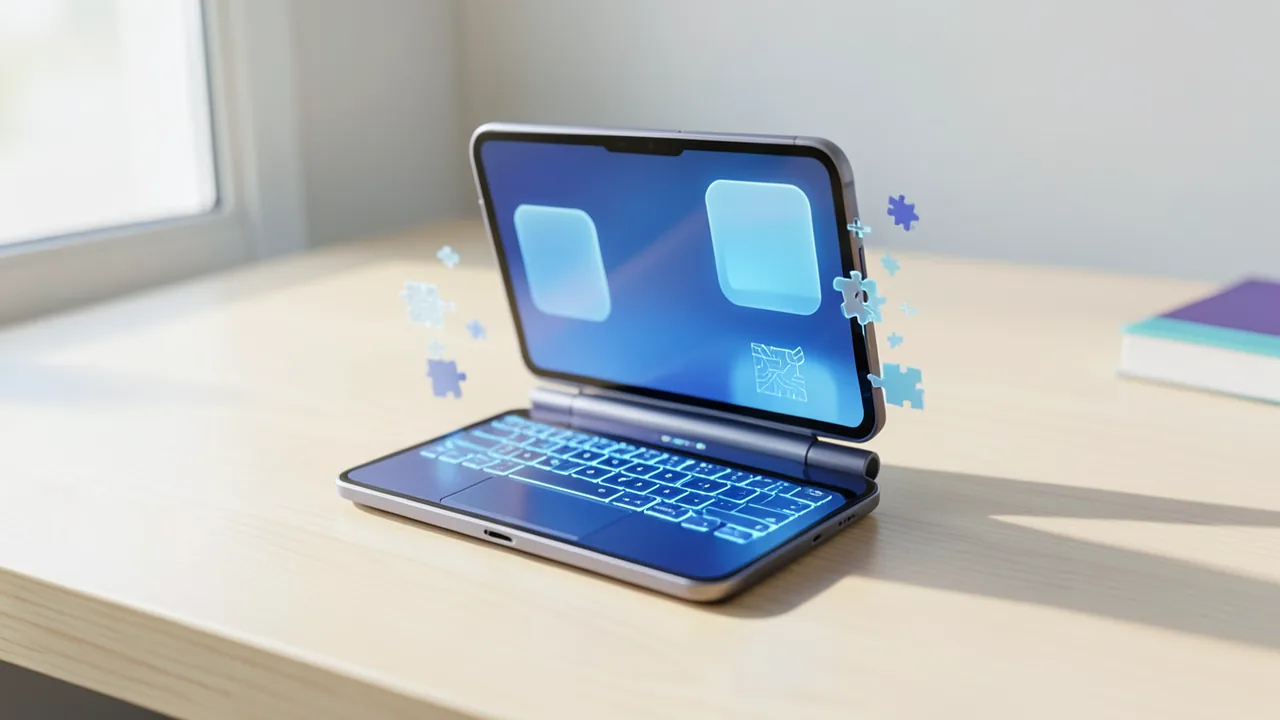
Ammaar Reshi heads product and design at Google AI Studio, Google's developer platform for AI models. On November 11, 2026 (US time), he posted a video on X: Windows 11 running on Apple's foldable iPhone Duo. This isn't remote access to a PC or cloud streaming. It's the regular desktop version of Windows for ARM processors, running directly on the device and controlled by touch.
I used Gemini 4 Carbon to get Windows 11 running on my iPhone Duo! Unfold the screen and it's a pocket PC – including Antigravity running coding agents on my phone.
The project is called "WindowsiOS" and is open source on GitHub under the GPL-2.0-or-later license. According to its description, it boots a purchased copy of Windows 11 24H2 for ARM64 on an iPhone without a jailbreak, meaning without cracking its security restrictions. Reshi tested it on an iPhone Duo running iOS 27. Japanese site Sumahoman reported it first, and Russian portal Pikabu followed up with lots of technical details.
What the demo shows
In the video, Reshi folds the iPhone Duo halfway like a tiny laptop. The Windows desktop sits on top, with an on-screen keyboard and trackpad below. He opens Google AI Studio in Microsoft Edge. Then he uses his voice to ask Antigravity, Google's development environment, to build a web page. A coding agent – an AI that writes and runs code on its own – then handles the job using Gemini 4 Carbon.
According to Pikabu, the interface responds to the sensor in iOS 27 that measures the fold angle. Graphics run through Apple's Metal API and target 120 Hz. Unfold the device completely and you get a tablet with a full desktop. Half-folded, the bottom half shows a six-row keyboard with a Copilot key and a touchpad with haptic feedback, similar to Microsoft's Surface devices.
How it works under the hood
Apple doesn't make a project like this easy. According to Pikabu, third-party apps haven't been allowed to access the hypervisor since iOS 16.4. A hypervisor is the hardware feature that lets a processor run a second operating system very fast in an isolated environment. The new A20 Pro chips add a protection feature called TXM. It heavily restricts whether apps can generate executable code in memory. But that's exactly what a JIT ("just-in-time") compiler needs: it translates program code into fast machine code while it's running. Without JIT, emulators like UTM SE have to fall back on a slow interpreter that processes each instruction one at a time. According to Pikabu, Windows 11 then takes dozens of minutes to boot and chokes on any demanding browser.
WindowsiOS builds on the emulator Henge, which runs macOS on the iPhone. Like Henge, it uses its own JIT to translate ARM64 code into ARM64 code, at near-native speed according to Pikabu. Unlocking the JIT requires a trick on every launch: you briefly attach the LLDB debugger, a developer tool for tracking down bugs, to the app. According to Pikabu, the project relies on earlier work from StikDebug for this. While the debugger is attached, the app reserves 384 MiB of fast JIT memory and 4.5 GiB of RAM, more than iOS normally allows an app. Then you detach the debugger, and the system keeps running on its own.
On top of that, the AI had to rebuild everything the Windows NT kernel expects:
- Memory management in 4 KB pages: Windows divides memory into 4 KB blocks, while iOS uses 16 KB blocks. WindowsiOS bridges the gap and, according to Pikabu, keeps the cache stable even at 64,800 context switches per second. A context switch is when the processor switches between tasks.
- A virtual "motherboard": Windows 11 won't boot without one. It's based on the ready-made UEFI firmware from EDK2. UEFI is the modern successor to the BIOS, the software that prepares the hardware when you power on. Added to that are ACPI 6.3 tables (which describe the hardware and power management to the operating system), an NVMe 1.4 controller acting as a virtual SSD, and a USB 3.0 xHCI controller.
- Sound: The emulation of an Intel ICH6 HD Audio PCIe sound card was written from scratch. Windows recognizes it with its built-in drivers and then uses the iPhone's speakers and microphone.
- Networking and keyboard as additional virtual devices.
According to the repository description, this entire virtual environment was created with Gemini 4 Carbon. The sources don't say how much Reshi programmed or corrected himself.
Stripped-down Windows and Google sign-in via Safari
Windows gets 4.5 GB of RAM and four virtual CPU cores. A custom script slims the system down: according to Pikabu, it removes more than 35 background services, including telemetry (sending usage data to Microsoft), search indexing, and the built-in Defender antivirus. After that, Windows needs only 1.46 GB of RAM at idle.
Edge and Antigravity run. So does Prism, the translation layer Windows on ARM uses to run programs built for classic x86-64 processors. For signing in to Google, according to Pikabu, there's a bridge called WinIOSBrowser.exe that's just 14 KB in size. It hands off the OAuth sign-in to a real Safari window in iOS. OAuth is the standard behind "Sign in with Google". That way you can use the passkeys and Face ID stored on your iPhone.
What you need to try it yourself
WindowsiOS isn't an app you just download from the App Store. You'll need:
- a Mac with an Apple silicon chip and Xcode to compile the project,
- your own Windows 11 ARM64 installation image,
- a direct install from the Mac to the iPhone,
- a debugger attached on every launch so the JIT works.
The project has only been tested on the iPhone Duo with iOS 27. The sources don't say whether it runs on other iPhones.
Gemini 4 Carbon and a controversial backstory
Gemini 4 Carbon is Google's new flagship model. Google unveiled it on October 28 and initially released it only to selected cyber defense professionals. According to the show notes of the Daily Tech News Show from November 10, it's now available worldwide. VentureBeat reportedly writes that Google undercuts Anthropic's Claude Fable 5.2 and Opus 5.5 models on API pricing. In the Gemini app, Carbon is rolling out to AI Ultra subscribers.
This isn't Reshi's first demo of its kind. On November 7, he posted that he had used Gemini 4 to get the remake of "The Legend of Zelda: Ocarina of Time" for the Nintendo Switch 2 running on the iPhone Duo. The post drew controversy, and he later deleted it.
Analysis
Technically, the demo is impressive. It gets around Apple's hypervisor and JIT restrictions with well-known tricks from the emulator scene, then builds an entire virtual PC on top that Windows 11 accepts. If it really came largely from Gemini 4 Carbon, it shows how far coding models have come at low-level systems programming, considered one of the hardest areas of software development.
Still, keep a few things in mind. First, Reshi is a Google executive, and the demo doubles as marketing for Gemini, AI Studio, and Antigravity. The sources don't include any independent tests of speed or stability so far. Second, it's unclear how much human work is behind the claim "built with Gemini". Third, setup is involved: nothing works without a Mac, Xcode, and a debugger, and Apple could make the debugger trick harder with any iOS update. The deleted Zelda post also shows how close demos like this come to legal gray areas. With Windows, that's less of an issue, since you bring your own legally purchased image. So if you just want to use Windows on your iPhone, you can't yet. As a proof of concept and an example of AI-assisted systems programming, though, the project is remarkable.
Sources
- Hatena Bookmark IT (JP) smhn.info
- pikabu.ru pikabu.ru
- dailytechnewsshow.com dailytechnewsshow.com
Ask the AI assistant
Questions about this article, installation or background? Our assistant knows this page and runs on our own machine, not in someone else's cloud.
The Assistant is an AI (Gemma 4) and can make mistakes – please check important details against the source. Questions are used only to generate an answer and are deleted after one hour. Please don't enter any personal data.

Comments
What do you think? Already tried it? Write it here, no sign-up needed.
Comments are public. Links aren't allowed, and we delete abusive posts. You can delete your own comment at any time in this browser. Learn more in the Privacy Policy.