
DiffusionGemma: Google's open model writes whole text blocks instead of word by word
Google has released DiffusionGemma, an experimental open language model that doesn't write text one word at a time. Instead, it carves whole blocks out of "noise", much like image generators do. Google says the result is up to four times faster, around 700 tokens per second on an RTX 5090, at the cost of somewhat weaker answers than Gemma 4.
What's going on
Google DeepMind has released a new member of the open Gemma 4 family that works fundamentally differently from almost every chatbot out there today: DiffusionGemma. Instead of writing text word by word from left to right, the model generates whole blocks of text at once and refines them over several passes until readable text emerges. The goal is speed: Google promises up to four times faster text output than conventional models of the same size.
The model is explicitly labeled experimental and aimed at developers and researchers, not end users. The weights are available on Hugging Face and GitHub under the permissive Apache 2.0 license, so you can use, modify and redistribute them, including commercially. You can also use DiffusionGemma in the cloud through Google Cloud Model Garden and Nvidia NIM.
How diffusion works for text
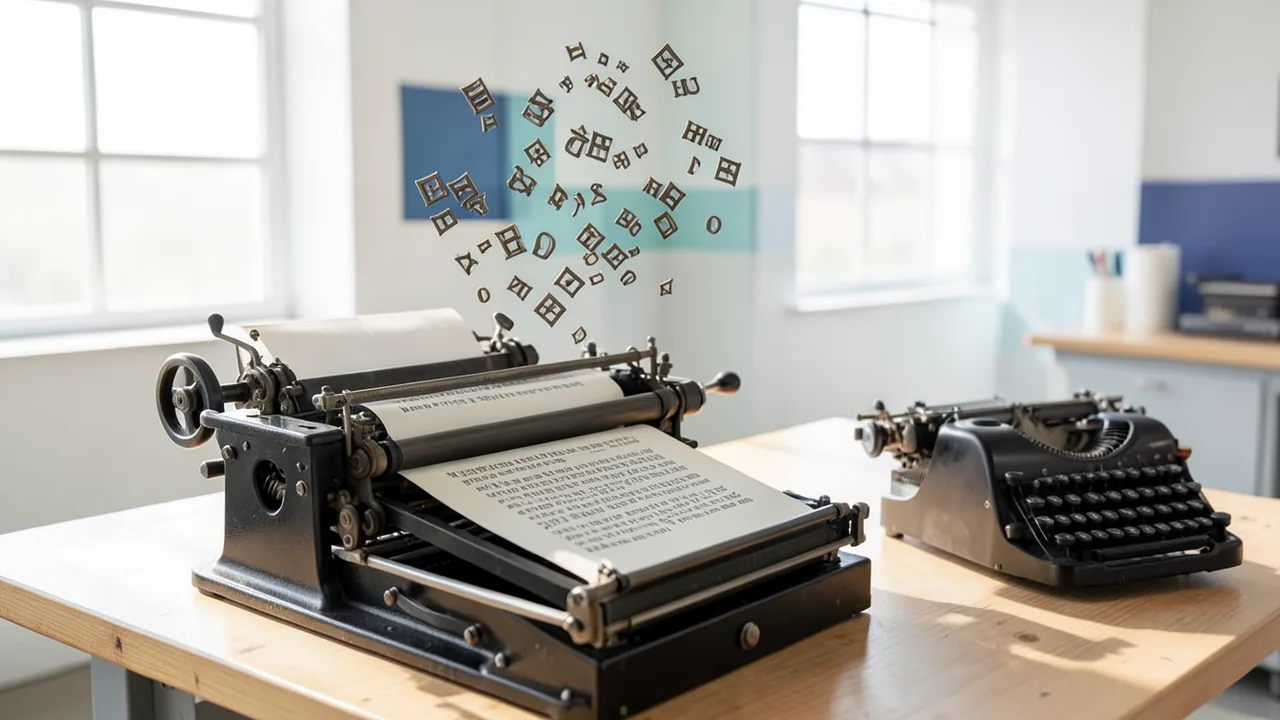
Nearly all large language models are autoregressive: they generate one token (a piece of a word) after another, and each new token depends on all the previous ones. It's a bit like typing on a typewriter. Google researchers Brendan O'Donoghue and Sebastian Flennerhag describe the difference in their blog post like this:
It turns model inference from a single, sequential typewriter into a massive printing press that stamps out the entire block of text at once.
DiffusionGemma borrows its approach from AI image generators. Those start with pure image noise and remove it step by step until a picture emerges. With DiffusionGemma, the starting point is a "canvas of random placeholder tokens" – unreadable gibberish. Over several passes, the model works out which tokens it can already predict with confidence and uses them to make better guesses about the rest. The end result is a "denoised" block of up to 256 tokens.
On top of that, it has two properties that conventional models lack:
- Bidirectional attention: every token in the block can "see" all the others, including ones that come later in the text. That gives the model an overview of the whole passage instead of just what's been written so far.
- Self-correction: using a kind of confidence score, the model re-checks tokens in the next pass and can fix contradictions within the same block, instead of just "dragging" an error along the way an autoregressive model does.
Technically, this moves the bottleneck. With autoregressive models, the main brake is memory bandwidth: the GPU keeps waiting for data to load from memory and only computes a single token per step. DiffusionGemma gives the chip much more computational work per pass, which keeps a single GPU busier. According to Computerworld, GPUs and TPUs are often underutilized in local, single-user scenarios.
Numbers and tech
DiffusionGemma builds on Gemma 4 and Google's research project Gemini Diffusion. It's a mixture-of-experts (MoE) model: the network consists of many specialized sub-networks ("experts"), and only a few of them work on each computation step.
| Key specs | Value |
|---|---|
| Total parameters | 26 billion |
| Active parameters per step | 3.8 billion |
| Tokens per block | 256 (parallel) |
| Speed on Nvidia H100 | over 1,000 tokens/s (vendor claim) |
| Speed on GeForce RTX 5090 | over 700 tokens/s (vendor claim) |
| VRAM (quantized) | approx. 18 GB |
| License | Apache 2.0 |
According to Ars Technica, that's roughly four times the output of similarly sized autoregressive Gemma models. The sources don't include any independent measurements; the speed figures come from Google.
What the model is for
Google sees its strengths mainly in tasks that aren't strictly linear:
- Code infilling: filling in missing pieces in the middle of existing code while taking into account the code before and after.
- Inline editing: revising text or code right where it is.
- Structured formats like JSON, where brackets and fields have to line up at the end.
- Mathematical graphs, logic problems and, according to Pulse2 and Ars Technica, sequences of amino acids and molecules.
As a showcase, Google fine-tuned the model on Sudoku. That's notoriously hard for conventional models because every number depends on cells that only get "written" later. DiffusionGemma, by contrast, can look at the entire grid at once and keep correcting it. Technology analyst Carmi Levy told Computerworld this shows "quite impressively" that the model can tackle more complex problems too. He also points to a built-in thinking mode that helps with problem solving.
Google also mentions real-time applications, built-in writing and coding assistants, and fast iteration loops. Levy sees potential in customer service, for example, where fast local answers matter, and on cost: per-token billing punishes inefficient solutions, and DiffusionGemma could usher in "a new generation of task-specific, efficient solutions."
The catches
Google doesn't hide the trade-offs:
- Lower quality: The answers are worse than those of regular Gemma 4. If you need maximum accuracy, Google says to stick with autoregressive Gemma 4. DiffusionGemma is explicitly not a replacement for Gemma or Gemini.
- Only an advantage at low loads: The model is optimized for small to medium batch sizes on a single powerful accelerator. In cloud environments with very many requests per second, Google says parallel generation offers "diminishing returns" and can even lead to higher operating costs. GPUs there are already well utilized anyway.
- No cost figures: Google doesn't give concrete operating costs.
Levy believes the lower precision can be partly offset with additional refinement passes, but the sources don't back that up.
What you need to try it
Quantized – that is, shrunk by storing the model's numbers at lower precision – DiffusionGemma needs about 18 GB of VRAM, according to Google. Cards like the RTX 4090 (24 GB) or RTX 5090 (32 GB), which Google and Nvidia optimized the model for, can handle that. Cards with 8, 12 or 16 GB won't cut it. Unquantized, a 26-billion-parameter model needs a lot more (roughly 50 GB and up), which is only realistic on pro hardware like H100s or DGX systems. Plan on about 32 GB of RAM and, depending on the variant, 15 to 55 GB of disk space.
On the software side, Hugging Face Transformers, vLLM and MLX are supported. The latter means Macs with Apple Silicon and enough unified memory (32 GB or more makes sense) are an option too. llama.cpp support has only been announced so far, so tools built on it, like Ollama or LM Studio, probably can't load the model out of the box yet. For fine-tuning, Google lists Hackable Diffusion, Unsloth and Nvidia NeMo. Running on CPU alone makes no sense, since the speed advantage depends on the GPU. In Google Colab, the free T4 GPU (16 GB) isn't enough; an A100 or L4 from the paid tiers is a better bet.
The bigger picture
Diffusion language models aren't entirely new. Google itself has done research with Gemini Diffusion, and startups are working on the approach too. What's new is a major vendor releasing a model like this at this size with open weights and a permissive license. For the first time, developers can broadly test how diffusion holds up for everyday text work – on a single gaming GPU.
That's especially interesting for tools where every second of waiting gets in the way: code completion in the editor, text revision, form and JSON output. The caveats: all speed figures are vendor claims, head-to-head quality benchmarks are missing from the sources, and Google itself rates the quality below Gemma 4. If you just want a good local chatbot, a conventional model is the better choice for now. But if you want to see where language models might go beyond word-by-word writing, DiffusionGemma is one of the most exciting open experiments of the year.
Related videos
Sources
- Google News (RU) 3dnews.ru
- computerworld.com computerworld.com
- pulse2.com pulse2.com
- arstechnica.com arstechnica.com
Try it yourself: DiffusionGemma
Explained step by step, no prior knowledge needed – on your own computer or free in your browser.
What can I do with it?
DiffusionGemma doesn't generate text word by word. It works in blocks of 256 tokens that it carves out of random placeholders over several passes. Google says that makes it about four times as fast as conventional models of the same size – over 700 tokens per second on an RTX 5090. It's especially good at structured tasks: filling gaps in code, producing JSON and other formats, editing text in place, and logic puzzles like Sudoku. Because it sees the whole block at once, it can fix contradictions within a passage on its own. The weakness: Google says answer quality is below Gemma 4, so for long, careful writing or tricky factual questions a conventional model is the better choice. It's an experiment, not a replacement for a mature everyday chatbot.
Who is it worth it for?
Worth it for developers, tinkerers and researchers with a powerful GPU (at least about 24 GB) or a Mac with plenty of memory who want to build fast local tools or just experience the new diffusion approach. If you just want a good chatbot, have a smaller GPU or rely on easy tools like Ollama, you're better off waiting for the announced llama.cpp support or grabbing a regular Gemma 4 model.
Ideas: What you can do with it
Hook DiffusionGemma into your editor as a local server via vLLM and have it fill in missing functions in the middle of your code. Because it sees the code before and after the gap at the same time, the completion often fits the rest better – and arrives with almost no wait.
Feed the model unstructured notes, like a list of contacts or recipe ingredients, and have it produce clean JSON. In seconds you get data you can drop straight into an app or spreadsheet.
Have it shorten, smooth out or rephrase emails, paragraphs or product copy. The high speed makes it pleasant to try several versions in a row until one fits.
Try Sudokus or small logic puzzles and watch the model solve the whole grid at once. It's a vivid way to understand how it differs from conventional language models.
Build a small answer assistant for frequently asked questions that runs entirely on your own machine. Short standard answers come back almost in real time, and no customer data leaves the building.
With Unsloth, Hackable Diffusion or Nvidia NeMo, you can adapt the model to your own tasks – just as Google did for Sudoku. A good fit for research projects around structured output.
What your computer needs
Which variant is right for me?
Many models come in several sizes or "quantizations." These are compressed versions: smaller and faster, but slightly less accurate. Rule of thumb: pick the largest variant whose memory requirement fits in your VRAM (video memory). The scripts below choose this for you automatically.
| Variant | Download | Needs approx. | Compatible graphics cards |
|---|---|---|---|
Q4_K_M Default |
17 GB | 20 GB | e.g. RTX 3090, RTX 4090, Tesla P40 |
Q5_K_M |
19 GB | 22 GB | e.g. RTX 3090, RTX 4090, Tesla P40 |
Q6_K |
23 GB | 26 GB | e.g. RTX 5090 |
Q8_0 |
27 GB | 31 GB | e.g. RTX 5090 |
BF16 |
50 GB | 57 GB | e.g. multiple professional GPUs (2× A6000, H100) or DGX Spark |
There's one model with 26 billion parameters (3.8 billion active). For GPUs with 24 or 32 GB (RTX 4090, RTX 5090), the quantized version needing about 18 GB is the right choice. The full, unquantized version needs much more memory and is better suited to H100, Blackwell or DGX systems. On Macs with Apple Silicon, the model runs via MLX; that makes sense from around 32 GB of unified memory.
- Google says the quantized model needs about 18 GB of VRAM – so realistically a card with 24 GB or more (RTX 4090, RTX 5090).
- Google and Nvidia optimized the model for the RTX 4090/5090, Hopper, Blackwell and DGX systems. Google cites over 700 tokens/s on an RTX 5090 and over 1,000 tokens/s on an H100.
- The speed advantage mainly applies to single users or small batch sizes on a single GPU – it shrinks with many parallel requests.
- Apple Silicon Macs are supported via MLX. Running on CPU alone makes no sense because the approach relies on GPU compute.
- The free Colab GPU (T4, 16 GB) isn't enough; you'd need bigger GPUs like an A100 or L4.
How do I find out what my computer has?
- Windows: Press Ctrl + Shift + Esc → Task Manager → Performance tab → click GPU on the left. At the bottom you'll see Dedicated GPU memory (that's your VRAM). You'll find system memory under Memory.
- Mac: Apple menu at the top left → About This Mac. You'll see your chip (e.g. M2) and memory (e.g. 16 GB). On Apple chips, graphics and processor share this memory.
- Linux: Type
nvidia-smiin the terminal (shows your graphics card and its memory) andfree -hfor system memory.
Guide
Google Colab (in your browser, no installation)
Google Colab is a free service from Google. It gives you a computer with a graphics card in your browser for a few hours. All you need is a Google account. For this model: Colab Pro only – needs the L4 GPU (22.5 GB); the free T4 is too small.
- Download the notebook. Click the button and save the file.
- Open Colab. Go to colab.research.google.com and sign in with your Google account.
- Upload the notebook. In the window that appears, click Upload on the left (or choose File → Upload notebook at the top) and select the file
colab.ipynb. - Turn on the GPU. In the top menu, go to Runtime → Change runtime type → under Hardware accelerator, select T4 GPU (with Colab Pro: L4 or A100) → Save.
- Start everything. Runtime → Run all (keyboard shortcut Ctrl + F9). If you see the warning “This notebook was not authored by Google,” click Run anyway.
- Wait. The cells run one after another. A green checkmark appears to the left of each cell when it's done. Installation and download take about 10 minutes here.
- Try it out. The result appears below the last cell. To test something else, change the text in the cell and run it again with Shift + Enter. The last cell starts a proper chat with an input field.
- Clean up. When you're done: Runtime → Disconnect and delete runtime. This saves your free quota.
Good to know: The free GPU is limited (usually a few hours per day). After about 90 minutes of inactivity, Colab disconnects, and you'll have to start everything over.
Windows 10 / 11
The easiest way is Ollama, a free program that launches AI models with a single command.
- Update your graphics driver (NVIDIA cards only): Install the NVIDIA app or the latest driver. For AMD cards, use the latest Adrenalin driver.
- Install Ollama. Download the file OllamaSetup.exe from ollama.com/download/windows, double-click it, and choose Install. Afterward, a small llama icon appears in the taskbar at the bottom right.
- Open a terminal window. Press the Windows key, type PowerShell and press Enter. A blue or black window opens.
- Start the model. Copy this command ("Copy" button), paste it into the window with a right-click, and press Enter:
The first time, Ollama downloads the model (17 GB (about 22 min at 100 Mbit/s)). After that, it's instant.ollama run hf.co/unsloth/diffusiongemma-26B-A4B-it-GGUF:Q4_K_M - Start typing. Once
>>> Send a messageappears, type your question and press Enter. Type/byeto end the chat.
Not enough memory? Pick a smaller variant from the table above, e.g. ollama run hf.co/unsloth/diffusiongemma-26B-A4B-it-GGUF:Q4_K_M.
Prefer automatic? A script that picks the right variant for you
- Download both files into the same folder: try_windows.ps1 demo.py
- Open the folder in File Explorer, right-click an empty spot and choose Open in Terminal.
- Paste this command and press Enter:
powershell -ExecutionPolicy Bypass -File try_windows.ps1
If needed, the script installs Ollama via winget, measures your VRAM (video memory) and downloads the matching variant.
macOS
Macs with an Apple chip (M1 to M5) are ideal. Older Intel Macs are very slow.
- Install Ollama. Download it from ollama.com/download/mac, open the file, and drag Ollama into your Applications folder. Launch Ollama once – a llama appears in the menu bar at the top.
- Open Terminal. Press Cmd + Space, type Terminal, and press Enter.
- Start the model. Paste the command (Cmd + V) and press Enter:
The first time, the model is downloaded (17 GB (about 22 min at 100 Mbit/s)).ollama run hf.co/unsloth/diffusiongemma-26B-A4B-it-GGUF:Q4_K_M - Start typing. Type your question and press Enter. Quit with
/bye.
Linux
- Check your GPU.
nvidia-smishould show your card. If it doesn't, install the driver on Ubuntu and restart:sudo ubuntu-drivers install - Install Ollama:
curl -fsSL https://ollama.com/install.sh | sh - Start the model:
Exit withollama run hf.co/unsloth/diffusiongemma-26B-A4B-it-GGUF:Q4_K_M/bye. Useollama psto check whether the model is running on the GPU. - Or let it pick the right variant automatically:
bash try_linux.sh
# mit Python/transformers statt Ollama:
MODE=hf bash try_linux.sh
Try it
Write a short product description for a reusable stainless steel water bottle.Give me a JSON list of five major German cities, each with name, federal state and approximate population.Fill in the missing function in this Python code: def ist_primzahl(n): ... – followed by: print([x for x in range(30) if ist_primzahl(x)])Rewrite this paragraph so it sounds shorter and more neutral without leaving out any information: [paste your own text]Solve this Sudoku and output the complete grid: [paste puzzle with zeros for empty cells]Tips for better results
- Use the model for short, clearly structured tasks (formats, code gaps, rephrasing) – that's where it plays to its strengths.
- For structured output, spell out the exact format you want, for example with a sample JSON, so the model fills the whole block correctly.
- For hard logic or math problems, use the thinking mode that, according to analyst Carmi Levy, Google built in.
- Double-check important results or have them revised in a second pass – experts see extra refinement steps as a way to make up for the lower precision.
- Compare speed and quality directly with a regular Gemma 4 model to see whether the trade-off is worth it for your use case.
If something goes wrong
llama.cpp support has only been announced – so Ollama, LM Studio and similar tools may not load the model yet. For now, use Hugging Face Transformers, vLLM or, on a Mac, MLX.
16 GB of VRAM or less isn't enough – not even quantized. Make sure you actually load a quantized version, or the memory requirement will be much higher.
Because of the new diffusion method, the software needs up-to-date versions. Update Transformers or vLLM before your first run.
The answers are worse than Gemma 4's – if the output feels clunky, it's not an installation problem but the deliberate trade of quality for speed.
If you want to run the model as a server for many simultaneous users, Google says you'll lose the speed advantage and may even face higher costs.
“out of memory,” a crash, or your computer freezes
The model is too big for your VRAM (video memory). Pick a smaller variant from the table above and close other programs, especially games and browsers with lots of tabs.
It runs, but extremely slowly
Your CPU is probably doing the work instead of your graphics card. In Ollama, the PROCESSOR column of ollama ps shows how much runs on the GPU. If it says "100% CPU", update your graphics driver or pick a smaller variant that fits entirely into VRAM (video memory).
“ollama” or “python” is not found
Close the terminal window and open it again so it recognizes the newly installed program. For Python on Windows: reinstall it and check Add python.exe to PATH.
Windows: "Running scripts is disabled on this system"
Run the script with exactly the command above: powershell -ExecutionPolicy Bypass -File try_windows.ps1. This allows execution for this one time only.
Error message when loading the model (version, "trust_remote_code", unknown architecture)
Brand-new models often need the latest software version. With Ollama: update Ollama. With Python: pip install -U transformers in the activated environment. The Model Card usually lists the exact version.
Tokenstrom generates the scripts and notebook automatically. Please take a quick look before running them – they're plain, readable text. Mind the model's license: apache-2.0.
Ask the AI assistant
Questions about this article, installation or background? Our assistant knows this page and runs on our own machine, not in someone else's cloud.
The Assistant is an AI (Gemma 4) and can make mistakes – please check important details against the source. Questions are used only to generate an answer and are deleted after one hour. Please don't enter any personal data.


Comments
What do you think? Already tried it? Write it here, no sign-up needed.
Comments are public. Links aren't allowed, and we delete abusive posts. You can delete your own comment at any time in this browser. Learn more in the Privacy Policy.