
Google Vids now lets free personal accounts create their own AI avatar
With Google Vids, you can now build a digital double of yourself for free, even on a regular personal Google account. It turns typed text into a video of you speaking, no camera required. There's a catch, though: the number of free generations per month is capped.

What's going on
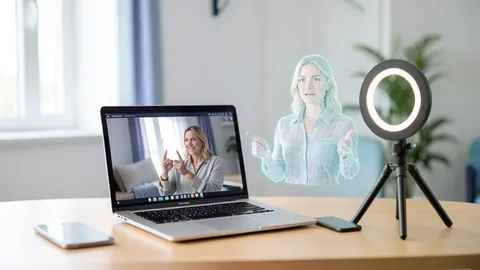
Google Vids is Google's browser-based tool for creating and editing videos. It's part of Google Workspace, the same family as Docs, Slides and Drive. One of its standout features is personal avatars: you generate a digital double of yourself that presents typed text on camera, without you ever being filmed. Until now, this was limited to paid subscriptions. According to Android Authority, as of November 17, 2026, users with a regular personal Google account can create an avatar like this for free.
The launch was bumpy. In early November, Google announced it would roll out avatars to personal accounts. Just a day later, the rollout was halted. Google gave no reason and no new date. Now the feature is here. Android Authority had already spotted signs back in March that Google was working on turning users' likenesses into virtual avatars. Internally it was first called "Gemini avatar"; in Vids it's now called "personal avatar".
How your digital double is made
According to Android Authority, on the Vids website you can now:
- design your own avatar with a matching look and voice,
- scan a QR code to capture your likeness (presumably with your phone's camera),
- save the finished avatar in your Vids project and reuse it across multiple scenes.
According to pulse2.com, you upload a selfie and a short voice recording. After that, you simply type a script and the avatar delivers it on video. It's aimed at short video updates, personal greetings or presentations that would otherwise require a camera, lighting and several takes.
To prevent abuse, the avatar is tied to your own Google account and may only show the likeness of the account holder. The idea is that you can't recreate other people's faces, such as celebrities or colleagues. How strictly Google enforces this technically isn't stated in the sources. According to pulse2.com, users must also be at least 18 and live in certain regions. Which regions those are, and whether Germany, Austria and Switzerland are included, isn't clear from the sources.
How much is free – and where the sources disagree
Free doesn't mean unlimited. The reports disagree on the exact number, though:
| Source | Free quota |
|---|---|
| TechRepublic (citing Google's Vids help page) | 6 AI video clips or avatar creations per month, combined |
| Digital Trends | 10 generations per month, split between avatars and Veo clips, initially US only |
The Digital Trends report mentions an expansion to more regions "later this summer", so it likely reflects an earlier phase of the rollout. TechRepublic's figure comes straight from Google's help page and is therefore probably more current. If you want to know for sure, check your own account. According to TechRepublic, some AI editing features are also restricted on free accounts. Paid Google AI subscriptions and eligible Workspace plans come with different quotas.
One important catch: creating and editing only works on desktop. On your phone, you can only watch finished videos. According to TechRepublic, you get started via vids.new and the "Create AI videos" option.
What else Vids can do
The avatars are part of a broader expansion of Vids. The sources mention several other features:
- Gemini Omni: According to pulse2.com, the model generates video clips from text and images, such as a photo or a rough sketch. Editing happens in chat: you describe what should change, like a different background, different lighting or extra effects. This also works with footage you shot yourself. TechRepublic reports that Gemini Omni 1.1 Flash is available to free users too. It lets you extend scenes, set clip length and generate videos in 1080p (Full HD) or upscale existing clips. When extending, lighting, surroundings and characters' appearance are meant to stay consistent.
- Presentations become videos: According to Digital Trends, Vids turns a finished Google Slides deck into a storyboard, a sequence of scenes, and writes the script for the avatar to deliver.
- Languages: According to Digital Trends, avatar scripts and voiceovers support 24 languages. If you'd rather not have a face on screen, paid plans offer an AI voiceover only. It covers eight languages, including Japanese, Korean, Spanish and French.
- Longer Veo clips: According to Digital Trends, paying users can go beyond the previous eight-second-per-clip limit with Veo 3.1, Google's video model.
- Avatar gallery: Instead of your own likeness, you can pick a ready-made avatar from Google's gallery or build a fantasy character with the Nano Banana 2 image model.
There are also announced features. Emotion Steering is supposed to let you set the tone in which an avatar or AI voice speaks, whether enthusiastic, serious or calm. It builds on Direct Avatars, which let you place an avatar in a scene via a text prompt, where it walks around, talks and interacts with objects. According to TechRepublic, a voiceover feature based on Gemini 3.8 Flash-Lite is also on the way, voicing written scripts in more than 100 languages.
Watermarks against deception
According to Google, all AI-generated clips from Vids include an invisible SynthID watermark. Developed by Google DeepMind, this marker is embedded in the image data. You can't see it, but detection tools can use it to tell that a video was made by AI. Especially with avatars that look deceptively like real people, that's an important safeguard against deepfakes. But the watermark only helps if someone actively checks for it. If a video lands in your messaging app, you won't notice a thing.
Our take
For individuals, clubs, teachers and small businesses, this significantly lowers the bar for making an explainer video with yourself as the presenter, with no camera, lighting or stage fright. Specialist providers like Synthesia or HeyGen usually charge a subscription for similar features. Google bundles avatars, video generation, slide import and media from Drive and Photos into a single tool. TechRepublic sees it as a bridge between pure AI generation and classic timeline-based video editing.
The limits are clear, though. Six creations a month is enough to try it out, not for regular production. And Google is clearly using this to lure users into its paid AI Pro and Ultra subscriptions. Open questions remain: why the rollout was halted in early November, which countries the feature covers exactly, and how reliably tying it to your own face actually prevents abuse. If you create an avatar, keep in mind that Google stores your face and voice, which is highly personal biometric data.
Related videos
Sources
- Merkliste: androidauthority.com androidauthority.com
- pulse2.com pulse2.com
- digitaltrends.com digitaltrends.com
- techrepublic.com techrepublic.com
Ask the AI assistant
Questions about this article, installation or background? Our assistant knows this page and runs on our own machine, not in someone else's cloud.
The Assistant is an AI (Gemma 4) and can make mistakes – please check important details against the source. Questions are used only to generate an answer and are deleted after one hour. Please don't enter any personal data.

Comments
What do you think? Already tried it? Write it here, no sign-up needed.
Comments are public. Links aren't allowed, and we delete abusive posts. You can delete your own comment at any time in this browser. Learn more in the Privacy Policy.