
Hydrogen-1.0: 753B open-weight chemistry and materials model under MIT license
Chinese company Deep Principle has released Hydrogen-1.0, a specialist model for chemistry, materials science and life sciences built on GLM-5.3. The weights are open under an MIT license, and the maker says it beats GPT-6-Astra on FrontierScience-Research. But it's far too big to run at home.
What it's about
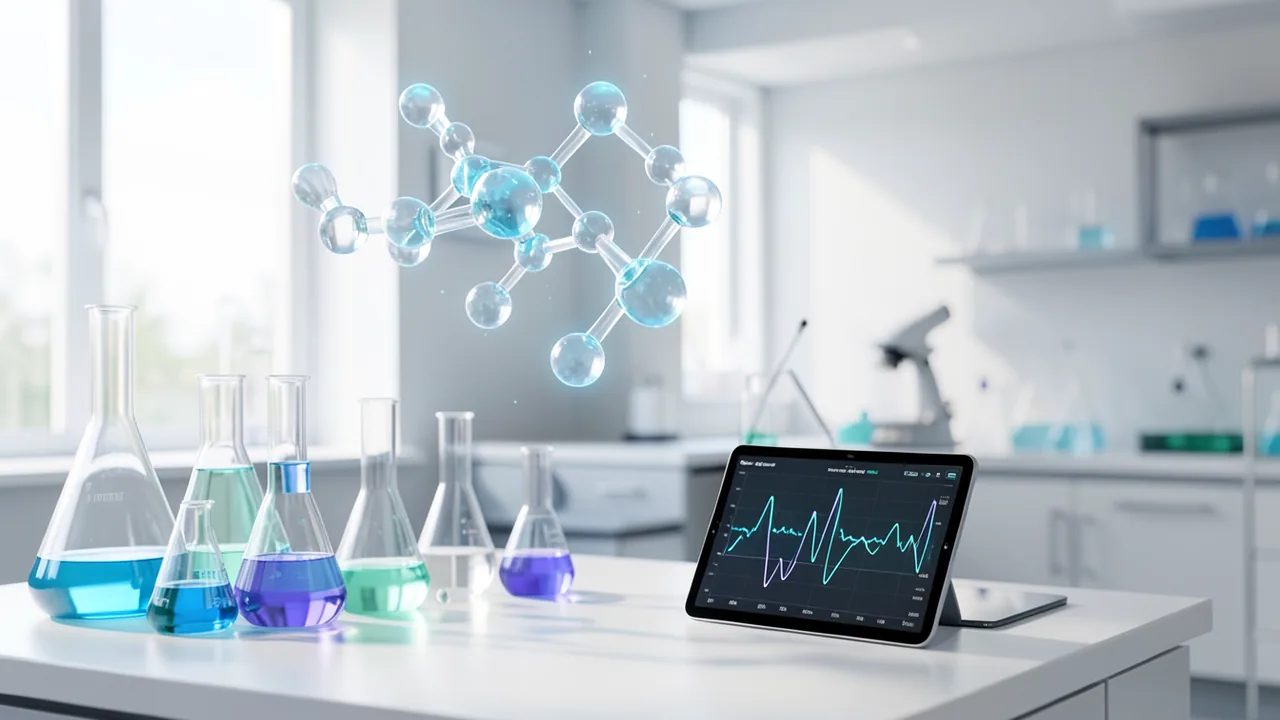
Deep Principle, a materials-research AI company from Hangzhou, has released Hydrogen-1.0. The model is a scientific research assistant for chemistry, materials science and life sciences. It was created by post-training Z.ai's GLM-5.3 and is available with open weights under the MIT license. According to the Model Card, it is meant to formulate research questions, plan experiments, analyze results and tackle open-ended discovery tasks. Deep Principle argues that recent AI science results have come from proprietary models whose discovery capabilities aren't open. Hydrogen-1.0 is meant to be a transparent, verifiable alternative.
Key specs and training
The model has 753B parameters as a mixture-of-experts (MoE – only a portion of the experts is active per token), with about 40B active according to the base model. Context is 1M tokens, and maximum output is 128K.
Training combines supervised fine-tuning (SFT) with reinforcement learning (RL, learning through reward). The data comes from four sources:
- Domain knowledge from chemistry, materials science and life sciences
- Research scenarios with feedback from Deep Principle scientists
- Lab records: complete electronic lab notebook entries via the Mira system
- Discovery trajectories: sequences of decisions and feedback, including failed attempts
The infrastructure is Megatron and SGLang on NVIDIA CUDA and AMD ROCm. The Muon optimizer moves its state between CPU, GPU and disk depending on the backend. The RL uses resumable rollouts and stores the original log-probability per token to correct the weighting. An adapter converts training checkpoints into BF16 and block-wise 128×128 FP8 weights for inference. Full datasets and recipes will not be released.
Benchmarks (all from Deep Principle)
| Test | Hydrogen-1.0 | Comparison |
|---|---|---|
| FrontierScience-Research | 38.3% | GPT-6-Astra 33.3% |
| GPQA-Diamond | 93.0% | GPT-6-Astra 96.0% (OpenAI figure); roughly on par with Kimi-K3 |
| Scientific computing | +5.13 points | vs. GPT-6-Astra (max reasoning) |
| Forward reaction prediction | +4.76 points | vs. GPT-6-Astra |
| NMR structure elucidation | −3.33 points | GPT-6-Astra ahead |
In a transition-metal complex design task, models had to find a larger HOMO-LUMO gap (the energy difference between two electron states) over five rounds. Hydrogen-1.0 averaged 4.318 eV, GPT-6-Astra 3.689 eV and Kimi-K3 3.353 eV. On 117 experiment-planning questions, it beat Kimi-K3. GPT-6-Astra and Opus-5.5 were excluded because they refused more than 50% of requests.
Demos from everyday lab work
The technical post shows four examples. The model writes Python code, builds a polyethylene melt and launches GROMACS (molecular simulation software). It spots a topology error, fixes it and analyzes a 40 ns trajectory. It generates a reaction network for the Ireland-Claisen rearrangement with 27 structures and 30 plausible reactions. It ranks seven candidates for the monoformylation of 2-bromonaphthalene based on a 1H NMR spectrum. And it writes a JSON protocol for a 12-vessel Suzuki coupling study; a virtual-lab compilation step catches a pipetting error (aspiration without a fresh tip) before execution.
What you need to try it
Hydrogen-1.0 is a data-center model. It was tested running BF16 with SGLang on 8 GPUs with tensor parallelism 8. NVFP4 variants target NVIDIA B200/B300, and MXFP4 targets AMD Instinct MI350X/MI355X. The server offers an OpenAI-compatible API with a reasoning_effort setting. Realistically, the model won't run on a home GPU, a Mac or Google Colab; even heavily quantized, it needs several hundred GB of memory. The weights are on Hugging Face and ModelScope.
Our take
What matters here is less home use than openness: an MIT-licensed specialist model trained on lab notebook data and failed attempts is interesting for research groups and companies with cluster access. All benchmarks come from the vendor, and according to Deep Principle the FrontierScience figure for GPT-6-Astra was measured by the company itself. Independent tests are missing. On GPQA-Diamond it falls short of the figure OpenAI cites, and on NMR GPT-6-Astra leads. That competing models refused more than half of the experiment-planning requests is a practical argument for open models, but it depends on how the tests were chosen. Data and recipes remain closed, so reproducibility is only partial. The price of a hosted API is unknown.
Sources
- Bing News (en-US) marktechpost.com
Try it yourself: Hydrogen-1.0
Explained step by step, no prior knowledge needed – on your own computer or free in your browser.
What can I do with it?
Hydrogen-1.0 is a specialist model for chemistry, materials research and life sciences. It can formulate research questions, plan experiments, write and fix simulation scripts (for example for GROMACS), predict reactions and analyze NMR data. It handles up to 1M tokens of context. According to the vendor, it beats GPT-6-Astra on FrontierScience-Research but is weaker at NMR structure elucidation. Because of its size, it only runs on servers with several high-end GPUs. As a text model, it can't process images.
Who is it worth it for?
Interesting for research teams, universities and companies with access to GPU clusters. For hobbyists with a home PC, it isn't worth it unless a smaller spin-off or hosted access appears.
Ideas: What you can do with it
You describe a research goal and have the model draw up an experimental plan with conditions and controls. Check the result before using it in the lab.
The model writes Python and GROMACS scripts for molecular dynamics and fixes errors such as faulty topologies.
Give it a 1H NMR spectrum and have it rank candidate structures. It's a helpful aid, but it doesn't replace expert review.
You provide reactants and conditions and get likely products and reaction networks.
What your computer needs
Values estimated from the model size – the Model Card may have more precise figures.
Which variant is right for me?
Many models come in several sizes or "quantizations." These are compressed versions: smaller and faster, but slightly less accurate. Rule of thumb: pick the largest variant whose memory requirement fits in your VRAM (video memory). The scripts below choose this for you automatically.
| Variant | Download | Needs approx. | Compatible graphics cards |
|---|---|---|---|
4-bit (Q4) Default |
452 GB | 498 GB | servers only, with multiple data-center GPUs (e.g. 8× H100) |
8-bit (Q8) |
806 GB | 888 GB | servers only, with multiple data-center GPUs (e.g. 8× H100) |
16-bit (Original) |
1507 GB | 1658 GB | servers only, with multiple data-center GPUs (e.g. 8× H100) |
BF16 with SGLang on 8 GPUs is the tested setup. NVFP4 is available for NVIDIA B200/B300, and MXFP4 for AMD MI350X/MI355X. Smaller variants or GGUF files aren't mentioned in the source.
- Officially tested: 8 GPUs, tensor parallelism 8, BF16, SGLang.
- NVFP4 for NVIDIA B200/B300, MXFP4 for AMD Instinct MI350X/MI355X.
- The stated VRAM (video memory) figure of around 460 GB is a rough estimate for 4-bit; the source gives no exact values.
- A context of up to 1M tokens costs a lot of additional memory.
- The model isn't practical for Macs, ordinary PCs or Colab.
Groß (753,3 B parameters, MoE): running entirely on the GPU takes a lot of VRAM (video memory). With MoE offloading, a regular graphics card plus plenty of RAM is enough (see table). Colab Free isn't enough.
Gated access: You need a free Hugging Face account. Log in on the model page and accept the license. Then create an access token (type Read) at huggingface.co/settings/tokens and run hf auth login once before you start.
How do I find out what my computer has?
- Windows: Press Ctrl + Shift + Esc → Task Manager → Performance tab → click GPU on the left. At the bottom you'll see Dedicated GPU memory (that's your VRAM). You'll find system memory under Memory.
- Mac: Apple menu at the top left → About This Mac. You'll see your chip (e.g. M2) and memory (e.g. 16 GB). On Apple chips, graphics and processor share this memory.
- Linux: Type
nvidia-smiin the terminal (shows your graphics card and its memory) andfree -hfor system memory.
Guide
Google Colab (in your browser, no installation)
Google Colab is a free service from Google. It gives you a computer with a graphics card in your browser for a few hours. All you need is a Google account. For this model: too big for Colab – even the largest Colab GPUs aren't enough.
- Download the notebook. Click the button and save the file.
- Open Colab. Go to colab.research.google.com and sign in with your Google account.
- Upload the notebook. In the window that appears, click Upload on the left (or choose File → Upload notebook at the top) and select the file
colab.ipynb. - Turn on the GPU. In the top menu, go to Runtime → Change runtime type → under Hardware accelerator, select T4 GPU (with Colab Pro: L4 or A100) → Save.
- Start everything. Runtime → Run all (keyboard shortcut Ctrl + F9). If you see the warning “This notebook was not authored by Google,” click Run anyway.
- Wait. The cells run one after another. A green checkmark appears to the left of each cell when it's done. Installation and download take about 155 minutes here.
- Try it out. The result appears below the last cell. To test something else, change the text in the cell and run it again with Shift + Enter.
- Clean up. When you're done: Runtime → Disconnect and delete runtime. This saves your free quota.
Good to know: The free GPU is limited (usually a few hours per day). After about 90 minutes of inactivity, Colab disconnects, and you'll have to start everything over.
Windows 10 / 11
This model runs on Python. Our script handles the setup automatically: it creates an isolated Python environment, installs the required packages (PyTorch, approx. 3 GB) and downloads the model (452 GB (about 10.0 hr at 100 Mbit/s)).
- Update your graphics driver (NVIDIA): install the latest driver. Without an NVIDIA card, it runs on the CPU – much more slowly.
- Install Python. Download Python 3.12 from python.org and run the installer. Important: At the bottom of the first window, tick Add python.exe to PATH, then click Install Now.
- Create a folder and download the files. Create a folder, e.g.
Documents\AI-Test, and save both files into it: - Open a terminal in the folder. Open the folder in File Explorer, right-click an empty spot → Open in Terminal.
- Run it. Paste this command and press Enter:
Installation and download are running now. The first time, this can take 10–30 minutes.powershell -ExecutionPolicy Bypass -File try_windows.ps1 - Result. The window shows the model's answer to a test question.
- Try your own input: Open
demo.pyin an editor, change the sample text, and save. Then run this in the terminal:.\.venv-hydrogen-1-0\Scripts\Activate.ps1 python demo.py
macOS
Macs with an Apple chip (M1 to M5) are ideal. Older Intel Macs are very slow.
- Open Terminal. Press Cmd + Space, type Terminal, and press Enter.
- Install the developer tools (first time only; includes Python):
Click Install in the window. If you see "already installed," everything is already in place.xcode-select --install - Download the files – both end up in your Downloads folder:
- Run it:
The first time, installation and download take 10–30 minutes.cd ~/Downloads bash try_mac.sh - Result. The window shows the model's answer to a test question.
Linux
- Check your GPU.
nvidia-smishould show your card. If it doesn't, install the driver on Ubuntu and restart:sudo ubuntu-drivers install - Install the Python basics (Ubuntu/Debian):
sudo apt update && sudo apt install -y python3-venv python3-pip git - Put the files in a folder and open a terminal there:
- Run it:
bash try_linux.sh - Result. The window shows the model's answer to a test question.
Try it
Explain the difference between SN1 and SN2 reactions with one example each.Plan an experiment to compare the yield of a Suzuki coupling across 12 batches with varied base and temperature, and output the protocol as JSON.Write a Python script that sets up a polyethylene melt with GROMACS, and explain the steps.Which products should I expect from the monoformylation of 2-bromonaphthalene, and how would you tell them apart by 1H NMR?Suggest transition-metal complexes with the largest possible HOMO-LUMO gap and justify your choices.Tips for better results
- Use SGLang's OpenAI-compatible API and set `reasoning_effort` according to the task.
- Give tasks concrete context (reagents, conditions, measurement data) so the model can plan in a targeted way.
- Have protocols output in structured formats such as JSON, and check them before running them.
If something goes wrong
The hardware requirements are enormous; without a multi-GPU server, the model won't start.
FP4 variants only run on current accelerators (B200/B300, MI350X/MI355X).
Always have chemistry answers checked by experts before running experiments.
The source doesn't name an exact Hugging Face repo or Ollama availability.
“out of memory,” a crash, or your computer freezes
The model is too big for your VRAM (video memory). Pick a smaller variant from the table above and close other programs, especially games and browsers with lots of tabs.
It runs, but extremely slowly
Your CPU is probably doing the work instead of your graphics card. In Ollama, the PROCESSOR column of ollama ps shows how much runs on the GPU. If it says "100% CPU", update your graphics driver or pick a smaller variant that fits entirely into VRAM (video memory).
“ollama” or “python” is not found
Close the terminal window and open it again so it recognizes the newly installed program. For Python on Windows: reinstall it and check Add python.exe to PATH.
Windows: "Running scripts is disabled on this system"
Run the script with exactly the command above: powershell -ExecutionPolicy Bypass -File try_windows.ps1. This allows execution for this one time only.
Error message when loading the model (version, "trust_remote_code", unknown architecture)
Brand-new models often need the latest software version. With Ollama: update Ollama. With Python: pip install -U transformers in the activated environment. The Model Card usually lists the exact version.
Tokenstrom generates the scripts and notebook automatically. Please take a quick look before running them – they're plain, readable text. Mind the model's license: mit.
Ask the AI assistant
Questions about this article, installation or background? Our assistant knows this page and runs on our own machine, not in someone else's cloud.
The Assistant is an AI (Gemma 4) and can make mistakes – please check important details against the source. Questions are used only to generate an answer and are deleted after one hour. Please don't enter any personal data.

Comments
What do you think? Already tried it? Write it here, no sign-up needed.
Comments are public. Links aren't allowed, and we delete abusive posts. You can delete your own comment at any time in this browser. Learn more in the Privacy Policy.