
Nvidia RE-USE: Tiny open model cleans up bad speech recordings
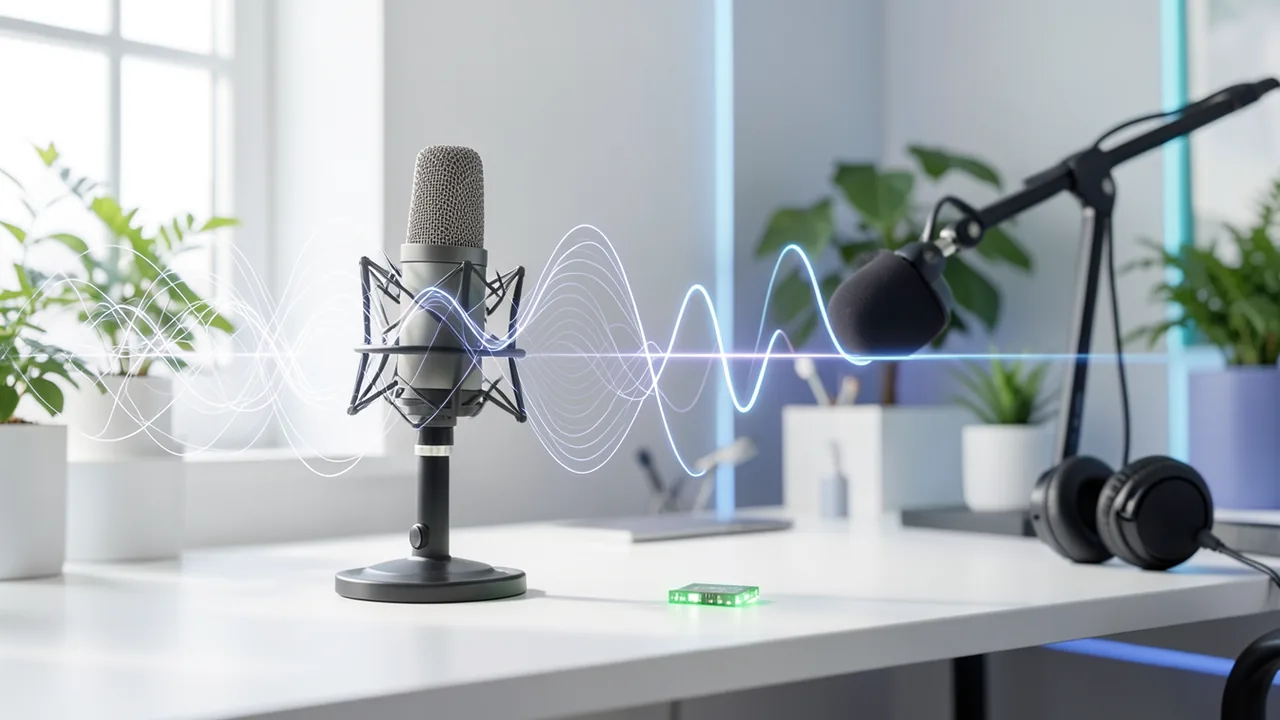
Nvidia has released NemotronLabs RE-USE, a model that removes noise, reverb, clipping and compression damage from speech recordings. It has just 9.6 million parameters, but Nvidia says it beats much larger models. It's available on Hugging Face for commercial use.
What it's about
On October 30, 2026 (US time), Nvidia released a model called NemotronLabs RE-USE on Hugging Face. It restores speech recordings that sound bad because of background noise, reverb, clipped signals or compression damage. It's an open model, and Nvidia says it can be used commercially. Its size stands out: it has only 9.6 million parameters.
What the model fixes
RE-USE is a universal speech enhancement model. It's meant to remove not just background noise and reverb, but a whole range of other defects:
- Clipping, meaning overdriven, "torn" audio signals
- Bandwidth limitation, such as phone-quality audio
- Codec artifacts, meaning damage from lossy compression
- Packet loss, as happens in online transmissions
- Distortion from cheap microphones
It aims to preserve intelligibility and speaker identity, so the voice still sounds like the same person. If several people talk at once, the model keeps the main voice and suppresses the others. That suits interviews and podcasts. It doesn't truly separate all speakers or assign them. For that, you need other tools.
Languages and sample rates
The model accepts audio at 8, 16, 22.05, 24, 32, 44.1 and 48 kHz, and you don't need a separate model for each rate. It was trained on English, German, Spanish, French and Chinese speech. Nvidia's goal is a model that isn't tied to one language.
Architecture
The model combines a convolutional encoder and decoder with a core of 30 layers of a bidirectional Mamba model. The encoder and decoder convert audio into an internal representation and back into speech. The Mamba core learns time and frequency patterns, as well as the type of damage.
Mamba is based on state space models. Its compute cost grows linearly with input length. With classic self-attention, it grows quadratically. That makes long recordings efficient to process.
Training used roughly 2,500 hours of synthetic speech data. It also used impulse responses of rooms and microphones that simulate real acoustic environments.
Numbers and comparison
The evaluation used the non-blind test set from URGENT 2025. According to Nvidia, RE-USE beats the larger open models Sidon (250M) and UniPASE (500M) on four metrics: PESQ (speech quality), STOI (intelligibility), speaker similarity and speech recognition accuracy.
| Measurement | Result |
|---|---|
| Character accuracy of speech recognition, 16 kHz, noisy original | 76.5% |
| After processing with RE-USE | 87.1% |
| Speaker similarity at 44.1 kHz, RE-USE | 0.90 |
| Speaker similarity at 44.1 kHz, Resemble Enhance | 0.57 |
All figures come from the vendor.
Use cases
Typical uses include improving podcasts and videos, cleaning speech datasets and preprocessing audio for automatic speech recognition (ASR). It's also meant for preparing training data for text-to-speech or speech-based language models. Because the model is so small, it adds little load to pipelines that run recognition or generation models on the same GPU. Nvidia also calls the architecture well suited to real-time applications.
What you need to try it
Officially, Linux with Nvidia Ampere GPUs such as the A100 is supported, with acceleration via Triton Inference Server. With 38.4 MB of weights, the model is tiny, so memory and storage needs are low. The source says nothing about Mac or CPU. The easiest way in is the Hugging Face demo, where you can test single files. For recordings longer than 30 seconds, a bundled script processes them in overlapping chunks to save GPU memory.
Our take
A 9.6-million-parameter model that beats larger rivals matters to anyone who wants to clean up speech recordings automatically: podcasters, video creators and teams cleaning speech data for AI training. Multilingual support, including German, is a plus. Keep in mind that the benchmark numbers come from Nvidia itself, and according to the source there are no independent tests yet. The officially tested environment is tightly tied to Nvidia hardware, and separating multiple speakers isn't part of the feature set.
Sources
- AI Times (KR) aitimes.com
Try it yourself: NemotronLabs RE-USE
Explained step by step, no prior knowledge needed – on your own computer or free in your browser.
What can I do with it?
RE-USE makes bad speech recordings clearer. It removes noise, reverb, clipping, phone-quality limits and compression damage while keeping the speaker's voice. It works with recordings from 8 to 48 kHz and was trained on English, German, Spanish, French and Chinese. The model is tiny (38.4 MB) and also suits real-time scenarios. It doesn't separate individual speakers but keeps the main voice. According to Nvidia, it clearly outperforms much larger models.
Who is it worth it for?
Worth it for podcasters, video producers and developers who prepare speech data for speech recognition or TTS. Less suitable if you want to separate speakers, process music or don't have an Nvidia GPU.
Ideas: What you can do with it
Guests who dialed in with a bad microphone can be denoised after the fact. The result sounds clearer, and the voice stays recognizable.
Run audio through RE-USE first, then into a speech recognizer. According to Nvidia, character accuracy rose from 76.5% to 87.1% this way.
If you're training your own voice or a speech model, you can even out datasets of mixed quality.
Family videos or archive footage with noise and reverb can get a better audio track.
What your computer needs
According to the source, there's only one model, with 9.6M parameters. Officially tested: Linux with an Ampere GPU such as the A100.
- Officially supported: Linux and Nvidia Ampere GPUs, e.g. A100, with Triton Inference Server.
- The FP32 weights are only 38.4 MB, so memory needs are low.
- Long recordings over 30 seconds are split into overlapping chunks by a script to save GPU memory.
- The source says nothing about running on CPU or Mac.
How do I find out what my computer has?
- Windows: Press Ctrl + Shift + Esc → Task Manager → Performance tab → click GPU on the left. At the bottom you'll see Dedicated GPU memory (that's your VRAM). You'll find system memory under Memory.
- Mac: Apple menu at the top left → About This Mac. You'll see your chip (e.g. M2) and memory (e.g. 16 GB). On Apple chips, graphics and processor share this memory.
- Linux: Type
nvidia-smiin the terminal (shows your graphics card and its memory) andfree -hfor system memory.
Guide
This model runs with its developers' own program (microsoft/DNS-Challenge on GitHub). The commands below come from the Model Card and the developers' instructions.
In the browser (no installation)
The developers have an online demo on Hugging Face. You can try the model right away there without installing anything. Sometimes you have to wait a moment for the demo to wake up.
Windows 10 / 11
Windows 10 / 11: not officially tested. The Model Card lists only Linux as a supported system, plus an NVIDIA card (Ampere, tested on A100). Windows is untested. The safest routes are WSL2 (Linux inside Windows) with an NVIDIA card, or the online demo on Hugging Face.
- Check the requirements. You need Python 3, Git and an NVIDIA graphics card with a current driver (Ampere or newer, so RTX 30 series or better). You also need an environment for Mamba (the network architecture the model uses). NVIDIA points to ready-made Docker environments from the SEMamba project. For the inference.sh script, you need a Bash shell, ideally WSL2.
- Create an environment. Open PowerShell and create a virtual environment. That's a separate folder for Python packages so nothing gets mixed up. Afterwards, (.venv) appears in front of the prompt.
python -m venv .venv .venv\Scripts\Activate.ps1 - Install packages. Install the download tool and resampy. According to the Model Card, you only need resampy if you want to use bandwidth extension (BWE). The Mamba packages must also be available via the SEMamba Docker environment or in WSL2.
pip install huggingface_hub resampy - Download the model. The command downloads the repo, including scripts, into the NemotronLabs_REUSE folder. The model itself is only about 0.04 GB. Then you change into the folder.
hf download nvidia/NVIDIA-NemotronLabs-RE-USE --local-dir ./NemotronLabs_REUSE cd ./NemotronLabs_REUSE - Add your own recording. Put your noisy speech recording as a .wav file in the noisy_audio folder. For example, use a phone recording with background noise that you've converted to WAV beforehand. Mono works best.
- Start the enhancement. Run the script in a Bash shell (ideally WSL2 in the same folder). The script reads all files from noisy_audio.
sh inference.sh - Listen to the result. When the script finishes, the cleaned files are in the enhanced_audio folder. Open them and compare them with the original.
- Result. The enhanced_audio folder contains your cleaned-up speech recording as a .wav file, without noise and reverb.
macOS
macOS: not officially tested. The Model Card lists only Linux and NVIDIA graphics cards. Macs don't have an NVIDIA card, so it very likely won't run here. Use the online demo (Gradio) on Hugging Face instead.
- Check the requirements. You need Python 3, Git and the Xcode command line tools (install with xcode-select --install). According to the Model Card, the model is built for NVIDIA cards, which a Mac doesn't have. This route is therefore an experiment with no guarantee.
xcode-select --install - Create an environment. Create a virtual environment. That's a separate folder for Python packages. Afterwards, (.venv) appears in front of the prompt.
python3 -m venv .venv source .venv/bin/activate - Install packages. Install the download tool and resampy. resampy is only needed for bandwidth extension. The Mamba packages the model needs aren't described for Mac.
pip install huggingface_hub resampy - Download the model. The command downloads the repo, including scripts, into the NemotronLabs_REUSE folder. The model is only about 0.04 GB.
hf download nvidia/NVIDIA-NemotronLabs-RE-USE --local-dir ./NemotronLabs_REUSE cd ./NemotronLabs_REUSE - Add your own recording. Put your noisy speech recording as a .wav file in the noisy_audio folder. Mono is best.
- Start the enhancement. Run the bundled script. If it fails with a CUDA or Mamba error, it doesn't work on a Mac. In that case, use the online demo.
sh inference.sh - Listen to the result. If it works, the cleaned files are in the enhanced_audio folder.
- Result. The enhanced_audio folder contains your cleaned-up speech recording as a .wav file, without noise and reverb.
Linux
Linux: supported. Linux is the only system the Model Card lists. It needs an NVIDIA card from the Ampere generation (tested: A100) and a Mamba environment. It's untested on other cards.
- Check the requirements. You need Python 3, Git and an NVIDIA graphics card (Ampere or newer, e.g. RTX 30 series) with the driver and CUDA installed. Use nvidia-smi to check that the driver is running. For Mamba (the network architecture the model uses), NVIDIA offers ready-made Docker environments from the SEMamba project.
nvidia-smi python3 --version git --version - Set up the Mamba environment. Get the prebuilt Docker environment from the GitHub project RoyChao19477/SEMamba ("Docker Support" section). It includes everything Mamba needs. Then start a terminal inside it. All further steps run there.
- Create a virtual environment. A virtual environment is a separate folder for Python packages. Afterwards, (.venv) appears in front of the prompt. If you rely on the packages from the Docker environment, you can skip this step.
python3 -m venv .venv source .venv/bin/activate - Install packages. Install the download tool. You only need resampy if you want to use bandwidth extension (BWE). It adds missing high frequencies to muffled recordings.
pip install huggingface_hub resampy - Download the model. The command downloads the repo, including scripts, into the NemotronLabs_REUSE folder. The model is only about 0.04 GB. Then you change into the folder.
hf download nvidia/NVIDIA-NemotronLabs-RE-USE --local-dir ./NemotronLabs_REUSE cd ./NemotronLabs_REUSE - Add your own recording. Put your noisy speech recording as a .wav file in the noisy_audio folder. For example, use a phone recording with background noise, converted to WAV. Mono is best, and 8 to 48 kHz are allowed.
mkdir -p noisy_audio cp /path/to/my_recording.wav noisy_audio/ - Start the enhancement. The script reads all files from noisy_audio and cleans them up. For short clips, this takes only seconds.
sh inference.sh - Listen to the result. The cleaned files are now in the enhanced_audio folder. Play them and compare them with the original.
ls enhanced_audio - Result. The enhanced_audio folder contains your cleaned-up speech recording as a .wav file, without noise and reverb.
What to do after your first result
- Long recordings (over 30 seconds) or GPU memory errors: put the files in long_noisy_audio and run sh inference_chunk.sh. The result ends up in Long_enhanced_audio. In the script, you can change chunk_size_in_seconds and hop_length_portion.
- In the inference.sh script, you can set a target bandwidth with the BWE argument (bandwidth extension). You need resampy for this.
- You can try the Gradio demo on Hugging Face without installing anything (Space nvidia/NVIDIA-NemotronLabs-RE-USE). There you upload audio or video.
- If you want to preserve laughter better, use the model nvidia/NVIDIA-NemotronLabs-RE-USE-laughter.
Try it
Upload a noisy interview recording (WAV, 16 kHz) to the Hugging Face demo and listen to the result.Clean up a phone recording with heavy room reverb and compare before and after.Process a podcast clip with two overlapping voices and check whether the main voice is preserved.Test an overdriven recording with clipping and measure speech recognition before and after processing.Tips for better results
- Try the Hugging Face demo first with short clips.
- Keep the original sample rate. The model handles 8 to 48 kHz directly.
- Compare results with your own ears, not just metrics.
If something goes wrong
Officially, only Linux with Ampere GPUs is supported. Other environments are unconfirmed.
Long files over 30 seconds need the bundled chunking script.
Multiple speakers aren't separated. Only the main voice is kept.
Check the exact license and the Hugging Face repo on the model page.
“out of memory,” a crash, or your computer freezes
The model is too big for your VRAM (video memory). Pick a smaller variant from the table above and close other programs, especially games and browsers with lots of tabs.
It runs, but extremely slowly
Your CPU is probably doing the work instead of your graphics card. In Ollama, the PROCESSOR column of ollama ps shows how much runs on the GPU. If it says "100% CPU", update your graphics driver or pick a smaller variant that fits entirely into VRAM (video memory).
“ollama” or “python” is not found
Close the terminal window and open it again so it recognizes the newly installed program. For Python on Windows: reinstall it and check Add python.exe to PATH.
Windows: "Running scripts is disabled on this system"
Run the script with exactly the command above: powershell -ExecutionPolicy Bypass -File try_windows.ps1. This allows execution for this one time only.
Error message when loading the model (version, "trust_remote_code", unknown architecture)
Brand-new models often need the latest software version. With Ollama: update Ollama. With Python: pip install -U transformers in the activated environment. The Model Card usually lists the exact version.
Tokenstrom generates the scripts and notebook automatically. Please take a quick look before running them – they're plain, readable text. Mind the model's license: openmdw-1.1.
Ask the AI assistant
Questions about this article, installation or background? Our assistant knows this page and runs on our own machine, not in someone else's cloud.
The Assistant is an AI (Gemma 4) and can make mistakes – please check important details against the source. Questions are used only to generate an answer and are deleted after one hour. Please don't enter any personal data.
Comments
What do you think? Already tried it? Write it here, no sign-up needed.
Comments are public. Links aren't allowed, and we delete abusive posts. You can delete your own comment at any time in this browser. Learn more in the Privacy Policy.