
Indra OCR: Tiny 1M-parameter model reads PDFs and scans on CPU alone
Datalab has released Indra OCR, an OCR model with only about 1 million parameters that runs without a GPU. It converts PDFs and images to Markdown, text or JSON, and the maker says it is far faster than Tesseract and PaddleOCR.
What this is about
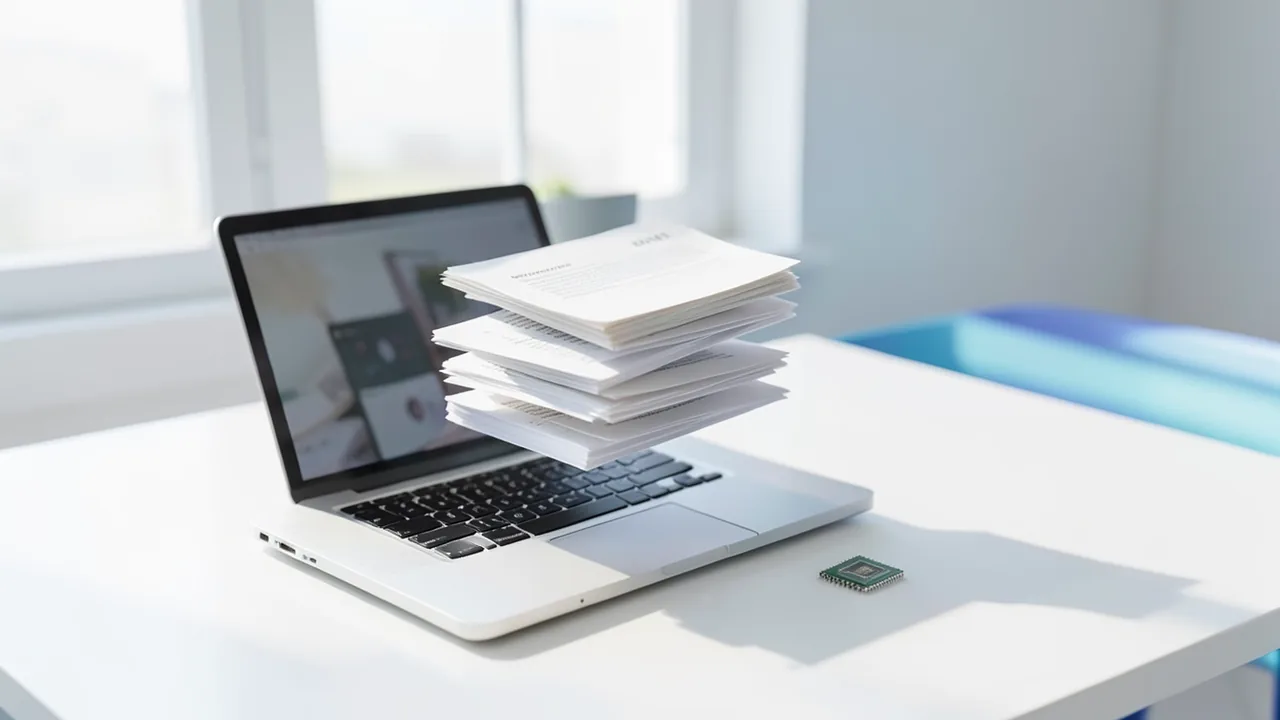
Datalab, a document processing company, has released the model Indra OCR on Hugging Face. OCR stands for optical character recognition: software that reads text out of images or scanned PDFs. Indra OCR is extremely small. According to the Model Card, the main model has around 1 million parameters (parameters are, roughly speaking, the dials a model tunes during training). For comparison, today's language models often have billions. The model runs on ordinary processors, with no GPU at all.
It converts PDFs and images to Markdown, plain text, or JSON with bounding boxes. According to the maker, it reads handwriting, more than 80 languages, and pages that are rotated or scanned at a skew. You install it with pip install indra-ocr.
What the model can do
- Layout: For every line and block, it returns a box, a label and a reading order. It detects headings, lists, tables, captions, footnotes and page headers.
- Real scans: Pages that are sideways or upside down, tilted by up to 45 degrees, or have light text on a dark background.
- Digital PDFs: If a PDF has a text layer, Indra OCR reads it in any script and applies OCR only to what's missing, such as text inside images.
- Output: Markdown with headings and lists. Tables come out as HTML. The JSON contains lines, boxes, layout blocks, confidence scores and timings.
- Math: Formulas come out as plain text by default. With
--math, a small classifier detects formula lines and a second recognizer writes them as LaTeX.
Technology and languages
Under the hood, four recognizers work together, and a line classifier sends each line to the right one:
rec.onnx: Latin script (about 50 languages), Cyrillic, Greek and handwriting in Latin scriptrec_cjk.onnx: Chinese, Japanese, Koreanrec_rtl.onnx: Arabic, Persian, Urdu, Pashto, Kurdish, Hebrewrec_world.onnx: Devanagari, Bengali, Tamil, Thai, Khmer, Georgian, Armenian, Ethiopic and more
If the classifier is unsure, the main recognizer reads the line too, and the more confident result wins. The default models are about 76 MB in total: 30 MB of networks and 46 MB of language models for uncertain lines. The runtime is ONNX Runtime (a format and engine for running models efficiently), plus OpenCV and pypdfium2, but no PyTorch.
In tests on printed pages, the maker says 83 of 95 languages reached a character F1 of at least 0.90. Vertically set Chinese and Japanese pages are supported as well.
Numbers and benchmarks
The figures come from the maker. OmniParseBench (16,288 tests across 2,937 pages) also comes from Datalab, and the Indra adapter is part of the benchmark.
| Engine | Overall | Text | Tables | Layout | Median ms/page |
|---|---|---|---|---|---|
| Indra OCR (auto) | 66.7 | 46.7 | 61.1 | 92.2 | 212 |
Indra OCR --math |
71.4 | 62.7 | 59.6 | 92.0 | 357 |
| PaddleOCR PP-StructureV3 | 58.4 | 55.6 | 47.8 | 71.7 | 40,958 |
| PaddleOCR PP-OCRv6 small (text only) | – | 35.8 | 0.0 | – | 2,685 |
| Tesseract 5 | – | 19.3 | 0.0 | – | 5,496 |
PP-StructureV3 reads text better than Indra without --math (55.6 vs. 46.7), but takes about 190 times as long per page.
For throughput on an AMD EPYC Genoa server (no GPU), Indra OCR reaches 6.2 pages per second on 4 cores and 43.9 on 32 cores. Tesseract manages 2.92 and PaddleOCR's text models 4.28. On other server types, Datalab measured 25 to 51 pages per second at 32 cores. On olmOCR-Bench, it beats Tesseract 4 on headers and footers (91.2 vs. 35.5) and tables (60.5 vs. 1.0), among other categories, and ties on multi-column text.
Limitations
Datalab is open about the weak spots. The model is built for fast processing of clean print:
- Handwriting: just 25.2% on the handwriting tests. Roughly a third of words are misread, with cursive and faint pencil doing worst.
- Complex tables: merged cells or tables without ruling lines can produce wrong rows and columns.
- Old or poor scans: only 29.5% on the degraded-scan tests.
- Diacritics: In Czech, Slovak, Turkish, Lithuanian and others, a similar-looking character can replace the correct one. According to the maker, English, French, German and Spanish are not affected.
- Very wide banner pages, technical drawings and newspapers with nested article order don't work well. Pages over 100 megapixels at 200 dpi are rendered at a lower resolution.
License and use
The code is under Apache 2.0. The weights use a modified OpenRAIL-M license. They are free for research, personal use and startups with under $20 million in funding or revenue, and they may not be used to compete with the Datalab API. For other cases, Datalab sells licenses. For top accuracy, the company points to its larger model Chandra on its cloud platform.
What you need to try it
You don't need a GPU. An ordinary computer with Python 3.10 or newer is enough (tested on Linux x86_64 and aarch64, and on macOS with Apple Silicon). The models are about 76 MB and are downloaded on first launch. More cores mean more pages per second. On 4 cores, the maker quotes around 210 ms per page. Run indra-ocr-viewer to start a local web viewer. Your files stay on your machine.
Our take
Indra OCR shows that many everyday documents don't need a large vision-language model. If you want to convert lots of clean PDFs or scans to Markdown, for example for search or RAG pipelines (systems that make documents searchable for AI answers), you get a very fast tool without a GPU. The caveats: the benchmarks come from the maker itself, and the model is weak on handwriting, complex tables and poor scans. The license isn't fully open, and the company is promoting its paid Chandra at the same time. Test it on your own files to see how well it handles German documents in practice.
Sources
- Hugging Face Trending huggingface.co
- r/LocalLLaMA github.com
Try it yourself: Indra OCR
Explained step by step, no prior knowledge needed – on your own computer or free in your browser.
What can I do with it?
You convert PDFs and images locally into Markdown, text or JSON, including layout, tables and reading order. It recognizes over 80 languages and rotated pages, and for digital PDFs it reads the text layer. Everything runs on the CPU.
Who is it worth it for?
Worth it for anyone who wants to digitize lots of clean PDFs or scans quickly and without a GPU, for example for search or RAG. Less suited to handwriting, complex tables, and old, poor-quality scans.
What your computer needs
Values estimated from the model size – the Model Card may have more precise figures.
There is only one package with default models (about 76 MB). Optionally, --math adds extra math models. Quantization isn't needed.
- No GPU needed. It runs on the CPU with ONNX Runtime.
- The model download is around 76 MB. It is fetched on first launch and cached.
- Tested on Linux (x86_64, aarch64) and macOS with Apple Silicon, Python 3.10 to 3.13.
- More CPU cores mean more throughput. By default it uses all available cores, and --cores limits that.
- --math is slower: a median of 357 instead of 212 ms per page on 4 vCPUs.
How do I find out what my computer has?
- Windows: Press Ctrl + Shift + Esc → Task Manager → Performance tab → click GPU on the left. At the bottom you'll see Dedicated GPU memory (that's your VRAM). You'll find system memory under Memory.
- Mac: Apple menu at the top left → About This Mac. You'll see your chip (e.g. M2) and memory (e.g. 16 GB). On Apple chips, graphics and processor share this memory.
- Linux: Type
nvidia-smiin the terminal (shows your graphics card and its memory) andfree -hfor system memory.
Guide
This model runs with its developers' own program (datalab-to/omni_parse_bench on GitHub). The commands below come from the Model Card and the developers' instructions.
In the browser (no installation)
The developers have an online demo on Hugging Face. You can try the model right away there without installing anything. Sometimes you have to wait a moment for the demo to wake up.
Windows 10 / 11
Windows 10 / 11: not officially tested. According to the source, only Linux and macOS (Apple Silicon) are tested. It only needs Python and ONNX Runtime, so it should work on Windows too, but that is untested.
- Check the prerequisites. You need Python 3.10 or newer. You don't need a GPU, PyTorch or CUDA. You don't need Git either. Open PowerShell and check the Python version.
python --version - Create a folder and a virtual environment. A virtual environment (venv) is a separate folder for programs. It keeps your system clean.
mkdir indra-test cd indra-test python -m venv .venv - Activate the environment. Afterwards, (.venv) appears at the start of the line. If PowerShell blocks the script, allow it for this session with the second command and activate again.
.venv\Scripts\Activate.ps1 # If blocked: Set-ExecutionPolicy -Scope Process -ExecutionPolicy Bypass - Install Indra OCR. The package pulls in ONNX Runtime, OpenCV and pypdfium2 automatically.
pip install indra-ocr - Prepare your own test file. Put a PDF or an image (PNG, JPEG, TIFF, BMP, WebP) in the folder and name it scan.png. For example, a photo or a screenshot containing text.
- First run. On first launch, the program downloads the models (about 76 MB) from Hugging Face. They are cached. The text appears as Markdown in the window.
indra-ocr scan.png - Optional: Result with boxes as JSON. This command gives you lines, positions and layout blocks.
indra-ocr scan.png --format json - Result. The recognized text from your file scan.png appears in the terminal as Markdown.
macOS
macOS: supported. According to the source, tested on macOS with Apple Silicon (M chips). Intel Macs aren't mentioned. It runs on the processor, so no GPU is needed.
- Check the prerequisites. You need Python 3.10 or newer. You don't need a GPU. Open Terminal and check the Python version. If Python is missing, install it from python.org. If your Mac asks for the Xcode tools, confirm.
python3 --version - Create a folder and a virtual environment. A virtual environment (venv) is a separate folder for programs. It keeps your system clean.
mkdir indra-test cd indra-test python3 -m venv .venv - Activate the environment. Afterwards, (.venv) appears at the start of the line.
source .venv/bin/activate - Install Indra OCR. The package pulls in ONNX Runtime, OpenCV and pypdfium2 automatically. PyTorch isn't needed.
pip install indra-ocr - Prepare your own test file. Put a PDF or an image (PNG, JPEG, TIFF, BMP, WebP) in the folder and name it scan.png. For example, a photo or a screenshot containing text.
- First run. On first launch, the program downloads the models (about 76 MB) from Hugging Face. They are cached. The text appears as Markdown in the Terminal.
indra-ocr scan.png - Optional: Result with boxes as JSON. This command gives you lines, positions and layout blocks.
indra-ocr scan.png --format json - Result. The recognized text from your file scan.png appears in the terminal as Markdown.
Linux
Linux: supported. According to the source, tested on Linux (x86_64 and aarch64) with Python 3.10 to 3.13. It runs on the processor with ONNX Runtime, so no GPU is needed.
- Check the prerequisites. You need Python 3.10 or newer. You don't need a GPU, NVIDIA drivers, CUDA or PyTorch. You don't need Git either. Check the Python version in the terminal.
python3 --version - Create a folder and a virtual environment. A virtual environment (venv) is a separate folder for programs. It keeps your system clean. If the command fails, install the python3-venv package.
mkdir indra-test cd indra-test python3 -m venv .venv - Activate the environment. Afterwards, (.venv) appears at the start of the line.
source .venv/bin/activate - Install Indra OCR. The package pulls in ONNX Runtime, OpenCV and pypdfium2 automatically.
pip install indra-ocr - Prepare your own test file. Put a PDF or an image (PNG, JPEG, TIFF, BMP, WebP) in the folder and name it scan.png. For example, a photo or a screenshot containing text.
- First run. On first launch, the program downloads the models (about 76 MB) from Hugging Face. They are cached. The text appears as Markdown in the terminal.
indra-ocr scan.png - Optional: Result with boxes as JSON. This command gives you lines, positions and layout blocks.
indra-ocr scan.png --format json - Optional: Web interface. The viewer runs locally. Afterwards, open http://localhost:8765 in your browser and drag a file into it.
indra-ocr-viewer - Result. The recognized text from your file scan.png appears in the terminal as Markdown.
Try it
indra-ocr rechnung.pdfindra-ocr *.pdf --out ergebnisse/ --cores 8indra-ocr scan.png --format jsonIf something goes wrong
Python 3.10 or newer is required.
On macOS and Windows, convert_many in scripts needs the block if __name__ == "__main__":, otherwise everything runs in a single process.
Math comes out as LaTeX only with --math. By default it is plain text.
The license restricts commercial use: free only for research, personal use and startups under $20 million.
Quality is low on handwriting and poor scans. For those, the maker points to Chandra.
“out of memory,” a crash, or your computer freezes
The model is too big for your VRAM (video memory). Pick a smaller variant from the table above and close other programs, especially games and browsers with lots of tabs.
It runs, but extremely slowly
Your CPU is probably doing the work instead of your graphics card. In Ollama, the PROCESSOR column of ollama ps shows how much runs on the GPU. If it says "100% CPU", update your graphics driver or pick a smaller variant that fits entirely into VRAM (video memory).
“ollama” or “python” is not found
Close the terminal window and open it again so it recognizes the newly installed program. For Python on Windows: reinstall it and check Add python.exe to PATH.
Windows: "Running scripts is disabled on this system"
Run the script with exactly the command above: powershell -ExecutionPolicy Bypass -File try_windows.ps1. This allows execution for this one time only.
Error message when loading the model (version, "trust_remote_code", unknown architecture)
Brand-new models often need the latest software version. With Ollama: update Ollama. With Python: pip install -U transformers in the activated environment. The Model Card usually lists the exact version.
Tokenstrom generates the scripts and notebook automatically. Please take a quick look before running them – they're plain, readable text. Mind the model's license: openrail.
Ask the AI assistant
Questions about this article, installation or background? Our assistant knows this page and runs on our own machine, not in someone else's cloud.
The Assistant is an AI (Gemma 4) and can make mistakes – please check important details against the source. Questions are used only to generate an answer and are deleted after one hour. Please don't enter any personal data.

Comments
What do you think? Already tried it? Write it here, no sign-up needed.
Comments are public. Links aren't allowed, and we delete abusive posts. You can delete your own comment at any time in this browser. Learn more in the Privacy Policy.