
Krea 2 fine-tune places comics and text exactly with coordinate boxes
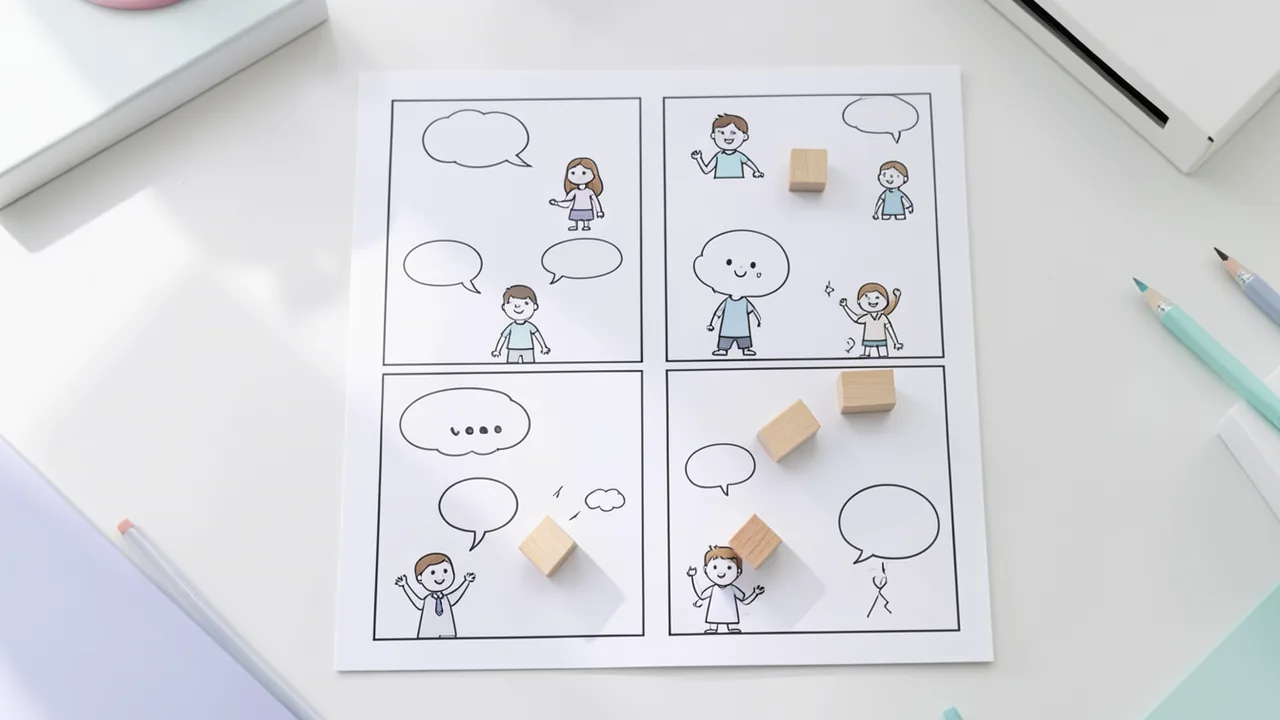
Jimmy Carter has released a fine-tune of Krea 2 that makes layout controllable: multi-panel comics, speech bubbles in the right panel, consistent characters across images and text exactly where you want it. It's driven by a compact layout language with coordinate boxes.
What it's about
A fine-tune of the image model Krea 2 has appeared on Hugging Face at jimmycarter/krea2-turbo-bbox. It's meant to make layout controllable: multi-panel comics, speech bubbles that land inside their panel, characters whose look stays the same across panels, and text exactly where you want it. The release is the final version (epoch-20-step-104548) after 20 training epochs. An epoch is one full pass through the training data. The source gives no information on license, parameter count or hardware requirements.
Two variants, six weight sets
There are two versions, each available as the fine-tune itself and as two EMA shadows. EMA (Exponential Moving Average) is a running average of the weights during training. The higher decay value averages over a longer time window. Decay 0.9995 and 0.99975 are available.
- Turbo: the fine-tune plus the difference between Krea 2 Turbo and Krea 2 Raw (turbo = finetune + (Turbo − Raw)). It needs 8 sampling steps and no CFG.
- Raw: the fine-tune as trained, built on Krea 2 Raw. It needs 50 steps with CFG 5.5. CFG (classifier-free guidance) determines how closely the image follows the prompt.
| Variant | Subfolder | Sampling |
|---|---|---|
| Turbo fine-tune | turbo/transformer | 8 steps, CFG off |
| Turbo EMA 0.9995 | turbo/ema_0.9995/transformer | 8 steps, CFG off |
| Turbo EMA 0.99975 | turbo/ema_0.99975/transformer | 8 steps, CFG off |
| Raw fine-tune | raw/transformer | 50 steps, CFG 5.5 |
| Raw EMA 0.9995 | raw/ema_0.9995/transformer | 50 steps, CFG 5.5 |
| Raw EMA 0.99975 | raw/ema_0.99975/transformer | 50 steps, CFG 5.5 |
The layout language
According to the author, about 90% of training used a compact layout language ("grounding DSL") rather than ordinary prose. It places panels, characters and literal text in boxes of the form [x0,y0,x1,y1] on a grid from 0 to 1000. Normal prompts still work, because they made up the other 10% of training. A full specification is in the file PROMPTING.md.
How a prompt is built, by example:
- First line: a description of the overall scene.
@introduces style and camera details, such as "clean line art, flat colors; Digital illustration".~describes the background.p[...]is a panel,o[...]an object,t[...]"Text"a text element;pe,acandfcstand for person, anime character and furry character. Numbers likeac:1mark the same character across several boxes.
Important: the x coordinate comes first. If you write [y0,x0,y1,x1], you get no error message, just a wrong result. The author calls this the most common mistake.
Examples and comparison
The model page shows many examples, each with the same seed run through four transformer networks: the original model, the fine-tune and both EMA variants. For layout prompts, there's a second row with the boxes drawn in. Shown are normal prompts (a cat at a window, a café chalkboard in script lettering, a macro shot of a watch movement, an album cover with a tracklist, a retro travel poster) and layout prompts such as a four-panel comic with a cat girl and a dog, an anime key visual with a title logo, a screen-print poster, a coffee bag product photo or a ramen stand at night. The source doesn't include the image material in a form we can evaluate, so we can't judge the quality here.
What you need to try it
The page shows usage via Diffusers (pip install -U diffusers transformers accelerate, bfloat16, device_map cuda, "mps" for Apple devices). It also mentions Google Colab, Kaggle and the apps Draw Things and DiffusionBee. The source gives no concrete VRAM figures. As a rough rule of thumb for a modern image model, you'll want a graphics card with plenty of VRAM and lots of disk space for six weight sets; start with just one variant.
Our take
Layout control is useful for comics, posters and product images, because standard models often get text and positions wrong. This is a community fine-tune, not a release from the model's maker. License, hardware requirements and objective quality comparisons remain open; the examples come from the author. The layout language has a learning curve, and coordinate mistakes go unnoticed.
Sources
- r/StableDiffusion huggingface.co
Try it yourself: Krea2-Turbo-BBox
Explained step by step, no prior knowledge needed – on your own computer or free in your browser.
What can I do with it?
The model generates images and is trained to follow layouts precisely. You can create multi-panel comic pages, place speech bubbles in the right panel, keep the same character across several panels and set text exactly where you want it. To do this, you write boxes in a small layout language on a grid from 0 to 1000. Plain descriptions work too, but they made up only about 10% of training. How it stacks up against other models can't be shown from the source.
Who is it worth it for?
For comic, poster and layout fans who already run image models locally and want precise control. If you just want quick, pretty single images, you don't need this.
Ideas: What you can do with it
You define panels with p boxes, place characters and speech bubbles, and generate a whole page in one go.
Headline, date and fine print can be placed in fixed spots with t boxes, for a club party, say.
Packaging, lettering and background are arranged with boxes to test ideas for shop images.
A character, a logo and a background are controlled with boxes, for a role-playing game project, for example.
What your computer needs
For quick results, use the Turbo variant (8 steps, no CFG). For maximum control over prompt adherence, use the Raw variant (50 steps, CFG 5.5). Start with the plain fine-tune, then try the EMA weights.
- The source gives no VRAM requirement; the base is Krea 2, so check its requirements.
- Use it via Diffusers with bfloat16 on CUDA; on Apple devices, switch device_map to mps.
- Turbo needs only 8 steps and is much faster than Raw with 50 steps.
- Google Colab and Kaggle are linked as notebook options, as are Draw Things and DiffusionBee.
How do I find out what my computer has?
- Windows: Press Ctrl + Shift + Esc → Task Manager → Performance tab → click GPU on the left. At the bottom you'll see Dedicated GPU memory (that's your VRAM). You'll find system memory under Memory.
- Mac: Apple menu at the top left → About This Mac. You'll see your chip (e.g. M2) and memory (e.g. 16 GB). On Apple chips, graphics and processor share this memory.
- Linux: Type
nvidia-smiin the terminal (shows your graphics card and its memory) andfree -hfor system memory.
Guide
Google Colab (in your browser, no installation)
Google Colab is a free service from Google. It gives you a computer with a graphics card in your browser for a few hours. All you need is a Google account. For this model: too big for Colab – even the largest Colab GPUs aren't enough.
- Download the notebook. Click the button and save the file.
- Open Colab. Go to colab.research.google.com and sign in with your Google account.
- Upload the notebook. In the window that appears, click Upload on the left (or choose File → Upload notebook at the top) and select the file
colab.ipynb. - Turn on the GPU. In the top menu, go to Runtime → Change runtime type → under Hardware accelerator, select T4 GPU (with Colab Pro: L4 or A100) → Save.
- Start everything. Runtime → Run all (keyboard shortcut Ctrl + F9). If you see the warning “This notebook was not authored by Google,” click Run anyway.
- Wait. The cells run one after another. A green checkmark appears to the left of each cell when it's done. Installation and download take about 178 minutes here.
- Try it out. The result appears below the last cell. To test something else, change the text in the cell and run it again with Shift + Enter.
- Clean up. When you're done: Runtime → Disconnect and delete runtime. This saves your free quota.
Good to know: The free GPU is limited (usually a few hours per day). After about 90 minutes of inactivity, Colab disconnects, and you'll have to start everything over.
Windows 10 / 11
This model runs on Python. Our script handles the setup automatically: it creates an isolated Python environment, installs the required packages (PyTorch, approx. 3 GB) and downloads the model (523 GB (about 11.6 hr at 100 Mbit/s)).
- Update your graphics driver (NVIDIA): install the latest driver. Without an NVIDIA card, it runs on the CPU – much more slowly.
- Install Python. Download Python 3.12 from python.org and run the installer. Important: At the bottom of the first window, tick Add python.exe to PATH, then click Install Now.
- Create a folder and download the files. Create a folder, e.g.
Documents\AI-Test, and save both files into it: - Open a terminal in the folder. Open the folder in File Explorer, right-click an empty spot → Open in Terminal.
- Run it. Paste this command and press Enter:
Installation and download are running now. The first time, this can take 10–30 minutes.powershell -ExecutionPolicy Bypass -File try_windows.ps1 - Result. The folder now contains the generated image
output.png. - Try your own input: Open
demo.pyin an editor, change the sample text, and save. Then run this in the terminal:.\.venv-krea2-turbo-bbox\Scripts\Activate.ps1 python demo.py
macOS
Macs with an Apple chip (M1 to M5) are ideal. Older Intel Macs are very slow.
- Open Terminal. Press Cmd + Space, type Terminal, and press Enter.
- Install the developer tools (first time only; includes Python):
Click Install in the window. If you see "already installed," everything is already in place.xcode-select --install - Download the files – both end up in your Downloads folder:
- Run it:
The first time, installation and download take 10–30 minutes.cd ~/Downloads bash try_mac.sh - Result. The folder now contains the generated image
output.png.
Linux
- Check your GPU.
nvidia-smishould show your card. If it doesn't, install the driver on Ubuntu and restart:sudo ubuntu-drivers install - Install the Python basics (Ubuntu/Debian):
sudo apt update && sudo apt install -y python3-venv python3-pip git - Put the files in a folder and open a terminal there:
- Run it:
bash try_linux.sh - Result. The folder now contains the generated image
output.png.
Try it
A cat sits on a windowsill at sunset.A chalkboard sign outside a café reading 'Best Coffee in Town' in beautiful script lettering.A four-panel comic in which a handywoman and a tomcat try to assemble a shelf and fail (with p[...] and t[...] boxes).An anime key visual with a swordswoman on a rooftop and the title logo in the top left.A screen-print poster for an autumn festival with a headline, a date line and fine print.Tips for better results
- Start with the example prompts on the model page and adapt them step by step.
- Compare the fine-tune and EMA weights using the same seed.
- Give characters the same numbers so their identity carries across panels.
- Test with the fast Turbo variant first, then switch to Raw for detail.
If something goes wrong
Coordinates must put x first: [x0,y0,x1,y1]. Swapped axes go unnoticed.
Read the PROMPTING.md file before writing your own layout prompts.
Turbo and Raw need different settings (8 steps without CFG versus 50 steps with CFG 5.5).
The weights live in subfolders, such as turbo/transformer; pick the right folder.
The source doesn't name a license; check it before any commercial use.
“out of memory,” a crash, or your computer freezes
The model is too big for your VRAM (video memory). Pick a smaller variant from the table above and close other programs, especially games and browsers with lots of tabs.
It runs, but extremely slowly
Your CPU is probably doing the work instead of your graphics card. In Ollama, the PROCESSOR column of ollama ps shows how much runs on the GPU. If it says "100% CPU", update your graphics driver or pick a smaller variant that fits entirely into VRAM (video memory).
“ollama” or “python” is not found
Close the terminal window and open it again so it recognizes the newly installed program. For Python on Windows: reinstall it and check Add python.exe to PATH.
Windows: "Running scripts is disabled on this system"
Run the script with exactly the command above: powershell -ExecutionPolicy Bypass -File try_windows.ps1. This allows execution for this one time only.
Error message when loading the model (version, "trust_remote_code", unknown architecture)
Brand-new models often need the latest software version. With Ollama: update Ollama. With Python: pip install -U transformers in the activated environment. The Model Card usually lists the exact version.
Tokenstrom generates the scripts and notebook automatically. Please take a quick look before running them – they're plain, readable text. Mind the model's license: custom license (see Model Card).
Ask the AI assistant
Questions about this article, installation or background? Our assistant knows this page and runs on our own machine, not in someone else's cloud.
The Assistant is an AI (Gemma 4) and can make mistakes – please check important details against the source. Questions are used only to generate an answer and are deleted after one hour. Please don't enter any personal data.

Comments
What do you think? Already tried it? Write it here, no sign-up needed.
Comments are public. Links aren't allowed, and we delete abusive posts. You can delete your own comment at any time in this browser. Learn more in the Privacy Policy.