
Nvidia's open Nemotron 3.5 Transcribe handles transcription, translation, speakers
Nvidia has released Nemotron 3.5 Transcribe, an open speech model you steer with text prompts. It handles transcription, translation, speaker labeling and questions about recordings. Nvidia also ships the Granary v2 dataset and tools for adapting the model to fields like medicine.
What this is about
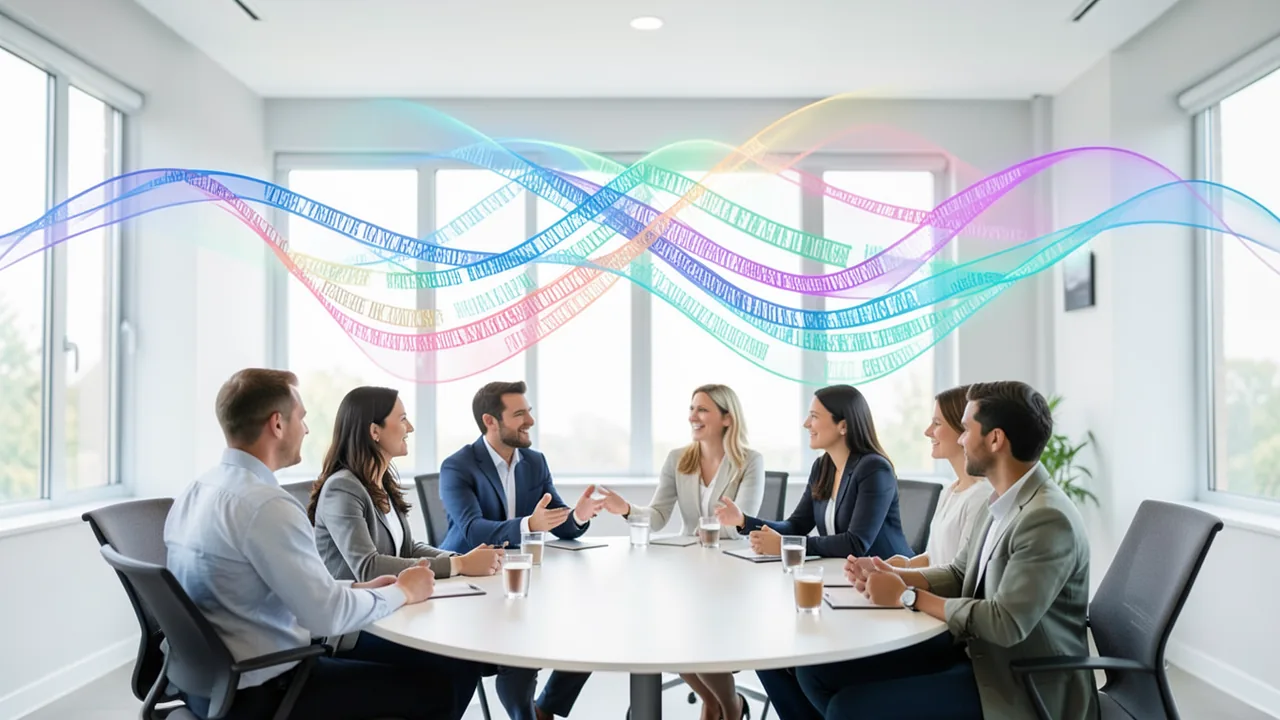
On October 28, 2026, Nvidia released Nemotron 3.5 Transcribe, an open-weights speech model available on Hugging Face and ModelScope. It turns speech recordings into text, but it does more than plain transcription. It labels speakers (diarization), translates, and answers questions about what's in a recording. You control it with text prompts, much like a chatbot. Nvidia is also releasing the Granary v2 training dataset, the pipeline behind it, and guides for fine-tuning.
What the model can do
Given a meeting recording, the same model produces different results depending on your prompt. For example: "Transcribe the recording and label each speaker," "Translate the audio into English," or "What decisions were made?" According to Nvidia:
- Transcription in 40 languages
- Translation for 31 languages to or from English
- Speaker labeling in 13 languages, up to eight speakers
- Recordings up to one hour long
- Word-level timestamps
You can put technical terms like "HbA1c" or "metformin" into the prompt as a hint list. The model is supposed to use them only if they are actually audible. Feature coverage varies by language, and questions about audio content (audio Q&A) are trained on English only. Nvidia advises spot-checking names, speaker changes and answers against the recording. The model is built for recorded audio, not live streaming.
Architecture and speed
The model pairs a speech encoder with a hybrid Mamba-Transformer mixture-of-experts language model. In a mixture-of-experts (MoE) model, many specialized sub-networks exist, but only a few work on each token. Of 30 billion parameters (the values learned during training), only about 4 billion are active. Speaker cues from the Sortformer system are fed into the language model together with the acoustic features, so it marks speaker changes while generating the text.
With the upcoming NVFP4 quantization (a heavily compressed number format), it processed 100 hours of audio in under three minutes on an RTX PRO 6000 Blackwell Server Edition (30-second clips, high parallelism). Quantized versions and local inference with NeMo-Speech.cpp are due soon, for example for RTX Spark, DGX Spark or Jetson AGX Thor. You can already run the checkpoint with vLLM, and Baseten, DeepInfra and Simplismart offer hosted endpoints.
Benchmarks
| Test | Result |
|---|---|
| Open ASR Leaderboard, English (open models) | #1, 5.33% mean WER |
| Open ASR, multilingual (7 languages) | 4.62% WER |
| Open ASR, long-form | 10.98% WER |
| Artificial Analysis AA-WER | 2.8% (tied for #1 among open models) |
| AA-AgentTalk | 1.8% WER (next-best open model: 2.3%) |
| David AI diarization, 21 languages | lowest DER, 18.26% |
| VoiceArena, 14 systems | lowest cpWER, 32.4% |
WER (word error rate) is the share of words recognized incorrectly. Lower is better. On Artificial Analysis, the model has roughly one-sixth the active parameters (about 4B) of the model it ties with (24B). The Decoder reports 2.81% versus 2.77% for Voxtral Small. On David AI, it edges out Nvidia's own Nemotron 3 Diarization (18.38%). On VoiceArena, it drops only 8.32% of words (median about 31%). According to Nvidia, it ranks ahead of several widely used commercial speech APIs on the overall Artificial Analysis list.
Granary v2 and domain adaptation
Granary v2 was built with NeMo Curator. According to Nvidia, the published manifest covers 463,062 hours in 48 languages from 16 corpora (its predecessor had 25 languages). The Decoder, by contrast, reports about 844,000 hours. The figures don't match, and Nvidia's own number refers to the manifest. Nvidia also says the dataset is not the model's full training mix. Each recording comes with three transcript styles (e.g. "I paid, uh, twenty-five euros." – "I paid, uh, €25." – "I paid €25."), plus labels, translations and quality flags. You need to download the source audio separately under its own licenses.
In a medical case study with recordings of Indian doctors (Eka Care, 3,619 clips), a more precise prompt cut the error rate from 30.8% to 23.8%, and fine-tuning brought it to 11.8%. On separate, unseen speakers it fell from 22.44% to 12.17%, beating an open medical specialist model (13.79%) and a widely used general-purpose model (14.92%). Training used about 153 hours of synthetic speech, 29 hours of Common Voice and 63 hours of MultiMed, and took roughly 14 GPU hours on a GB300. The trade-offs: on general English (LibriSpeech), the error rate rose slightly from 1.54% to 1.69%, and the specialist model stayed more accurate on drug brand names.
What you need to try it
The source gives no concrete VRAM figures. According to Nvidia, the model runs on a single GPU, from DGX Spark to the data center. At 30B parameters (4-bit), roughly 18–20 GB of VRAM is realistic (our own estimate). Nvidia says the quantized versions are still to come. The easiest way in is the Hugging Face demo or a hosted endpoint. To run it locally you need vLLM and plenty of disk space. Whether it runs on a Mac or on CPU alone is unclear; NeMo-Speech.cpp has been announced.
Our take
An open model that handles transcription, speaker labeling and translation in one step simplifies pipelines that used to need several models. Nvidia's specialized diarization model from September still had to be combined with a transcription model. Compared with Mistral's Voxtral family, Nvidia is betting on recordings rather than real time. According to The Decoder, Mistral is targeting voice agents with Voxtral 3. The caveats: most benchmarks come from Nvidia, the dataset figures contradict each other, real-time support is missing, and the medical adaptation shows trade-offs. The sources don't state the license.
Sources
- Hugging Face Blog huggingface.co
- The Decoder (EN) the-decoder.com
- The Decoder (DE) the-decoder.de
- Google News (JP) news.google.com
- Bing News (en-US) thenextweb.com
- Bing News (en-US) cryptobriefing.com
- Google News (US) news.google.com
- Bing News (ja-JP) xenospectrum.com
- Google News (TW) news.google.com
- Google News (DE) news.google.com
- Bing News (en-GB) xenospectrum.com
- Bing News (en-US) en.fnnews.com
- Bing News (en-US) androguider.com
Try it yourself: Nemotron 3.5 Transcribe
Explained step by step, no prior knowledge needed – on your own computer or free in your browser.
What can I do with it?
Nemotron 3.5 Transcribe turns speech recordings into text. The twist: you control it with text prompts, much like a chatbot. Depending on your prompt, you get a transcript, a version with labeled speakers, a translation or an answer to a question about the recording. The model supports 40 languages for transcription. It labels up to eight speakers (in 13 languages) and provides timestamps for every word. Recordings can be up to an hour long. You can add technical terms to the prompt as a hint list. However, the model has only learned questions about content (audio Q&A) in English. Live captions aren't possible, because it's built for finished recordings. In Nvidia's own tests, it leads or ties among open models. Most of these numbers come from Nvidia itself, so check with your own recordings.
Who is it worth it for?
It's worth a try if you want to turn meetings, interviews, podcasts or dictation into text and prefer an open model. The easiest way in is the Hugging Face demo or a hosted endpoint, and you don't need your own hardware for either. Running it locally is harder: you need a powerful GPU and some technical know-how. It's a poor fit for live captions or real-time assistants. If you only have a machine without a strong graphics card, you're better off waiting for the smaller versions Nvidia has announced.
Ideas: What you can do with it
Upload a meeting recording and ask for a transcript with labeled speakers. Then skim it to check that the speakers are separated correctly. You get searchable minutes with up to eight speakers.
Transcribe an episode to turn it into show notes, quotes or a blog post. The word timestamps help you find passages in the audio quickly. That saves you the tedious note-taking.
Got a voice message or talk in another language? Ask the model to translate the audio into English. This works for 31 languages to or from English. You get readable English text right away.
Put difficult terms (drugs, product names, jargon) into the prompt as a hint list. The model should use them only if they are actually audible. This helps with medical letters, expert reports or technical notes.
Feed in an English meeting or talk and ask about decisions or open tasks, for example. You get a summary without listening to everything. Spot-check the answers.
Convert old family recordings, lectures or club meetings into text. With the timestamps, you can jump straight to the right spot later. For large volumes, run it with vLLM or use a hosted endpoint.
What your computer needs
Values estimated from the model size – the Model Card may have more precise figures.
Right now there is the standard checkpoint (30B parameters, about 4B active), which you run with vLLM. Nvidia has announced quantized versions (including NVFP4) and NeMo-Speech.cpp for local use, but they aren't out yet. If you're a beginner without a big GPU, use the demo or a hosted endpoint (Baseten, DeepInfra, Simplismart). For Macs with Apple Silicon, there is an unofficial community port ("Lite", Core ML and Core AI). It isn't from Nvidia or Apple, and it contains only the audio part without the large language model. It is very fast, though: on an M5 Pro MacBook Pro with 24 GB, a 49.5-minute meeting took about 6 seconds. The transcript is noticeably rougher, however. On a meeting test, the error rate was 26.3%. For the full model, Nvidia reports 10.29% cpWER on AMI meetings, meaning errors including speaker attribution. The two figures are only roughly comparable. The port was tested on English only. It suits quick drafts with speaker tags and word timings, not a polished final result.
- According to Nvidia, the model runs on a single GPU, from DGX Spark to the data center. The source gives no concrete VRAM figures.
- It has 30B parameters, but only about 4B are active. Memory still has to hold all the parameters. Our own estimate: roughly 18–20 GB of VRAM at 4-bit. This is not an official figure.
- Quantized versions for RTX Spark, DGX Spark and Jetson AGX Thor have been announced but haven't been released yet.
- With the upcoming NVFP4 quantization, an RTX PRO 6000 Blackwell Server Edition processed 100 hours of audio in under three minutes. That's for 30-second clips at high parallelism. You won't match that at home.
- The standard checkpoint is big: according to the community port, the original model file alone is 67.5 GB. Plan for plenty of disk space.
- Whether the full model runs on a Mac or on CPU alone is unclear. For Apple Silicon (macOS 15+), there is the unofficial Lite port. It needs Python 3.10 to 3.13, downloads about 1.4 GB for the demo, and is very fast on a Mac. The speaker model takes about 80 seconds to compile on the Neural Engine at first launch.
- The Core AI part of the port is in beta and needs macOS 26 or newer.
How do I find out what my computer has?
- Windows: Press Ctrl + Shift + Esc → Task Manager → Performance tab → click GPU on the left. At the bottom you'll see Dedicated GPU memory (that's your VRAM). You'll find system memory under Memory.
- Mac: Apple menu at the top left → About This Mac. You'll see your chip (e.g. M2) and memory (e.g. 16 GB). On Apple chips, graphics and processor share this memory.
- Linux: Type
nvidia-smiin the terminal (shows your graphics card and its memory) andfree -hfor system memory.
Guide
This model runs with its developers' own program (FluidInference/FluidAudio on GitHub). The commands below come from the Model Card and the developers' instructions.
Windows 10 / 11
Windows 10 / 11: not supported. This model is a Core ML implementation for Apple chips (M series) and doesn't run on Windows. Alternative: the original Nvidia model (NVIDIA-Nemotron-3.5-Transcribe-30B-A4B) on Hugging Face, which is much larger.
macOS
macOS: supported. Tested on a MacBook Pro with M5 Pro (24 GB), macOS 27. You need a Mac with an Apple chip and macOS 15 or newer. Older Intel Macs aren't mentioned.
- Check the prerequisites. You need a Mac with an Apple chip (M1 or newer) and macOS 15 or newer. Install Python 3.10 to 3.13 (Python 3.14 doesn't work), Git and the Xcode command-line tools (needed to build the Swift program). You also need ffmpeg to convert audio.
xcode-select --install - Download the model and demo. Create a virtual environment (an isolated Python folder) and download only the required files (about 1.4 GB).
mkdir nemotron-test && cd nemotron-test python3.13 -m venv .venv && . .venv/bin/activate pip install -U huggingface_hub hf download FluidInference/nemotron-3.5-transcribe-lite-coreml --local-dir nemotron-lite \ --include "coreml/lite_*_w48.mlpackage/*" --include "assets/*" --include "demo/*" --include requirements.txt - Get and build FluidAudio. FluidAudio detects who is speaking when. Building takes a while. The speaker detector (about 200 MB) is downloaded automatically on first launch.
git clone https://github.com/FluidInference/FluidAudio && (cd FluidAudio && swift build -c release) export FLUIDAUDIO_CLI=$PWD/FluidAudio/.build/release/fluidaudiocli - Install the Python packages. Now add the packages for the demo.
cd nemotron-lite && pip install -r requirements.txt - Prepare the audio file. You need a recording of your own, for example a meeting as an audio or video file. It must be 16 kHz, mono, WAV. Replace "in" with your file (including the extension).
ffmpeg -i in -ac 1 -ar 16000 meeting.wav - Generate the transcript. The program writes the text with speaker markers and word start times. The first run takes about 80 seconds longer because the speaker detector is compiled once.
python demo/lite_meeting.py meeting.wav --out t.txt --json t.json - Result. The folder contains the files t.txt (transcript with speaker markers) and t.json (words with start times).
Linux
Linux: not supported. Core ML exists only on Apple devices, so the model doesn't run on Linux. Alternative: the original Nvidia model (NVIDIA-Nemotron-3.5-Transcribe-30B-A4B), which is very large.
Try it
Transcribe this recording.Transcribe this recording and label each speaker.Translate this audio into English.Transcribe this medical conversation in the original language. Possible terms: HbA1c, metformin. Use them only if they appear in the audio.What decisions were made in this meeting? (Audio Q&A, trained on English only, so it's best to test with an English recording and an English question.)Tips for better results
- Word your prompt clearly and one task at a time: say whether you want a transcript, speaker labels or a translation. The same audio gives different results depending on the prompt.
- Give technical terms as a hint list and add that they should be used only when needed. In a Nvidia medical study, a more precise prompt cut the error rate from 30.8% to 23.8%.
- Test with a short clip first before processing a whole hour. Split recordings longer than an hour.
- For audio Q&A, use English recordings and English questions, since that's the only place the model was trained.
- If you have lots of specialist text, fine-tuning can help a lot. In Nvidia's medical example, the error rate dropped to 11.8%. General English got slightly worse, though (1.54% to 1.69%).
If something goes wrong
Recorded audio only, no live streaming. The model isn't meant for real time.
Feature coverage depends on the language: transcription in 40 languages, speaker labeling in only 13, translation in 31 languages to or from English. Audio Q&A is trained on English only. Check the language-task overview in the Model Card.
Spot-check names, speaker changes and answers against the recording. Nvidia advises this too.
Locally you need vLLM. Follow the vLLM deployment guide from the Model Card. The smaller versions and NeMo-Speech.cpp have only been announced.
License: the article sources don't state it. According to the community port, the Nvidia material is under the OpenMDW License Agreement 1.1. Check the original's license on Hugging Face before using it commercially.
For the Mac port: audio must be a 16 kHz mono file, for example converted with ffmpeg. The demo doesn't work with Python 3.14, because coremltools 9.0 has no package for it. Start the shell scripts with bash, because Hugging Face doesn't ship the execute permission.
The Lite port is unofficial and, without the language model, much less accurate than the full model. Treat its output as a rough draft.
“out of memory,” a crash, or your computer freezes
The model is too big for your VRAM (video memory). Pick a smaller variant from the table above and close other programs, especially games and browsers with lots of tabs.
It runs, but extremely slowly
Your CPU is probably doing the work instead of your graphics card. In Ollama, the PROCESSOR column of ollama ps shows how much runs on the GPU. If it says "100% CPU", update your graphics driver or pick a smaller variant that fits entirely into VRAM (video memory).
“ollama” or “python” is not found
Close the terminal window and open it again so it recognizes the newly installed program. For Python on Windows: reinstall it and check Add python.exe to PATH.
Windows: "Running scripts is disabled on this system"
Run the script with exactly the command above: powershell -ExecutionPolicy Bypass -File try_windows.ps1. This allows execution for this one time only.
Error message when loading the model (version, "trust_remote_code", unknown architecture)
Brand-new models often need the latest software version. With Ollama: update Ollama. With Python: pip install -U transformers in the activated environment. The Model Card usually lists the exact version.
Tokenstrom generates the scripts and notebook automatically. Please take a quick look before running them – they're plain, readable text. Mind the model's license: openmdw-1.1.
Ask the AI assistant
Questions about this article, installation or background? Our assistant knows this page and runs on our own machine, not in someone else's cloud.
The Assistant is an AI (Gemma 4) and can make mistakes – please check important details against the source. Questions are used only to generate an answer and are deleted after one hour. Please don't enter any personal data.

Comments
What do you think? Already tried it? Write it here, no sign-up needed.
Comments are public. Links aren't allowed, and we delete abusive posts. You can delete your own comment at any time in this browser. Learn more in the Privacy Policy.