
LingBot-Touch: Tiny open-source model gives robot hands a sense of touch
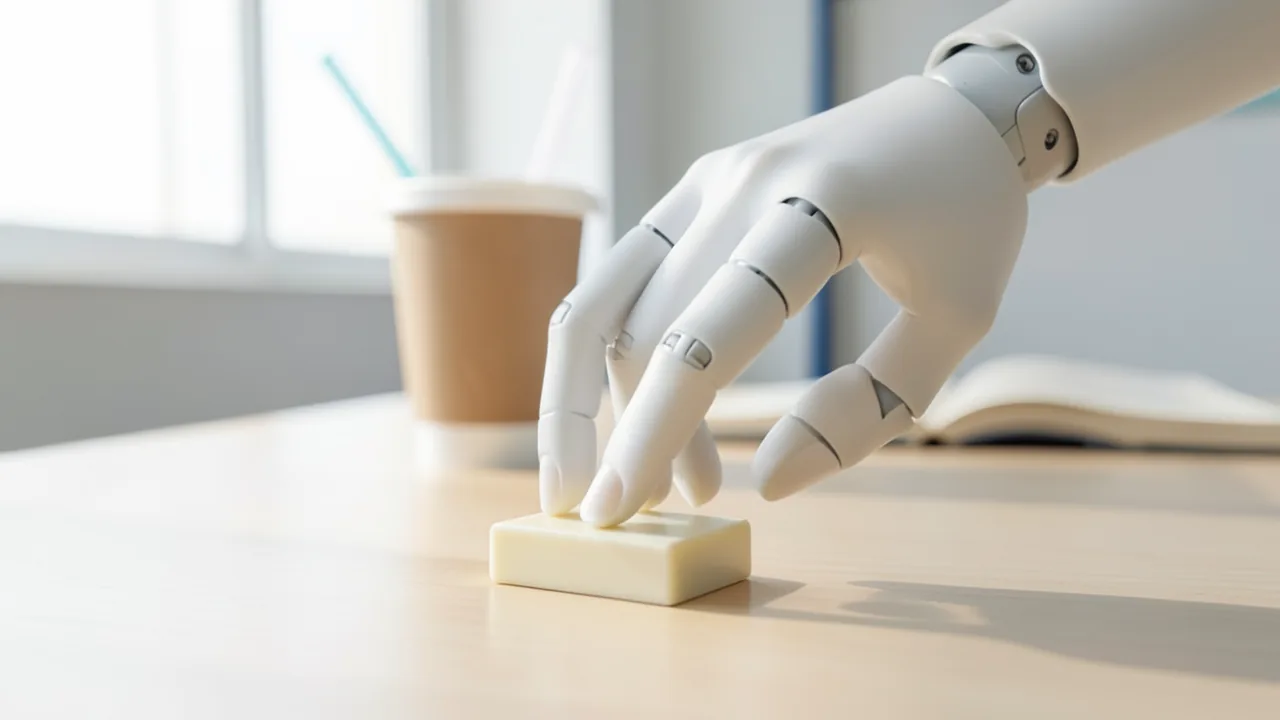
Robbyant, Ant Group's robotics unit, has released LingBot-Touch, an openly available touch model for robots. It translates signals from very different tactile sensors into one shared language, so robot hands can feel their way around Mahjong tiles or turn single book pages.
What it's about
Robots have become remarkably good at seeing – but the moment they have to touch something, things often fall apart. That's the gap LingBot-Touch is aiming at. The model comes from Robbyant, a company within China's Ant Group that specializes in embodied AI (AI that lives inside robots and acts in the physical world). Robbyant open-sourced LingBot-Touch in Shanghai on November 10, 2026; the accompanying paper had already landed on arXiv on November 9 and was featured in Hugging Face's "Daily Papers" a day later.
LingBot-Touch is a so-called Tactile Foundation Model – a pretrained base model for the sense of touch that other systems can build on instead of starting from scratch every time. In demos, Robbyant shows robot hands identifying Mahjong tiles by fingertip alone, punching a straw through the sealed lid of a cup, turning a single book page, unscrewing bottle caps and pulling a cup off a stack – autonomously, according to the posts.
The size is what stands out: according to the Reddit posts linking to the project page, the tactile part of the model has a mere 5.46 million parameters – a fraction of what large language models carry around. And it is explicitly not a language model.
The problem: every sensor speaks a different language
Fitting a robot with tactile sensors doesn't mean it can actually feel anything useful. According to Robbyant's press release, commercial tactile sensors are still at an early stage, and three technical approaches are competing:
| Sensor type | Basic principle | Typical raw data |
|---|---|---|
| Magnetic | A magnet embedded in a soft skin shifts under pressure; a sensor measures the change in the field | A few field values per sensing point |
| Visual (visuotactile) | A camera watches how a deformable surface dents on contact | Images |
| Piezoresistive | A material's electrical resistance changes under pressure | Pressure-like values per sensing point on a grid |
(According to shattered.io, the table describes general operating principles, not measurements from LingBot-Touch.)
So the same touch produces completely different signals depending on the sensor – sometimes an image, sometimes a handful of magnetic field values, sometimes a pressure grid. On top of that, the sensing points are laid out differently on every robot hand. If a model learns only one sensor type, its "touch knowledge" becomes worthless as soon as you swap the sensor or the hand: collect data again, retrain, re-tune. Robbyant argues that, with hardware evolving so quickly, this tight coupling keeps forcing hardware makers, robot integrators and model developers to duplicate work. Since the approaches differ in cost and use cases, the company expects them to coexist for the foreseeable future.
How LingBot-Touch works
The fix is a shared intermediate layer. LingBot-Touch has a dedicated input channel (encoder) for each sensing principle that processes the respective raw signals. The contact points from the different sensor layouts are then mapped into a shared fingertip coordinate system – a bit like overlaying city maps drawn at different scales onto the same map. A shared model then learns where contact happens, how force is distributed and how both change over time. The output is unified tactile tokens – small data packets, the same kind of "currency" language and vision models use.
Technically, according to the paper, the model is built on a JEPA architecture (Joint Embedding Predictive Architecture) with a shared Transformer. Unlike models that reconstruct their inputs point by point, a JEPA model predicts abstract representations of missing or future parts of the input – so it learns what a contact means rather than every bit of noise in the signal. Shattered.io considers this a sensible choice because tactile data is very messy due to sensor noise, temperature drift and wear on the sensor skin; that's the outlet's assessment, though, not a claim by Robbyant. According to the paper, a lightweight Vision Transformer (ViT) is enough as the backbone.
The tactile tokens are "plug-and-play": you can drop them into existing control models, such as a Diffusion Policy (a method that generates robot motions step by step from noise) or VLA models (Vision-Language-Action – models that combine images, language and actions) like π0.5 or Robbyant's own LingBot-VLA. If you already run one of these systems, you simply feed the tactile tokens in alongside the camera images and fine-tune the model.
What the model is supposed to do
The paper names four core properties:
- Unified: Data from different sensors improves the model across the board during training.
- Transferable: The model is supposed to carry over to new sensors and robot platforms without additional training.
- Efficient: Even with a small ViT backbone, fast high-frequency inference is possible – important because robots have to react in real time.
- Scalable: Performance increases with the amount of tactile training data.
Pretraining used almost 5,000 hours of real tactile data. According to the authors, experiments in simulation and on real robots show that fine-motor tasks succeed more often without compute costs exploding. The available sources, however, don't include concrete benchmark numbers.
Availability
A technical report, the code and the model resources are available on GitHub and Hugging Face. There are two variants: LingBot-Touch-Tiny and LingBot-Touch-Small. The sources don't make clear which of the two has the 5.46 million parameters mentioned. The GitHub repository is titled "Learning Heterogeneous Tactile Representation for General Dexterous Manipulation", is released under the permissive Apache 2.0 license (commercial use allowed) and, according to blockchain.news, had 103 stars at the time of reporting. It's free of charge.
What you need to try it
Compute isn't the issue here: a model with a few million parameters runs on practically any computer, even without a big graphics card, and takes up only a few megabytes. The real hurdle is the hardware around it: LingBot-Touch is only genuinely useful with real tactile sensors (magnetic, visuotactile or piezoresistive), ideally on a robot hand, or with recorded tactile data. It's not meant for chat apps like Ollama or LM Studio. If you don't own a robot, you can still study the code and paper and experiment with the released resources – but this is clearly aimed at researchers and robotics developers, not hobbyists.
The bigger picture
Touch is considered one of robotics' big blind spots: assembly, packing and household chores often fail at exactly the moment contact happens. LingBot-Touch isn't trying to build the best model for one particular sensor, but a shared representation that survives hardware changes – much like pretrained image encoders once simplified computer vision. The fact that it's released openly under Apache 2.0 matters: in a field with hardly any shared benchmarks, outside labs can now verify the claims themselves and port the model to their own hardware instead of relying on vendor demos.
Plenty of questions remain. The claim that the model transfers to new sensors without additional training is so far a vendor claim that still needs independent confirmation. Whether plugging tactile tokens into existing VLA models works as smoothly as promised will only become clear in practice, as shattered.io also notes. And while 5,000 hours of tactile data is a lot for this field, it's still small compared to the data volumes behind language or vision models. Still, the message of the demos is striking: delicate hand movements apparently don't need a giant language model – just a specialized, very small network.
Sources
- Reddit rising: KI-Szene reddit.com
- Reddit r/singularity reddit.com
- finance.yahoo.com finance.yahoo.com
- blockchain.news blockchain.news
- shattered.io shattered.io
Try it yourself: LingBot-Touch
Explained step by step, no prior knowledge needed – on your own computer or free in your browser.
What can I do with it?
LingBot-Touch isn't a chatbot – it's a perception model for robots. It takes raw signals from tactile sensors – magnetic, camera-based or piezoresistive – and translates them into unified tactile tokens that describe where contact is, how force is distributed and how that changes over time. You can pass these tokens to control models like Diffusion Policy, π0.5 or LingBot-VLA so a robot hand grips with more finesse. In demos, hands use it to feel Mahjong tiles, turn single pages or punch straws through cup lids. Its strength is that one and the same model is supposed to work across different sensors and hands. The catch: without tactile sensors or recorded tactile data, there's practically nothing you can do with it, and there are no independent comparisons with other tactile models yet.
Who is it worth it for?
Worth it for robotics researchers, students in robotics labs and developers already working with robot hands and tactile sensors. Not suitable for everyday AI users looking for a local model for chatting or generating images.
Ideas: What you can do with it
If you have a robot arm with a tactile sensor, feed the tactile tokens into your existing grasping policy. That way the gripper learns to hold fragile items like cups or eggs with less force.
Labs with different sensor types can check whether the model describes the same touch similarly across all sensors. That helps you decide which sensor is worth it for a project.
You can train a small classifier on the tactile tokens that recognizes objects without a camera – game tiles, screws or types of fabric, for instance. Handy when the view is blocked.
Universities can use the small model in courses to show how tactile data gets processed. Since it needs barely any compute, a regular lab PC is enough.
If you replace the robot hand or the sensor, you can test whether previously learned skills survive with LingBot-Touch. At best, that saves you collecting new data.
What your computer needs
Values estimated from the model size – the Model Card may have more precise figures.
There's LingBot-Touch-Tiny and LingBot-Touch-Small. Both are tiny (around 5.46 million parameters for the tactile model, according to Reddit) and run on practically any computer. For fast real-time control on a robot, Tiny is the obvious starting point; go with Small for better representations if you have enough compute time – the exact differences are in the technical report.
- With just a few million parameters, the model is very small and needs only minimal VRAM (video memory) or RAM.
- A GPU helps with fast high-frequency inference but isn't required for first experiments.
- What really matters are tactile sensors (magnetic, visuotactile or piezoresistive) or a robot hand fitted with them.
- Without sensor hardware, you can only experiment with existing or recorded tactile data.
How do I find out what my computer has?
- Windows: Press Ctrl + Shift + Esc → Task Manager → Performance tab → click GPU on the left. At the bottom you'll see Dedicated GPU memory (that's your VRAM). You'll find system memory under Memory.
- Mac: Apple menu at the top left → About This Mac. You'll see your chip (e.g. M2) and memory (e.g. 16 GB). On Apple chips, graphics and processor share this memory.
- Linux: Type
nvidia-smiin the terminal (shows your graphics card and its memory) andfree -hfor system memory.
Guide
This model runs with its developers' own program. The commands below come from the Model Card and the developers' instructions.
Windows 10 / 11
Windows 10 / 11: not officially tested. The Model Card doesn't list any operating systems. It also doesn't include code for actual inference – according to the vendor, that comes separately. On Windows, you can therefore only download and verify the model package.
- Install prerequisites. You need Python 3.10 or newer. Tick "Add Python to PATH" during installation. You don't need a graphics card, since the model is tiny (about 5.5 million parameters). Afterwards, use the command below in PowerShell to check that Python is found.
python --version - Create a working folder. Create a dedicated folder for the project and switch into it.
mkdir lingbot-touch cd lingbot-touch - Create a virtual environment. A virtual environment (venv) is an isolated space for Python packages that keeps the rest of your system clean. Once activated, (.venv) appears at the start of the line. If you get an error about scripts, run "Set-ExecutionPolicy -Scope CurrentUser RemoteSigned" once first.
python -m venv .venv .venv\Scripts\Activate.ps1 - Install packages. huggingface_hub lets you download files from Hugging Face. You need PyTorch to open the weights file. The standard CPU version is enough here.
pip install -U huggingface_hub torch - Download the model. This command downloads the package into the lingbot-touch-tiny folder. It contains encoder.pt (about 20 MB, the weights) and config.json (the blueprint). Always keep the two files together.
hf download robbyant/lingbot-touch-tiny --local-dir lingbot-touch-tiny - Check the weights. This command opens encoder.pt in safe mode (weights_only=True) and counts the stored values. If you get around 5.5 million, the download is complete. If the weights are stored in a nested structure, the sum may be 0. In that case only the first number (the number of entries) counts.
python -c "import torch; sd=torch.load('lingbot-touch-tiny/encoder.pt', map_location='cpu', weights_only=True); print(len(sd)); print(sum(v.numel() for v in sd.values() if hasattr(v,'numel')))" - Get the inference software. To process real tactile sensor data, you need the LingBot-Touch software. According to the vendor, it's distributed separately, but the Model Card doesn't give a location. Keep an eye on robbyant's Hugging Face page to see whether it gets published there.
- Result. The lingbot-touch-tiny folder contains encoder.pt and config.json, and the check shows roughly 5.5 million loaded parameters. Actual inference requires the separately distributed LingBot-Touch software.
macOS
macOS: not officially tested. The Model Card doesn't mention macOS. Loading the weights runs on the CPU, so it works on any Mac. The vendor releases the code for actual inference separately; it isn't included here.
- Install prerequisites. You need Python 3.10 or newer and the Xcode Command Line Tools (Apple's basic tools for the Terminal). Install the tools with the first command below. Then check that python3 prints a version number.
xcode-select --install python3 --version - Create a working folder. Create a dedicated project folder in Terminal and switch into it.
mkdir lingbot-touch cd lingbot-touch - Create a virtual environment. A virtual environment (venv) keeps Python packages separate from the rest of your system. Once activated, (.venv) appears at the start of the line.
python3 -m venv .venv source .venv/bin/activate - Install packages. huggingface_hub lets you download the model. You need PyTorch to open the weights file.
pip install -U huggingface_hub torch - Download the model. This command downloads encoder.pt (about 20 MB) and config.json into the lingbot-touch-tiny folder. Always keep the two files together.
hf download robbyant/lingbot-touch-tiny --local-dir lingbot-touch-tiny - Check the weights. This command opens the weights in safe mode and counts the stored values. If you get around 5.5 million, everything worked. If the sum is 0, the weights are stored in a nested structure. In that case only the first number counts.
python3 -c "import torch; sd=torch.load('lingbot-touch-tiny/encoder.pt', map_location='cpu', weights_only=True); print(len(sd)); print(sum(v.numel() for v in sd.values() if hasattr(v,'numel')))" - Get the inference software. For real tactile sensor data, you need the LingBot-Touch software. The vendor releases it separately; the Model Card doesn't give a location.
- Result. The lingbot-touch-tiny folder contains encoder.pt and config.json, and the check shows roughly 5.5 million loaded parameters. Actual inference requires the separately distributed LingBot-Touch software.
Linux
Linux: not officially tested. The Model Card doesn't name an operating system or provide code – according to the vendor, that comes separately. On Linux, you can download and verify the model package. You don't need a graphics card for that.
- Install prerequisites. You need Python 3.10 or newer plus the venv module. On Ubuntu or Debian, install both with the command below. An NVIDIA card isn't necessary.
sudo apt install python3 python3-venv python3-pip python3 --version - Create a working folder. Create a dedicated project folder and switch into it.
mkdir lingbot-touch cd lingbot-touch - Create a virtual environment. A virtual environment (venv) is an isolated space for Python packages. Once activated, (.venv) appears at the start of the line.
python3 -m venv .venv source .venv/bin/activate - Install packages. huggingface_hub downloads the model, and PyTorch opens the weights file. The standard version of PyTorch is enough for the check.
pip install -U huggingface_hub torch - Download the model. This command downloads encoder.pt (about 20 MB, the weights) and config.json (the blueprint) into the lingbot-touch-tiny folder. Always keep the two files together.
hf download robbyant/lingbot-touch-tiny --local-dir lingbot-touch-tiny - Check the weights. This command opens encoder.pt in safe mode (weights_only=True, so no foreign code gets executed) and counts the stored values. If you get around 5.5 million, the download is fine. If the sum is 0, the weights are stored in a nested structure. In that case only the first number counts.
python3 -c "import torch; sd=torch.load('lingbot-touch-tiny/encoder.pt', map_location='cpu', weights_only=True); print(len(sd)); print(sum(v.numel() for v in sd.values() if hasattr(v,'numel')))" - Get the inference software. To process real tactile sensor data, you need the LingBot-Touch software. According to the vendor, it's distributed separately, but the Model Card doesn't give a location. Without this software and suitable sensor data, the model won't produce any results yet.
- Result. The lingbot-touch-tiny folder contains encoder.pt and config.json, and the check shows roughly 5.5 million loaded parameters. Actual inference requires the separately distributed LingBot-Touch software.
What to do after your first result
- Keep an eye out for the official LingBot-Touch software. According to the vendor, it will be released separately, and you need it for real inference.
- As input, the model expects normalized tactile sensor data in the format [B,T,5,M,3] for the five fingers in this order: thumb, index, middle, ring and little finger. X and Y range from -1 to 1, Z ranges from 0 to 1.
- There are three sensor types: magnetic, piezoresistive and visuotactile. For the latter two, the reading sits only in the Z channel, with X and Y set to 0. The model can't process regular camera images.
- The output is features (latent representations). You build your own robot control tasks on top of them – according to the vendor, ideally with attention-based pooling.
Try it
Run recorded tactile data from grasping a cup through the encoder and inspect the resulting tactile tokensCompare signals from a magnetic and a visuotactile sensor for the same contact and check whether the tokens come out similarFeed tactile tokens into a Diffusion Policy alongside camera images and fine-tune a grasping taskHave the fingertips probe Mahjong tiles or coins and train a small classification model on the tokensTips for better results
- Read the technical report first to understand the input formats and the fingertip coordinate system.
- Start with the Tiny variant to check real-time performance on your own robot.
- Always feed tactile tokens into the control model together with camera images – that's exactly what they're designed for.
- Report your own results and failures in the GitHub repository; the field thrives on independent testing.
If something goes wrong
LingBot-Touch doesn't run in Ollama or LM Studio – it's not a language model and is used via the Python code from the GitHub repository.
Without suitable tactile sensors or datasets, you have no meaningful inputs; figure out which sensor type you have beforehand.
The contact points of your own hand need to be mapped into the shared fingertip coordinate system – details are in the technical report.
Transfer to new sensors without training is a vendor claim; with your own hardware you may still need to fine-tune.
“out of memory,” a crash, or your computer freezes
The model is too big for your VRAM (video memory). Pick a smaller variant from the table above and close other programs, especially games and browsers with lots of tabs.
It runs, but extremely slowly
Your CPU is probably doing the work instead of your graphics card. In Ollama, the PROCESSOR column of ollama ps shows how much runs on the GPU. If it says "100% CPU", update your graphics driver or pick a smaller variant that fits entirely into VRAM (video memory).
“ollama” or “python” is not found
Close the terminal window and open it again so it recognizes the newly installed program. For Python on Windows: reinstall it and check Add python.exe to PATH.
Windows: "Running scripts is disabled on this system"
Run the script with exactly the command above: powershell -ExecutionPolicy Bypass -File try_windows.ps1. This allows execution for this one time only.
Error message when loading the model (version, "trust_remote_code", unknown architecture)
Brand-new models often need the latest software version. With Ollama: update Ollama. With Python: pip install -U transformers in the activated environment. The Model Card usually lists the exact version.
Tokenstrom generates the scripts and notebook automatically. Please take a quick look before running them – they're plain, readable text. Mind the model's license: apache-2.0.
Ask the AI assistant
Questions about this article, installation or background? Our assistant knows this page and runs on our own machine, not in someone else's cloud.
The Assistant is an AI (Gemma 4) and can make mistakes – please check important details against the source. Questions are used only to generate an answer and are deleted after one hour. Please don't enter any personal data.

Comments
What do you think? Already tried it? Write it here, no sign-up needed.
Comments are public. Links aren't allowed, and we delete abusive posts. You can delete your own comment at any time in this browser. Learn more in the Privacy Policy.