
Perplexity Decider v1.3: Open-weight models that make decisions instead of writing text
Perplexity has released two new "decision models" with downloadable weights under the Apache 2.0 license. They don't generate text. They answer yes/no, multiple-choice and rating questions with probabilities. New in this version: they can also pull exact text spans such as names or error codes.
What's going on
On November 12, 2026, AI search company Perplexity released two new models: pplx-decider-v1.3 and the smaller pplx-decider-flash-v1.3. Both ship under the permissive Apache 2.0 license and can be downloaded from Hugging Face, via the Hugging Face collection, the pplx-decider-v1.3 page and the pplx-decider-flash-v1.3 page. They're also available through OpenRouter and Perplexity's own Decisions API.
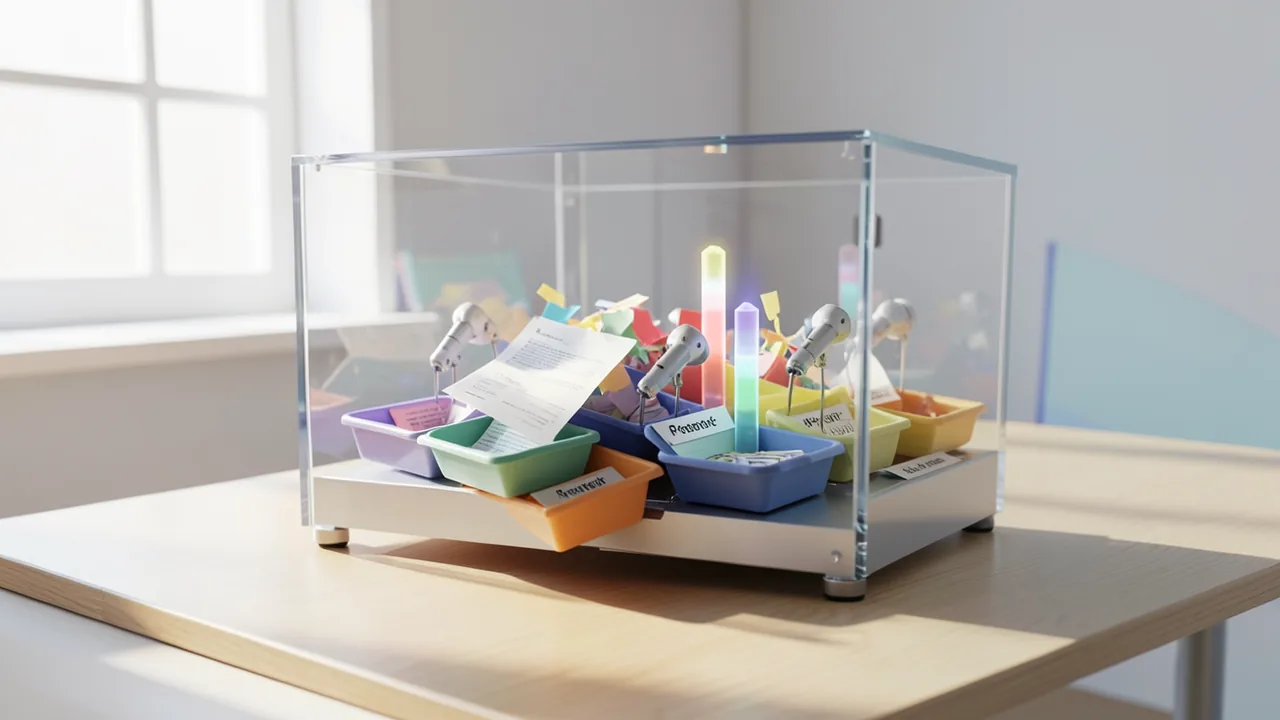
These aren't chatbots. Perplexity calls them "decision models." You give them some context, called the state, such as a customer email, a JSON document or an image, and ask one or more questions about it. What you get back isn't prose but a probability distribution over the possible answers. How likely is "yes"? Which of five teams should get this ticket? How upset does the customer sound on a scale from "calm" to "angry"? That makes them a good fit for the sorting and filtering jobs that come up constantly in software pipelines: routing requests, moderating content, reranking search results or grading the output of other AI models.
Two sizes, one idea
The large model is based on Qwen3.8-27B and needs about 49 GiB just for the weights in BF16, a common 16-bit number format. Flash is based on Qwen3.5-4B. The Reddit post's headline lists it as a 5B model. It needs about 8.5 GiB. Flash was created through distillation from the large model, meaning it was trained to imitate the answer distributions of the big "teacher" model. KL divergence measures how far apart the two distributions are. So Flash learns not only from correct answers but also from the teacher's uncertainty.
Under the hood, Perplexity replaces the usual text output, where the model predicts the next token one at a time, with a dedicated decision head. It's a small extra layer with 255 rows that gets read out at a marker position in the text. All answer options are scored in a single forward pass. That's why the model reports zero generated output tokens.
There's also an architectural change: the full-attention layers in v1.3 are bidirectional. When the model reads a word, it can also look at words that come later, not just earlier ones. The questions can't see each other directly, but the shared context can attend to the questions. In v1.2, an answer could still shift depending on what else you asked. The new approach is meant to make answers more stable. The catch for users: standard software such as plain Transformers loading or typical chat servers won't reproduce the model correctly. You need Perplexity's pplx_decider package.
The models were trained on hundreds of public datasets, converted into a unified format of context, question, options and target. According to Unite.ai, benchmark training splits were excluded. For later specialization on specific domains and on images, Perplexity uses LoRA, a method that keeps the base model frozen and trains only small add-on matrices. Perplexity credits much of the improvement to the "tasksource" dataset collection.
What the models can do
There are four question types:
| Type | What it does | Answer |
|---|---|---|
| choice | Pick from 1 to 255 options | chosen option, probability per option, confidence |
| noul | Yes/no question | probability of "true" |
| score | Ordered scale with 2 to 255 levels | expected level, probabilities |
| locate | Find verbatim text spans | start, end, text, score |
Locate is new in v1.3. You describe what you're looking for, either as a short label like "person" or "email address" or as an instruction like "the person who signed the contract." The model then returns the exact text spans with character offsets, or an empty list if nothing matches. That's useful for named entity recognition (spotting names, places or companies), for finding personal data, and for extractive question answering, where the answer comes word for word from the text. Locate only works on text, not images, and you can ask at most 128 such questions per request.
Locate runs on its own LoRA adapter. Perplexity deliberately didn't merge it into the model because that would have hurt the regular decision tasks. The downside: if you mix Locate and decision questions, you need extra forward passes and wait longer.
The models handle images too. Each image is downscaled to at most about 1.6 megapixels and then takes up roughly 1,600 positions in the context. Training used sequences of up to about 30,720 tokens. The default limit is 32,768 tokens, and inputs are never truncated. Anything too long gets rejected.
Numbers and benchmarks
Most figures come from Perplexity's own tests:
| Test | Decider v1.3 | Flash v1.3 | Comparison |
|---|---|---|---|
| Multilingual classification (8 languages) | 88.16% | 86.50% | TypeSafe Jev 1.14: 85.41% |
| Reranking, 72 retrieval tasks (nDCG@10) | 83.99 | – | +1.81 over Qwen3-Reranker-8B |
| Locate, 17 held-out tasks (mean) | 69.0 | 63.6 | Liquid d1: 43.3; Cloudflare Clairic: 41.5; GLiNER large v2.5: 33.6 |
| Artificial Analysis Decision Index | approx. 70 (approx. $68/1M tasks) | approx. 64 (approx. $34) | Drex Max v1.1 and SubQ Snap 1.2 score higher but cost more |
nDCG@10 measures how well the top ten search results are ordered. According to Unite.ai, the large model also hits 91.6 percent mean accuracy across 63 query classification tasks, 6.54 percentage points above Perplexity's previous production classifiers. The reference labels for that test, however, were relabeled by a frontier language model. On the Artificial Analysis Index, both models sit on the Pareto frontier: no other model is both cheaper and better.
For a real-world test, Perplexity analyzed one million anonymized API requests from the API's first 18 days, containing 2,318,887 individual questions in total. Perplexity says users explicitly opted in. v1.3 agreed with the verdicts of large AI models 93.98 percent of the time, v1.2 93.68 percent. Unite.ai notes that's a small gap and only measures agreement with AI judgments, not accuracy against ground truth. Perplexity puts the cost of running this dataset at $26.47 (v1.3) and $13.24 (Flash). How local hardware was factored in isn't stated.
Internally, Perplexity uses Decider to review security logs from AI agents, among other things. On a single day, one billion tokens from 7,000 agent sessions ran through the model. That produced 14 suggested rule fixes, six of which were shipped within two days. Decider also filters low-quality web pages out of the crawl.
What you need to try it
The official route requires Python 3.12 or newer and an Nvidia GPU with CUDA. For the large model, the card needs room for about 49 GiB of weights plus working memory, which realistically means a 64 to 80 GB professional card or multiple GPUs. Flash gets by with about 8.5 GiB of weights, so it runs on a consumer card with 12 to 16 GB of VRAM. You'll need a similar amount of disk space. Macs and CPU-only setups aren't supported on the official route.
Perplexity doesn't list any quantized versions of v1.3. According to OrcaRouter, the Ollama library does have a model called "pplx-decider" as a 4-bit file of about 17 GB. But it's from an older version (v1 or v1.1). Which one exactly is unclear, and it has a much smaller context limit of 8,192 tokens. If you don't want to host v1.3 yourself, use OpenRouter or the Perplexity API.
The Model Card on Hugging Face still claims the repository is private. For older versions, OrcaRouter says that was an outdated notice.
The big picture
With Decider v1.3, Perplexity is going after a niche that gets little attention but is huge in practice: classifying, filtering and sorting, the countless small yes/no decisions inside AI pipelines. Instead of having a big chat model write text and then laboriously parsing it, you get probabilities directly in a single forward pass. That's faster, cheaper and easier to process. Locate also makes the model a competitor to tools like GLiNER that tag entities in text.
There are limits, though. Nearly all the numbers come from Perplexity itself, and the Artificial Analysis Index is one of the few external measurements. OrcaRouter tested the previous version, v1.1, on an independent leaderboard and showed where it falls short: it hit top scores on classic classification tasks but collapsed on hard multi-step reasoning (Humanity's Last Exam: 16.2). On top of that, about 2 percent of answers were wrong despite confidence above 95 percent. Perplexity itself advises calibrating thresholds on your own data. A single temperature value won't fit every task.
If you want to run the model yourself, you also have to use Perplexity's own code. Common tools like llama.cpp or vLLM won't reproduce it out of the box. For companies with large data volumes and their own GPUs, it's an attractive offer. For hobbyists, the Flash variant is the most interesting option.
Sources
- Reddit rising: KI-Szene huggingface.co
- unite.ai unite.ai
- orcarouter.ai orcarouter.ai
- Reddit r/LocalLLM maraissoftware.co.za
- MarkTechPost marktechpost.com
- Reddit r/machinelearningnews reddit.com
- Bing News (en-GB) lapaasvoice.com
Try it yourself: pplx-decider-v1.3
Explained step by step, no prior knowledge needed – on your own computer or free in your browser.
What can I do with it?
Decider v1.3 answers questions about a text, a JSON document or an image with probabilities instead of sentences. You can ask yes/no questions, have it pick one of up to 255 categories, or have it rate something on a scale, like the mood of a customer email from "calm" to "angry." With the new Locate feature, it also extracts verbatim text spans such as names, email addresses or error codes, each with its exact position in the text. Perplexity says it clearly beats specialized tools like GLiNER on these extraction tasks (69.0 vs. 33.6 points) and outperforms Qwen3-Reranker-8B at sorting search results. But it doesn't write text, doesn't summarize anything, and independent tests of the previous version found it weak at tricky reasoning tasks. The small Flash variant is a bit weaker but needs only a fraction of the memory.
Who is it worth it for?
If you're a developer, data person or tinkerer who wants to automatically sort, filter or analyze lots of text, like support tickets, emails, forms or web pages, this is well worth trying. If you're looking for a chatbot to talk to or write with, this isn't it. Without an Nvidia GPU and basic Python skills, you'll struggle.
Ideas: What you can do with it
Use a choice question to assign each incoming email to a team, and ask a noul question whether it's urgent. You get a table with team, urgency and confidence that you can work through.
Before you share documents, run Locate for "email address," "phone number" and "person." You get the exact matches with positions and can redact them automatically.
Rate hundreds of customer reviews on a satisfaction scale with a score question and sort them by topic with choice, such as shipping, quality or price. You'll quickly see where things go wrong.
For a private document archive, ask a noul question for each hit: does this document answer the query? Use the logit margin to re-sort the hits so the most relevant ones end up on top.
Have Decider grade a chatbot's answers, for example whether they're polite, whether they actually answer the question, or whether they contain problematic content. That's cheaper than using a large model as the judge.
Use Locate to pull the invoice number, amount and company name from scanned or typed invoices, and assign the expense category with choice. That gives you a household budget list without any manual typing.
What your computer needs
According to the Model Card, the large pplx-decider-v1.3 (27B) needs about 49 GiB for the BF16 weights plus working memory. That's only realistic on professional GPUs with roughly 64 to 80 GB of VRAM. For most home users, pplx-decider-flash-v1.3 is the right pick: about 8.5 GiB of weights, so an Nvidia card with 12 to 16 GB of VRAM will do. There are no official quantized versions of v1.3. The 4-bit version on Ollama (about 17 GB) comes from an older version with a smaller context window.
- Officially, you need an Nvidia GPU with CUDA. Macs and CPU-only setups aren't supported.
- The 27B model takes up about 49 GiB in BF16, plus working memory for computation.
- Flash v1.3 needs about 8.5 GiB for its weights, so it runs on cards with 12 to 16 GB of VRAM.
- Each image takes up to about 1,600 context positions. Lots of large images increase memory use.
- If you run out of memory, lower the batch_tokens parameter.
How do I find out what my computer has?
- Windows: Press Ctrl + Shift + Esc → Task Manager → Performance tab → click GPU on the left. At the bottom you'll see Dedicated GPU memory (that's your VRAM). You'll find system memory under Memory.
- Mac: Apple menu at the top left → About This Mac. You'll see your chip (e.g. M2) and memory (e.g. 16 GB). On Apple chips, graphics and processor share this memory.
- Linux: Type
nvidia-smiin the terminal (shows your graphics card and its memory) andfree -hfor system memory.
Guide
This model runs with its developers' own program (sileod/tasksource on GitHub). The commands below come from the Model Card and the developers' instructions.
Windows 10 / 11
Windows 10 / 11: not officially tested. The source requires a CUDA GPU but doesn't mention Windows. It should work with an NVIDIA card with around 60 GB of VRAM (video memory), but this hasn't been tested. Safer options are WSL2 (Linux running inside Windows) with the Linux instructions, or a rented cloud server.
- Check the prerequisites. Install Python 3.12 or newer and tick "Add Python to PATH" during installation. You need a current NVIDIA driver and a GPU with around 60 GB of VRAM. You should have about 60 GB of free disk space. Check both in PowerShell.
python --version nvidia-smi - Create a working folder and environment. A virtual environment (venv) keeps Python packages separate from the rest of your system. If PowerShell blocks activation, run Set-ExecutionPolicy -Scope CurrentUser RemoteSigned once first. Afterwards, (.venv) appears at the start of the line.
mkdir decider; cd decider python -m venv .venv .venv\Scripts\Activate.ps1 - Install the Hugging Face tool and sign in. According to the Model Card, the repository is private. You need a Hugging Face account with access to it. Generate a token (an access key) in your account settings and paste it after running the login command.
pip install huggingface-hub hf auth login - Download the model. This command downloads about 54 GB into the pplx-decider-v1.3 folder. It takes a while. An access error means your token hasn't been granted access.
hf download perplexity-ai/pplx-decider-v1.3 --local-dir pplx-decider-v1.3 - Install dependencies. This installs torch, transformers and the other packages from requirements.txt. Make sure torch is installed with CUDA support. Otherwise the program won't find your GPU.
pip install -r pplx-decider-v1.3\requirements.txt - Create a test script. Save the code in a text editor as demo.py in the decider folder. It loads the downloaded model, then asks which team should handle the request and whether it's urgent.
import sys from pathlib import Path checkpoint = Path("pplx-decider-v1.3") sys.path.insert(0, str(checkpoint / "source" / "src")) from pplx_decider import Decider decider = Decider.from_pretrained(checkpoint, device="cuda") response = decider.decide({ "state": "My integration keeps failing with a 401 since we rotated our API key. Please help.", "questions": { "team": {"type": "choice", "instructions": "Which team should handle this request?", "criteria": {"billing": "Charges and refunds", "support": "Technical integration errors", "sales": "Questions about buying a product"}}, "urgent": {"type": "noul", "instructions": "Is the customer blocked right now?"}, }, }) print(response["answers"]["team"]["choice"], response["answers"]["urgent"]["noul"]) - Get your first result. Run the script and wait for the model to load. The window then shows something like "support 0.9…". If you see "out of memory," your GPU doesn't have enough VRAM.
python demo.py - Result. The terminal shows the responsible team, "support," followed by a number between 0 and 1. It indicates how likely it is that the customer is currently blocked.
macOS
macOS: not supported. The source explicitly requires an NVIDIA CUDA GPU, and Macs don't have one. Use a rented Linux cloud server with an A100 or H100 (80 GB) instead and follow the Linux instructions there.
Linux
Linux: supported. Linux with an NVIDIA GPU and CUDA is the route the source describes. Without a card with about 60 GB of VRAM (e.g. an A100 or H100 with 80 GB, which you can also rent in the cloud), the model won't run.
- Check the prerequisites. You need Python 3.12 or newer, a current NVIDIA driver and an NVIDIA GPU with around 60 GB of VRAM. You should have about 60 GB of free disk space. These commands check your Python version and whether the driver shows the GPU and its memory.
python3 --version nvidia-smi - Create a working folder and environment. A virtual environment (venv) is a self-contained space for Python packages. That way you won't mess up the rest of your system. Once it's activated, (.venv) appears at the start of the prompt.
mkdir decider && cd decider python3 -m venv .venv source .venv/bin/activate - Install the Hugging Face tool and sign in. According to the Model Card, the repository is private. So you need a Hugging Face account with access to it and a token. A token is an access key you generate in your account settings. Paste it after running the login command.
pip install huggingface-hub hf auth login - Download the model. This command downloads about 54 GB into the pplx-decider-v1.3 folder. It can take a long time. If you get an access error, your token hasn't been granted access to the repository.
hf download perplexity-ai/pplx-decider-v1.3 --local-dir pplx-decider-v1.3 - Install dependencies. This installs the packages from requirements.txt. According to the source, those are torch, transformers, safetensors, pillow, torchvision and huggingface-hub. Torch is the compute library that uses your GPU.
pip install -r pplx-decider-v1.3/requirements.txt - Create a test script. Save the code as demo.py in the decider folder. It's the example from the Model Card, but it loads the folder you already downloaded. The model assigns a support request to a team and estimates whether it's urgent.
import sys from pathlib import Path checkpoint = Path("pplx-decider-v1.3") sys.path.insert(0, str(checkpoint / "source" / "src")) from pplx_decider import Decider decider = Decider.from_pretrained(checkpoint, device="cuda") response = decider.decide({ "state": "My integration keeps failing with a 401 since we rotated our API key. Please help.", "questions": { "team": {"type": "choice", "instructions": "Which team should handle this request?", "criteria": {"billing": "Charges and refunds", "support": "Technical integration errors", "sales": "Questions about buying a product"}}, "urgent": {"type": "noul", "instructions": "Is the customer blocked right now?"}, }, }) print(response["answers"]["team"]["choice"], response["answers"]["urgent"]["noul"]) - Get your first result. Run the script. Loading the model onto the GPU takes a while. Then the terminal shows something like "support 0.9…". If you get an "out of memory" message, your GPU doesn't have enough VRAM.
python demo.py - Result. The terminal shows the responsible team, "support," followed by a number between 0 and 1. It indicates how likely it is that the customer is currently blocked.
What to do after your first result
- Replace the text in "state" with your own. You can also ask your own questions: "choice" picks from options, "noul" estimates a yes/no probability, "score" rates on a scale (e.g. from "calm" to "angry").
- With "type": "locate", the model pulls verbatim text spans with positions from the text, e.g. "error": {"type": "locate", "instructions": "Error codes"}. The required adapter loads automatically the first time.
- Under "images" you can pass images as file paths. Every question then sees the images too.
- For high request volumes there's Decider.from_pretrained(..., fast=True); run pip install -r pplx-decider-v1.3/requirements-fast.txt first. If memory gets tight, the source says a smaller batch_tokens value helps.
Try it
State: "I haven't been able to log in since yesterday, error 403." – Question (noul): Is the customer currently blocked?State: a customer email – Question (choice): Which team is responsible? Options: billing, technical, salesState: a product review – Question (score): How satisfied is the customer? Levels: very dissatisfied, dissatisfied, neutral, satisfied, delightedState: a contract – Question (locate) "person" with instruction: The person who signed the contractState: a job application – Several questions at once: Does the text contain a phone number (locate)? Is the application complete (noul)? Which department fits (choice)?Tips for better results
- Use mode="separate" by default: each question is answered independently and doesn't change when you add other questions. mode="isolated" is cheaper when you ask many questions about one long text, but answers differ in 1.5 to 2.2 percent of cases.
- If the probability values themselves matter, set thresholds using a few dozen of your own hand-labeled examples. Perplexity explicitly recommends this.
- For sorting (ranking), use the logit margin true minus false of a noul question rather than the probability, because it doesn't collapse into ties.
- Put everything a question needs to be answered into the state, not into another question. Questions can't see each other.
- For high request volumes, use fast=True and call decider.warmup() at startup. Perplexity says that was 1.7 to 18 times faster.
If something goes wrong
Always use Perplexity's pplx_decider package from the repository: the full-attention layers are bidirectional, so loading the model normally with Transformers or chat servers gives wrong results.
You need Python 3.12 or newer. Dependencies are listed in requirements.txt, with the fast mode's extras in requirements-fast.txt.
The Model Card asks for a Hugging Face token because the repository is supposedly private. If you don't have access, create a token with read permissions and sign in with huggingface-cli login.
Don't reuse old prompt formats from v1.1 or v1.2. v1.3 expects pplx_decider's own format.
LengthError means context plus questions plus images are too long. Inputs are never truncated, so shorten the text or lower max_pixels.
With fast=True, Locate is disabled. If you want to extract text spans, use the default mode.
“out of memory,” a crash, or your computer freezes
The model is too big for your VRAM (video memory). Pick a smaller variant from the table above and close other programs, especially games and browsers with lots of tabs.
It runs, but extremely slowly
Your CPU is probably doing the work instead of your graphics card. In Ollama, the PROCESSOR column of ollama ps shows how much runs on the GPU. If it says "100% CPU", update your graphics driver or pick a smaller variant that fits entirely into VRAM (video memory).
“ollama” or “python” is not found
Close the terminal window and open it again so it recognizes the newly installed program. For Python on Windows: reinstall it and check Add python.exe to PATH.
Windows: "Running scripts is disabled on this system"
Run the script with exactly the command above: powershell -ExecutionPolicy Bypass -File try_windows.ps1. This allows execution for this one time only.
Error message when loading the model (version, "trust_remote_code", unknown architecture)
Brand-new models often need the latest software version. With Ollama: update Ollama. With Python: pip install -U transformers in the activated environment. The Model Card usually lists the exact version.
Tokenstrom generates the scripts and notebook automatically. Please take a quick look before running them – they're plain, readable text. Mind the model's license: apache-2.0.
Ask the AI assistant
Questions about this article, installation or background? Our assistant knows this page and runs on our own machine, not in someone else's cloud.
The Assistant is an AI (Gemma 4) and can make mistakes – please check important details against the source. Questions are used only to generate an answer and are deleted after one hour. Please don't enter any personal data.

Comments
What do you think? Already tried it? Write it here, no sign-up needed.
Comments are public. Links aren't allowed, and we delete abusive posts. You can delete your own comment at any time in this browser. Learn more in the Privacy Policy.