
Meituan's open LongCat-Video-Avatar 1.6 makes talking-avatar videos over 10 minutes long
Meituan has released version 1.6 of its freely downloadable model, which turns a voice track plus an image or text prompt into video of people talking. Lip movements should look more natural, videos should stay stable for more than ten minutes, and in a user preference test the model beats HeyGen and Kling.
What's going on
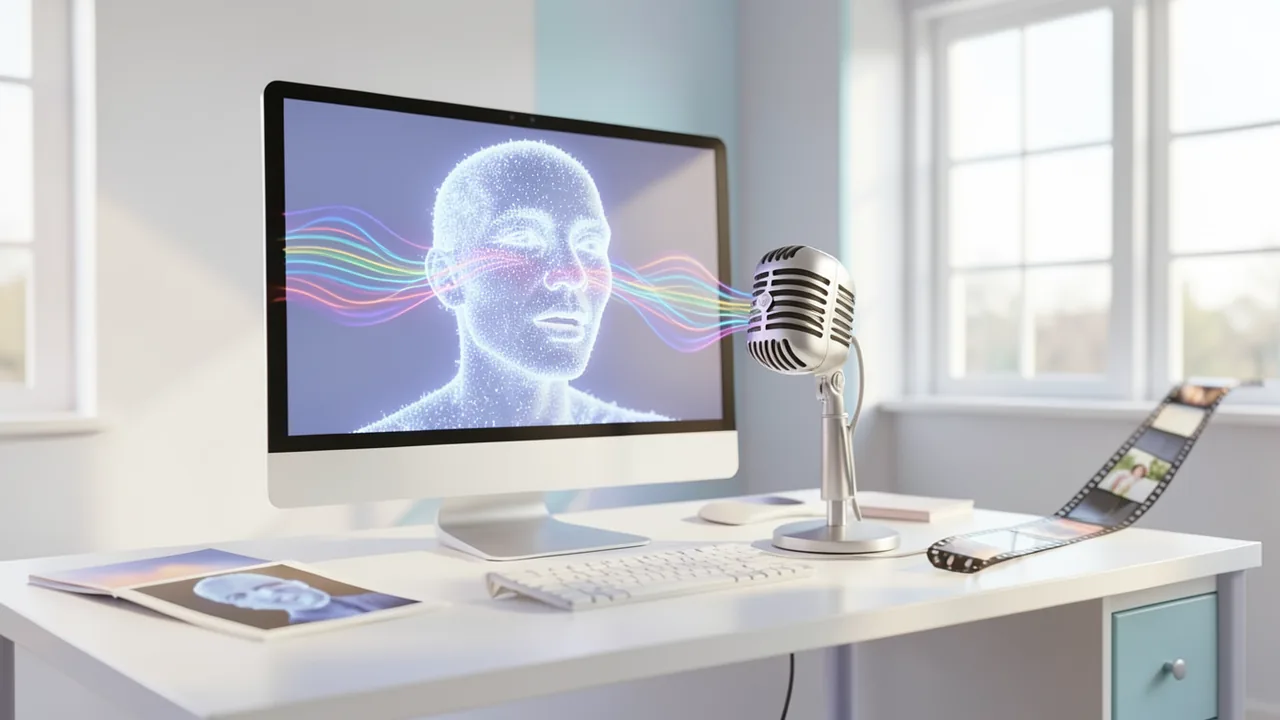
The LongCat team at Chinese tech giant Meituan has released LongCat-Video-Avatar 1.6. Meituan is best known as a food delivery and local commerce platform. The new model does what's called audio-driven human video generation. You supply a voice recording plus either a text description or a photo, and you get back a video of a person speaking, with facial expressions, gestures and lips that move in sync with the audio. It handles a single speaker or several people in conversation.
The weights are on Hugging Face under the permissive MIT license (meituan-longcat/LongCat-Video-Avatar-1.6), and the code is on GitHub. Version 1.6 builds on version 1.5, released in May 2026. Meituan says the update brings more natural facial expressions, better lip sync, better coordination between face and body movement, more stable long videos and faster inference. Word of the release spread partly through the r/LocalLLaMA subreddit.
What's new in version 1.6
Meituan highlights three areas:
- More natural lips: Common avatar-model flaws should show up less often. These include exaggerated or stiff mouth movements, unnaturally red lips and flickering around the mouth.
- Stable long videos: The model builds long videos piece by piece, with each new segment picking up where the last one ended. This is called autoregressive continuation. Small errors usually pile up along the way until the face blurs or drifts. Version 1.6 is meant to keep that error buildup in check, making videos longer than ten minutes possible with consistent image quality and a consistent look for the person.
- Faster inference: Optimizations across the whole pipeline should speed up generation, which matters most if you run the model as a service. The Model Card gives no actual speed figures. It points to a technical report whose arXiv entry was still empty at release time.
According to the version 1.5 project page, several key components carry over. For audio analysis, the model uses Whisper-Large instead of Wav2Vec2. Whisper is OpenAI's speech recognition model and captures spoken sounds very precisely, which improves lip sync. The model also handles anime characters, animals and tricky scenes, such as several people interacting or someone holding objects. And it needs only 8 inference steps. That comes from distillation: a faster model learns to reproduce, in just a few steps, the output of a slower model that needs many.
How it works
Under the hood sits a diffusion model. Models like this start from pure noise and remove it step by step until a video emerges. At the core is a Diffusion Transformer (DiT). It's built on LongCat-Video, Meituan's general-purpose video model, which you have to download separately. In the acknowledgments, the team credits the Wan video model and the UMT5-XXL text encoder, among others.
The package ships with two LoRA adapters. These are small add-on modules that tune a large model for a specific task without retraining it from scratch:
- DMD-LoRA (
loraA): According to the Model Card, it improves structural stability and reduces distortion in the early steps. - OPSD-LoRA (
loraB): It handles the remaining steps.
The --mix_steps and --mix_alpha parameters control how the two are blended. By default, the first four of the eight steps use DMD only and the last four use OPSD only. Meituan says that giving DMD more weight makes the image structurally more stable.
There are also two optional memory-saving modes. With quantization, the model's numbers are stored at lower precision, so it needs less memory and runs faster. There's a ready-made INT8 version of the DiT (--use_int8) and an FP8 mode (--use_fp8) that requires Nvidia's Transformer Engine. You can't turn both on at once.
The model supports these modes:
| Mode | Input | People |
|---|---|---|
| Speech-Text-to-Video | Audio + text description | one |
| Speech-Image-to-Video | Audio + photo | one or more |
| Video-Continuation | Continuation across multiple segments | one or more |
How good is it? The user comparison
Meituan put version 1.6 into an arena-style test against its predecessor and four commercial systems. Testers watched two videos at a time and picked the better one. Across all 15 possible pairings, that added up to 33,051 valid individual votes. From these, Meituan calculated Elo ratings, the same principle used for chess rankings (specifically, the Bradley-Terry model).
| Rank | System | Type |
|---|---|---|
| 1 | OmniHuman-2.0 (ByteDance) | commercial |
| 2 | LongCat-Video-Avatar 1.6 (Elo 1068.1) | open |
| 3–6 | LongCat-Video-Avatar 1.5, HeyGen, OmniHuman-1.5, Kling Avatar 2.0 | mixed |
The Model Card only gives version 1.6's Elo rating and the order of the other systems, not their scores. So we don't know how big the gaps are. Keep in mind, too, that Meituan ran and analyzed the test itself, and there's no independent verification yet. Startup Fortune already pointed out with version 1.5 that comparisons like this should be treated as vendor claims.
For version 1.5, Meituan built its own benchmark. It covers 508 image-audio pairs across six scenarios (news anchors, education, everyday life, entertainment, singing, advertising), two languages (Chinese and English) and two styles (realistic and animated). 770 crowdworkers submitted 13,240 ratings, and ten experts also checked physics, audio-visual alignment, temporal stability and identity consistency.
What you need to try it
This isn't a laptop model. Every official example command starts with torchrun --nproc_per_node=2, which means it's designed for two Nvidia GPUs sharing the work. For Hopper-generation datacenter cards (H20, H100, H200, H800), Meituan recommends FlashAttention 3, a particularly fast way to compute the attention layer. With more than two GPUs, a special environment variable (LONGCAT_A2A_WORKSPACE=1) speeds up communication between the cards.
The source doesn't list a VRAM requirement. Our rough estimate: with INT8 mode, you need a single card with at least about 24 GB of VRAM, and you'll be more comfortable with 48 GB or two cards. You'll also need plenty of disk space, because you have to download both the LongCat-Video base model and the avatar package. Installation requires Linux with CUDA 12.4, PyTorch 2.6, FlashAttention 2.7.4, ffmpeg and librosa. Macs and CPU-only systems are effectively ruled out. In Google Colab, you'll only get usable results on expensive high-end GPUs. According to the sources, there's no ComfyUI support or ready-made web demo yet.
The bigger picture
LongCat-Video-Avatar 1.6 is one of the strongest openly available models for talking avatars. If Meituan's own numbers hold up, it beats well-known paid services like HeyGen and Kling Avatar 2.0. The MIT license also allows commercial use, which is far from a given for video models. Startup Fortune already saw version 1.5 putting pressure on avatar startups: once generation itself is freely available, the value shifts to workflows, brand control, consent records and compliance. For small businesses, product explainers and training videos could get cheaper.
There are downsides, though. The barrier to entry is high. Multiple large GPUs and a demanding install make this a tool for developers and agencies for now. The quality figures come from Meituan alone, and the technical report wasn't available at launch. Then there's the potential for abuse. Realistic videos of people talking, made from a single photo, also make deepfakes easier. The Model Card explicitly puts responsibility for privacy and legal compliance on users. It doesn't mention watermarks or consent checks, even though China requires labeling of AI-generated content and the EU AI Act sets out transparency obligations.
Sources
- Reddit rising: KI-Szene huggingface.co
- startupfortune.com startupfortune.com
- github.com github.com
Try it yourself: LongCat-Video-Avatar-1.6
Explained step by step, no prior knowledge needed – on your own computer or free in your browser.
What can I do with it?
LongCat-Video-Avatar 1.6 turns a voice recording plus a photo or text description into a video of a person speaking, moving naturally and moving their lips in sync with the audio. It works with one person or several people in conversation. Since version 1.5, the model can also handle anime characters, animals and singing. Thanks to segment-by-segment continuation, Meituan says videos longer than ten minutes are possible without the face changing. In Meituan's own user comparison, it ranks second behind ByteDance's OmniHuman-2.0 and ahead of HeyGen and Kling Avatar 2.0. The limits: it needs powerful Nvidia GPUs (the examples use two cards), a command-line install and some patience. There's no point-and-click interface yet.
Who is it worth it for?
It's worth it for developers, agencies and tech enthusiasts who have access to large Nvidia GPUs (local or rented in the cloud) and want to create talking avatars without subscription fees, under a commercially usable MIT license. If you only have a laptop, a Mac or a graphics card with 8 to 12 GB, wait for smaller versions or ComfyUI integrations.
Ideas: What you can do with it
Record a short product description as audio and pair it with a photo of yourself or a presenter character. The model turns it into a presenter video for your website or social media, no camera or studio required.
Split your lessons into audio files and use segment continuation to create long videos with a consistent instructor avatar. You get uniform course videos even if you don't want to film yourself.
For a dialogue podcast, provide an image with two characters and separate speaker tracks. You get a video version where both characters take turns talking, handy for YouTube.
Draw a character or use your own mascot and have it lip-sync to a song you recorded yourself. Great for music clips or club videos.
Companies can turn recurring announcements or safety briefings into avatar videos and just swap the audio track when something changes. Make sure the person shown has given consent and that the video is labeled as AI-generated.
What your computer needs
There's only one model version, but you also need to download the base model meituan-longcat/LongCat-Video. With two large Nvidia GPUs, use the default settings from the example commands. If you have less VRAM, turn on the included INT8 mode (--use_int8). On newer cards with Transformer Engine installed, FP8 (--use_fp8) is an alternative, but never use both together. On Hopper cards (H100, H200, H20, H800), you should enable FlashAttention 3.
- The official example commands are built for 2 Nvidia GPUs (torchrun --nproc_per_node=2 --context_parallel_size=2).
- Meituan doesn't give a VRAM figure. As a rough estimate, with INT8 you need at least 24 GB on one card; 48 GB or multiple GPUs is more comfortable.
- CUDA 12.4, PyTorch 2.6.0 and FlashAttention 2.7.4 are required. Apple Silicon and CPU-only systems are effectively unusable.
- For Hopper GPUs (H20, H100, H200, H800), Meituan recommends FlashAttention 3 for much faster inference.
- With more than two GPUs, set export LONGCAT_A2A_WORKSPACE=1 to speed up communication between the cards.
- Plan for lots of disk space, since the LongCat-Video base model and the avatar package are downloaded separately.
How do I find out what my computer has?
- Windows: Press Ctrl + Shift + Esc → Task Manager → Performance tab → click GPU on the left. At the bottom you'll see Dedicated GPU memory (that's your VRAM). You'll find system memory under Memory.
- Mac: Apple menu at the top left → About This Mac. You'll see your chip (e.g. M2) and memory (e.g. 16 GB). On Apple chips, graphics and processor share this memory.
- Linux: Type
nvidia-smiin the terminal (shows your graphics card and its memory) andfree -hfor system memory.
Guide
This model runs with its developers' own program (meituan-longcat/LongCat-Video on GitHub). The commands below come from the Model Card and the developers' instructions.
Windows 10 / 11
Windows 10 / 11: not officially tested. The developers' instructions are written for Linux with an NVIDIA graphics card only. On Windows, flash_attn in particular often fails to build. The most reliable option is WSL2 (an Ubuntu Linux that runs inside Windows), where you simply follow the Linux instructions.
- Check the requirements. You need a very powerful NVIDIA graphics card (see the VRAM note) with an up-to-date driver that supports CUDA 12.4. CUDA is NVIDIA's compute platform. Also install Git and Miniconda. Miniconda is a small program that manages separate Python environments. Plan for well over 100 GB of free disk space. Run nvidia-smi to check that the driver is working.
nvidia-smi git --version conda --version - Download the code. Open PowerShell (or the "Anaconda PowerShell Prompt"). This command downloads the code from GitHub. Then switch into the new folder.
git clone --single-branch --branch main https://github.com/meituan-longcat/LongCat-Video cd LongCat-Video - Create a Python environment. This creates a dedicated environment with Python 3.10 and activates it. Your prompt will then start with (longcat-video). You'll need to reactivate this environment with conda activate after every restart.
conda create -n longcat-video python=3.10 conda activate longcat-video - Install PyTorch. PyTorch is the compute library the model runs on. This build is made for CUDA 12.4. The download is several GB.
pip install torch==2.6.0+cu124 torchvision==0.21.0+cu124 torchaudio==2.6.0 --index-url https://download.pytorch.org/whl/cu124 - Install FlashAttention. FlashAttention speeds up computation and saves memory. On Windows, it often has to be built from source. That can take a very long time or fail with errors. If it doesn't work, switch to WSL2.
pip install ninja pip install psutil pip install packaging pip install flash_attn==2.7.4.post1 - Install the remaining packages. Now add the remaining components, including librosa (audio processing) and ffmpeg (video tool). If there are no red error messages at the end, it worked.
pip install -r requirements.txt conda install -c conda-forge librosa conda install -c conda-forge ffmpeg pip install -r requirements_avatar.txt - Download the models. You need the LongCat-Video base model and the 1.6 avatar package. The avatar package alone is about 62 GB, so expect a long download. The files go into the weights subfolder.
pip install "huggingface_hub[cli]" huggingface-cli download meituan-longcat/LongCat-Video --local-dir ./weights/LongCat-Video huggingface-cli download meituan-longcat/LongCat-Video-Avatar-1.6 --local-dir ./weights/LongCat-Video-Avatar-1.6 - Generate your first video. This command takes the included example (text plus speech audio) and turns it into a talking video. It's designed for 2 GPUs. If you only have one, set --nproc_per_node=1 and --context_parallel_size=1. The first run takes a long time.
torchrun --nproc_per_node=2 run_demo_avatar_single_audio_to_video.py --context_parallel_size=2 --checkpoint_dir=./weights/LongCat-Video-Avatar-1.6 --stage_1=at2v --input_json=assets/avatar/single_example_1.json --use_distill --lora_path loraB/lora.safetensors --model_type avatar-v1.6 --mix_steps=4 --mix_alpha=1.0 - Check the result. When it's done, the program prints in the terminal where it saved the video. Open the MP4 file in any regular video player.
- Result. You get an MP4 video of a person speaking in lip sync with the included sample audio.
macOS
macOS: not supported. Installation requires PyTorch with CUDA and FlashAttention. Both are only available for NVIDIA graphics cards, which Macs don't have. Alternatively, you can rent a cloud machine with an NVIDIA GPU or watch the sample videos on the project page.
Linux
Linux: supported. Linux with an NVIDIA graphics card and CUDA 12.4 is the system the developers wrote the instructions for. Their example commands are designed for 2 GPUs. For Hopper cards (H100, H200, etc.), they recommend FlashAttention 3.
- Check the requirements. You need a very powerful NVIDIA graphics card (see the VRAM note) with an up-to-date driver that supports CUDA 12.4. CUDA is NVIDIA's compute platform. Also install Git and Miniconda. Miniconda is a small program that manages separate Python environments. Plan for well over 100 GB of free disk space. Run nvidia-smi to check that the driver is working.
nvidia-smi git --version conda --version - Download the code. Open a terminal. This command downloads the code from GitHub. Then switch into the new folder.
git clone --single-branch --branch main https://github.com/meituan-longcat/LongCat-Video cd LongCat-Video - Create a Python environment. This creates a dedicated environment with Python 3.10 and activates it. Your prompt will then start with (longcat-video). After every restart, reactivate it with conda activate.
conda create -n longcat-video python=3.10 conda activate longcat-video - Install PyTorch. PyTorch is the compute library the model runs on. This build is made for CUDA 12.4. The download is several GB.
pip install torch==2.6.0+cu124 torchvision==0.21.0+cu124 torchaudio==2.6.0 --index-url https://download.pytorch.org/whl/cu124 - Install FlashAttention. FlashAttention speeds up computation and saves memory. The last command may have to build the package from source. That can take a while, so be patient.
pip install ninja pip install psutil pip install packaging pip install flash_attn==2.7.4.post1 - Install the remaining packages. Now add the remaining components, including librosa (audio processing) and ffmpeg (video tool). If there are no red error messages at the end, it worked.
pip install -r requirements.txt conda install -c conda-forge librosa conda install -c conda-forge ffmpeg pip install -r requirements_avatar.txt - Download the models. You need the LongCat-Video base model and the 1.6 avatar package. The avatar package alone is about 62 GB, so expect a long download. The files go into the weights subfolder.
pip install "huggingface_hub[cli]" huggingface-cli download meituan-longcat/LongCat-Video --local-dir ./weights/LongCat-Video huggingface-cli download meituan-longcat/LongCat-Video-Avatar-1.6 --local-dir ./weights/LongCat-Video-Avatar-1.6 - Generate your first video. This command takes the included example (text plus speech audio) and turns it into a talking video. You don't need any files of your own. It's designed for 2 GPUs. If you only have one, set --nproc_per_node=1 and --context_parallel_size=1.
torchrun --nproc_per_node=2 run_demo_avatar_single_audio_to_video.py --context_parallel_size=2 --checkpoint_dir=./weights/LongCat-Video-Avatar-1.6 --stage_1=at2v --input_json=assets/avatar/single_example_1.json --use_distill --lora_path loraB/lora.safetensors --model_type avatar-v1.6 --mix_steps=4 --mix_alpha=1.0 - Check the result. When it's done, the program prints in the terminal where it saved the video. Open the MP4 file in any regular video player. The first run is the slowest.
- Result. You get an MP4 video of a person speaking in lip sync with the included sample audio.
What to do after your first result
- Use --stage_1=ai2v instead of at2v to generate a video from audio plus a starting image. With --num_segments=5 --ref_img_index=10 --mask_frame_range=0, the video continues for longer.
- For scenes with multiple people, use run_demo_avatar_multi_audio_to_video.py with --input_json=assets/avatar/multi_example_1.json.
- For your own videos, copy the sample JSON file from assets/avatar and fill in your own text, audio and image. Longer, more precise descriptions give better results.
- --use_int8 saves VRAM. --compile_dit and --compile_vae make later runs faster. --mix_steps and --mix_alpha can reduce image distortion. Don't use --use_fp8 and --use_int8 together.
Try it
A portrait photo of you plus a 20-second voice recording saying: "Welcome to our online course. Today we're covering the basics of bookkeeping."Text description: "A friendly middle-aged female news anchor in a bright studio, blue blazer, calm gestures" plus an audio file with a short weather report.An image of two people at a kitchen table plus two separate audio tracks for a short dialogue about dinner (multi-person mode).A hand-drawn anime character plus a sung verse from a song you wrote yourself.A product photo with a presenter plus a five-minute product explainer, generated with --num_segments for one long, continuous video.Tips for better results
- Start with the defaults --mix_steps=4 --mix_alpha=1.0. If you see distortion in the image, increase mix_steps so the stabilizing DMD-LoRA has more influence.
- Use a well-lit, sharp portrait with a clearly visible mouth as your source image. That helps lip sync.
- Record the audio track cleanly, without background music. The Whisper-based audio encoder works best with clearly spoken sounds.
- Test long videos with just a few segments first (e.g. --num_segments=2) before rendering ten-minute clips. That saves a lot of compute time.
- If you want maximum quality with FP8, Meituan suggests running fewer layers in FP8.
If something goes wrong
Your torch version has to match your CUDA version. The instructions use torch 2.6.0+cu124; with a different CUDA version, you need to adjust the index URL.
flash_attn==2.7.4.post1 often gets compiled during install, which can take a long time or fail. Install ninja, psutil and packaging first, as the instructions say.
Don't forget to download the base model meituan-longcat/LongCat-Video into ./weights alongside the avatar package, or nothing will start.
--use_fp8 and --use_int8 can't be active at the same time. FP8 also requires Nvidia's Transformer Engine with PyTorch and CUDA support.
With --compile_dit and --compile_vae, the first runs are slower because compilation happens first. If the resolution or length changes, it recompiles.
The auto-generated Diffusers code on the Hugging Face page (astronaut in a jungle) doesn't work with this model. Use the scripts from the GitHub repo instead.
“out of memory,” a crash, or your computer freezes
The model is too big for your VRAM (video memory). Pick a smaller variant from the table above and close other programs, especially games and browsers with lots of tabs.
It runs, but extremely slowly
Your CPU is probably doing the work instead of your graphics card. In Ollama, the PROCESSOR column of ollama ps shows how much runs on the GPU. If it says "100% CPU", update your graphics driver or pick a smaller variant that fits entirely into VRAM (video memory).
“ollama” or “python” is not found
Close the terminal window and open it again so it recognizes the newly installed program. For Python on Windows: reinstall it and check Add python.exe to PATH.
Windows: "Running scripts is disabled on this system"
Run the script with exactly the command above: powershell -ExecutionPolicy Bypass -File try_windows.ps1. This allows execution for this one time only.
Error message when loading the model (version, "trust_remote_code", unknown architecture)
Brand-new models often need the latest software version. With Ollama: update Ollama. With Python: pip install -U transformers in the activated environment. The Model Card usually lists the exact version.
Tokenstrom generates the scripts and notebook automatically. Please take a quick look before running them – they're plain, readable text. Mind the model's license: mit.
Ask the AI assistant
Questions about this article, installation or background? Our assistant knows this page and runs on our own machine, not in someone else's cloud.
The Assistant is an AI (Gemma 4) and can make mistakes – please check important details against the source. Questions are used only to generate an answer and are deleted after one hour. Please don't enter any personal data.
Comments
What do you think? Already tried it? Write it here, no sign-up needed.
Comments are public. Links aren't allowed, and we delete abusive posts. You can delete your own comment at any time in this browser. Learn more in the Privacy Policy.