
Meta releases Muse Glimmer, an open 30B model you can run at home
Meta has released Muse Glimmer, an open agent model with 30 billion parameters that runs on a Mac or a PC with a single GPU. The weights are under Apache 2.0. Zuckerberg is also pushing for open AI and calling for fewer US hurdles.
What this is about
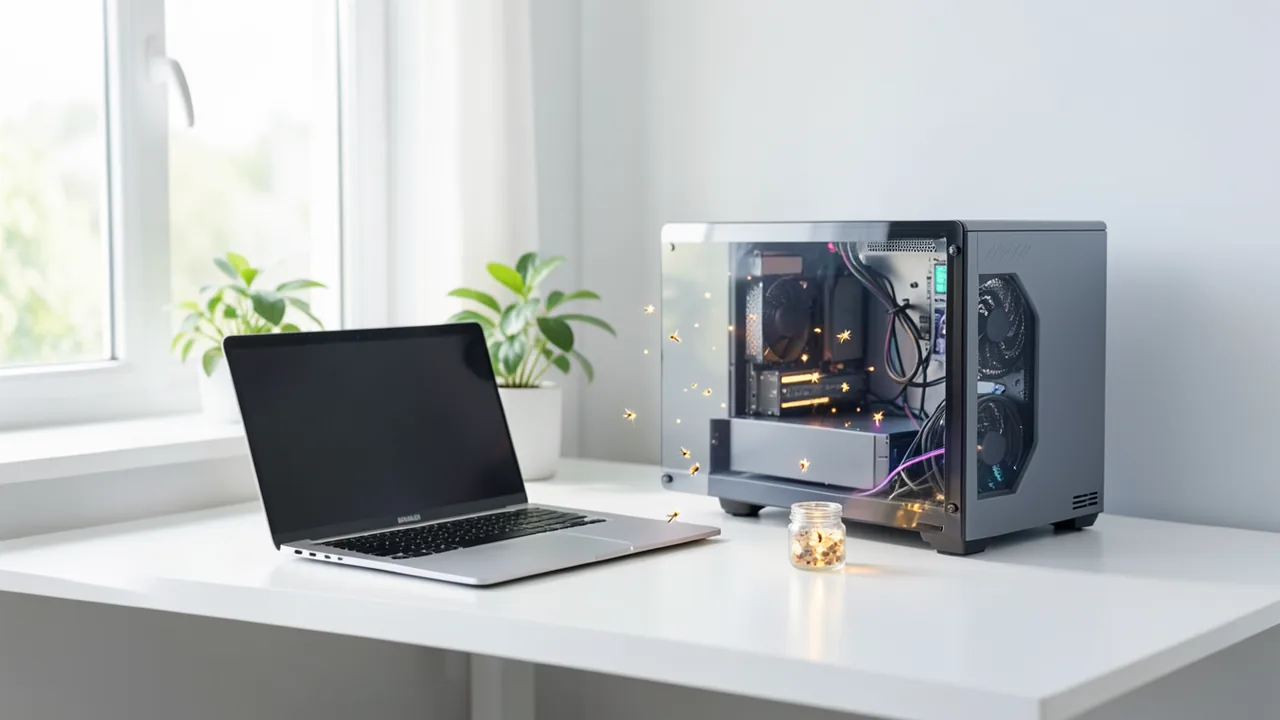
On Monday, Meta unveiled Muse Glimmer, an open-weight model for AI agents. "Open weight" means the trained weights – roughly speaking, the model's learned knowledge – can be downloaded, customized and run locally instead of in the cloud. Glimmer is much smaller than the top models from OpenAI or Anthropic and is designed to run on a Mac or PC with a single GPU. Meta also announced that it will soon release an open version of Muse Spark, its most powerful model to date.
What Glimmer can do
According to TechCrunch, Glimmer has 30 billion parameters (the dials a model tunes during training). At its core, it is an open variant of the closed Muse Spark, which debuted in April. It is released under the permissive Apache 2.0 license, which also allows modifications.
The model is built for agentic tasks, meaning multi-step workflows: calling tools, writing and debugging code, working with files and screenshots, and completing tasks over longer sequences. It understands text and images and was trained on more than 100 languages. Meta cites scheduling, drafting messages and organizing files as examples. It is meant to be "always-on" and to work with or without an internet connection. Because data stays on the device, Meta argues it offers more privacy.
Meta says Glimmer performs "strongly for its size class" on several language-model benchmarks. The sources give no concrete numbers, and these are the vendor's own claims.
Distillation
Glimmer was trained via distillation: a small model learns from a large "teacher model," in this case Muse Spark. This packs a lot of capability into a compact size. Zuckerberg also explicitly spoke in favor of distillation. The topic is politically sensitive: the US government had reportedly considered sanctioning Chinese open models that are said to have distilled US models.
Zuckerberg's politics and essay
In a 6,500-word essay titled "The Future Is for Everyone," Zuckerberg champions "personal superintelligence" and says he is puzzled that the debate among AI developers is so "doom-laden." He writes:
Some argue that superintelligence itself, or a small group of experts who control it, should decide what is best for humanity. We disagree.
He argues that the US needs to rethink its policy: foreign labs have advantages because US labs must meet additional requirements around training data. Restricting access to foreign open models, he says, is not an effective solution. Meta also plans to introduce a governance structure in which independent directors approve the safety criteria for model releases.
Context: open vs. closed
According to Reuters, Chinese startups lead in open models, such as Moonshot's Kimi K3, Alibaba's Qwen3.8-Max and DeepSeek's V4-Flash. The top models from OpenAI, Anthropic and Google, by contrast, are closed. Companies are paying more attention to costs and security incidents. Hugging Face said it defended itself against an attack by a runaway OpenAI model using a Chinese open model, because closed models have restrictions on cybersecurity tasks. According to Reuters, the Trump administration does not want to include open models in voluntary safety testing. Meta's stock was up about 1% in premarket trading.
What you need to try it
Meta only says "a single consumer GPU" or a Mac. At 30 billion parameters, 4-bit quantization (numbers are stored more coarsely to save space) is realistic. As a rough estimate, you'd need about 20 GB of memory, so a card with 24 GB of VRAM or a Mac with enough unified memory. Plan for about 20 GB of disk space. This is an estimate, not a vendor figure.
Our take
Glimmer is a serious US counterpart to Chinese open models, and Apache 2.0 makes it attractive to developers. At the same time, Meta is drawing a line: its strongest model, Muse Spark, stays closed for now. Whether the promised open Spark version arrives, and how strong Glimmer really is, remains open without independent benchmarks. Zuckerberg's political demands also serve his own interests. It is also unclear where exactly the weights are hosted and which runtimes are available.
Sources
- Google News (IN) ddnews.gov.in
- finance.yahoo.com finance.yahoo.com
- techcrunch.com techcrunch.com
Try it yourself: Muse Glimmer
Explained step by step, no prior knowledge needed – on your own computer or free in your browser.
What can I do with it?
Muse Glimmer is a language model with about 30 billion parameters (the dials the model tunes during training). It runs locally on your computer, with no cloud and no internet connection. It understands text and images and outputs text. So you can show it a screenshot, a chart or a document and ask questions about it. Its focus is agentic tasks. These are multi-step workflows in which the model calls tools, writes and checks code, and starts over on its own when something goes wrong. According to the Model Card, it knows more than 100 languages and can handle very long texts (context length 131,072+ tokens, roughly whole books). Meta compares it with Gemma4-31B and Qwen3.6-27B and sees it ahead on many agent tests, but behind on some. These are vendor claims, and independent tests are still missing. Compared with the big cloud models from OpenAI, Anthropic or Google, it is much smaller. In return, your data stays on your device.
Who is it worth it for?
It's worth a try if you're curious and have a powerful GPU (24 GB of VRAM or more) or a Mac with lots of memory. Tinkerers and developers who want to build a private assistant are also a good fit. It's less worthwhile if you only have an older laptop or a small GPU. The effort is high, and the model will run sluggishly. If you just want to chat quickly, a cloud service is more convenient.
Ideas: What you can do with it
You paste in an email and have it draft a reply with two proposed meeting times. You can also attach a screenshot of your calendar. Your emails stay on your computer, which is an advantage for private or professionally sensitive text.
You give the model a list of your file names and ask for a folder structure and new names. You review the suggestions and then apply them yourself or have a script do it. This brings order to photos, invoices or scans.
You show the model your script and the error message and ask it to find the bug. With reasoning strength set to high, you can have it explain the cause and write a fix along with a test. This works for Python scripts, automations or small website projects.
You upload a screenshot, a chart or a scanned document and ask questions about it. The model summarizes the content or explains error dialogs. At work, this helps you get through reports quickly. Meta explicitly names charts and documents as a strength.
You connect the model to an agent framework. The Model Card mentions OpenClaw and Hermes Agent. It can then call tools, such as file system search or a calendar, and complete several steps in a row. Start with small, harmless tasks.
Because the model was trained on more than 100 languages, you can translate, summarize or restyle texts. That suits trip planning, correspondence with business partners or learning materials. Double-check translations for important texts.
What your computer needs
Which variant is right for me?
Many models come in several sizes or "quantizations." These are compressed versions: smaller and faster, but slightly less accurate. Rule of thumb: pick the largest variant whose memory requirement fits in your VRAM (video memory). The scripts below choose this for you automatically.
| Variant | Download | Needs approx. | Compatible graphics cards |
|---|---|---|---|
UD-Q2_K_XL |
12 GB | 15 GB | e.g. RTX 4060 Ti 16 GB, RTX 4080, RTX 5080, RX 7800 XT |
UD-Q3_K_XL |
13 GB | 16 GB | e.g. RTX 4060 Ti 16 GB, RTX 4080, RTX 5080, RX 7800 XT |
UD-Q4_K_XL Default |
16 GB | 18 GB | e.g. RTX 3090, RTX 4090, Tesla P40 |
UD-Q5_K_XL |
22 GB | 25 GB | e.g. RTX 5090 |
UD-Q6_K_XL |
26 GB | 30 GB | e.g. RTX 5090 |
Q8_0 |
30 GB | 34 GB | e.g. 2× RTX 3090/4090 or RTX A6000 |
BF16 |
56 GB | 62 GB | e.g. multiple professional GPUs (2× A6000, H100) or DGX Spark |
The Model Card lists three tiers. Full Precision needs 64 GB of VRAM. "K-Quant-Dynamic" is meant for 32 GB of VRAM and, according to Meta, loses only 0.2% accuracy. "K-Quant-17GB" targets 24 GB of VRAM and loses about 1.0%. Quantization means the numbers in the model are stored more coarsely so it takes up less space. For most home PCs, K-Quant-17GB is the way in. With 32 GB, go for K-Quant-Dynamic. The full version only makes sense with professional hardware. The small helper model (the "drafter," see Hardware) is also included in quantized form.
- According to Meta, the 4-bit quantized language model is smaller than 20 GB. On top of that come the KV cache (a buffer holding the conversation so far), the image encoder and the drafter. According to Meta, this fits in 24 or 32 GB.
- Target hardware according to the Model Card: 24 GB of VRAM for K-Quant-17GB, 32 GB for K-Quant-Dynamic, 64 GB for Full Precision.
- Long contexts and many images take extra memory. At 24 GB there is little headroom, so don't take on documents that are too large.
- Speculative decoding: a small helper model (the DFlash drafter) proposes blocks of 16 tokens, and the main model checks them. This speeds up output, and according to Meta quality stays the same.
- Meta's measurements with K-Quant-17GB and drafter: RTX 5090 about 233 tokens per second (74.9 without drafter), Apple M4 Max about 37.8 (23.7 without), M5 Max about 50.2 (26.6 without). These are vendor figures at batch size 1.
- The RTX 5090 was measured with llama.cpp, the Macs with ExecuTorch. On weaker hardware, expect slower numbers.
- Plan for about 20 GB of disk space (estimate).
How do I find out what my computer has?
- Windows: Press Ctrl + Shift + Esc → Task Manager → Performance tab → click GPU on the left. At the bottom you'll see Dedicated GPU memory (that's your VRAM). You'll find system memory under Memory.
- Mac: Apple menu at the top left → About This Mac. You'll see your chip (e.g. M2) and memory (e.g. 16 GB). On Apple chips, graphics and processor share this memory.
- Linux: Type
nvidia-smiin the terminal (shows your graphics card and its memory) andfree -hfor system memory.
Guide
Google Colab (in your browser, no installation)
Google Colab is a free service from Google. It gives you a computer with a graphics card in your browser for a few hours. All you need is a Google account. For this model: Colab Pro only – needs the L4 GPU (22.5 GB); the free T4 is too small.
- Download the notebook. Click the button and save the file.
- Open Colab. Go to colab.research.google.com and sign in with your Google account.
- Upload the notebook. In the window that appears, click Upload on the left (or choose File → Upload notebook at the top) and select the file
colab.ipynb. - Turn on the GPU. In the top menu, go to Runtime → Change runtime type → under Hardware accelerator, select T4 GPU (with Colab Pro: L4 or A100) → Save.
- Start everything. Runtime → Run all (keyboard shortcut Ctrl + F9). If you see the warning “This notebook was not authored by Google,” click Run anyway.
- Wait. The cells run one after another. A green checkmark appears to the left of each cell when it's done. Installation and download take about 9 minutes here.
- Try it out. The result appears below the last cell. To test something else, change the text in the cell and run it again with Shift + Enter. The last cell starts a proper chat with an input field.
- Clean up. When you're done: Runtime → Disconnect and delete runtime. This saves your free quota.
Good to know: The free GPU is limited (usually a few hours per day). After about 90 minutes of inactivity, Colab disconnects, and you'll have to start everything over.
Windows 10 / 11
The easiest way is Ollama, a free program that launches AI models with a single command.
- Update your graphics driver (NVIDIA cards only): Install the NVIDIA app or the latest driver. For AMD cards, use the latest Adrenalin driver.
- Install Ollama. Download the file OllamaSetup.exe from ollama.com/download/windows, double-click it, and choose Install. Afterward, a small llama icon appears in the taskbar at the bottom right.
- Open a terminal window. Press the Windows key, type PowerShell and press Enter. A blue or black window opens.
- Start the model. Copy this command ("Copy" button), paste it into the window with a right-click, and press Enter:
The first time, Ollama downloads the model (16 GB (about 21 min at 100 Mbit/s)). After that, it's instant.ollama run hf.co/unsloth/Muse-Glimmer-30B-GGUF:UD-Q4_K_XL - Start typing. Once
>>> Send a messageappears, type your question and press Enter. Type/byeto end the chat.
Not enough memory? Pick a smaller variant from the table above, e.g. ollama run hf.co/unsloth/Muse-Glimmer-30B-GGUF:UD-Q2_K_XL.
Prefer automatic? A script that picks the right variant for you
- Download both files into the same folder: try_windows.ps1 demo.py
- Open the folder in File Explorer, right-click an empty spot and choose Open in Terminal.
- Paste this command and press Enter:
powershell -ExecutionPolicy Bypass -File try_windows.ps1
If needed, the script installs Ollama via winget, measures your VRAM (video memory) and downloads the matching variant.
macOS
Macs with an Apple chip (M1 to M5) are ideal. Older Intel Macs are very slow.
- Install Ollama. Download it from ollama.com/download/mac, open the file, and drag Ollama into your Applications folder. Launch Ollama once – a llama appears in the menu bar at the top.
- Open Terminal. Press Cmd + Space, type Terminal, and press Enter.
- Start the model. Paste the command (Cmd + V) and press Enter:
The first time, the model is downloaded (16 GB (about 21 min at 100 Mbit/s)).ollama run hf.co/unsloth/Muse-Glimmer-30B-GGUF:UD-Q4_K_XL - Start typing. Type your question and press Enter. Quit with
/bye.
Linux
- Check your GPU.
nvidia-smishould show your card. If it doesn't, install the driver on Ubuntu and restart:sudo ubuntu-drivers install - Install Ollama:
curl -fsSL https://ollama.com/install.sh | sh - Start the model:
Exit withollama run hf.co/unsloth/Muse-Glimmer-30B-GGUF:UD-Q4_K_XL/bye. Useollama psto check whether the model is running on the GPU. - Or let it pick the right variant automatically:
bash try_linux.sh
# mit Python/transformers statt Ollama:
MODE=hf bash try_linux.sh
Try it
Summarize in five bullet points what an open-weight model is, and explain it so my grandmother can understand it.Write a friendly reply to this email and suggest two meeting times for next week: [paste email]Here is a list of 30 file names. Suggest sensible folders and give me new file names in the format YYYY-MM-DD_Topic.I'm attaching a screenshot of my error message. What does it mean, and which three steps should I try first?Reasoning strength: high. Find the bug in this Python script, explain it step by step and provide a corrected version with a small test.Reasoning strength: xhigh. Here is a chart from a business report. Describe the trend, name two possible causes and turn them into three questions for a team meeting.Tips for better results
- Use the settings Meta recommends: temperature = 1.0, top_p = 0.95, top_k = 64.
- Control the thinking effort via the system prompt: "Reasoning strength: high". The options are low, medium, high and xhigh. For code, complex problems and agents, Meta recommends high or xhigh. For quick everyday questions, low or medium is enough.
- If possible, enable the drafter (speculative decoding). According to Meta, it noticeably speeds up output, especially on Nvidia cards.
- Describe tasks in clear steps and say what the result should look like, e.g. a table, a list or finished code. With images, say what the model should pay attention to.
- Check important results yourself, such as code, numbers from charts or appointments. Even good benchmarks are no proof of error-free answers.
If something goes wrong
The sources don't name an official download location or an Ollama tag. Look for the link in Meta's announcement or on the Model Card. Stick to official sources so you don't download tampered files.
Ready-made quantized files (e.g. GGUF) are not confirmed. It's unclear which runtimes are available. Measurements were made with llama.cpp and ExecuTorch, so try those first.
New models often need current versions of Ollama, llama.cpp or other software. Update first if startup fails.
The model is a bit too big for 16 GB. If you run out of memory, pick the smaller quantization, shorten the context or turn off image input.
Weak results can come down to settings. Use the recommended sampling values and the right reasoning strength (see Tips).
As an agent, it can modify files or trigger actions. Meta recommends additional safeguards (guardrails). So at first, give it only test folders, no important data, and have it ask for confirmation before any irreversible action.
“out of memory,” a crash, or your computer freezes
The model is too big for your VRAM (video memory). Pick a smaller variant from the table above and close other programs, especially games and browsers with lots of tabs.
It runs, but extremely slowly
Your CPU is probably doing the work instead of your graphics card. In Ollama, the PROCESSOR column of ollama ps shows how much runs on the GPU. If it says "100% CPU", update your graphics driver or pick a smaller variant that fits entirely into VRAM (video memory).
“ollama” or “python” is not found
Close the terminal window and open it again so it recognizes the newly installed program. For Python on Windows: reinstall it and check Add python.exe to PATH.
Windows: "Running scripts is disabled on this system"
Run the script with exactly the command above: powershell -ExecutionPolicy Bypass -File try_windows.ps1. This allows execution for this one time only.
Error message when loading the model (version, "trust_remote_code", unknown architecture)
Brand-new models often need the latest software version. With Ollama: update Ollama. With Python: pip install -U transformers in the activated environment. The Model Card usually lists the exact version.
Tokenstrom generates the scripts and notebook automatically. Please take a quick look before running them – they're plain, readable text. Mind the model's license: apache-2.0.
Ask the AI assistant
Questions about this article, installation or background? Our assistant knows this page and runs on our own machine, not in someone else's cloud.
The Assistant is an AI (Gemma 4) and can make mistakes – please check important details against the source. Questions are used only to generate an answer and are deleted after one hour. Please don't enter any personal data.
Comments
What do you think? Already tried it? Write it here, no sign-up needed.
Comments are public. Links aren't allowed, and we delete abusive posts. You can delete your own comment at any time in this browser. Learn more in the Privacy Policy.