
Microsoft's Mage-VL-Cowork: 4B model controls your desktop by click and shell
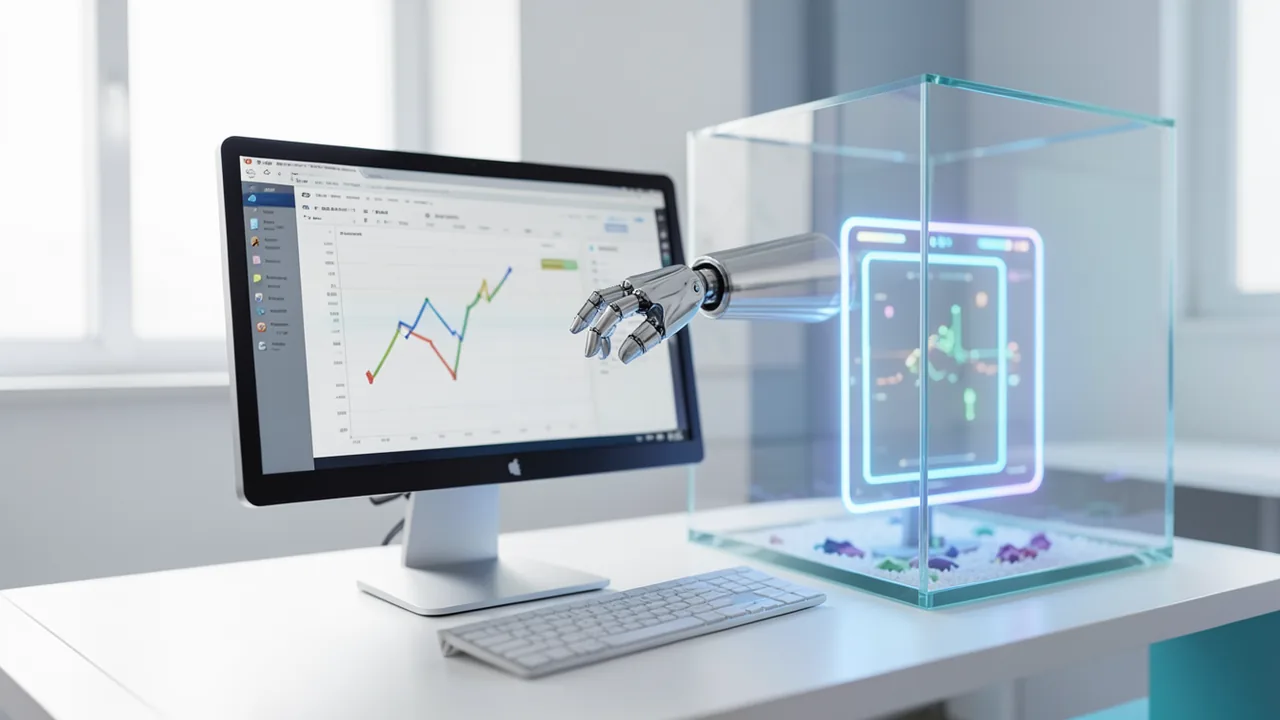
Microsoft has released Mage-VL-Cowork, a small 4-billion-parameter model that controls a computer through the screen and the terminal. On the OSWorld-Verified benchmark it scores 66.0 percent, according to Microsoft, ahead of several much larger models. The weights are freely available under Apache-2.0, but the model is intended for research in isolated environments only.
What's this about?
A Microsoft research team has released Mage-VL-Cowork, a model with 4 billion parameters (parameters are, roughly speaking, the dials the model tuned during training). It operates a computer the way a person would: it looks at screenshots, clicks and types. But it can also run shell commands and Python scripts. The model decides for itself which tool to use. The weights are on Hugging Face under the Apache-2.0 license. The AI Tracker service logged them on October 30, 2026 at 8:20 a.m. US Eastern time. That is when they were discovered, not necessarily when they were officially announced.
Some background: agents that work only from screenshots burn through lots of tokens (the text chunks a model computes with). Changing a single spreadsheet cell can take many steps through menus. Rendering delays and slightly wrong coordinates make tasks fail. Pure shell agents, on the other hand, struggle with layouts or drawing canvases. Earlier solutions paired several agents or external routers, which meant extra calls and lost context.
One model, two channels
At each step, Mage-VL-Cowork chooses between two channels:
| Channel | Actions | Output | Use |
|---|---|---|---|
| computer_use | 11 actions: click, double/triple click, mouse move, drag, text input, key press, scroll, wait, screenshot, terminate | Screenshot after the action | Checking layouts, drawing canvases, dynamic interfaces |
| bash | arbitrary shell commands, Python scripts, libraries such as openpyxl and pandas | Text from stdout and stderr | Editing documents/spreadsheets, calculations, verifying results |
Click coordinates are normalized to a range of 0 to 999, and the environment converts them to the real resolution (for example 1920×1080). Here's an example: to merge cells in a spreadsheet and set a heading, a pure GUI agent would have to launch LibreOffice Calc, wait, and format. Mage-VL-Cowork can instead run a Python script with openpyxl and save the file directly. That saves steps and sidesteps pop-ups.
In a demo on the project page, the GUI model Qwen3.6-27B needed 39 steps and 9:56 minutes for a Calc task. Mage-VL-Cowork needed 6 steps and 39 seconds (roughly 15 times faster). According to the source, that's a single example and doesn't carry over to every task.
Five-stage training
The base is a 4B intermediate checkpoint called "Mage-VL". Rather than teaching both skills at once, the team uses a "Specialize-then-Unify" curriculum:
| Stage | Content | Compute |
|---|---|---|
| 1 GUI midtraining | Mapping on-screen elements, tool formats | 1.18 ZFLOPs |
| 2 GUI Agent SFT | Multi-step mouse/keyboard control | 1.55 ZFLOPs |
| 3 Coding & Terminal SFT | Development, file operations | 0.27 ZFLOPs |
| 4 Hybrid CUA SFT | Choosing a channel at each step | 2.17 ZFLOPs |
| 5 Online Hybrid RL | Success rate and efficiency with GRPO and verifiable rewards | 2.62 ZFLOPs |
SFT (supervised fine-tuning) means the model learns from examples. RL (reinforcement learning) means it learns by being rewarded for successful outcomes.
For the training data, the team built an engine called Mage-CUA-Forge. It bundles reusable core skills and predefined task and environment scripts, instead of having agents search by trial and error each time. According to Microsoft, token use per task dropped by 93.3% (from 1,276,000 to 85,000), and cost fell by 82.6% (from $0.906 to $0.158). The engine produced 293,806 tasks from 6,915 core skills, plus 318,837 verified hybrid trajectories.
Particularly interesting: the tool environment of the teacher model, GPT-5.4, strongly influenced the small model. In the lean environment (without overlapping aids such as the accessibility tree and xdotool, but with openpyxl and pandas preinstalled), the teacher's success rate rose from 89.6% to 92.0%, and the step count fell by 29.2% (35.33 to 25.00). The student trained on data from the cluttered environment reached 25.1% at 39.40 steps, while the one trained on the lean data reached 37.6% at 30.91 steps. That's a 12.5-point gap. Whether this holds for other teachers and datasets is an open question.
Benchmarks
On OSWorld-Verified, the model scores 66.04%. It was measured on 361 tasks excluding Google Drive tasks, with a maximum of 50 steps, as the average of 65.33% and 66.75% from two runs. The agent used was "MAGEHybridAgent", with three screenshots, 1920×1080, temperature 0.7, top_p 0.8 and at most 4,096 generated tokens.
| Model | OSWorld-Verified (%) |
|---|---|
| ScaleCUA-9B | 68.7 |
| Mage-VL-Cowork-4B | 66.0 |
| Muse Glimmer-30B | 65.9 |
| Qwen3.6-27B | 63.9 |
| EvoCUA-32B | 56.7 |
| ComputerRL-9B | 48.0 |
| OpenCUA-72B | 44.9 |
| Fara1.5-4B | 13.9 |
For the larger models, Microsoft's table gives no details such as step limits, so the comparison isn't necessarily fair. Here is how the training stages compare:
| Stage | Success (%) | Model calls | Output tokens | Thinking tokens |
|---|---|---|---|---|
| Stage 2 GUI SFT | 45.56 | 25.36 | 6,401 | 4,549 |
| Stage 4 Hybrid SFT | 55.84 | 21.57 | 7,374 | 3,328 |
| Stage 5 Online RL | 66.04 | 18.77 | 5,499 | 2,482 |
| GPT-5.4-mini (xhigh) | 69.57 | 18.24 | 12,397 | 11,631 |
So RL added 10.2 points, with 13% fewer calls and 25.4% fewer output tokens. The reference model GPT-5.4-mini scores higher at 69.57%, but needs more than twice as many output tokens.
On web tasks, the model is weaker than specialists: on WebVoyager-Static, the SFT checkpoint (before RL) scores 58.6%, while the browser-specialized Fara1.5-4B reaches 68.0%. In return, Fara1.5-4B manages only 13.9% on OSWorld-Verified. Both figures come from different training stages and tests, so they aren't directly comparable.
What you need to try it
- Memory: The bfloat16 weights are 9.48 GB (two safetensors files). KV cache, vision encoder and system overhead come on top, so real requirements are higher. A GPU with at least 12 to 16 GB of VRAM is realistic; the source doesn't mention quantized variants.
- Software: Microsoft recommends an SGLang environment via the official Docker image: SGLang 0.5.2, PyTorch 2.8.0+cu128, Transformers 5.7.0, FlashInfer 0.3.1 and SGLANG_MAX_PIXELS=4000000. The Model Card also lists transformers>=4.57.3.
- Custom code: The "llava_onevision2" architecture is custom Python code in the repository, so trust_remote_code=True is required. Review that code first.
- Context: 32,768 tokens in training and inference; the architecture is said to support up to 262,144. Old steps are compressed into one-line "Action:" summaries, while the last three screenshots and four responses stay in full.
- Safety: Test only in disposable containers or VMs with a snapshot, with no access to host files, the local network, SSH keys, tokens or cookies. The source doesn't cover Mac, CPU or Colab.
Safety
The bash channel executes arbitrary commands. Wrong decisions or injected instructions (indirect prompt injection, meaning hidden commands in web pages or documents) can destroy files or leak data. On GitHub, Microsoft describes the model family as "for research purposes only", not for commercial products. For consequential actions such as sending data, logging in, payments or permission changes, a human should approve, and outbound connections should be restricted to allowed addresses.
Takeaway
Mage-VL-Cowork shows that model size isn't the only thing that matters for computer agents: channel selection, clean teacher data and efficient history management add a lot. At 66% on OSWorld-Verified, a 4B model is competitive, but it doesn't beat every open model (ScaleCUA-9B is ahead) and trails GPT-5.4-mini. A caveat: the number depends on the specific agent setup, the 50-step limit and Microsoft's own measurement, and independent reproductions are still pending. The permissive license doesn't change the fact that Microsoft advises against production use. It's also not Microsoft's "Copilot Cowork" product, which runs on its own as a cloud service for Microsoft 365. For researchers and tinkerers who want to study agents locally, the model is interesting. For everyday use, it's not.
Sources
- Bing News (en-GB) xenospectrum.com
- digitaltrends.com digitaltrends.com
- biztechmagazine.com biztechmagazine.com
- pulse2.com pulse2.com
Try it yourself: Mage-VL-Cowork
Explained step by step, no prior knowledge needed – on your own computer or free in your browser.
What can I do with it?
Mage-VL-Cowork operates a desktop from screenshots and can also run shell commands and Python scripts. It decides for itself whether clicking or scripting makes more sense. That saves many steps in spreadsheet and document work. On OSWorld-Verified it scores 66%, according to Microsoft, more than some far larger models, but it trails ScaleCUA-9B and GPT-5.4-mini. For pure browser tasks, specialized models are stronger. It's a research model and works best with the agent setup Microsoft provides, not as a simple chatbot.
Who is it worth it for?
Of interest to developers and researchers who want to test or reproduce computer agents locally and have a GPU and Docker experience. If you're a beginner without Linux and sandbox know-how, it's probably not worth it, not least because of the risks of shell access.
Ideas: What you can do with it
The model changes Excel files directly with Python (openpyxl, pandas), for example totals, formatting or merged cells. It then checks with a script that the file is correct.
The shell lets you convert formats or rename files. In a test environment, that's faster than clicking by hand.
You can start your own OSWorld runs and compare the results with Microsoft's figures.
The model can inspect layouts in a screenshot and verify content with a script.
Use it to compare GUI-only and hybrid operation on your own tasks, for example by steps and tokens.
What your computer needs
Which variant is right for me?
Many models come in several sizes or "quantizations." These are compressed versions: smaller and faster, but slightly less accurate. Rule of thumb: pick the largest variant whose memory requirement fits in your VRAM (video memory). The scripts below choose this for you automatically.
| Variant | Download | Needs approx. | Compatible graphics cards |
|---|---|---|---|
Q2_K |
1.8 GB | 3 GB | almost any graphics card with 4 GB or more (e.g. GTX 1650, RTX 3050) |
Q3_K_M |
2.2 GB | 3.5 GB | almost any graphics card with 4 GB or more (e.g. GTX 1650, RTX 3050) |
Q4_K_M Default |
2.7 GB | 4 GB | almost any graphics card with 4 GB or more (e.g. GTX 1650, RTX 3050) |
Q6_K |
3.6 GB | 5 GB | e.g. RTX 2060, RTX 3050 8 GB, RX 6600 |
Q8_0 |
4.7 GB | 6.5 GB | e.g. RTX 3060 Ti, RTX 4060, RTX 5060, RX 7600 |
According to the source, only the bfloat16 weights (9.48 GB) exist. Plan for a GPU with about 16 GB of VRAM. The source doesn't mention quantized versions; their memory savings would first have to be measured.
- bfloat16 weights: 9.48 GB in two safetensors files; real requirements are higher because of KV cache and vision encoder.
- Recommended setup: SGLang 0.5.2, PyTorch 2.8.0+cu128, Transformers 5.7.0, FlashInfer 0.3.1 in the official Docker image.
- Set SGLANG_MAX_PIXELS=4000000 so that 1920×1080 is processed at full resolution.
- Context length is 32,768 tokens in the published configuration.
- The source makes no statements about Apple Silicon, CPU or Colab.
How do I find out what my computer has?
- Windows: Press Ctrl + Shift + Esc → Task Manager → Performance tab → click GPU on the left. At the bottom you'll see Dedicated GPU memory (that's your VRAM). You'll find system memory under Memory.
- Mac: Apple menu at the top left → About This Mac. You'll see your chip (e.g. M2) and memory (e.g. 16 GB). On Apple chips, graphics and processor share this memory.
- Linux: Type
nvidia-smiin the terminal (shows your graphics card and its memory) andfree -hfor system memory.
Guide
Google Colab (in your browser, no installation)
Google Colab is a free service from Google. It gives you a computer with a graphics card in your browser for a few hours. All you need is a Google account. For this model: runs for free – The free Tesla T4 GPU with 15 GB is enough.
- Download the notebook. Click the button and save the file.
- Open Colab. Go to colab.research.google.com and sign in with your Google account.
- Upload the notebook. In the window that appears, click Upload on the left (or choose File → Upload notebook at the top) and select the file
colab.ipynb. - Turn on the GPU. In the top menu, go to Runtime → Change runtime type → under Hardware accelerator, select T4 GPU → Save.
- Start everything. Runtime → Run all (keyboard shortcut Ctrl + F9). If you see the warning “This notebook was not authored by Google,” click Run anyway.
- Wait. The cells run one after another. A green checkmark appears to the left of each cell when it's done. Installation and download take about 5 minutes here.
- Try it out. The result appears below the last cell. To test something else, change the text in the cell and run it again with Shift + Enter. The last cell starts a proper chat with an input field.
- Clean up. When you're done: Runtime → Disconnect and delete runtime. This saves your free quota.
Good to know: The free GPU is limited (usually a few hours per day). After about 90 minutes of inactivity, Colab disconnects, and you'll have to start everything over.
Windows 10 / 11
The easiest way is Ollama, a free program that launches AI models with a single command.
- Update your graphics driver (NVIDIA cards only): Install the NVIDIA app or the latest driver. For AMD cards, use the latest Adrenalin driver.
- Install Ollama. Download the file OllamaSetup.exe from ollama.com/download/windows, double-click it, and choose Install. Afterward, a small llama icon appears in the taskbar at the bottom right.
- Open a terminal window. Press the Windows key, type PowerShell and press Enter. A blue or black window opens.
- Start the model. Copy this command ("Copy" button), paste it into the window with a right-click, and press Enter:
The first time, Ollama downloads the model (2.7 GB (about 4 min at 100 Mbit/s)). After that, it's instant.ollama run hf.co/Hansda/Mage-VL-Cowork-GGUF:Q4_K_M - Start typing. Once
>>> Send a messageappears, type your question and press Enter. Type/byeto end the chat.
Not enough memory? Pick a smaller variant from the table above, e.g. ollama run hf.co/Hansda/Mage-VL-Cowork-GGUF:Q2_K.
Prefer automatic? A script that picks the right variant for you
- Download both files into the same folder: try_windows.ps1 demo.py
- Open the folder in File Explorer, right-click an empty spot and choose Open in Terminal.
- Paste this command and press Enter:
powershell -ExecutionPolicy Bypass -File try_windows.ps1
If needed, the script installs Ollama via winget, measures your VRAM (video memory) and downloads the matching variant.
macOS
Macs with an Apple chip (M1 to M5) are ideal. Older Intel Macs are very slow.
- Install Ollama. Download it from ollama.com/download/mac, open the file, and drag Ollama into your Applications folder. Launch Ollama once – a llama appears in the menu bar at the top.
- Open Terminal. Press Cmd + Space, type Terminal, and press Enter.
- Start the model. Paste the command (Cmd + V) and press Enter:
The first time, the model is downloaded (2.7 GB (about 4 min at 100 Mbit/s)).ollama run hf.co/Hansda/Mage-VL-Cowork-GGUF:Q4_K_M - Start typing. Type your question and press Enter. Quit with
/bye.
Linux
- Check your GPU.
nvidia-smishould show your card. If it doesn't, install the driver on Ubuntu and restart:sudo ubuntu-drivers install - Install Ollama:
curl -fsSL https://ollama.com/install.sh | sh - Start the model:
Exit withollama run hf.co/Hansda/Mage-VL-Cowork-GGUF:Q4_K_M/bye. Useollama psto check whether the model is running on the GPU. - Or let it pick the right variant automatically:
bash try_linux.sh
# mit Python/transformers statt Ollama:
MODE=hf bash try_linux.sh
Try it
Open the spreadsheet umsatz.xlsx, merge A1 through D1 and set the heading "Quarterly Report".Find all PDF files in the Downloads folder and list their names in a text file.In the open spreadsheet, calculate the total per month and insert it in a new column.Rename all images in the fotos folder using the pattern Vacation_001, Vacation_002.Create a slide in LibreOffice Impress with a title and three bullet points, and visually check the layout.Tips for better results
- Use the Docker image Microsoft recommends and the MAGEHybridAgent agent to reproduce the benchmark numbers.
- Use temperature 0.7 and top_p 0.8, as in the evaluation.
- Give the model a resolution of 1920×1080 so it can recognize small text and icons.
- Give the model only temporary credentials and restrict outbound connections.
If something goes wrong
trust_remote_code=True is required because the llava_onevision2 architecture ships its own code. Review the code first.
It can't simply be loaded into a standard Qwen3-VL implementation.
If the model runs on your main machine, it can delete files or leak data. Use containers or VMs with a snapshot.
With other inference engines or agent frameworks, the success rate may come out lower than in the benchmark.
The full benchmark also needs the scripts in the mage_vl_cowork folder of the GitHub repo.
“out of memory,” a crash, or your computer freezes
The model is too big for your VRAM (video memory). Pick a smaller variant from the table above and close other programs, especially games and browsers with lots of tabs.
It runs, but extremely slowly
Your CPU is probably doing the work instead of your graphics card. In Ollama, the PROCESSOR column of ollama ps shows how much runs on the GPU. If it says "100% CPU", update your graphics driver or pick a smaller variant that fits entirely into VRAM (video memory).
“ollama” or “python” is not found
Close the terminal window and open it again so it recognizes the newly installed program. For Python on Windows: reinstall it and check Add python.exe to PATH.
Windows: "Running scripts is disabled on this system"
Run the script with exactly the command above: powershell -ExecutionPolicy Bypass -File try_windows.ps1. This allows execution for this one time only.
Error message when loading the model (version, "trust_remote_code", unknown architecture)
Brand-new models often need the latest software version. With Ollama: update Ollama. With Python: pip install -U transformers in the activated environment. The Model Card usually lists the exact version.
Tokenstrom generates the scripts and notebook automatically. Please take a quick look before running them – they're plain, readable text. Mind the model's license: apache-2.0.
Ask the AI assistant
Questions about this article, installation or background? Our assistant knows this page and runs on our own machine, not in someone else's cloud.
The Assistant is an AI (Gemma 4) and can make mistakes – please check important details against the source. Questions are used only to generate an answer and are deleted after one hour. Please don't enter any personal data.
Comments
What do you think? Already tried it? Write it here, no sign-up needed.
Comments are public. Links aren't allowed, and we delete abusive posts. You can delete your own comment at any time in this browser. Learn more in the Privacy Policy.