
Ming-3.0-tts: 0.5B open-weight TTS model under MIT license tops pronunciation ranking
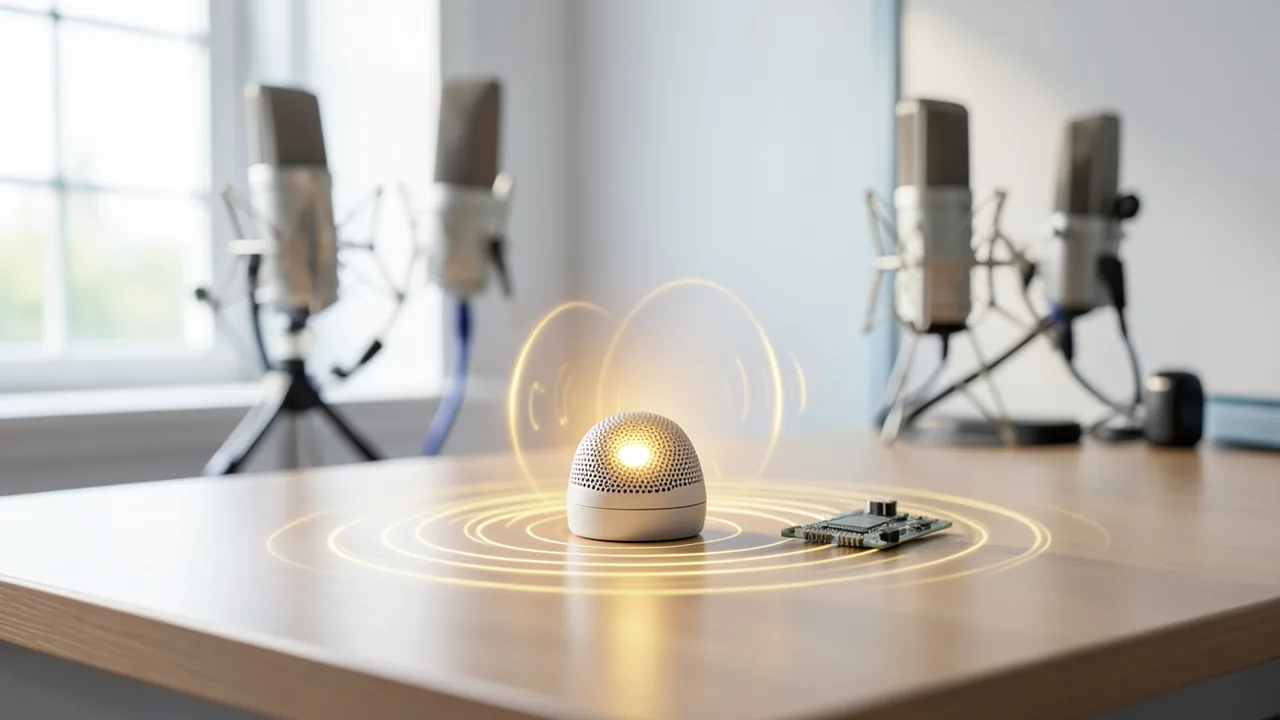
Ant's inclusionAI team has released the Ming-3.0 speech family under the MIT license. The TTS model has just 0.5B parameters, yet it shares first place in Artificial Analysis' English pronunciation ranking.
What's going on
Ant's inclusionAI team released the Ming-3.0 speech family on October 20, 2026 under the MIT license. Weights are on Hugging Face and ModelScope, and the inference code lives in a separate GitHub repository. The family has five models in three lines: speech synthesis (TTS), audio understanding and dialogue, and speech recognition. The focus is Ming-3.0-tts-0.5B, which punches well above its size in an independent ranking. The source is a blog post by the router provider OrcaRouter, which also mentions its own products, so the framing isn't entirely neutral.
The two TTS models
- Ming-3.0-tts-0.5B: a dense model (all parameters always active) built on Qwen2.5-0.5B, with a DiT patch head (a diffusion component for audio detail), an audio tokenizer, a speaker encoder and a text tokenizer. It comes to about 2.96 GB of Safetensors files. This is the model that was independently measured.
- Ming-3.0-tts-tiny: a Mixture-of-Experts model (only some of the experts are used per token) built on Ant's Ling-V3 base, with 7.9B parameters in total and about 1.3B active. It is around 18 GB in 30 files and adds multi-speaker podcasts. "Tiny" refers to runtime cost, not download size.
According to the source, the 0.5B weights were already on Hugging Face before the announcement. What was new was the GitHub code, the coordinated announcement and the independent benchmarks.
Results
Artificial Analysis tested the 0.5B model in October 2026 (rated by humans, not from Ant's own tables):
| Ranking | Result | Rank |
|---|---|---|
| Pronunciation Robustness | 93.2% | shared 1st |
| Controlled Voice (cloned voices) | 1,069 Elo | 1st among open-weight, about 13th overall |
| Provider Voice (built-in voices) | 1,188 Elo | 3rd among open-weight, about 18th overall |
Elo is a rating system based on pairwise comparisons. The model is clearly stronger at cloning a voice than with its own voices. The reason: the catalog has over 100 Chinese voices but only five English ones. It also ranks only 21st of 31 on individual terms such as brand names, place names and proper names. If you want to voice "Kubernetes" or customer names, test it first.
What you need to try it
The 0.5B weights (about 3 GB) fit comfortably in BF16 on a single 24 GB consumer card, even with the audio tokenizer and several parallel requests. It was tested on H800-80GB and H20-96G, but you don't need cards like that. The smaller variant probably runs on less VRAM too, but that isn't documented. The tiny MoE needs more memory and, according to the repo, its own environment. Requirements: CUDA 12.4, PyTorch, optionally flash-attn (falls back to PyTorch SDPA) and pynini for FST text normalization (unless you turn it off). pynini often causes installation problems on newer Python versions. The source doesn't mention Mac, CPU or Colab. There is no hosted inference provider on Hugging Face.
License and deployment
Both checkpoints are MIT-licensed: no gate, no usage clause, and fine-tuning (including on your own voice data) and redistribution in products are allowed. For comparison, the source cites Sesame's CSM-1B (Apache-2.0, but behind a consent gate, and not the demo voice) and Qwen-Audio-3.0-TTS (API only, 48 kHz, no weights). Ming outputs 44.1 kHz, more than the 24 kHz that is often standard.
The Hugging Face repos ship checkpoints only. Inference requires the GitHub repo, whose code the source describes as research-grade. In China, Ant offers an API through Ling Studio and uses the family internally in Alipay search, the Afu health app and office tools. There is no hosted endpoint internationally.
Takeaway
For teams with their own GPU, the math shifts from per-character fees to fixed GPU costs. Where the break-even point sits depends on utilization and pricing. Much remains open: there is no technical report yet, so it's unclear whether the efficiency comes from the architecture or from very good training data. vLLM-Omni support is only on the roadmap. The source doesn't mention German, and the measurements cover English. The "podium" claim holds only for the pronunciation ranking. With built-in voices, it's a good result for its size but not a top spot. The OrcaRouter passage on fallbacks is self-promotion.
Sources
- Google News (US) orcarouter.ai
Try it yourself: Ming-3.0-tts-0.5B
Explained step by step, no prior knowledge needed – on your own computer or free in your browser.
What can I do with it?
Ming-3.0-tts-0.5B turns text into spoken language (speech synthesis, or TTS). The model is small, but an independent evaluation says it sounds good. It outputs 44.1 kHz audio, more than the 24 kHz that is often standard. You can recreate a voice from a short audio clip (voice cloning). You can also describe a voice in text (Voice Design) or control speaking style, emotion, pace, pitch and volume. According to the Model Card, it supports Chinese, English, German, Spanish, French, Korean and Japanese, plus the Sichuanese and Cantonese dialects. The measurements in the article only apply to English, though. You'll have to test for yourself how good the German sounds. Built-in voices exist only in Chinese and English. On individual terms such as brand or proper names, the model was fairly mediocre (21st of 31). At cloning voices, it leads among open models. Setup is a bit of tinkering: you need an NVIDIA card and some Python experience.
Who is it worth it for?
The model is a good fit for tinkerers and developers with an NVIDIA graphics card who want to run speech output locally and without license worries (MIT). Podcast, video and game projects are also candidates. It's less suitable if you want a ready-made program with a point-and-click interface. It will also be difficult if you work without an NVIDIA GPU, since the source doesn't mention Mac, CPU or Colab. For German: the Model Card lists the language, but the article cites no measurement for it. So listen critically yourself.
Ideas: What you can do with it
You write a short welcome text and have a voice of your choice speak it. With Voice Design, you describe the tone, for example "friendly, energetic". You get a 44.1 kHz file that you can drop straight into your editing software.
You record a few seconds of yourself and clone your voice. Then you have it read blog posts, newsletters or explainer-video scripts. That saves recording time. For voices that aren't yours, always get the person's permission.
You create a separate voice for each character, using a description or a reference clip. With the tags for laughing, sighing or hesitating (in Chinese or English, per the Model Card), scenes feel livelier. You then assemble the files into a scene.
You build announcements for smart-home tinkering or hobby robots. The text goes to the local model, and your device plays the audio file. Everything stays at home and there are no per-character fees.
You have scripts, articles or flashcards read aloud, for example on your commute. With pace and volume controls, you adjust the result. First check how well German works for your texts.
A team tests whether its own GPU is cheaper than a paid API. The MIT license allows fine-tuning on your own voice data and building it into products. Note: according to the source, the inference code is research-grade.
What your computer needs
Start with Ming-3.0-tts-0.5B. The weights are about 3 GB and run comfortably in BF16 (a space-saving number format) on a 24 GB card. It probably runs on less VRAM too, but that isn't documented. The source doesn't mention quantized variants. You only need Ming-3.0-tts-tiny (Mixture-of-Experts, 7.9B parameters in total, about 1.3B active, roughly 18 GB download) for multi-speaker podcasts. It needs more memory and, according to the repo, its own environment. The name "tiny" refers to runtime cost, not download size.
- The 0.5B weights are about 2.96 GB. According to the article, they fit on a 24 GB consumer card in BF16, including the audio tokenizer and several parallel requests.
- It was tested on H800-80GB and H20-96G with CUDA 12.4. Cards like these are not a requirement.
- You need CUDA 12.4 and PyTorch. flash-attn (faster attention computation) is optional. Without the package, the model uses PyTorch SDPA.
- Whether it runs with less than 24 GB of VRAM is not documented. It probably works, so give it a try.
- The tiny MoE needs more memory (about 18 GB in 30 files) and its own environment.
- The source doesn't mention Mac, CPU-only operation or Colab. Plan on an NVIDIA GPU.
How do I find out what my computer has?
- Windows: Press Ctrl + Shift + Esc → Task Manager → Performance tab → click GPU on the left. At the bottom you'll see Dedicated GPU memory (that's your VRAM). You'll find system memory under Memory.
- Mac: Apple menu at the top left → About This Mac. You'll see your chip (e.g. M2) and memory (e.g. 16 GB). On Apple chips, graphics and processor share this memory.
- Linux: Type
nvidia-smiin the terminal (shows your graphics card and its memory) andfree -hfor system memory.
Guide
This model runs with its developers' own program (inclusionAI/Ming-3.0-tts on GitHub). The commands below come from the Model Card and the developers' instructions.
Windows 10 / 11
Windows 10 / 11: not officially tested. It was only tested on NVIDIA server GPUs (H800, H20) with CUDA 12.4, and Windows isn't mentioned. It should work with an NVIDIA card, but that isn't confirmed. We skip text normalization (pynini).
- Check the prerequisites. You need Python 3.10 (3.10 is a safe bet), Git and an NVIDIA graphics card with a current driver. Install Python and Git if they're missing, then open PowerShell.
python --version git --version nvidia-smi - Download the program. This pulls the program code from GitHub into a new folder.
git clone https://github.com/inclusionAI/Ming-3.0-tts.git cd Ming-3.0-tts - Create a separate environment. A "venv" is a self-contained folder for Python packages. It keeps the rest of your system clean. If PowerShell blocks activation, allow scripts for this session with the first command.
Set-ExecutionPolicy -Scope Process -ExecutionPolicy Bypass python -m venv .venv .venv\Scripts\Activate.ps1 - Install the packages. This downloads all the required libraries. It can take a few minutes.
pip install -r requirements.txt - Download the model. The model is about 3 GB. It ends up in the Ming-3.0-tts-0.5B folder.
pip install "huggingface_hub[cli]" hf download inclusionAI/Ming-3.0-tts-0.5b --local-dir Ming-3.0-tts-0.5B - Generate your first speech output. The example file lingguang.wav is already in the downloaded program. It serves as a voice reference, and the voice gets imitated. The --no_text_normalization switch skips the number preprocessing, which needs an extra package.
python infer.py ` --model_path Ming-3.0-tts-0.5B ` --task TTS ` --language_id Chinese ` --text "傍晚的风从山口吹过来,远处的云慢慢染成了金色。" ` --prompt_wav_path data/voice_presets/voice_audio/lingguang.wav ` --prompt_text "诶,你今天有空吗?我们能不能聊聊这件事啊?" ` --use_spk_emb ` --no_text_normalization ` --output output/tts.wav - Result. The output folder contains the file tts.wav, with the example sentence spoken in the voice of the reference clip.
macOS
macOS: not officially tested. It was only tested with NVIDIA graphics cards and CUDA; the source doesn't mention Apple chips (Metal). Whether it runs on a Mac, or runs very slowly, is an open question. The alternatives are the project's demo page or a machine with an NVIDIA card.
- Check the prerequisites. You need Python 3.10 (a safe bet), Git and the Xcode command-line tools. Install the latter with the first command if they're missing.
xcode-select --install python3 --version git --version - Download the program. This pulls the program code from GitHub into a new folder.
git clone https://github.com/inclusionAI/Ming-3.0-tts.git cd Ming-3.0-tts - Create a separate environment. A "venv" is a self-contained folder for Python packages. It keeps your system clean.
python3 -m venv .venv source .venv/bin/activate - Install the packages. This downloads all the required libraries. It may take a while and may also report errors on a Mac, because the instructions are written for NVIDIA.
pip install -r requirements.txt - Download the model. The model is about 3 GB. It ends up in the Ming-3.0-tts-0.5B folder.
pip install "huggingface_hub[cli]" hf download inclusionAI/Ming-3.0-tts-0.5b --local-dir Ming-3.0-tts-0.5B - Generate your first speech output. The example file lingguang.wav is already in the program folder and serves as a voice reference. The --no_text_normalization switch skips the number preprocessing, which needs an extra package.
python infer.py \ --model_path Ming-3.0-tts-0.5B \ --task TTS \ --language_id Chinese \ --text "傍晚的风从山口吹过来,远处的云慢慢染成了金色。" \ --prompt_wav_path data/voice_presets/voice_audio/lingguang.wav \ --prompt_text "诶,你今天有空吗?我们能不能聊聊这件事啊?" \ --use_spk_emb \ --no_text_normalization \ --output output/tts.wav - Result. The output folder contains the file tts.wav, with the example sentence spoken in the voice of the reference clip.
Linux
Linux: supported. Tested on NVIDIA H800-80GB and H20-96G with CUDA 12.4; other NVIDIA cards should work. flash-attn is optional; without it, the program uses PyTorch SDPA.
- Check the prerequisites. You need Python 3.10 (a safe bet), Git and an NVIDIA graphics card with the driver installed (tested with CUDA 12.4). Check with the three commands.
python3 --version git --version nvidia-smi - Download the program. This pulls the program code from GitHub into a new folder.
git clone https://github.com/inclusionAI/Ming-3.0-tts.git cd Ming-3.0-tts - Create a separate environment. A "venv" is a self-contained folder for Python packages. It keeps your system clean.
python3 -m venv .venv source .venv/bin/activate - Install the packages. This downloads all the required libraries. Next comes pynini, which converts numbers and dates into words. If pynini doesn't work, skip it and append --no_text_normalization to the start command later.
pip install -r requirements.txt pip install pynini==2.1.6 - Download the model. The model is about 3 GB. It ends up in the Ming-3.0-tts-0.5B folder.
pip install "huggingface_hub[cli]" hf download inclusionAI/Ming-3.0-tts-0.5b --local-dir Ming-3.0-tts-0.5B - Generate your first speech output. The example file lingguang.wav is already in the program folder and serves as a voice reference whose voice gets imitated. The example sentence is in Chinese.
python infer.py \ --model_path Ming-3.0-tts-0.5B \ --task TTS \ --language_id Chinese \ --text "傍晚的风从山口吹过来,远处的云慢慢染成了金色。" \ --prompt_wav_path data/voice_presets/voice_audio/lingguang.wav \ --prompt_text "诶,你今天有空吗?我们能不能聊聊这件事啊?" \ --use_spk_emb \ --output output/tts.wav - Result. The output folder contains the file tts.wav, with the example sentence spoken in the voice of the reference clip.
Try it
Simple (English default voice): "Good evening, and welcome to the show. Today we talk about the weather." Use the recommended voice US_Emma or UK_George.Testing numbers: "The train departs from platform 7 at 6:45 p.m. and costs €29.90." Choose MULTILINGUAL with language_id English. This checks number, time and symbol handling in text normalization.Cloning a voice: Take a clean recording of yourself (a few seconds) with a transcript as the reference. Then have it read: "Hello, and here is this week's summary."Style by description (Voice Design): "A calm, deep male voice that speaks slowly and warmly, like a fairy-tale narrator." Add the text: "Once upon a time there was a little dragon who was afraid of fire."Demanding (names): "We're deploying Kubernetes at Smith & Sons in Garmisch-Partenkirchen." The model is weaker on technical terms, brand names and place names, so check carefully what it makes of this.Tips for better results
- Use a clean, short clip without background noise as your reference. Pass the spoken text along as prompt_text. Cloning is the model's biggest strength.
- For English and Chinese, it's best to use the recommended voices UK_George, US_Emma, 灵小柔 and 灵楷. Enter the ip value exactly as it appears in the voice catalog.
- For German, Spanish, French, Korean and Japanese, use the MULTILINGUAL task and set language_id. Otherwise the results are unreliable.
- Test difficult words one at a time. Brand, place and proper names are a weakness. It often helps to generate the text in parts and retry the bad spots.
- Don't mix modes: Freeform has its own task and can't be combined with Voice Design, a built-in voice, emotion, dialect or attributes. So pick one type of control per run.
- Start with short sentences and listen to them before you generate long texts.
If something goes wrong
Hugging Face only hosts the checkpoints. You get the inference code (infer.py, ming_tts.MingTTS) from the GitHub repository inclusionAI/Ming-3.0-tts. Clone it and install the requirements.
pynini (for text normalization of numbers, units and symbols) often causes problems on newer Python versions. The Model Card recommends conda-forge with pynini==2.1.6. Alternatively, start with --no_text_normalization. Then you have to write out numbers and symbols yourself.
The call needs the right task (--task) and, for languages other than English or Chinese, a language_id. If it's missing, you get errors or poor pronunciation.
There are only a few English voices (five, according to the article) and over 100 Chinese ones. For good results in German or English, you're better off cloning your own reference voice.
Technical terms and proper names are often mispronounced. Test them beforehand.
There is no hosted inference provider on Hugging Face and no official API internationally. You have to run it locally yourself.
Use python tools/preflight.py --model_path … to check that the download is complete. That helps if startup fails.
“out of memory,” a crash, or your computer freezes
The model is too big for your VRAM (video memory). Pick a smaller variant from the table above and close other programs, especially games and browsers with lots of tabs.
It runs, but extremely slowly
Your CPU is probably doing the work instead of your graphics card. In Ollama, the PROCESSOR column of ollama ps shows how much runs on the GPU. If it says "100% CPU", update your graphics driver or pick a smaller variant that fits entirely into VRAM (video memory).
“ollama” or “python” is not found
Close the terminal window and open it again so it recognizes the newly installed program. For Python on Windows: reinstall it and check Add python.exe to PATH.
Windows: "Running scripts is disabled on this system"
Run the script with exactly the command above: powershell -ExecutionPolicy Bypass -File try_windows.ps1. This allows execution for this one time only.
Error message when loading the model (version, "trust_remote_code", unknown architecture)
Brand-new models often need the latest software version. With Ollama: update Ollama. With Python: pip install -U transformers in the activated environment. The Model Card usually lists the exact version.
Tokenstrom generates the scripts and notebook automatically. Please take a quick look before running them – they're plain, readable text. Mind the model's license: mit.
Ask the AI assistant
Questions about this article, installation or background? Our assistant knows this page and runs on our own machine, not in someone else's cloud.
The Assistant is an AI (Gemma 4) and can make mistakes – please check important details against the source. Questions are used only to generate an answer and are deleted after one hour. Please don't enter any personal data.

Comments
What do you think? Already tried it? Write it here, no sign-up needed.
Comments are public. Links aren't allowed, and we delete abusive posts. You can delete your own comment at any time in this browser. Learn more in the Privacy Policy.