
NVIDIA Dory 1.0: 4B model thinks in loops instead of longer text
NVIDIA has released Dory1.0-4B, a small language model that runs the same block of layers multiple times. Invest more compute and you get better results, with no different model and no retraining. The weights are free to download.
What's going on
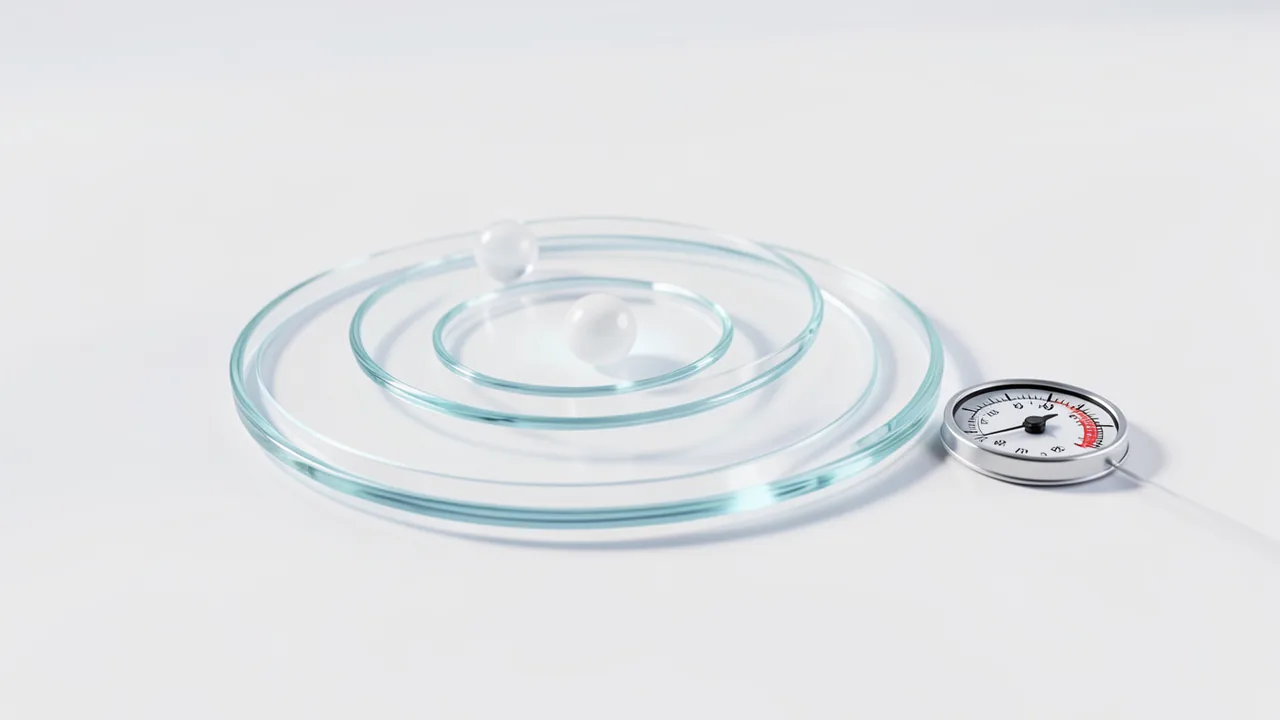
On October 16, 2026, NVIDIA released NVIDIA-Nemotron-Labs-Dory1.0-4B-BF16 on Hugging Face. It's a language model with 4 billion parameters (parameters are, roughly speaking, the knobs a model learns during training). What makes it special: it's a so-called "looped" model (also called latent-recurrent). Some of its layers are applied several times in a row for every token. That lets the model compute more per token without getting bigger. The weights are free to download, and the license is OpenMDW-1.1.
How the loop architecture works
The layers are split into three groups: input (8 layers), a recurrent block (20 layers) and output (8 layers). The middle block is applied multiple times, and the input is fed back in on every loop. The base is a "normalized GPT" (nGPT) with alternating layers of sliding-window attention (attention over a limited window only) and full attention.
NVIDIA lists several advantages:
- Elastic compute: One model serves different budgets. You only change the number of loop passes, with no retraining or model swap.
- Token efficiency: With more loops, the model needs fewer generated tokens for the same task, according to the card. The thinking happens in "latent space," meaning internally, rather than in longer outputs.
- Memory-friendly: Normally, each loop needs its own KV cache (the buffer where the model remembers the text so far). Dory supports "last-loop KV caching": there's just one cache per recurrent attention layer, and every loop overwrites it. That means no extra cache memory compared with a non-looped model, no matter how many loops run. According to NVIDIA, accuracy stays close to the default "per_loop" mode.
Training
Pretraining covered 6 trillion tokens of crawled and synthetic data on code, math, science and general knowledge, followed by 300 billion tokens for context extension to 256K. Notably, the first ~4.5 trillion tokens ran natively in NVFP4, NVIDIA's 4-bit floating-point format, and the rest in BF16. The software used was Megatron-LM.
Supervised fine-tuning and reinforcement learning with GRPO followed, in environments for math, code, science, instruction following, multi-step tool use, multi-turn dialogue and structured outputs. Synthetic training data used reasoning traces from strong teacher models, such as GPT-OSS-120B, and was heavily filtered. NVIDIA also removed traces that seemed politically or nationalistically slanted.
Benchmarks
NVIDIA says it measured the numbers itself under a uniform test setup. Selected results:
| Test | Dory 1 Loop | 2 Loops | 4 Loops | Qwen3.5-4B | Qwen3.5-9B | Gemma 4 26B A4B | Qwen3.6-35B-A3B |
|---|---|---|---|---|---|---|---|
| SWE-bench Verified | 50.3 | 59.5 | 61.8 | 54.7 | 61 | 57.4 | 73.4† |
| Terminal-Bench 2.1 | 12.5 | 18.1 | 22.2 | 15 | 24 | 35 | 43 |
| IFBench | 74.29 | 77.94 | 79 | 53.83 | 59 | 77.89 | 57.44 |
| AA-LCR | 63 | 71 | 73 | 64.7 | 68.4 | 64.6 | 68.5 |
| GPQA Diamond | 69.19 | 72.41 | 72.16 | 77.71 | 80.93 | 80.43 | 85.35 |
| HLE (text) | 8.25 | 10.89 | 10.43 | 11.31 | 15.43 | 17.79 | 19.18 |
| AA-Omniscience (accuracy) | 10.03 | 10.08 | 10.03 | 15.02 | 18.05 | 21.13 | 19.95 |
(† = reported values.) The picture is mixed. On instruction following (IFBench), long context (AA-LCR) and agent tests like τ³-bench and GDPval-AA, Dory improves markedly with more loops and in some cases beats the Qwen3.5 models. On knowledge and reasoning tests (GPQA, HLE, Omniscience), it trails the comparison models. The knowledge test barely changes with loop count. That's plausible, since extra compute steps don't store new knowledge. That's our interpretation, and the card says nothing on it.
Choosing the loop count
NVIDIA recommends two loops as the default: most of the gain comes from the second loop. One loop saves compute time, while four loops are better suited to agentic tasks like Terminal-Bench or SWE-bench. Because more loops can shorten output length, you should check latency and cost on your own use case.
What you need to try it
- Officially tested hardware: NVIDIA Hopper (H100) and Blackwell (B200, B300, DGX Spark), Linux, PyTorch.
- Apple Silicon: The card describes a llama.cpp build with Metal for ARM64 Macs. The GGUF file (Q5_K_M) is 3,673,288,864 bytes, or about 3.7 GB.
- Memory: The 4B-parameter BF16 model needs roughly 8 GB for the weights alone, plus the KV cache, which grows with long context. That's our own estimate, not a figure from the card.
- Google Colab/CPU: Not mentioned in the source.
Important: support in vLLM (pull request #60149) and llama.cpp (pull request #30306) isn't in regular releases yet. You'll need to install vLLM from the PR or build llama.cpp from the specified source revision. The accuracy numbers above apply to BF16, not the quantized GGUF version.
Quantized variants and speed
Besides BF16, there are MXFP8 (8-bit weights), NVFP4 (4-bit weights) and the GGUF version. On the DGX Spark, NVIDIA says MXFP8 is 1.69× to 1.84× faster than BF16, and NVFP4 is 2.17× to 2.44× faster (batch size 1).
Our take
Dory points to a different way of making small models more capable: not more parameters or longer "thinking text," but repeated computation inside the model itself, adjustable at runtime. That's interesting for agentic and instruction-following tasks on small hardware. The caveats: all numbers come from NVIDIA itself, and the AA scores are internal estimates that, per the card, may differ from official Artificial Analysis figures. On knowledge and reasoning tests, the model trails larger rivals. Only English is supported, software support hasn't reached releases yet, and the license (OpenMDW-1.1) isn't Apache or MIT, so read it before commercial use. The card does, however, call the model "ready for commercial or non-commercial use."
Sources
- Hugging Face Trending huggingface.co
Try it yourself: NVIDIA-Nemotron-Labs-Dory1.0-4B-BF16
Explained step by step, no prior knowledge needed – on your own computer or free in your browser.
What can I do with it?
Dory is a small language model with 4 billion parameters. It runs locally and answers questions, writes and explains code, follows precise instructions and calls tools (for example, a search or a terminal). What makes it special: some of its layers run several times in a row for each token (a "loop"). You set the number of loops: fewer loops are faster, more loops are more accurate. According to NVIDIA, the second loop in particular adds a lot. Dory is strong at instruction following (IFBench), long texts (AA-LCR) and agentic tasks. Here it sometimes beats the Qwen3.5 models that NVIDIA uses for comparison. It's weaker on factual questions and hard specialist knowledge (GPQA, HLE, Omniscience). More loops barely change that. On top of that, the model supports English only. NVIDIA measured all the numbers itself. So it's not a good choice for German or for factual knowledge.
Who is it worth it for?
It's worth a look if you're curious, have a Linux machine with an NVIDIA GPU or a Mac with Apple Silicon, and like to tinker. Developers who want to test small coding and agent models will get their money's worth too. It's probably not for beginners who don't want to install things by hand, since vLLM and llama.cpp still need a special build. It's also not suited to German text or as a knowledge reference.
Ideas: What you can do with it
You have it write, explain or debug small Python functions. To do that, you enter code and error messages in English. The code stays on your machine. On SWE-bench Verified, Dory reaches 59.5 with two loops, a sign of usable coding ability.
You need text that follows fixed rules, such as "exactly three bullet points, each under ten words." Dory is strong at instruction following (IFBench 77.94 with two loops). That helps with product descriptions, checklists or short summaries in English.
You feed the model a long English report or log and ask for the key points. The context goes up to 256K tokens. On AA-LCR, a long-context test, Dory scores 73 with four loops. Still, double-check important details.
You start vLLM with a tool-call parser and let the model call tools, such as a calculator or file tool. Compare one, two and four loops on the same task. According to NVIDIA, four loops tend to pay off on agentic tasks.
You ask the same question with one, two and four loops and measure time and answer length. That way you see for yourself how compute and quality relate. NVIDIA says more loops can reduce output length. Whether that holds for you, you can check on your own case.
With the GGUF file (about 3.7 GB) and the llama.cpp build, an English-language assistant runs without the cloud. It suits notes, drafts and simple questions. It's weak on factual knowledge, so double-check its claims.
What your computer needs
Values estimated from the model size – the Model Card may have more precise figures.
Which variant is right for me?
Many models come in several sizes or "quantizations." These are compressed versions: smaller and faster, but slightly less accurate. Rule of thumb: pick the largest variant whose memory requirement fits in your VRAM (video memory). The scripts below choose this for you automatically.
| Variant | Download | Needs approx. | Compatible graphics cards |
|---|---|---|---|
4-bit (Q4) Default |
2.4 GB | 4 GB | almost any graphics card with 4 GB or more (e.g. GTX 1650, RTX 3050) |
8-bit (Q8) |
4.3 GB | 6 GB | e.g. RTX 2060, RTX 3050 8 GB, RX 6600 |
16-bit (Original) |
8 GB | 10 GB | e.g. RTX 3060 12 GB, RTX 4070, RTX 5070, RX 7700 XT |
With an NVIDIA GPU (Hopper or Blackwell, such as H100, B200, B300, DGX Spark), use the BF16 version with vLLM. It needs roughly 8 GB for the weights alone (our own estimate, not from the card). For more speed, there are MXFP8 (8-bit) and NVFP4 (4-bit). On the DGX Spark, NVIDIA says they're 1.69× to 1.84× (MXFP8) and 2.17× to 2.44× (NVFP4) faster than BF16. On a Mac with Apple Silicon, use the GGUF file Q5_K_M (about 3.7 GB) with the llama.cpp build NVIDIA describes. Note: the benchmarks apply to BF16, not the quantized versions. Always start with two loops. Use one loop when you need speed. Four loops tend to pay off on agentic tasks.
- The model is officially tested on NVIDIA Hopper (H100) and Blackwell (B200, B300, DGX Spark) under Linux with PyTorch.
- The BF16 model needs roughly 8 GB for the weights alone. That's an estimate, not a figure from the card. On top of that comes the KV cache (the buffer for the model's text memory), which grows with long context.
- In per_loop mode, the KV cache grows with the loop count. With last_loop, it stays at the level of one loop, no matter how many loops run. According to NVIDIA, accuracy stays close to per_loop.
- Context is validated up to 256K tokens. The launch command sets --max-model-len 262144. If memory is tight, lower the value.
- For Macs with Apple Silicon, the card describes a llama.cpp build with Metal. The GGUF file Q5_K_M is 3,673,288,864 bytes, or about 3.7 GB. The example configuration uses only 4096 tokens of context.
- Google Colab or CPU-only operation isn't mentioned in the source. Whether it works is an open question.
How do I find out what my computer has?
- Windows: Press Ctrl + Shift + Esc → Task Manager → Performance tab → click GPU on the left. At the bottom you'll see Dedicated GPU memory (that's your VRAM). You'll find system memory under Memory.
- Mac: Apple menu at the top left → About This Mac. You'll see your chip (e.g. M2) and memory (e.g. 16 GB). On Apple chips, graphics and processor share this memory.
- Linux: Type
nvidia-smiin the terminal (shows your graphics card and its memory) andfree -hfor system memory.
Guide
Google Colab (in your browser, no installation)
Google Colab is a free service from Google. It gives you a computer with a graphics card in your browser for a few hours. All you need is a Google account. For this model: runs for free – The free Tesla T4 GPU with 15 GB is enough.
- Download the notebook. Click the button and save the file.
- Open Colab. Go to colab.research.google.com and sign in with your Google account.
- Upload the notebook. In the window that appears, click Upload on the left (or choose File → Upload notebook at the top) and select the file
colab.ipynb. - Turn on the GPU. In the top menu, go to Runtime → Change runtime type → under Hardware accelerator, select T4 GPU → Save.
- Start everything. Runtime → Run all (keyboard shortcut Ctrl + F9). If you see the warning “This notebook was not authored by Google,” click Run anyway.
- Wait. The cells run one after another. A green checkmark appears to the left of each cell when it's done. Installation and download take about 5 minutes here.
- Try it out. The result appears below the last cell. To test something else, change the text in the cell and run it again with Shift + Enter.
- Clean up. When you're done: Runtime → Disconnect and delete runtime. This saves your free quota.
Good to know: The free GPU is limited (usually a few hours per day). After about 90 minutes of inactivity, Colab disconnects, and you'll have to start everything over.
Windows 10 / 11
This model runs on Python. Our script handles the setup automatically: it creates an isolated Python environment, installs the required packages (PyTorch, approx. 3 GB) and downloads the model (2.4 GB (about 3 min at 100 Mbit/s)).
- Update your graphics driver (NVIDIA): install the latest driver. Without an NVIDIA card, it runs on the CPU – much more slowly.
- Install Python. Download Python 3.12 from python.org and run the installer. Important: At the bottom of the first window, tick Add python.exe to PATH, then click Install Now.
- Create a folder and download the files. Create a folder, e.g.
Documents\AI-Test, and save both files into it: - Open a terminal in the folder. Open the folder in File Explorer, right-click an empty spot → Open in Terminal.
- Run it. Paste this command and press Enter:
Installation and download are running now. The first time, this can take 10–30 minutes.powershell -ExecutionPolicy Bypass -File try_windows.ps1 - Result. The window shows the model's answer to a test question.
- Try your own input: Open
demo.pyin an editor, change the sample text, and save. Then run this in the terminal:.\.venv-nvidia-nemotron-labs-dory1-0-4\Scripts\Activate.ps1 python demo.py
macOS
Macs with an Apple chip (M1 to M5) are ideal. Older Intel Macs are very slow.
- Open Terminal. Press Cmd + Space, type Terminal, and press Enter.
- Install the developer tools (first time only; includes Python):
Click Install in the window. If you see "already installed," everything is already in place.xcode-select --install - Download the files – both end up in your Downloads folder:
- Run it:
The first time, installation and download take 10–30 minutes.cd ~/Downloads bash try_mac.sh - Result. The window shows the model's answer to a test question.
Linux
- Check your GPU.
nvidia-smishould show your card. If it doesn't, install the driver on Ubuntu and restart:sudo ubuntu-drivers install - Install the Python basics (Ubuntu/Debian):
sudo apt update && sudo apt install -y python3-venv python3-pip git - Put the files in a folder and open a terminal there:
- Run it:
bash try_linux.sh - Result. The window shows the model's answer to a test question.
Try it
Explain in two sentences what a neural network is.Give me a packing list for a three-day hiking trip in autumn. Use exactly five bullet points, each under eight words.Write a Python function that merges overlapping intervals and explain its time complexity.Summarize the following text in exactly three bullet points and end with one question for the reader: [paste a long English article here]You are a command-line assistant. Find all files larger than 100 MB in my home folder, list them sorted by size, and explain each step of the command you use.Tips for better results
- Start with two loops. Most of the gain comes from the second loop. Switch to one for more speed or to four for tricky agentic tasks.
- Write in English and give clear rules, such as count, length and format. That's exactly where Dory is strong.
- Set recurrent_kv_cache_mode to "last_loop" when memory is tight or you need many parallel requests. According to NVIDIA, accuracy stays close to the default.
- Measure time and answer length on your own task. More loops cost compute time per token, but can produce shorter answers.
- Don't ask Dory for factual or specialist knowledge. Larger models or a search tool are better for that.
If something goes wrong
vLLM support is only available via pull request #60149. Install vLLM from there: VLLM_USE_PRECOMPILED=1 pip install "git+https://github.com/vllm-project/vllm.git@refs/pull/60149/head". The variable uses precompiled kernels and saves you local CUDA compilation.
llama.cpp only works with the revision from pull request #30306. A regular release isn't enough yet. You have to build it yourself, with Metal on the Mac.
In vLLM, you set the loop count via n_recurrent_loops in --hf-overrides. Adjust the value in the launch command.
The model is designed for English only. German inputs may work noticeably worse. Write your prompts in English.
The benchmarks apply to BF16. The GGUF version is quantized (more heavily compressed) and may give worse results.
For coding agents, force_nonempty_content must be set in chat_template_kwargs. This comes from the old instructions.
The OpenMDW-1.1 license is neither Apache nor MIT. Read it before commercial use. The card does call the model "ready for commercial or non-commercial use."
“out of memory,” a crash, or your computer freezes
The model is too big for your VRAM (video memory). Pick a smaller variant from the table above and close other programs, especially games and browsers with lots of tabs.
It runs, but extremely slowly
Your CPU is probably doing the work instead of your graphics card. In Ollama, the PROCESSOR column of ollama ps shows how much runs on the GPU. If it says "100% CPU", update your graphics driver or pick a smaller variant that fits entirely into VRAM (video memory).
“ollama” or “python” is not found
Close the terminal window and open it again so it recognizes the newly installed program. For Python on Windows: reinstall it and check Add python.exe to PATH.
Windows: "Running scripts is disabled on this system"
Run the script with exactly the command above: powershell -ExecutionPolicy Bypass -File try_windows.ps1. This allows execution for this one time only.
Error message when loading the model (version, "trust_remote_code", unknown architecture)
Brand-new models often need the latest software version. With Ollama: update Ollama. With Python: pip install -U transformers in the activated environment. The Model Card usually lists the exact version.
Tokenstrom generates the scripts and notebook automatically. Please take a quick look before running them – they're plain, readable text. Mind the model's license: OpenMDW-1.1.
Ask the AI assistant
Questions about this article, installation or background? Our assistant knows this page and runs on our own machine, not in someone else's cloud.
The Assistant is an AI (Gemma 4) and can make mistakes – please check important details against the source. Questions are used only to generate an answer and are deleted after one hour. Please don't enter any personal data.
Comments
What do you think? Already tried it? Write it here, no sign-up needed.
Comments are public. Links aren't allowed, and we delete abusive posts. You can delete your own comment at any time in this browser. Learn more in the Privacy Policy.