
Reshoot 4D re-films your videos from new camera angles, locally in ComfyUI
A community project turns a video of one person into a 4D capture, then lets you fly a new virtual camera through it. The result is the same scene from a new angle, re-rendered photorealistically. Everything runs locally in ComfyUI, and there's a browser demo of the camera editor you can try.
What it's about
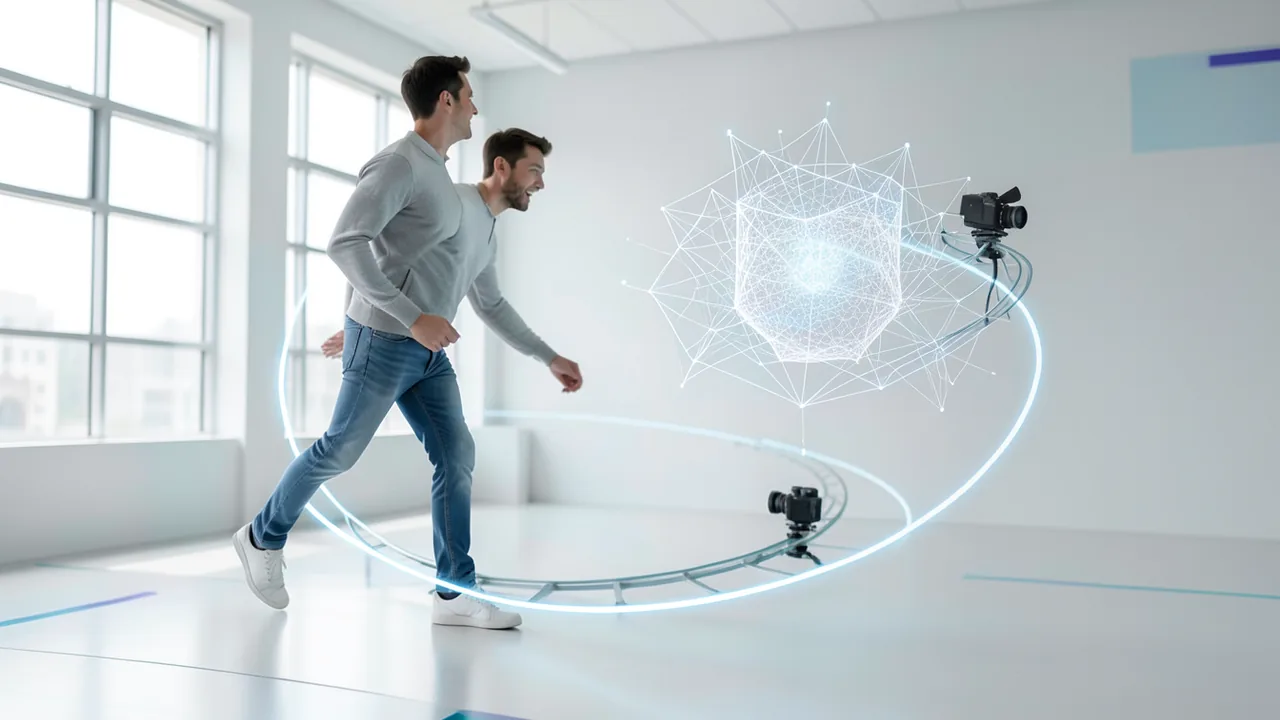
A developer going by "itsmetamike" has released a workflow called Reshoot 4D for ComfyUI (the node-based interface for local image and video AI). The idea: you film a person, the system builds a "4D capture" (3D plus time) from it, and you then lay a completely new camera move through that scene. In the end, you get the same moment back as a video from the new angle. According to the author, everything runs locally. The project was built for the "#OpenSourceHiggsfield" contest and was presented on Reddit (r/StableDiffusion) after receiving a major update. Code and workflow are on GitHub under AGPL-3.0.
How the pipeline works
Processing runs in several stages:
- Capture: A video of a single person becomes a 4D capture: their motion in 3D, the background, and the position and movement of the original camera. There's a fast mode for previews and a full 4D Gaussian splat (a representation of the scene made of many small, soft 3D points) for more accurate views.
- Virtual Camera: A 4D camera editor opens right inside the node, so you don't need a separate app. You set camera keyframes on the timeline, and you can look through the camera or view the whole scene from the outside. The editor has a Blender-style view gizmo, J/K/L shuttle controls, frame stepping, and multi-select to move or retime keys together.
- Retake: The ReDirector model re-films the entire video along the new camera path.
- Photoreal Pass: LTX 2.3 (a video model) renders every final frame. The real footage, warped to the new view, serves as guidance through Cseti's "CrossView-Warp IC-LoRA" (a small add-on module for targeted control).
- Finish: A dedicated node raises the frame rate from 24 to up to 60 fps with RIFE (frame interpolation), generates true motion blur from a shutter angle, upscales to 4K, and keeps the original audio.
Camera and lens features
What stands out is how much camera craft is built in. Each key has settings for aperture, focus (in meters or locked to the subject), vignette, and film grain. Rack focus and aperture pulls between keys are possible, and Alt+click in the viewport focuses on any point. You can change these values later without re-rendering everything: the render is reused, so a focus change takes only a few minutes instead of repeating the whole process.
Zoom keys change the focal length after the render, which also makes dolly zooms possible. You can also import an animated camera from .fbx, .abc, or .usd (tested with Blender exports). It starts on the original camera at roughly real-world scale, including lens and focus. Files with multiple cameras work, and you can export your own moves again. Per shot, there are lens looks such as distortion, chromatic aberration, bloom, halation, and anamorphic bokeh. Depth and subject matte passes are available for later compositing work. A settings panel at the top of the workflow collects the things you change between runs (quality, frame rate, upscale).
What you need to try it
You can test the camera editor in your browser without installing anything (best on desktop; the demo capture is about 9 MB). Controls: Space for play/pause, C switches between camera and editor view, J/K/L for shuttle, W/A/S/D to fly the camera, I sets a key, and Esc closes the editor.
For the full pipeline, the author lists an RTX 3090 with 24 GB of VRAM as the test system, and one shot takes about 30 minutes. A GPU in this class is therefore probably required. The source gives no details on smaller cards, system RAM, or disk space. You also need ComfyUI and the models listed in the repository.
Limits
The author is upfront about the weaknesses: results only stay good within roughly 30 to 40 degrees of deviation from the original camera. Fast turns can smear a face for a few frames. He plans to improve the range in a next step. The system is also designed for videos of one person.
Our take
Reshoot 4D shows how several open building blocks (4D reconstruction, ReDirector, LTX 2.3 with a LoRA, RIFE) can be combined into a nearly cinematic tool modeled on features of commercial services; the contest name is a nod to Higgsfield. The most interesting part is the camera editor with Blender import and lens simulation, which puts after-the-fact camera moves within reach of video creators. On the critical side: the quality has only been described by the author so far, and independent tests are missing. The narrow angle range and 30 minutes per shot limit its practical use, and the AGPL license matters for commercial integration, since it comes with strict disclosure obligations. Still, for tinkerers with a 24 GB card, it's an interesting open-source project.
Sources
- Reddit: lokale Modelle & Bild-KI itsmetamike.github.io
Ask the AI assistant
Questions about this article, installation or background? Our assistant knows this page and runs on our own machine, not in someone else's cloud.
The Assistant is an AI (Gemma 4) and can make mistakes – please check important details against the source. Questions are used only to generate an answer and are deleted after one hour. Please don't enter any personal data.
Comments
What do you think? Already tried it? Write it here, no sign-up needed.
Comments are public. Links aren't allowed, and we delete abusive posts. You can delete your own comment at any time in this browser. Learn more in the Privacy Policy.