
Runway open-sources Praxis-1: a 27B-parameter robot model under Apache 2.0
Runway, best known for AI video, has released its robotics model Praxis-1 with open weights. It learned mostly from ordinary video rather than expensive robot data, and Runway says it beats every other open model on an NVIDIA leaderboard.
What's going on
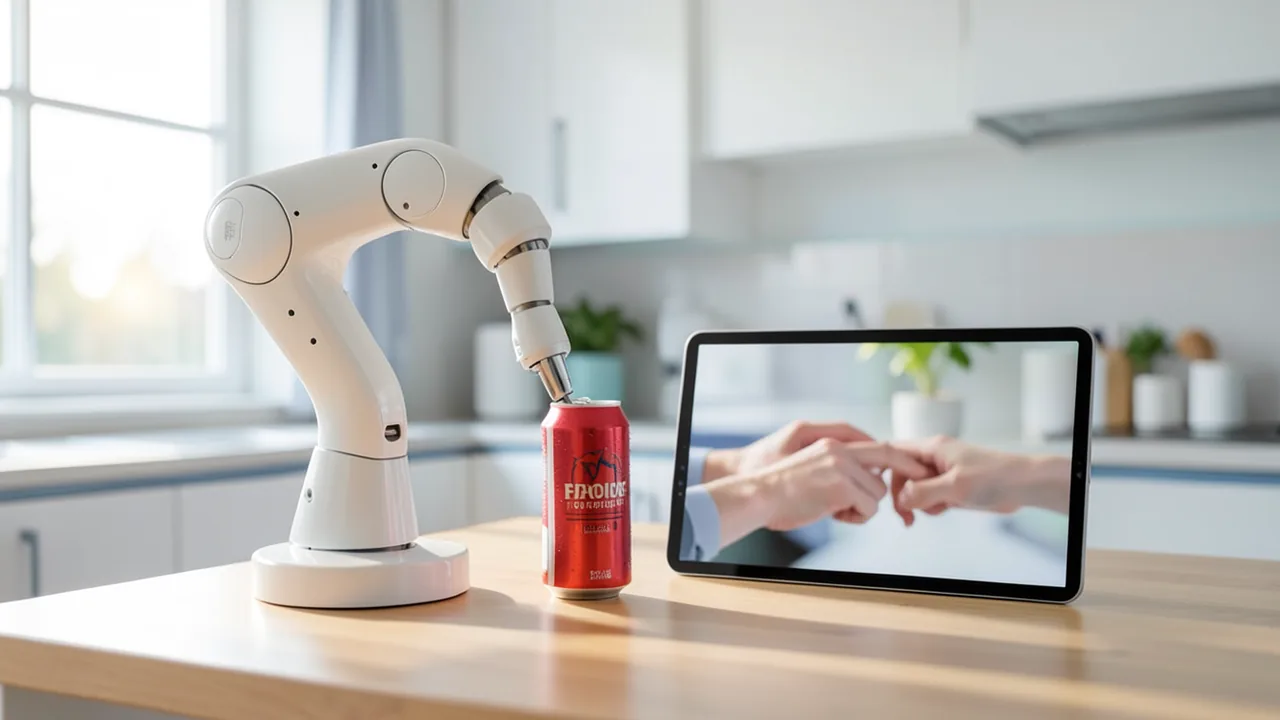
Runway is best known for AI video generators like Gen-4.5. Now the company has released its first robotics model, Praxis-1, to everyone. Runway first presented the model in the fall (in September, according to the company) as its first so-called "World Action Model". That means a model that predicts not only how a scene will change but also which movements a robot should make. As of November 11, 2026, you can download the weights under the Apache 2.0 license from Hugging Face and GitHub. There's also a hosted version through Runway Dev and the Reactor inference service.
Before the release, three partner companies tested the model on their own hardware. Noble Machines used it on a walking humanoid and for two-armed manipulation. Standard Bots ran it on its six-axis RO1 industrial arm. Ultra tested it on a mobile, two-armed warehouse robot.
How Praxis-1 works
Praxis-1 is a mixture-of-experts diffusion transformer with 27 billion parameters. The term combines two ideas. In a mixture of experts (MoE), the model is split into many sub-networks ("experts"), and only some of them are active for any given computation. Runway hasn't said how many parameters are actually active per step. Diffusion means the model works its output out of noise step by step, the same way image and video generators do. Praxis-1 produces two things at once: a predicted video of the next few moments and the robot actions that go with it.
It's built on the same large-scale video pretraining as Runway's general world models. These include GWM-1 and the interactive real-time models Solaris and GWM Worlds 2. A world model is an AI that simulates internally how objects and environments behave over time, such as how a hand grasps something or what a task looks like halfway through.
Video instead of expensive robot data
The core of Runway's approach is that robots shouldn't learn mainly from robot data. That data usually comes from teleoperation, where a human remotely controls the robot and every movement is recorded. It's slow and expensive. Everyday video, on the other hand, exists in huge quantities. Runway CTO Kamil Sindi told The Robot Report:
"Most robot policies are bottlenecked by robot data, which is scarce and expensive to collect. Praxis-1 learns predominantly from third-person video, so it already understands how objects behave and how tasks unfold."
According to Sindi, performance scales with the amount of video. So the ceiling depends on how much video the model can see, not on how many robot demonstrations exist. Runway compares this to language models, which first learn general understanding from huge amounts of text and are specialized afterwards.
As evidence, Runway points to an experiment reported by Robotics & Automation News. One controller was pretrained on ordinary web video and another on teleoperated robot footage. After fine-tuning, the placement errors were 16.1 cm and 16.0 cm respectively. Runway says the difference isn't statistically significant. Runway also says that simulating robot controllers inside the world model predicted real-world results with a correlation of 0.95, which it calls cheaper than elaborate 3D reconstructions. Both claims come from the company itself.
According to Sindi, Praxis-1 was trained on tasks ranging from simple pick-and-place, such as moving a drink can, to working with deformable objects like packing gift bags. It was also tested in cluttered environments, with transparent objects and with groups of similar-looking items. In one demo, the same controller runs in a studio and in an ordinary kitchen without any retraining.
Numbers and benchmarks
Runway says Praxis-1 is the best World Action Model on NVIDIA's RoboLab-120 leaderboard. It also claims the model beats every open VLA (vision-language-action model, which turns camera images and language instructions into robot movements).
| Model | RoboLab-120 success rate |
|---|---|
| Praxis-1 | 46.2% |
| FLUX 3 Action | 42.9% |
| Cosmos3 Nano | 36.8% |
| π0.5 | 28.0% |
The results cover 1,200 runs. A 46% success rate also shows that generalist models like this are still a long way from reliable everyday use.
A second test says more about practical use. Runway adapted Praxis-1 to Google's RT-1 robot, which wasn't in the training data. Afterwards it hit 80.0% success in the SimplerEnv simulation benchmark, while RT-1's original controller manages 52.4%. According to Runway, light fine-tuning is enough to adapt the model to a new embodiment (the specific robot body with its arms, joints and cameras).
What you need to try it
Praxis-1 isn't a chatbot. It's a model for controlling robots, so to get any real use out of it you need a robot or a simulation environment. Runway ships the inference and fine-tuning code. On Hugging Face, the model is supported directly by LeRobot, Hugging Face's open robotics library. It's also integrated into vLLM-Omni. For further training, there are tutorials for NVIDIA's NeMo Automodel. Besides full fine-tuning, the model supports LoRA, which trains only small add-on modules instead of the whole model and needs far less memory and compute.
Officially, only NVIDIA hardware is supported. That covers data center GPUs like the H100 and B200, workstation cards like the RTX 5090 (32 GB) and RTX PRO 6000, and the Jetson Thor robotics module inside the robot. Runway doesn't give specific memory figures. As a rough estimate, the 27 billion parameters would need about 18 GB of VRAM at 4-bit, but Runway doesn't mention any official quantized versions. At full precision you need a lot more, so an RTX 5090 is the realistic minimum. Runway says nothing about Apple Silicon or CPU-only operation. If you don't have suitable hardware, you can try the model in your browser through Runway Dev.
Why open?
Runway promised an open release back when it announced Praxis-1, and part of the reasoning is political. Runway argues that to lead in "physical AI", meaning AI that acts in the physical world, the US needs open American models and better interoperability between software and robot hardware. Sindi said this is key to winning back leadership in manufacturing. Runway is a founding member of NVIDIA's "Cosmos Coalition", which aims to advance open world models for robotics.
The bottom line
Praxis-1 is one of the largest robot models you can freely use. Apache 2.0 is a very permissive license that allows unrestricted commercial use. In Runway's own table, rivals like NVIDIA's Cosmos family and Physical Intelligence's π0.5 trail well behind. But no one has verified these results independently yet, and every number comes from Runway. The most interesting part is the claim that ordinary video makes for pretraining about as good as expensive robot data. If that holds up, it would ease one of the biggest bottlenecks in robotics. What we don't know is how safely and reliably the model works outside benchmarks. Runway said it would evaluate effectiveness and safety across different robots, but it hasn't published any results. For home users without a robot, the model is mostly a research and tinkering project. For robotics companies and labs, it's a serious foundation that they can adapt freely.
Related videos
Sources
- Google News (US) runway.com
- finance.yahoo.com finance.yahoo.com
- therobotreport.com therobotreport.com
- roboticsandautomationnews.com roboticsandautomationnews.com
Try it yourself: Praxis-1
Explained step by step, no prior knowledge needed – on your own computer or free in your browser.
What can I do with it?
Praxis-1 controls robot arms, two-armed robots and humanoids. From camera images, it predicts how the scene will develop and generates the matching motion commands. Because it learned mostly from ordinary video, it comes with built-in knowledge of objects and tasks, like grabbing a can or packing a bag. You can adapt it to a new robot with LoRA fine-tuning and relatively little data of your own. On NVIDIA's RoboLab-120, Runway says its 46.2% success rate puts it ahead of FLUX 3 Action, Cosmos3 Nano and π0.5. That also means it still fails more than half the tasks. It's not a chat or video model for consumers, so without a robot or a simulation environment it won't do much for you.
Who is it worth it for?
It's worth it for robotics developers, research labs, universities and serious hobbyists who have a robot arm (such as a LeRobot-compatible one) or a simulation environment plus a powerful NVIDIA GPU. If you just want to chat or generate videos, or you don't have an NVIDIA GPU with plenty of memory, try it in the browser through Runway Dev at most.
Ideas: What you can do with it
If you have a LeRobot-compatible arm, record a few dozen demonstrations, such as sorting building blocks, and fine-tune Praxis-1 with LoRA. Afterwards, the arm can do the task even when the layout changes slightly.
Small businesses with an industrial arm can adapt the model to picking and placing parts. The Apache 2.0 license allows commercial use with no license fees.
Labs can use Praxis-1 as a starting point and compare, on their own robots, how video pretraining stacks up against training on robot data alone. The code and weights are fully open.
Robotics courses can use simulation environments to show how a large model is adapted to an unfamiliar robot. The RT-1 example, with 80% success after fine-tuning, makes a useful reference.
Developers of logistics robots can see how well the model handles deformable materials like bags or cloths. Runway says this was a focus of the training.
What your computer needs
Runway is releasing a single 27-billion-parameter checkpoint (MoE). The source doesn't mention smaller variants or official quantized versions. For inference on your own machine, a workstation card like the RTX 5090 or RTX PRO 6000 is the intended entry level. For training, data center GPUs like the H100 or B200 are the better choice. On the robot itself, it runs on the Jetson Thor. To adapt it to your own hardware, LoRA is the economical option. Full fine-tuning only makes sense with data center GPUs.
- Only NVIDIA hardware is officially supported: H100, B200, RTX 5090, RTX PRO 6000 and Jetson Thor.
- Rough estimate: at 4-bit, the model would need about 18 GB of VRAM. But Runway doesn't offer an official quantized version, and full precision needs a lot more.
- Runway says nothing about Apple Silicon, AMD cards or CPU-only operation. Don't count on them working.
- Without your own GPU, you can try the model through Runway Dev or the hosted Reactor inference service.
- Full fine-tuning of a 27-billion-parameter model needs data center GPUs. With LoRA, you can get by with much less memory.
How do I find out what my computer has?
- Windows: Press Ctrl + Shift + Esc → Task Manager → Performance tab → click GPU on the left. At the bottom you'll see Dedicated GPU memory (that's your VRAM). You'll find system memory under Memory.
- Mac: Apple menu at the top left → About This Mac. You'll see your chip (e.g. M2) and memory (e.g. 16 GB). On Apple chips, graphics and processor share this memory.
- Linux: Type
nvidia-smiin the terminal (shows your graphics card and its memory) andfree -hfor system memory.
Guide
This model runs with its developers' own program (runwayml/praxis-1-oss on GitHub). The commands below come from the Model Card and the developers' instructions.
Windows 10 / 11
Windows 10 / 11: not officially tested. The source only covers Linux with CUDA 13.0 and doesn't mention Windows. Parts of the setup, such as building causal-conv1d, sha256sum and MUJOCO_GL=egl, are designed for Linux. The safest route is WSL2 (Linux inside Windows) with an 80 GB NVIDIA card, following the Linux instructions there.
- Check the requirements. You need an NVIDIA GPU with at least 80 GB of VRAM and a driver that supports CUDA 13.0. You also need the CUDA Toolkit with nvcc, Python 3.12, Git and a good 130 GB of free space. To build packages on Windows, you'll usually need the Visual Studio Build Tools as well. Open PowerShell and install uv.
nvidia-smi nvcc --version pip install uv - Download the code. This downloads the code and switches into the praxis-1 folder.
git clone https://github.com/runwayml/praxis-1-oss.git praxis-1 cd praxis-1 - Create the environment. This creates an isolated Python environment and activates it. Afterwards you'll see (.venv) in front of your prompt. If PowerShell says scripts are blocked, run Set-ExecutionPolicy -Scope CurrentUser RemoteSigned first.
uv venv --python 3.12 .venv .venv\Scripts\Activate.ps1 - Install PyTorch. This installs PyTorch built for CUDA 13.0. The download is several GB.
uv pip install torch==2.13.0 torchvision==0.28.0 --index-url https://download.pytorch.org/whl/cu130 uv pip install packaging ninja wheel - Build causal-conv1d. This package is built from source, which can fail on Windows. If it doesn't work, switch to WSL2.
$env:CAUSAL_CONV1D_FORCE_BUILD="TRUE"; $env:MAX_JOBS="16" uv pip install --no-build-isolation --no-cache causal-conv1d==1.6.1 - Install Praxis and extra packages. This installs Praxis, the simulation, FlashAttention and the pinned cuDNN version. The final test should print "causal-conv1d OK".
uv pip install -e packages/praxis-sim -e ".[kernels]" "imageio>=2.30" "imageio-ffmpeg>=0.4" uv pip install "flash-attn-4[cu13]==4.0.0b36" uv pip install --no-deps nvidia-cudnn-cu13==9.24.0.43 python -c "import torch, causal_conv1d_cuda; print('causal-conv1d OK')" - Log in and download the models. Log in with your Hugging Face token. Then download the VAE, the text encoder and the YAM weights (54.4 GB). Windows doesn't include sha256sum for checksum verification, but it works in WSL2.
hf auth login hf download Wan-AI/Wan2.2-TI2V-5B Wan2.2_VAE.pth --local-dir weights hf download Qwen/Qwen3.5-2B --local-dir weights/Qwen3.5-2B hf download runwayml/praxis-1-yam --local-dir checkpoints/praxis-1-yam - Test in simulation. For testing, use the single-arm praxis-1-droid model in simulation. The MUJOCO_GL=egl setting is meant for Linux and may not work on Windows. If it does, open http://localhost:8000 in your browser.
hf download runwayml/praxis-1-droid --local-dir checkpoints/praxis-1-droid $env:MUJOCO_GL="egl" python scripts/run_sim.py --config configs/sim_droid.yaml --set task.name=block_in_bowl --set task.prompt=null --set viewer.host=0.0.0.0 - Result. The simulation plays three runs of the "block_in_bowl" task, which you can watch live in a web page on port 8000. The videos are saved to the outputs/sim_droid folder. The YAM weights are verified in checkpoints/praxis-1-yam and ready for the robot server.
macOS
macOS: not supported. According to the source, Praxis-1 needs an NVIDIA CUDA GPU with at least 80 GB. Macs don't support CUDA. Your only option is to rent a cloud machine with an H100 running Linux.
Linux
Linux: supported. Linux with an 80 GB NVIDIA GPU (e.g. an H100) and CUDA 13.0 is the officially documented route. Praxis-1-YAM controls a real robot with two YAM arms. Without that setup, you can only test the installation with the DROID simulation from the Quick Start.
- Check the requirements. You need Linux and an NVIDIA GPU with at least 80 GB of VRAM. You also need the NVIDIA driver for CUDA 13.0 and the CUDA Toolkit with the nvcc compiler, because one package is built from source. On top of that you need Python 3.12, Git and a good 130 GB of free disk space for all the weights. The uv tool installs Python packages quickly. Get it with the command below.
nvidia-smi nvcc --version pip install uv - Download the code. This downloads Runway's official code and switches into the new praxis-1 folder. Run all the following commands in this folder.
git clone https://github.com/runwayml/praxis-1-oss.git praxis-1 && cd praxis-1 - Create the environment. A virtual environment (venv) is an isolated folder just for this project's packages. Afterwards you'll see (.venv) in front of your prompt. Whenever you open a new terminal, reactivate it with the second line.
uv venv --python 3.12 .venv . .venv/bin/activate - Install PyTorch. PyTorch is the foundation for AI models. This version is matched exactly to CUDA 13.0. The download is several GB.
uv pip install torch==2.13.0 torchvision==0.28.0 --index-url https://download.pytorch.org/whl/cu130 uv pip install packaging ninja wheel - Build causal-conv1d. There's no prebuilt version of this package, so it gets built on your machine with nvcc. This can take a while. MAX_JOBS=16 means 16 parts are built in parallel, each needing about 1 GB of RAM. If you don't have much RAM, use a smaller number.
CAUSAL_CONV1D_FORCE_BUILD=TRUE MAX_JOBS=16 \ uv pip install --no-build-isolation --no-cache causal-conv1d==1.6.1 - Install Praxis and extra packages. These commands install Praxis itself, the simulation, FlashAttention and the matching cuDNN version. Repeat the cuDNN line after any install that re-resolves PyTorch. The last command is a test: if it prints "causal-conv1d OK", everything worked.
uv pip install -e packages/praxis-sim -e ".[kernels]" "imageio>=2.30" "imageio-ffmpeg>=0.4" uv pip install "flash-attn-4[cu13]==4.0.0b36" uv pip install --no-deps nvidia-cudnn-cu13==9.24.0.43 python -c "import torch, causal_conv1d_cuda; print('causal-conv1d OK')" - Log in to Hugging Face. The weights come from Hugging Face. You need a free account and an access token, which you create in your account settings. Paste the token once when the command asks for it.
hf auth login - Download the models. First, get the video autoencoder (VAE) and the Qwen3.5-2B text encoder, which are always required. Then download the YAM weights (54.4 GB). Finally, verify the checksums. If it prints "checkpoint OK", the files are complete.
hf download Wan-AI/Wan2.2-TI2V-5B Wan2.2_VAE.pth --local-dir weights hf download Qwen/Qwen3.5-2B --local-dir weights/Qwen3.5-2B hf download runwayml/praxis-1-yam --local-dir checkpoints/praxis-1-yam (cd checkpoints/praxis-1-yam && sha256sum -c --quiet SHA256SUMS && echo "checkpoint OK") - Test in simulation. YAM has no simulation, only a real robot. So for testing, you use the single-arm praxis-1-droid model from the official Quick Start, which is another download of about 54 GB. Then open http://localhost:8000 in your browser and watch the three runs live. The videos are saved to outputs/sim_droid.
hf download runwayml/praxis-1-droid --local-dir checkpoints/praxis-1-droid (cd checkpoints/praxis-1-droid && sha256sum -c --quiet SHA256SUMS && echo "checkpoint OK") MUJOCO_GL=egl python scripts/run_sim.py --config configs/sim_droid.yaml \ --set task.name=block_in_bowl --set task.prompt=null --set viewer.host=0.0.0.0 - Result. The simulation plays three runs of the "block_in_bowl" task, which you can watch live in a web page on port 8000. The videos are saved to the outputs/sim_droid folder. The YAM weights are verified in checkpoints/praxis-1-yam and ready for the robot server.
What to do after your first result
- For the real YAM robot (two YAM arms, one top camera, two wrist cameras), start the policy server with configs/serve_yam.yaml. The exact steps are in the "Bimanual rig" section of the README and in praxis/serve/README.md. You'll also need the "serve" extra.
- Write tasks the way the model was trained: in English and without a final period, e.g. "Pick up the pen from the center of the table, then place the pen in the bag".
- Use --set task.name=… to try other tasks in the simulation. praxis/sim/EVAL.md explains how to evaluate a model on the simulated tasks.
- If you have an RTX 5090 or RTX PRO 6000 Blackwell, you can try the experimental --set model.routed_precision=nvfp4 mode ("nvfp4" extra). It hasn't been thoroughly tested yet and changes the actions.
Try it
Pick up the drink can on the table and put it in the box on the right.Put the red cube on top of the blue cube.Carefully take the clear glass off the shelf and put it next to the sink.Sort the three identical-looking cups by size from left to right.Fold the towel once and pack it into the gift bag together with the bottle.Tips for better results
- Start with LoRA rather than full fine-tuning. Runway says light fine-tuning is enough to adapt the model to new robots.
- Use NVIDIA's NeMo Automodel tutorials as a template for fine-tuning on your own tasks.
- Test new tasks in simulation first (SimplerEnv, for example) before you run a real robot.
- Start with simple pick-and-place tasks and only then move on to deformable or transparent objects.
- Keep your camera positions the same between training data and deployment, because the model gets adapted to your cameras.
If something goes wrong
Without a robot or simulation environment, the model won't do much for you. Set up a LeRobot or SimplerEnv environment before you start.
Runway doesn't explain in detail whether or how the model accepts language instructions. Check the input format in the GitHub code and on the Hugging Face model page.
On a new robot body (different arms, cameras, joints), the model only works reliably after fine-tuning. You'll need your own demonstration data for that.
To use it with LeRobot or vLLM-Omni, you need current versions of those libraries, because support is new.
Safety: a benchmark success rate of around 46% means lots of failed attempts. Only test real robots with an emergency stop, at low speeds and with no people in the work area.
“out of memory,” a crash, or your computer freezes
The model is too big for your VRAM (video memory). Pick a smaller variant from the table above and close other programs, especially games and browsers with lots of tabs.
It runs, but extremely slowly
Your CPU is probably doing the work instead of your graphics card. In Ollama, the PROCESSOR column of ollama ps shows how much runs on the GPU. If it says "100% CPU", update your graphics driver or pick a smaller variant that fits entirely into VRAM (video memory).
“ollama” or “python” is not found
Close the terminal window and open it again so it recognizes the newly installed program. For Python on Windows: reinstall it and check Add python.exe to PATH.
Windows: "Running scripts is disabled on this system"
Run the script with exactly the command above: powershell -ExecutionPolicy Bypass -File try_windows.ps1. This allows execution for this one time only.
Error message when loading the model (version, "trust_remote_code", unknown architecture)
Brand-new models often need the latest software version. With Ollama: update Ollama. With Python: pip install -U transformers in the activated environment. The Model Card usually lists the exact version.
Tokenstrom generates the scripts and notebook automatically. Please take a quick look before running them – they're plain, readable text. Mind the model's license: apache-2.0.
Ask the AI assistant
Questions about this article, installation or background? Our assistant knows this page and runs on our own machine, not in someone else's cloud.
The Assistant is an AI (Gemma 4) and can make mistakes – please check important details against the source. Questions are used only to generate an answer and are deleted after one hour. Please don't enter any personal data.
Comments
What do you think? Already tried it? Write it here, no sign-up needed.
Comments are public. Links aren't allowed, and we delete abusive posts. You can delete your own comment at any time in this browser. Learn more in the Privacy Policy.