
Smart home automations from a sentence: four AI options, and who can unlock your door
Hue, Google, Amazon and Home Assistant can now build automations when you simply tell them what should happen. We compare the four options on cost, hardware, cloud dependence and whether you can fix the result yourself. We also check how well each system protects door locks, alarms and heating from an AI that's been tricked.
What this is about
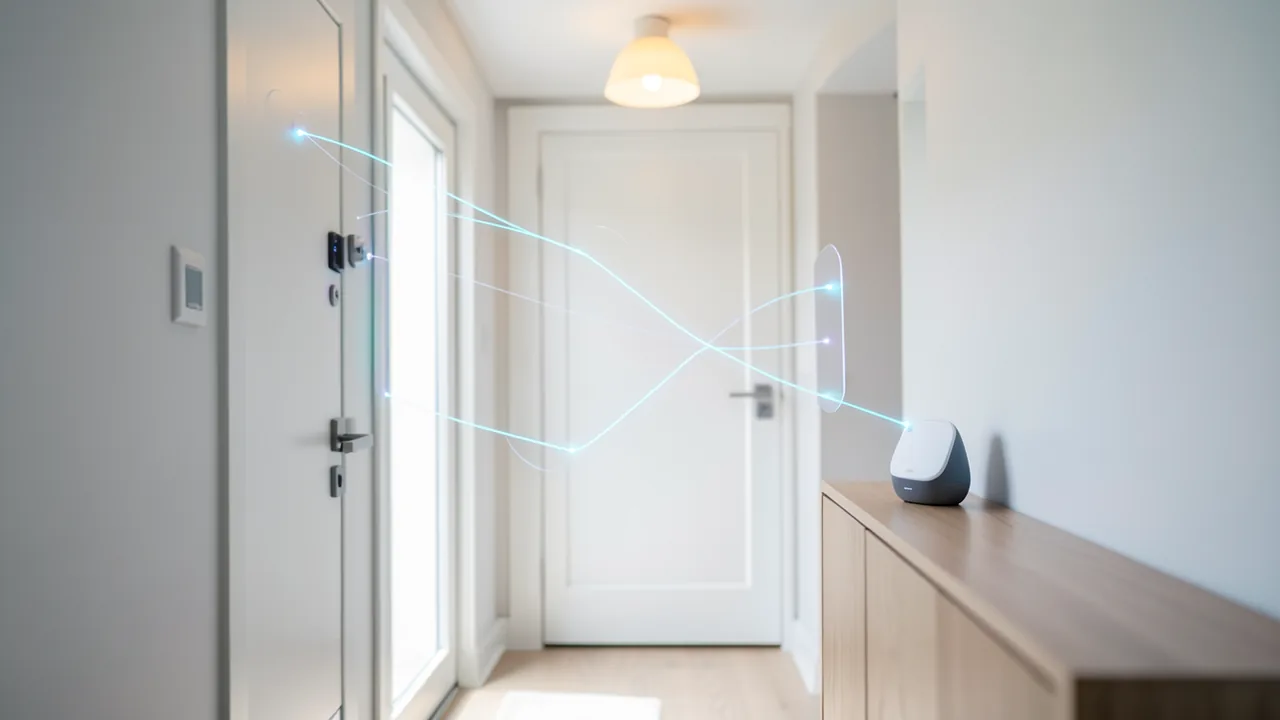
“When it gets dark and someone comes home, turn the hallway light on in warm white.” Four very different systems can now turn a sentence like that into a finished automation, meaning a rule along the lines of “when this happens, do that.” Philips Hue launched this in late October. Google offers it with Gemini for Home, Amazon with Alexa+. Tinkerers hook their Home Assistant server up to Claude, Codex or ChatGPT via MCP. MCP (Model Context Protocol) is a kind of universal plug that lets a language model operate other programs' tools.
So far there have only been isolated news items about each of these. We put the four options side by side. We look less closely at convenience than at the one question that tends to get lost during a winter smart home overhaul: What happens when the AI does the wrong thing, and is it allowed to unlock your front door?
The four options at a glance
| Philips Hue “Custom AI Behaviors” | Gemini for Home | Alexa+ | Home Assistant + MCP (official / ha-mcp) | |
|---|---|---|---|---|
| Cost | No subscription mentioned, but requires Bridge Pro: €149.99 in the Hue store, about €89 on Amazon as of Nov. 8 | Automation from a description only with Home Premium: Standard €10/month (€100/year), Advanced €18/month (€180/year) | Free during Early Access, then included with Prime (€8.99/month) or €22.99/month | Software is free (ha-mcp: MIT license), plus an AI subscription or API costs; local models are free |
| Hardware | Hue Bridge Pro, app 6.4.0, current firmware | Google Home app, speakers/displays | Echo or Fire TV device (not 1st generation) | Your own Home Assistant server plus a PC/phone with an AI client |
| Local or cloud | According to Smartlights, runs locally on the bridge; per Techboys, Hue doesn't say where the AI runs | Cloud (Google) | Cloud (Amazon) | Server is local; the model runs in the cloud unless you use something like Ollama |
| Editing | Not by hand, only via the AI chat | Yes, in the Automations tab: starters, conditions, actions | According to Amazon, view and adjust routines by voice | Yes, the result is regular HA automations; ha-mcp creates backups before changes |
| Status | Since Oct. 28, 2026 | Available in Germany, German supported | Early Access, no end date | Official MCP server since HA 2025.2; ha-mcp v9.1.2 (Nov. 8, 2026) |
Hue: simple, but a one-way street
You'll find Custom AI Behaviors in the Hue app behind the AI icon, under Automations, and in the settings for switches and sensors. According to hueblog.com, the AI links triggers, conditions and actions, for example a dimmer switch that calls up a different scene during the day on weekends than in the evening. Early tests are mixed. Hueblog wanted two lamps to turn on at sunset, but the AI switched on every lamp in the room. Asking for a fix just produced an error message. Techboys created three automations, and one of them failed. Commenters report that when the AI assigns a button on the Tap Dial, it resets the other buttons. Smartlights found that automations can't be chained together.
The biggest drawback is that you can't edit anything by hand. Hueblog author Fabian puts it this way:
“Manual adjustments are not possible.”
If the AI misunderstands you, your only option is a new chat. Fabian says he would “much prefer Custom Behaviors without AI.” On top of that comes an old problem: the Bridge Pro still has no backup feature. That became painfully clear over the summer, when a firmware update bricked some devices. If you lose the bridge, you set everything up again from scratch.
Gemini and Alexa+: convenient, but behind a subscription and the cloud
Google describes the “Help me create” feature in Google Home Help: you describe the automation, Gemini creates a draft, and you can then freely edit it in the Automations tab. You need a Premium subscription and have to be an adult admin of the home. Germany and Austria are included, with German language support. A hands-on test at tink.de adds some caveats: Gemini doesn't create an automation from a voice command but walks you through the app step by step. A presence simulation created via text only switched individual lamps and was useless for the tester. Delayed commands failed too: a fan that was supposed to turn off “in an hour” turned off immediately.
Alexa+ has been running in Germany in Early Access since May 7, 2026. According to heise, Amazon hasn't announced an end date yet. According to PC Games Hardware, you can create routines by voice, tie them to a specific person's voice, and view and adjust them without the smartphone app. German tests have barely checked how reliably this works with nested routines. Computerbase mostly lists bugs outside the smart home.
Home Assistant with Claude or Codex: full power, full responsibility
Since version 2025.2, Home Assistant has shipped its own MCP server with two tool sets. “Device control” only sees the devices you've shared with voice assistants (the so-called exposed entities). The “Home Assistant” set can read everything and run any action, so it requires an administrator account. There's a read-only switch, but it's off by default. Cloud agents like Claude in the browser also need a Home Assistant instance that's reachable from the internet.
ha-mcp goes much further. The project offers 87 tools for automations, scripts, dashboards, history, traces and backups. According to its FAQ, the official server has about 15. The project FAQ sums up the difference like this:
“Built-in = control devices. ha-mcp = administer the system.”
Supported clients include Claude Desktop and Claude Code, ChatGPT, Codex, Gemini CLI and local models via Ollama. For local models, the project recommends a tool search mode and a larger context window. Version 9.0 on October 28 brought stricter defaults. Remote and network access start out disabled, an “Access” switch grants or revokes access, and setup recommends a dedicated admin account instead of your personal login. Snapshot backups go wherever Home Assistant stores its own backups.
Real-world reports are mixed. Blogger Peyanski ran into a Codex bug where no tools load over HTTP. He switched to a local connection instead. In the Home Assistant forum, users complain about frequent restarts and high token usage. Tokens are the text units AI providers bill by. One user writes that the whole thing burns “a lot of tokens for a handful of small changes.”
Guardrails for locks, alarms and heating
| Hue | Gemini for Home | Alexa (classic; Alexa+ unclear) | HA official MCP | ha-mcp | |
|---|---|---|---|---|---|
| Unlocking via AI/voice | No locks in the Hue system | Not possible by voice in the tink test; per community reports, no actions that require a PIN | Only with “Unlock by Voice” and a four-digit voice code; locked out after three failed attempts (per Consumer Reports) | Only if the lock is exposed; admin tool set can do anything | Admin token, technically anything is possible |
| Unlocking in automations | – | Not available as an action, PIN locks not supported | Not documented for Alexa+ | Possible | Possible |
| Per-device/per-tool permissions | No | No | Per lock | Exposed entities | Tools can be disabled individually, rule set with approvals |
| Read-only mode | No | No | No | Yes, off by default | Yes, plus a dedicated read-only endpoint |
| Backup/undo | No bridge backup | Edit in the tab | Edit routines | HA backups | Automatic backups before changes |
Our take: Google and Amazon protect the lock with rules a prompt can't override, because the unlock action simply doesn't exist or requires a code. The classic Alexa code is spoken out loud, though. We couldn't find any source confirming whether Alexa+ uses the same mechanism.
Worst case: a hijacked agent with an admin key
Researchers from Tel Aviv University, the Technion and SafeBreach showed at Black Hat 2025 that this scenario is real. They hid instructions in Google Calendar invites. When users asked Gemini about their appointments, Gemini switched on lights, opened shutters and started a boiler. This indirect prompt injection, where planted text steers the AI, is considered the first documented case with physical consequences. Google says it has since rolled out defenses.
With ha-mcp, device names, attributes and calendar entries reach the model as tool responses. The project's security model is unambiguous about this:
“Prompt injection that reaches an MCP client must be defended against by the client itself.”
An authenticated client is considered trusted. Injection that arrives only through the return values of read-only tools is explicitly out of scope. The “Enforce” mode, which hides devices, isn't a barrier against a determined attacker, according to the project. As a hard boundary, it recommends restricting the token's permissions in Home Assistant. Yet the FAQ also requires an admin token, and non-admin tokens aren't supported.
A known workaround was discussed on November 8 in Issue #2999: an agent could write a script that unlocks the lock indirectly, bypassing rules that only check tool names. The maintainer points to the allow mode of the Tool Security Policies. In this mode, only what a rule explicitly permits runs, such as plain light commands. Everything else is held, including nested branches. But this mode isn't the default. You have to turn it on yourself.
Our take: the danger comes from combining permanent admin access, an agent that regularly reads calendars or device lists, and users who click “always allow” on every prompt. We didn't find any real case where a lock was opened this way. Concrete countermeasures: - Don't expose locks, alarm systems, garage doors or water valves to the official server at all. ID.nl and Peyanski recommend this too. - Use ha-mcp's read-only endpoint for automated agents. - Turn the Access switch off again after every session. - Set up rules in allow mode. - For heating, at least set limits in Home Assistant itself.
Looking ahead: Bixby and Siri
According to Sammobile, Samsung is testing a Bixby agent for One UI 9.5 that sets up recurring tasks. You have to confirm each task, and it shows up in an overview where you can pause, delete and view a log. It's expected with the Galaxy S27 series in early 2027. According to Mark Gurman, Apple is gradually turning Siri into an agent starting with iOS 27.3, but the new Siri isn't currently available on iPhone in the EU.
Our verdict
If you just want to automate lights and already own a Bridge Pro, the Hue AI is worth a try. For anything beyond simple scenes, though, it's a one-way street in its current state. Gemini and Alexa+ are the most convenient options and lock down door locks most strictly, but they cost a subscription (Alexa+ at the latest once Early Access ends, unless you have Prime) and run entirely in the cloud. Home Assistant with ha-mcp can do by far the most, and the results stay editable and can be rolled back. But you have to build the guardrails yourself. Our take: for lights and dashboards, an AI agent on your Home Assistant server is a real win. Your front door and alarm system should stay out of its reach, though, as long as the project itself says it doesn't protect against prompt injection.
Sources
- GitHub: homeassistant-ai/ha-mcp github.com
- GitHub: ha-mcp Releases github.com
- GitHub: ha-mcp Security Policy github.com
- GitHub: ha-mcp Issue #2999 (sensible Fähigkeiten in Skripten) github.com
- GitHub: ha-mcp Issue #2969 (Nur-Lese-Schalter) github.com
- ha-mcp FAQ homeassistant-ai.github.io
- Home Assistant: Model Context Protocol Server home-assistant.io
- Home Assistant: Exposing entities to Assist home-assistant.io
- Home Assistant Community: Claude Code for Home Assistant community.home-assistant.io
- Peyanski: ha-mcp mit Codex peyanski.com
- ID.nl: Home Assistant met AI id.nl
- Hueblog.com: Custom AI Behaviors gestartet hueblog.com
- Hueblog.de: Wochenrückblick – Ich will nicht nur KI hueblog.de
- Smartlights.de: Hue Custom AI Behaviours ist da smartlights.de
- smarthomeassistent.de: Philips Hue schaltet KI-Automationen frei smarthomeassistent.de
- inside digital: Hue Bridge Pro Preis inside-digital.de
- tink.de: Google Home Gemini im Test tink.de
- Google-Home-Hilfe: Automationen mit „Hilf mir beim Erstellen“ support.google.com
- Google-Home-Hilfe: Unterstützte Auslöser, Bedingungen und Aktionen support.google.com
- Google Nest Community: Gemini can't control devices that require a PIN googlenestcommunity.com
- About Amazon: Alexa+ in Deutschland aboutamazon.de
- PC Games Hardware: Alexa+ startet in Deutschland pcgameshardware.de
- heise: Alexa+ startet in den öffentlichen Vorabtest heise.de
- Computerbase: Alexa+ Early Access ausprobiert computerbase.de
- Consumer Reports: Amazon Alexa now unlocks smart locks consumerreports.org
- The Decoder: Gemini über Kalendereinladung gekapert the-decoder.com
- t-online: Siri als KI-Agent ab iOS 27.3 t-online.de
- IT之家: One UI 9.5 Bixby als Agent ithome.com
Ask the AI assistant
Questions about this article, installation or background? Our assistant knows this page and runs on our own machine, not in someone else's cloud.
The Assistant is an AI (Gemma 4) and can make mistakes – please check important details against the source. Questions are used only to generate an answer and are deleted after one hour. Please don't enter any personal data.

Comments
What do you think? Already tried it? Write it here, no sign-up needed.
Comments are public. Links aren't allowed, and we delete abusive posts. You can delete your own comment at any time in this browser. Learn more in the Privacy Policy.