
Two open-source video studios for ComfyUI bring local short films with MiniMax H3
IV Studio and Mago Studio are two free desktop apps built on ComfyUI that aim to turn an idea into an AI short film, running locally on your own PC. Both use the open video model MiniMax H3. One key point for readers in the EU: the H3 license explicitly excludes users in the EU.
What this is about
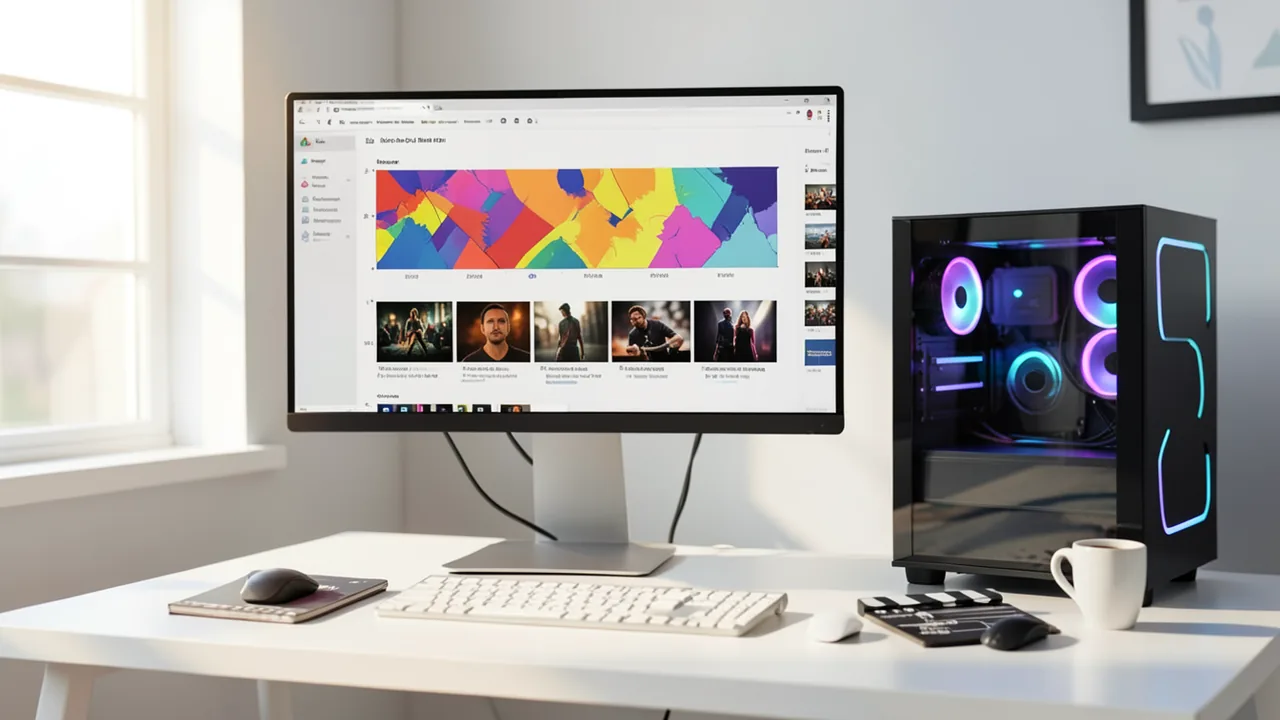
Two free, open-source programs have appeared around ComfyUI on November 2 and 3. ComfyUI is a graphical interface where you build AI workflows from connected blocks ("nodes"). Both new tools aim to make creating AI video more convenient: IV Studio (developer: u/itsVariance, an entry in Comfy's "Open Source Higgsfield" contest) and Mago Studio (from the team behind a web app of the same name). Both run as desktop applications on top of your own ComfyUI and use the open video model MiniMax H3, which generates sound and picture together.
IV Studio: from idea to short film
IV Studio is released under the MIT license. It's available for Windows and as a Linux AppImage, and it talks to ComfyUI through its API. You don't have to touch a node graph, but you can. According to the developer, it offers:
- Prompt help: A local model (Qwen3-VL via Ollama) or an AI agent via MCP (a standard that lets agents control programs) looks at reference images and writes the H3 prompt. A checker catches common mistakes, such as wrong frame-grid lengths, speaker tags or unassigned references, and fixes most of them with one click.
- Search, then refine: Fast previews with live intermediate frames. Variants ("takes") are ranked by how well OpenAI Whisper understands them, by similarity and by sharpness. The chosen take is then rendered in full from the same latent state with DLSS 5 or SeedVR2.
- Projects: A six-step assistant that leads from the idea through script, casting and storyboard sketches (playable as an animatic). Each shot is generated from its sketch so faces and rooms stay consistent.
- Stage plan: You place characters and camera on a floor plan, and the app turns that into exact framing instructions or a gray preview clip.
- Editor: Right-click to extend shots, fill gaps, re-record lines, cut out people (SAM 3.1) or reframe to portrait.
- Extras: Training of character LoRAs (small add-on models for specific characters or styles), music (MiniMax Music 3 / ACE-Step), local voices (VoxCPM2), Civitai LoRAs, and an MCP server with 142 tools so that tools like Claude Code can take the controls.
If you don't have a powerful graphics card, you can render on your own Runpod or Modal account. The GPU is shut down when idle. The developer says this Runpod route is brand new. It was tested on an RTX 4090 with 64 GB of RAM, and 16 GB cards work with smaller previews. Models are downloaded from their respective providers and verified with SHA-256. The Windows installer is unsigned, so Windows warns you on first launch ("More info – Run anyway"). A new in-app PDF guide has been added.
Mago Studio: series and microdramas
According to one of the founders, Mago Studio is meant for longer formats such as AI series, short films and microdramas. You start with an idea or script and work through casting, shot list, storyboards and individual shots, and characters stay the same from scene to scene. You can also restyle your own footage. The app runs on ComfyUI, either bundled or connected to an existing install, and renders locally with MiniMax H3, Qwen, FLUX or other open or API models. An Nvidia GPU with at least 16 GB of VRAM is recommended. Vast.ai or Runpod instances are an alternative. You can also use cloud models in the same app. The version is 0.19.0 and, as the founder puts it, "expect rough edges." Builds exist for Windows, Mac and Ubuntu, and you can hand the code to your chatbot to customize it.
MiniMax H3: what actually runs locally
Kingy.ai explains that only part of the system is open. H3-Base, with the variants FL2VA (text to video and audio, optionally with first/last frames) and Ref2VA (reference-guided with image, video and audio), can be downloaded as weights. H3-Context-IR (prompt interpretation) and H3-Regenerate-2K (re-rendering at 2K) remain hosted API services. Base is a dense transformer with 33 billion parameters plus a Qwen3-VL-32B encoder. It produces 24 fps video with 32 kHz stereo sound, typically at 1344×768 when run locally.
Kingy's hardware figures (not measured by the site itself, but taken from documentation and community reports): ComfyUI 0.30.0 or later is the easiest route for an Nvidia card with 12–32 GB. The compact FL2VA starter set comes to 42.47 GB. With 12–16 GB, 64 GB of system RAM and starting below 1344×768 are recommended. One report with an 8 GB card cited about 20 minutes for a very small run. There's no documented path for Mac or AMD consumer cards. The full repository is around 498.5 GB.
Hands-on experience
Notebookcheck tested H3 in a standalone ComfyUI on a Razer Blade 16 with an RTX 5090 (24 GB). A spaceship clip built from blocks at 480p took about 5.5 minutes. To keep objects consistent, the author used reference images (front and back views) and had ChatGPT write the prompts. The result was clearly better than the free tiers of Kling AI or Seedance, and with no credit limits or subscriptions. The weakness: Full HD or higher isn't available locally, though upscalers can help. The author had problems with Stability Matrix.
What you need to try it
Realistically, you need an Nvidia graphics card with 16 GB of VRAM or more, plenty of system RAM (64 GB recommended) and several hundred GB of free disk space. Windows and Linux are supported. Without a powerful GPU, renting hardware via Runpod, Modal or Vast.ai is your option.
Our take
These tools show that with local AI video generation, the hurdle is increasingly the user experience, not just the hardware. The license remains a problem. According to Kingy.ai, the H3 Community License does not list the US, the EU, the United Kingdom and South Korea as covered territories. Users there need their own permission from MiniMax, even though the Hugging Face repository is openly accessible. There are also revenue thresholds, attribution requirements and restrictions on using the outputs to train other models. If you're based in Germany or elsewhere in the EU, clarify this before you use it. Both apps are early versions from solo developers or small teams, and the feature claims come from the developers themselves.
Related videos
Sources
- Reddit: lokale Modelle & Bild-KI github.com
- Reddit: lokale Modelle & Bild-KI x.com
- kingy.ai kingy.ai
- notebookcheck.net notebookcheck.net
Ask the AI assistant
Questions about this article, installation or background? Our assistant knows this page and runs on our own machine, not in someone else's cloud.
The Assistant is an AI (Gemma 4) and can make mistakes – please check important details against the source. Questions are used only to generate an answer and are deleted after one hour. Please don't enter any personal data.

Comments
What do you think? Already tried it? Write it here, no sign-up needed.
Comments are public. Links aren't allowed, and we delete abusive posts. You can delete your own comment at any time in this browser. Learn more in the Privacy Policy.