
Kandinsky 6.0 Video: Open models generate video with matching sound
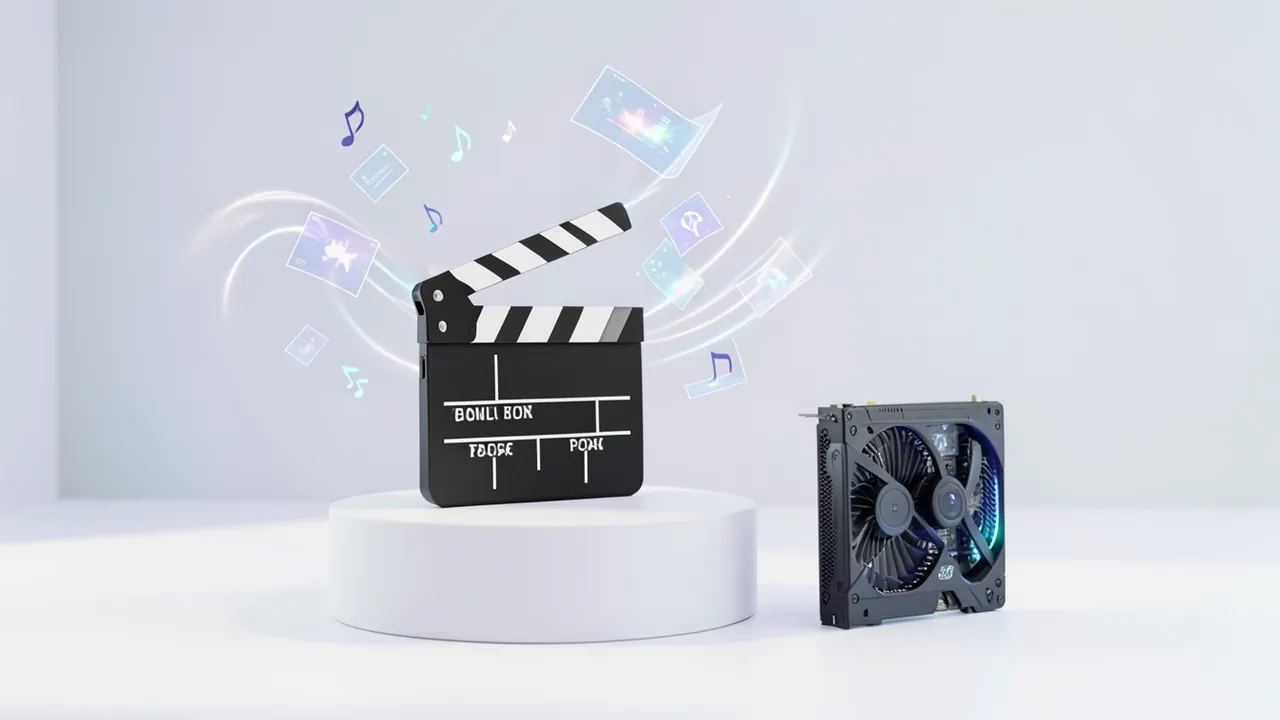
Kandinsky Lab has released Kandinsky 6.0 Video: two models (29 and 3 billion parameters) that generate video complete with dialogue, music and sound effects. Code and weights are available under the MIT license, and the small variant is meant to run on gaming GPUs.
What's going on
In early October 2026, Kandinsky Lab released Kandinsky 6.0 Video, a model family that generates video and audio together. There are two variants: Kandinsky 6.0 Video Pro with 29 billion parameters (parameters are, roughly speaking, the adjustable values a model learns during training) and Kandinsky 6.0 Video Lite with 3 billion parameters. Code and model weights are released under the MIT license. That means anyone can use them for free and build their own products on top. The weights are on Hugging Face, the code on GitHub.
Both models generate videos with dialogue, music and ambient sound. The audio matches what happens on screen, and the characters' lip movements match the speech. You can describe a scene in text, or upload a first frame and describe the sound you want. You can also generate video without audio. The maximum length of a clip with audio is currently five seconds. The developers plan to extend that in later versions.
What the models can do
According to the sources, the audio covers a wide range: speech, sound effects, footsteps, wind or passing cars. The audio output has a sampling rate of 44 kHz, the standard for many streaming services. According to the report, perceived quality depends on the prompt and the generation conditions.
The developers list these use cases:
- Animating family photos
- Video greetings with speech or music
- ASMR scenes, such as rustling paper or crackling firewood
- Bringing existing images or film scenes to life
The models are also meant to render the physical motion of people, animals and objects more naturally, especially during fast movement or camera cuts. That is a claim by the maker.
Pro vs. Lite
| Pro | Lite | |
|---|---|---|
| Parameters | 29B | 3B |
| Clip length | up to 5 s | up to 5 s |
| Audio | 44 kHz, lip sync | 44 kHz, lip sync |
| Output | up to Full HD | up to Full HD |
| Target hardware | Data center GPUs (H100/H200 per source 3) | RTX 5060 Ti to RTX 5090 |
Base generation runs at SD resolution. A built-in super-resolution module then upscales the image to HD or Full HD. That lets you trade speed against detail. Lite is aimed at NVIDIA consumer graphics cards, with presets for 16, 24 and 32 GB of video memory. With block offloading, both models can also be started on a home PC. Parts of the weights are passed through the GPU one after another. How fast it runs and how much memory it needs depends on your configuration.
Architecture and training
Kandinsky 6.0 Video consists of two connected modules for video and audio. According to a third-party source, it is a dual-stream CrossDiT: a pretrained video stream is linked to a newly trained audio stream via bidirectional cross-attention. Cross-attention is a mechanism that lets two data streams "pay attention" to each other. That way, image and sound are generated together rather than built separately and stitched together afterward.
The audio module was first trained from scratch on 40 million audio tracks. Joint training with the video module followed, on 7 million paired audio-video segments. The team picked clips with clear audio and close-ups of people speaking, to better align speech and facial expressions. According to the third-party source, fine-tuning, reinforcement learning (learning through rewards) and distillation (shrinking or speeding up a model) followed. Reinforcement learning cut the word error rate of the generated speech by 47% in the Pro model. That figure comes from the team itself. For the metric definition and test conditions, the article points to the technical report.
Comparisons and benchmarks
The technical report includes comparisons made by human raters. According to it, Pro beats Kandinsky 5.0 Video Pro on every criterion. Gearbrain cites further results said to come from the report:
- Against the open LTX 2.5, Pro leads on image quality and speech quality.
- Among open models, only MiniMax H3 is ahead.
- In image animation, Pro reportedly beats the closed Veo 3.1 Fast on image quality, fidelity to the source image and camera control.
The Digital Journal article urges caution: results vary by task and criterion and are not a general ranking. A third-party source notes that Kandinsky 6.0 Video doesn't appear on the independent Physics-IQ board and that the claims rest on a comparison run by the maker. According to the developers, the previous version led the open models in the text-to-video category on Arena.ai for more than six months. On its own, that says nothing about other tasks.
What you need to try it
- Graphics card: For Lite, an NVIDIA card with 16, 24 or 32 GB of VRAM, such as the RTX 5060 Ti through the RTX 5090. Pro (29B parameters) needs much more: data center cards or heavy offloading.
- Software: A third-party source lists Python 3.13 or 3.14 and an NVIDIA GPU.
- RAM and disk space: The sources give no exact figures. With block offloading you need more system RAM, and generation takes longer.
- Without your own hardware: Pro is available through the FAL platform, and there is a Hugging Face Space for the distilled Pro model. Mac or CPU-only operation is not mentioned.
- Integration: Diffusers, ComfyUI, FastVideo, SGLang and vLLM-omni.
Our take
Open video models with built-in, synchronized audio are rare. Support for five inference stacks on day one lowers the barrier to entry considerably. The MIT license also allows commercial use, fine-tuning and quantization. That is a clear advantage over closed services.
The short five-second clip length and the lack of independent verification are drawbacks. Almost all quality claims come from the developers' own report and rest on human comparisons under their test setup. You'll have to check for yourself whether results on your own hardware look the same. The Lite model is especially interesting because it brings video with sound to home users.
Sources
- Bing News (en-US) digitaljournal.com
- gearbrain.com gearbrain.com
- orcarouter.ai orcarouter.ai
Try it yourself: Kandinsky 6.0 Video Pro
Explained step by step, no prior knowledge needed – on your own computer or free in your browser.
What can I do with it?
With Kandinsky 6.0 Video Pro, you generate short video clips complete with sound. You describe a scene in text. Or you upload a starting image and describe how it should sound. The model then generates picture and sound together: dialogue, music and ambient noise such as footsteps, wind or passing cars. The characters' lip movements are meant to match the speech. You can also generate a video without sound. A clip with sound currently runs five seconds at most. The model has 29 billion parameters (roughly the adjustable values learned during training). It is the large variant of the family. According to the developers' technical report, human raters prefer it to its predecessor, Kandinsky 5.0 Video Pro. It is also said to hold up well against LTX 2.5 and, in image animation, against Veo 3.1 Fast. These are claims by the maker, with no independent verification. You'll have to test for yourself how well it runs for you. The hardware bar for Pro is high.
Who is it worth it for?
Pro is worth it if you have access to data center GPUs or are willing to accept long waits with block offloading. It's also worth it for the curious who want to try Pro via FAL or the Hugging Face Space. If you only have a regular consumer card, you're better off starting with Kandinsky 6.0 Video Lite. If you need clips longer than five seconds, this isn't for you yet.
Ideas: What you can do with it
You upload a photo as the starting image and describe motion and sound, such as a smile, wind and quiet music. You get a short clip of up to five seconds that you can share as a keepsake.
You describe a person speaking a short greeting, optionally with music. The model generates speech and matching lip movement together. Ideal for birthdays or invitations.
You describe close-ups with clear sounds, such as rustling paper or crackling firewood. You try several variants and pick the best. It works as a short loop or a cutaway.
You take a still from a scene or your own illustration and describe the camera move and sound. That lets you test storyboard ideas before an elaborate shoot.
You generate short clips with sound as drafts for ads or posts. The MIT license also allows commercial use. Still, check the quality yourself before you publish anything.
You plug the model in via Diffusers, ComfyUI, FastVideo, SGLang or vLLM-omni. Thanks to the open license, you can fine-tune or quantize it (that is, shrink it) and build it into your own tools.
What your computer needs
According to the source, Pro (29B parameters) targets data center GPUs such as the H100 or H200. On a home PC, it only works with block offloading. Parts of the weights are passed through the GPU one after another. That costs more system RAM and time. Without your own hardware, you can use Pro via the FAL platform or the Hugging Face Space, which runs the distilled Pro model (a shrunken or sped-up version). Lite (3B parameters) is meant for home PCs. It has presets for 16, 24 and 32 GB of VRAM (RTX 5060 Ti to RTX 5090). The sources don't give exact memory figures for Pro.
- Pro is designed for data center GPUs such as the H100 or H200 (per source 3). The sources give no exact VRAM figures.
- On a home PC, Pro only runs with block offloading. That saves VRAM, but needs more system RAM and makes generation slower. How much exactly depends on your configuration.
- A third-party source lists an NVIDIA GPU and Python 3.13 or 3.14 as requirements.
- Base generation runs at SD resolution. A built-in super-resolution module upscales to HD or Full HD. That lets you trade speed against detail.
- The sources say nothing about Mac or CPU-only operation. Don't plan on it.
- Without your own hardware, there is FAL and a Hugging Face Space for the distilled Pro model.
Gated access: You need a free Hugging Face account. Log in on the model page and accept the license. Then create an access token (type Read) at huggingface.co/settings/tokens and run hf auth login once before you start.
How do I find out what my computer has?
- Windows: Press Ctrl + Shift + Esc → Task Manager → Performance tab → click GPU on the left. At the bottom you'll see Dedicated GPU memory (that's your VRAM). You'll find system memory under Memory.
- Mac: Apple menu at the top left → About This Mac. You'll see your chip (e.g. M2) and memory (e.g. 16 GB). On Apple chips, graphics and processor share this memory.
- Linux: Type
nvidia-smiin the terminal (shows your graphics card and its memory) andfree -hfor system memory.
Guide
Google Colab (in your browser, no installation)
Google Colab is a free service from Google. It gives you a computer with a graphics card in your browser for a few hours. All you need is a Google account. For this model: Colab Pro only – needs an A100 with 40 GB.
- Download the notebook. Click the button and save the file.
- Open Colab. Go to colab.research.google.com and sign in with your Google account.
- Upload the notebook. In the window that appears, click Upload on the left (or choose File → Upload notebook at the top) and select the file
colab.ipynb. - Turn on the GPU. In the top menu, go to Runtime → Change runtime type → under Hardware accelerator, select T4 GPU (with Colab Pro: L4 or A100) → Save.
- Start everything. Runtime → Run all (keyboard shortcut Ctrl + F9). If you see the warning “This notebook was not authored by Google,” click Run anyway.
- Wait. The cells run one after another. A green checkmark appears to the left of each cell when it's done. Installation and download take about 34 minutes here.
- Try it out. The result appears below the last cell. To test something else, change the text in the cell and run it again with Shift + Enter.
- Clean up. When you're done: Runtime → Disconnect and delete runtime. This saves your free quota.
Good to know: The free GPU is limited (usually a few hours per day). After about 90 minutes of inactivity, Colab disconnects, and you'll have to start everything over.
Windows 10 / 11
This model runs on Python. Our script handles the setup automatically: it creates an isolated Python environment, installs the required packages (PyTorch, approx. 3 GB) and downloads the model (90 GB (about 2.0 hr at 100 Mbit/s)).
- Update your graphics driver (NVIDIA): install the latest driver. Without an NVIDIA card, it runs on the CPU – much more slowly.
- Install Python. Download Python 3.12 from python.org and run the installer. Important: At the bottom of the first window, tick Add python.exe to PATH, then click Install Now.
- Create a folder and download the files. Create a folder, e.g.
Documents\AI-Test, and save both files into it: - Open a terminal in the folder. Open the folder in File Explorer, right-click an empty spot → Open in Terminal.
- Run it. Paste this command and press Enter:
Installation and download are running now. The first time, this can take 10–30 minutes.powershell -ExecutionPolicy Bypass -File try_windows.ps1 - Result. The folder now contains the generated image
output.png. - Try your own input: Open
demo.pyin an editor, change the sample text, and save. Then run this in the terminal:.\.venv-kandinsky-6-0-video-pro\Scripts\Activate.ps1 python demo.py
macOS
Macs with an Apple chip (M1 to M5) are ideal. Older Intel Macs are very slow.
- Open Terminal. Press Cmd + Space, type Terminal, and press Enter.
- Install the developer tools (first time only; includes Python):
Click Install in the window. If you see "already installed," everything is already in place.xcode-select --install - Download the files – both end up in your Downloads folder:
- Run it:
The first time, installation and download take 10–30 minutes.cd ~/Downloads bash try_mac.sh - Result. The folder now contains the generated image
output.png.
Linux
- Check your GPU.
nvidia-smishould show your card. If it doesn't, install the driver on Ubuntu and restart:sudo ubuntu-drivers install - Install the Python basics (Ubuntu/Debian):
sudo apt update && sudo apt install -y python3-venv python3-pip git - Put the files in a folder and open a terminal there:
- Run it:
bash try_linux.sh - Result. The folder now contains the generated image
output.png.
Try it
A woman stands in a kitchen and says with a smile: "Good morning, the coffee is ready." Dishes clink softly in the background.Close-up of a crackling fireplace. The wood pops. ASMR style, steady camera.A man walks along a country road. A strong wind is blowing, his footsteps crunch on gravel. A car drives past.Starting image: an old family photo. The grandmother smiles at the camera and says warmly: "Happy birthday!" Soft piano music in the background.A hand crumples rustling paper, close-up, ASMR. Then a fast camera cut to a dog running through a puddle, with splashing sounds.Tips for better results
- Describe picture and sound separately and concretely: who, where, what happens, and how it sounds. For example, say "footsteps on gravel" instead of just "noises".
- Put spoken text in quotation marks and keep it short. In five seconds, only one short sentence fits.
- Close-ups of talking faces work well. The developers trained specifically on such clips so that speech and facial expressions match better.
- Test at low resolution first, then upscale good results to HD or Full HD with the super-resolution module.
- Try several runs with slightly changed prompts. Quality varies with the prompt and conditions.
If something goes wrong
Clips with sound are limited to five seconds. Plan your scene to fit that time and let only one short sentence be spoken.
The Python version has to match. According to a third-party source, 3.13 or 3.14 is required, otherwise installation may fail.
Don't start Pro on a small card without offloading. You risk an out-of-memory error. It works with block offloading, but it's slow and needs more system RAM.
Results vary. According to the report, quality depends on the prompt and generation conditions. The maker's claims don't automatically hold for your machine.
Resolution affects runtime. The base is SD, and only the super-resolution module lifts it to HD or Full HD. Start low when testing.
The distilled Pro model in the Hugging Face Space is a shrunken or sped-up version. It may differ from the full Pro model.
“out of memory,” a crash, or your computer freezes
The model is too big for your VRAM (video memory). Pick a smaller variant from the table above and close other programs, especially games and browsers with lots of tabs.
It runs, but extremely slowly
Your CPU is probably doing the work instead of your graphics card. In Ollama, the PROCESSOR column of ollama ps shows how much runs on the GPU. If it says "100% CPU", update your graphics driver or pick a smaller variant that fits entirely into VRAM (video memory).
“ollama” or “python” is not found
Close the terminal window and open it again so it recognizes the newly installed program. For Python on Windows: reinstall it and check Add python.exe to PATH.
Windows: "Running scripts is disabled on this system"
Run the script with exactly the command above: powershell -ExecutionPolicy Bypass -File try_windows.ps1. This allows execution for this one time only.
Error message when loading the model (version, "trust_remote_code", unknown architecture)
Brand-new models often need the latest software version. With Ollama: update Ollama. With Python: pip install -U transformers in the activated environment. The Model Card usually lists the exact version.
Tokenstrom generates the scripts and notebook automatically. Please take a quick look before running them – they're plain, readable text. Mind the model's license: mit.
Ask the AI assistant
Questions about this article, installation or background? Our assistant knows this page and runs on our own machine, not in someone else's cloud.
The Assistant is an AI (Gemma 4) and can make mistakes – please check important details against the source. Questions are used only to generate an answer and are deleted after one hour. Please don't enter any personal data.
Comments
What do you think? Already tried it? Write it here, no sign-up needed.
Comments are public. Links aren't allowed, and we delete abusive posts. You can delete your own comment at any time in this browser. Learn more in the Privacy Policy.