
Kandinsky S2V 1.0: Open model turns one photo and a voice clip into a full-body avatar video
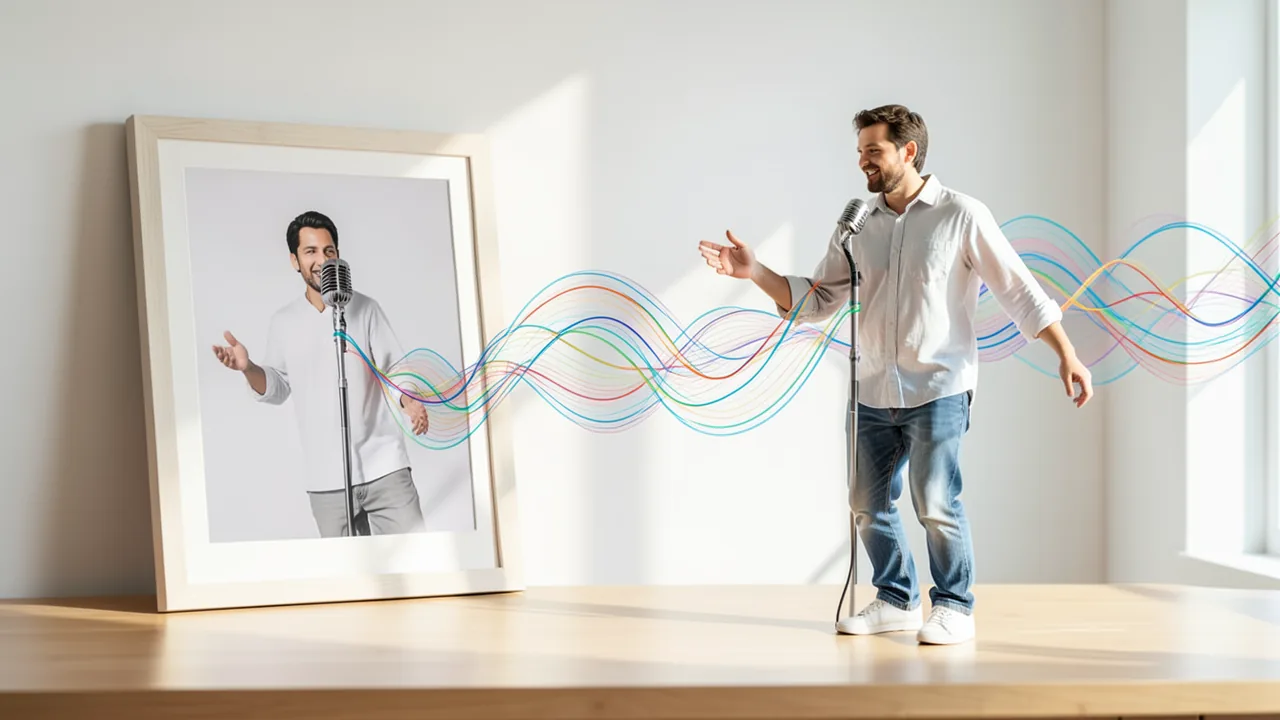
Kandinsky Lab has released Kandinsky S2V 1.0, a model that takes a single image and a voice recording and generates a video of that person speaking. It animates the whole figure, not just the head. The weights are on Hugging Face in a small 2B version and a large 21.4B version.
What's new
Kandinsky Lab has released Kandinsky S2V 1.0, a model for speech-to-video generation. The idea is simple: you supply a single image of a person, the reference image, plus a voice recording. The model turns them into a video in which the person from the image speaks and moves in sync with the recording. The release surfaced in a post on the r/StableDiffusion subreddit, which links to the project page at kandinskyavatar.github.io and to three model repositories on Hugging Face.
The weights are free to download in three variants:
| Variant | Size | Hugging Face repo |
|---|---|---|
| Lite | 2B | kandinskylab/Kandinsky-S2V-1.0-Lite |
| Lite-distill | 2B | kandinskylab/Kandinsky-S2V-1.0-Lite-distill |
| Pro | 21.4B | kandinskylab/Kandinsky-S2V-1.0-Pro |
What the model does, and what it doesn't
The project page describes the approach like this:
"An avatar video is generated from a reference image and a speech track. The whole figure is animated, not just the head. Audio is a condition: the model does not generate sound, it animates the person in the reference image to match the given speech."
Two points stand out. First, the developers say S2V goes beyond plain lip sync. Many older "talking head" tools only move the mouth and face while the rest of the image stays frozen. Kandinsky S2V is supposed to animate the entire body, including posture, shoulders and gestures. The post doesn't show how convincing that looks in practice, and there are no independent tests yet.
Second, the model is not a speech generator. The audio track is a condition, an input that steers the image generation, much like a text prompt does for an image generator. You have to bring the voice yourself, either as a real recording or from a separate text-to-speech model. The finished video is then combined with that audio track.
Three variants for different needs
For most hobbyists, the 2B Lite version is the place to start. Video diffusion models of this size typically run on mainstream consumer graphics cards. Lite-distill is a distilled version. In distillation, a model learns to reproduce the output of a larger or slower process in fewer compute steps. That usually means faster generation at the cost of some quality. The Reddit post doesn't give step counts or speed figures.
The 21.4B Pro version is roughly ten times larger and should deliver better image quality and more coherent motion. In return, it needs much more powerful hardware. The source doesn't offer benchmarks or comparisons between the variants.
Background: Kandinsky and audio-driven avatars
Kandinsky is a family of image models, later expanded to video, that has been released openly several times over the past few years. S2V adds a specialized avatar application. Audio-driven avatar videos are an active research area, with demand from virtual presenters, educational videos, dubbing and social media content. Commercial services have offered this for a while, but open models with full-body animation are still rare. That's exactly why this release matters to the local AI community.
What you need to try it
The source doesn't list specific hardware requirements, so the figures below are rough estimates based on model size:
- Lite / Lite-distill (2B): An Nvidia graphics card with about 8–12 GB of VRAM (video memory) should be enough for short, low-resolution clips. With video models, though, the video itself eats memory, not just the model. Longer clips and higher resolutions need noticeably more.
- Pro (21.4B): At full precision, well over 40 GB of VRAM is realistic, which means professional or data center cards. With 4-bit quantization (shrinking the model by storing its numbers at lower precision), you'd need roughly 14–16 GB plus memory for video generation. The source doesn't mention ready-made quantized files, though.
- Disk space: Several to many gigabytes per variant, considerably more for Pro.
- Mac/CPU: It's unclear whether Apple Silicon is supported. CPU-only inference is impractically slow for video models.
- Google Colab: The Lite variant should be testable on a Colab GPU; the Pro variant probably not.
Our take
Kandinsky S2V 1.0 fills a gap: there are still few open models that turn a photo and audio into a full-body video of someone speaking. Shipping a 2B variant alongside the big Pro version also puts it within reach of people with an ordinary gaming GPU. Plenty remains unclear, though. The post doesn't cover the license, hardware requirements, maximum video length, resolution or, above all, how the quality actually compares with commercial avatar services. The claim that the whole figure is animated comes from the developers.
As with every avatar tool, the potential for misuse is a real concern. A photo and someone else's voice recording are enough to create deceptively realistic videos of real people. If you use the model, only use images of people who have given consent, and label the results as AI-generated.
Sources
- Reddit r/StableDiffusion reddit.com
Try it yourself: Kandinsky S2V 1.0 Lite
Explained step by step, no prior knowledge needed – on your own computer or free in your browser.
What can I do with it?
Kandinsky S2V 1.0 takes a single photo of a person and a voice recording and turns them into a video of that person speaking. According to the developers, it doesn't just move the mouth but the whole figure, including head, upper body and posture. The model doesn't generate audio. You supply the voice as an audio file, such as your own recording or a file from a speech synthesis tool. The small Lite variant (2B) is aimed at home PCs; the Pro variant (21.4B) needs a lot of VRAM but should produce better results. There are no independent comparisons with commercial avatar services yet, so don't expect every clip to work on the first try.
Who is it worth it for?
Worth a look if you want to create explainer videos, virtual presenters or animated characters locally without a subscription service, or if you like experimenting with video models. If you only have a low-memory graphics card, no Nvidia GPU at all, or you expect perfect results right away, a ready-made online service will serve you better.
Ideas: What you can do with it
Take a photo of yourself or a drawn character plus a recorded explanation. The model turns them into a presenter who delivers the script. Handy for tutorials when you'd rather not be on camera yourself.
Draw or generate a fairy-tale character and record a short story. The character then tells it in the video, a fun surprise for your kids or grandkids.
Combine a text-to-speech model with S2V to build a talking assistant for a presentation or website demo. That way you can test how an avatar comes across before paying for a commercial service.
Take a public-domain painting and have the subject speak a short text about their era. Great for school presentations or museum projects, clearly labeled as AI-generated.
Create portraits of your characters and have them speak lines of dialogue. That gives you short cutscenes or character intros for your group.
What your computer needs
Start with Lite (2B) or Lite-distill (2B). The distilled version is likely faster and good for experimenting, while the regular Lite version should produce slightly cleaner results. The 21.4B Pro version is only worth it if you have a graphics card with a lot of VRAM (professional tier). The source doesn't mention official quantized versions.
- The source gives no official hardware requirements. All figures here are estimates.
- Lite/Lite-distill (2B): An Nvidia GPU with about 8–12 GB of VRAM should be enough for short clips.
- Pro (21.4B): Probably more than 40 GB of VRAM at full precision, so it's more for professional cards or rented cloud GPUs.
- With video models, longer videos and higher resolutions need far more VRAM than the model alone.
- CPU-only inference is far too slow for video generation. It's unclear whether Apple Silicon is supported.
How do I find out what my computer has?
- Windows: Press Ctrl + Shift + Esc → Task Manager → Performance tab → click GPU on the left. At the bottom you'll see Dedicated GPU memory (that's your VRAM). You'll find system memory under Memory.
- Mac: Apple menu at the top left → About This Mac. You'll see your chip (e.g. M2) and memory (e.g. 16 GB). On Apple chips, graphics and processor share this memory.
- Linux: Type
nvidia-smiin the terminal (shows your graphics card and its memory) andfree -hfor system memory.
Guide
This model runs with its developers' own program (kandinskylab/kandinsky-s2v on GitHub). The commands below come from the Model Card and the developers' instructions.
In the browser (no installation)
The developers have an online demo on Hugging Face. You can try the model right away there without installing anything. Sometimes you have to wait a moment for the demo to wake up.
Windows 10 / 11
Windows 10 / 11: not officially tested. The source doesn't mention Windows. Here too, you need an NVIDIA card with at least 48 GB (about 28 GB with VAE tiling) and driver version 580 or later. It's safer to run it under WSL2 (Linux inside Windows) using the Linux instructions, or to use the online demo on Hugging Face.
- Check the prerequisites. Install Git, a recent Python 3 and NVIDIA driver version 580 or later. The CUDA 13 build of PyTorch requires this driver (CUDA is NVIDIA's compute platform). Make sure you have about 25 GB of free disk space. Then open PowerShell and check everything with the commands below.
nvidia-smi git --version python --version - Download the code. This command downloads the code from GitHub and switches to the new kandinsky-s2v folder.
git clone https://github.com/kandinskylab/kandinsky-s2v cd kandinsky-s2v - Create a Python environment. A virtual environment (venv) keeps this program's packages separate from other programs. If activation worked, you'll see "(.venv)" at the start of the line. If PowerShell says scripts are blocked, first run "Set-ExecutionPolicy -Scope CurrentUser RemoteSigned".
python -m venv .venv .venv\Scripts\Activate.ps1 - Install the program. This command installs Kandinsky S2V along with PyTorch and all other packages. It takes a few minutes.
pip install -e . - Download the model (optional). On first launch, the program downloads everything itself, about 25 GB in total. If you want to fetch the main model in advance, use the command below.
pip install huggingface_hub hf download kandinskylab/Kandinsky-S2V-1.0-Lite - Prepare your photo and voice recording. Put a photo of the person as reference.png and a voice recording as speech.wav in the kandinsky-s2v folder. You can make the recording with Windows Sound Recorder or Audacity, for example, and save it as WAV. Only use photos of people who have consented.
- Save memory with 28 to 48 GB. If your card has less than 48 GB, open src\kandinsky_s2v\configs\s2v_lite.yaml in a text editor. In the "offload" section, set "vae_tiling" to "true". The program then needs only about 28 GB.
- Generate your first video. This command creates out.mp4 from your photo and recording. In PowerShell, you split long commands across multiple lines with the backtick `. The first run takes a long time because the models are downloaded first.
kandy-s2v generate ` --config src/kandinsky_s2v/configs/s2v_lite.yaml ` --audio speech.wav ` --image reference.png ` --out out.mp4 - Result. The kandinsky-s2v folder now contains out.mp4: a 25 fps video in which the person from your photo speaks and moves in sync with the voice recording.
macOS
macOS: not supported. According to the source, the model needs an NVIDIA graphics card with at least 48 GB and CUDA 13. Macs don't have NVIDIA cards. Use the online demo on Hugging Face instead (Space "kandinskylab/Kandinsky-S2V-1.0-Demo") or rent a cloud machine with an NVIDIA card.
Linux
Linux: supported. Linux with an NVIDIA graphics card is the system the instructions were written for. You need at least 48 GB of VRAM (about 28 GB with VAE tiling) and driver version 580 or later. Without such a card, you can use the online demo on Hugging Face (Space "kandinskylab/Kandinsky-S2V-1.0-Demo").
- Check the prerequisites. You need an NVIDIA graphics card with plenty of memory (see above) and NVIDIA driver version 580 or later. The CUDA 13 build of PyTorch requires this driver (CUDA is NVIDIA's compute platform). You also need Git, a recent Python 3 and about 25 GB of free disk space for the model files. The command below shows the driver version in the top right.
nvidia-smi git --version python3 --version - Download the code. This command downloads the code from GitHub and switches to the new folder. Afterwards you'll have a folder called kandinsky-s2v.
git clone https://github.com/kandinskylab/kandinsky-s2v cd kandinsky-s2v - Create a Python environment. A virtual environment (venv) is a separate space just for this program, so it doesn't get mixed up with other programs. If activation worked, you'll see "(.venv)" at the start of the line.
python3 -m venv .venv source .venv/bin/activate - Install the program. This command installs Kandinsky S2V and everything it needs, including PyTorch. It can take a few minutes. If you prefer the uv tool, "uv sync" works too.
pip install -e . - Download the model (optional). You don't need to download anything by hand: on first launch, the program fetches everything itself, about 25 GB in total. That includes the main model, Qwen2.5-Omni-7B, CLIP and the video VAE (the part that converts images to video and back). If you want to fetch the main model in advance, use the command below.
pip install huggingface_hub hf download kandinskylab/Kandinsky-S2V-1.0-Lite - Prepare your photo and voice recording. Put a photo of the person in the kandinsky-s2v folder as reference.png. Next to it goes a voice recording as speech.wav. You can make the recording with your phone or an audio program like Audacity, for example, and save it as WAV. Only use photos of people who have consented.
- Save memory with 28 to 48 GB. If your card has less than 48 GB, open src/kandinsky_s2v/configs/s2v_lite.yaml in a text editor. Find the "offload" section and set "vae_tiling" to "true". The program then needs only about 28 GB, though faint seams may become visible in the image.
- Generate your first video. This command is the example from the instructions. It takes your photo and recording and creates out.mp4. The first run takes a long time because the models are downloaded first. Even on an H100, one second of video takes about 44 seconds to compute.
kandy-s2v generate \ --config src/kandinsky_s2v/configs/s2v_lite.yaml \ --audio speech.wav \ --image reference.png \ --out out.mp4 - Result. The kandinsky-s2v folder now contains out.mp4: a 25 fps video in which the person from your photo speaks and moves in sync with the voice recording.
What to do after your first result
- Use --prompt and --negative to replace the default description from the config, for example to describe the motion or mood. Use --steps, --guidance and --seed to change the generation settings. A different --seed gives you a different variation.
- Long recordings are automatically processed in 5-second chunks. Use --chunks N to set the number of chunks yourself.
- For much faster results, use the distilled version: pass --config src/kandinsky_s2v/configs/s2v_lite_distill.yaml. It runs 16 steps instead of 50 and is about five times as fast (8.7 instead of 44 seconds per second of video on an H100).
- If you have multiple NVIDIA cards in one machine, you can split the work with 'just generate-parallel 2' or 'just generate-parallel 4', followed by the same options. With Lite, only 2 or 4 cards work.
Try it
A front-facing portrait photo of yourself plus a 10-second voice recording: "Hi, welcome to my channel!"A painted fantasy character (full-body image) plus a short fairy-tale passage read aloudA photo of a person in business attire plus a 15-second product explanation generated with speech synthesisA half-body image with visible hands plus a loud, emotional voice recording, to test whether gestures and body movement follow alongThe same image with two different audio tracks (calm vs. excited), to compare how strongly the animation responds to the speechTips for better results
- Use a sharp, well-lit reference image in which the person is clearly visible. If you want the whole figure animated, the image should show more than just the face.
- Use clean voice recordings without background music or noise so the model can pick up the speech properly.
- Start with short clips of a few seconds and only increase the length once the results look right.
- Compare Lite and Lite-distill with the same image and audio to figure out whether speed or quality matters more to you.
If something goes wrong
The model doesn't generate audio. You need a finished voice recording and may have to merge it with the video yourself.
The Reddit post doesn't mention the license. Check the Model Card on Hugging Face before using results commercially.
Too little VRAM leads to crashes (out of memory). If that happens, use shorter clips or a lower resolution, or switch to the Lite variant.
The Pro variant is very large. Only download it if your hardware can realistically handle it.
Only use photos of people who have consented. Deceptively realistic videos of real people can cause legal trouble.
“out of memory,” a crash, or your computer freezes
The model is too big for your VRAM (video memory). Pick a smaller variant from the table above and close other programs, especially games and browsers with lots of tabs.
It runs, but extremely slowly
Your CPU is probably doing the work instead of your graphics card. In Ollama, the PROCESSOR column of ollama ps shows how much runs on the GPU. If it says "100% CPU", update your graphics driver or pick a smaller variant that fits entirely into VRAM (video memory).
“ollama” or “python” is not found
Close the terminal window and open it again so it recognizes the newly installed program. For Python on Windows: reinstall it and check Add python.exe to PATH.
Windows: "Running scripts is disabled on this system"
Run the script with exactly the command above: powershell -ExecutionPolicy Bypass -File try_windows.ps1. This allows execution for this one time only.
Error message when loading the model (version, "trust_remote_code", unknown architecture)
Brand-new models often need the latest software version. With Ollama: update Ollama. With Python: pip install -U transformers in the activated environment. The Model Card usually lists the exact version.
Tokenstrom generates the scripts and notebook automatically. Please take a quick look before running them – they're plain, readable text. Mind the model's license: mit.
Ask the AI assistant
Questions about this article, installation or background? Our assistant knows this page and runs on our own machine, not in someone else's cloud.
The Assistant is an AI (Gemma 4) and can make mistakes – please check important details against the source. Questions are used only to generate an answer and are deleted after one hour. Please don't enter any personal data.


Comments
What do you think? Already tried it? Write it here, no sign-up needed.
Comments are public. Links aren't allowed, and we delete abusive posts. You can delete your own comment at any time in this browser. Learn more in the Privacy Policy.