
Nvidia's Flora labels robot video 125x cheaper, by its own estimate
Nvidia is releasing Flora, an open data engine that captions and scores robot videos. Nvidia says an hour of video costs about 72 cents, versus roughly $88 with GPT-6 Astra. The cost figure is only a projection, though, and Astra comes out ahead in some tests.
What this is about
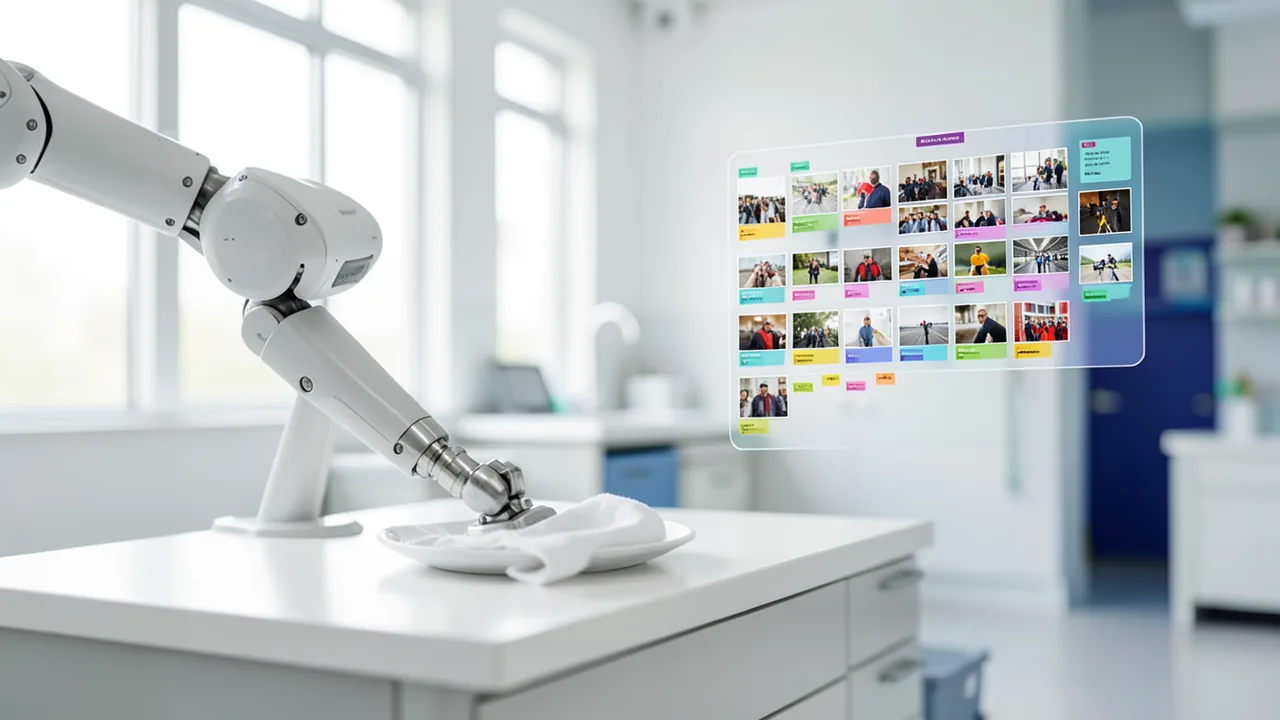
Nvidia has released Flora, an open data engine for robotics. It captions and scores the videos used to train large AI models for robots. It was developed by Nvidia's GEAR research lab, and the models are available on Hugging Face. Nvidia claims an hour of robot video costs about 72 cents, while OpenAI's GPT-6 Astra charges around $88 for the same work. That would make it up to 125 times cheaper. The comparison is more nuanced than the price suggests, though.
Why robot videos need labels
Robot models learn from videos that have to be annotated with text. According to GEAR, that takes three kinds of information:
- Captions describing which action happens when in the video. They are used to select training data.
- Scores for how well a robot progresses, step by step. With them, it can keep learning through trial and error (reinforcement learning).
- Verdicts on whether a task ultimately succeeded. They are used to monitor robots in deployment.
Existing tools usually deliver only one of these. Large language models such as GPT-6 Astra can produce several, but they are too expensive for the huge volumes of video involved. Flora is meant to cover all three.
How Flora is built
Flora consists of three fine-tuned models based on Qwen3.5:
- A model with 9 billion parameters (parameters are, roughly speaking, the knobs a model tunes during training) splits videos into action segments.
- A 27B model describes those segments, taking into account what happens before and after.
- Another 27B model, Flora-Rewarder, takes on three roles depending on the prompt. It rates an episode's success on a scale of 1 to 5, classifies each half-second step as normal, suboptimal or error, and awards points against rubrics you define yourself.
According to Nvidia, the system is already used to train the GR00T models and annotates up to 200,000 hours of video per day on 512 GB300 GPUs.
Costs and comparison
In a test with 50 videos, Nvidia says Flora captioned slightly better than GPT-6 Astra, even though Astra was allowed to use its full reasoning effort.
| Model | Cost per hour of video (Nvidia's figures) |
|---|---|
| Flora | approx. $0.72 |
| Claude Opus 5 | approx. $42 (significantly worse quality) |
| GPT-6 Astra | approx. $88.50 |
Important: the Flora cost is a projection. Nvidia didn't measure it in production. It calculated it using an assumed rental price of $10 per GPU-hour.
Strengths and weaknesses in the benchmarks
Video captions: On the public WGO-Bench, Flora is best at detecting action boundaries. Overall it trails Astra, and on pure caption accuracy it also trails Gemini 3.8 Flash. The researchers say the gains come mainly from temporal localization. On Nvidia's own DenseCaptionBench, Flora leads on every metric for human footage and comes second behind Astra on robot videos. The researchers admit one catch: the captions are judged by GPT-6 Astra, which is itself part of the test.
Scoring: On RoboRewardBench, Flora's error is 27.8 percent lower than Astra's. The advantage comes from partially completed tasks: if a robot only tips a bottle over instead of pushing it off the table, Flora gives 3 out of 5, like the human reference, while Astra gives just 1.
Error detection: The gap is widest for errors within an episode. Flora-Rewarder finds 53.3 percent of error steps, no competitor gets above 11.7 percent, and Astra doesn't catch a single one. On the downside, Flora wrongly flags about 11 percent of normal steps as errors. Astra leads on rubric scoring and on ranking trajectories.
Examples: In a video with many short hand movements, Flora detects 34 of 37 actions, while Astra finds only four. On the other hand, Flora sometimes splits longer actions into too many small steps and occasionally gets things wrong: a robot hand wipes a plate with a cloth, and Flora describes it as folding a napkin.
What you need to try it
Nvidia doesn't list hardware requirements for individual users. As a rough guide: the 27B model needs about 17–20 GB of VRAM with 4-bit quantization, and the 9B model about 7 GB. For large-scale operation, Nvidia uses 512 GB300 GPUs. The source doesn't say whether quantized variants or GGUF files exist.
Our take
Flora is mainly interesting for robotics researchers who want to scale their own datasets, for example to transfer human demonstrations to robots. Nvidia positions it as an open alternative to commercial services such as Scale AI's Physical AI Data Engine. There is a business interest behind it: Nvidia is investing billions in open models to keep developers in its own hardware ecosystem and sustain chip demand. Flora adds detailed captions and reward signals to the data pipeline shown at GTC in the spring, and fits Nvidia's strategy of covering the entire robotics value chain. Google's recently unveiled Gemini 4 Argon addresses something similar.
The caveats: all the numbers come from Nvidia, the costs are estimates, the test covered only 50 videos, and on DenseCaptionBench a competing model acts as judge. The 125x price advantage also holds only under Nvidia's assumptions. The strong error detection is a real plus, but it comes at the price of false alarms.
Sources
- The Decoder (EN) the-decoder.com
- The Decoder (DE) the-decoder.de
- Google News (FR) news.google.com
- Google News (US) news.google.com
Try it yourself: Flora (Flora-Rewarder, 27B)
Explained step by step, no prior knowledge needed – on your own computer or free in your browser.
What can I do with it?
Flora labels robot videos: it splits them into individual actions, describes them, and rates whether a task succeeded and whether individual half-second steps are normal, suboptimal or faulty. That lets you annotate your own robotics datasets automatically.
Who is it worth it for?
Interesting for robotics researchers and developers with video data and enough GPU power. Casual users with no robotics background will get little out of it.
What your computer needs
There are three models: a 9B model for action segmentation, a 27B model for captions, and Flora-Rewarder (27B) for scoring. The 9B model is enough for initial tests; the 27B models need a bigger GPU. The source doesn't mention quantized variants.
- The 9B model needs roughly 7 GB of VRAM in 4-bit, the 27B models about 18 GB or more (our own estimate).
- Video processing takes extra memory, and long clips increase the requirement.
- Nvidia itself uses 512 GB300 GPUs for up to 200,000 hours of video per day.
- Apple Silicon or CPU operation isn't mentioned in the source and would likely be very slow.
How do I find out what my computer has?
- Windows: Press Ctrl + Shift + Esc → Task Manager → Performance tab → click GPU on the left. At the bottom you'll see Dedicated GPU memory (that's your VRAM). You'll find system memory under Memory.
- Mac: Apple menu at the top left → About This Mac. You'll see your chip (e.g. M2) and memory (e.g. 16 GB). On Apple chips, graphics and processor share this memory.
- Linux: Type
nvidia-smiin the terminal (shows your graphics card and its memory) andfree -hfor system memory.
Guide
This model runs with its developers' own program. The commands below come from the Model Card and the developers' instructions.
Windows 10 / 11
Windows 10 / 11: not officially tested. The Model Card lists only Linux as a supported system. It hasn't been tested on Windows. The safest route is WSL2 (Linux on Windows) with the NVIDIA driver; the Linux steps apply there. You need about 68 GB of VRAM (video memory).
- Check the prerequisites. You need Python 3.10 or newer, Git and an NVIDIA graphics card with around 68 GB of VRAM and an up-to-date driver. Plan for 60 GB of free disk space. Open PowerShell and check everything.
python --version git --version nvidia-smi - Create a working folder. Create a new, empty folder and switch into it.
mkdir flora cd flora - Create a virtual environment. If PowerShell blocks activation, allow scripts for this window only with the first command.
Set-ExecutionPolicy -Scope Process RemoteSigned python -m venv .venv .venv\Scripts\Activate.ps1 - Install the packages. This installs PyTorch, Transformers and the download tool. You may need a PyTorch build with CUDA support for your graphics card.
pip install torch transformers accelerate huggingface_hub - Download the model. This downloads about 56 GB into the flora-model folder.
hf download nvidia/Flora-Rewarder --local-dir flora-model - Prepare a video and the script. Put a robot video named episode.mp4 in the flora folder. Save the Python code from the Linux instructions as demo.py in the same folder.
- Generate a rating. Run the script. The rating from 1 to 5 then appears in the window.
python demo.py episode.mp4 - Result. The terminal shows a rating for your robot video: a success score from 1 (failure) to 5 (full success), usually with a short explanation.
macOS
macOS: not supported. According to the Model Card, the model runs on NVIDIA GPUs with CUDA under Linux. A Mac has no NVIDIA card and doesn't have the roughly 68 GB of VRAM (video memory) required. Alternative: use a rented Linux machine with an NVIDIA H100 (80 GB).
Linux
Linux: supported. According to the Model Card, Linux is the only supported system, tested on an NVIDIA H100. Ampere, Lovelace, Hopper and Blackwell are listed. You need about 68 GB of VRAM (video memory). The Model Card contains no code example; the script below is a standard Transformers setup and may need adjustments.
- Check the prerequisites. You need Python 3.10 or newer, Git and an NVIDIA graphics card with around 68 GB of VRAM and the NVIDIA driver installed. Plan for about 60 GB of free disk space. You can check the driver with nvidia-smi.
python3 --version git --version nvidia-smi - Create a working folder. Create a new, empty folder and switch into it.
mkdir flora && cd flora - Create a virtual environment. A virtual environment (venv) keeps the packages separate from the rest of your system.
python3 -m venv .venv source .venv/bin/activate - Install the packages. The Model Card names PyTorch and Hugging Face Transformers as the runtime. If Python later reports a missing package for reading video, install it with pip.
pip install torch transformers accelerate huggingface_hub - Download the model. This downloads about 56 GB into the flora-model folder and takes a while. The license allows non-commercial research only.
hf download nvidia/Flora-Rewarder --local-dir flora-model - Prepare your own video. You need a short video of a robot performing a task, for example your own recording saved as episode.mp4. Put it in the flora folder.
- Save the script. Save this code as demo.py in the flora folder. Adjust the task in the prompt to match your video. The exact prompt format isn't in the Model Card; this is just a simple suggestion.
import sys, torch from transformers import AutoProcessor, AutoModelForImageTextToText p = AutoProcessor.from_pretrained('flora-model') m = AutoModelForImageTextToText.from_pretrained('flora-model', torch_dtype=torch.bfloat16, device_map='auto') msgs = [{'role':'user','content':[ {'type':'video','path':sys.argv[1]}, {'type':'text','text':'Task: pick up the cup. Rate the episode outcome from 1 (complete failure) to 5 (complete success).'}]}] x = p.apply_chat_template(msgs, add_generation_prompt=True, tokenize=True, return_dict=True, return_tensors='pt').to(m.device) out = m.generate(**x, max_new_tokens=512) print(p.decode(out[0][x['input_ids'].shape[1]:], skip_special_tokens=True)) - Generate a rating. Run the script on your video. Loading the model takes a few minutes. After that, the rating from 1 to 5 appears.
python demo.py episode.mp4 - Result. The terminal shows a rating for your robot video: a success score from 1 (failure) to 5 (full success), usually with a short explanation.
Try it
Split this video into individual actions with start and end times.Rate on a scale of 1 to 5 whether the robot successfully completed the task 'push the bottle off the table'.Classify each half-second step of this episode as normal, suboptimal or error.If something goes wrong
The exact Hugging Face repo names and the license aren't given in the source; check the paper or Nvidia's Hugging Face page.
The models are based on Qwen3.5, so you need a recent version of Transformers or vLLM with video support.
Flora can describe actions incorrectly and wrongly flag errors (about 11 percent); spot-check the results.
“out of memory,” a crash, or your computer freezes
The model is too big for your VRAM (video memory). Pick a smaller variant from the table above and close other programs, especially games and browsers with lots of tabs.
It runs, but extremely slowly
Your CPU is probably doing the work instead of your graphics card. In Ollama, the PROCESSOR column of ollama ps shows how much runs on the GPU. If it says "100% CPU", update your graphics driver or pick a smaller variant that fits entirely into VRAM (video memory).
“ollama” or “python” is not found
Close the terminal window and open it again so it recognizes the newly installed program. For Python on Windows: reinstall it and check Add python.exe to PATH.
Windows: "Running scripts is disabled on this system"
Run the script with exactly the command above: powershell -ExecutionPolicy Bypass -File try_windows.ps1. This allows execution for this one time only.
Error message when loading the model (version, "trust_remote_code", unknown architecture)
Brand-new models often need the latest software version. With Ollama: update Ollama. With Python: pip install -U transformers in the activated environment. The Model Card usually lists the exact version.
Tokenstrom generates the scripts and notebook automatically. Please take a quick look before running them – they're plain, readable text. Mind the model's license: custom license (see Model Card).
Ask the AI assistant
Questions about this article, installation or background? Our assistant knows this page and runs on our own machine, not in someone else's cloud.
The Assistant is an AI (Gemma 4) and can make mistakes – please check important details against the source. Questions are used only to generate an answer and are deleted after one hour. Please don't enter any personal data.


Comments
What do you think? Already tried it? Write it here, no sign-up needed.
Comments are public. Links aren't allowed, and we delete abusive posts. You can delete your own comment at any time in this browser. Learn more in the Privacy Policy.