
Project NOMAD: Wikipedia, maps and an AI assistant for when the internet goes dark
Project NOMAD is a free, open-source server that runs Wikipedia, offline maps, learning courses and a local AI chatbot on your own hardware, with no internet needed. It's built for disasters, remote locations and anyone who'd rather not send their searches to the cloud. A hands-on test shows what already works well and where it still falls short.
What it's about
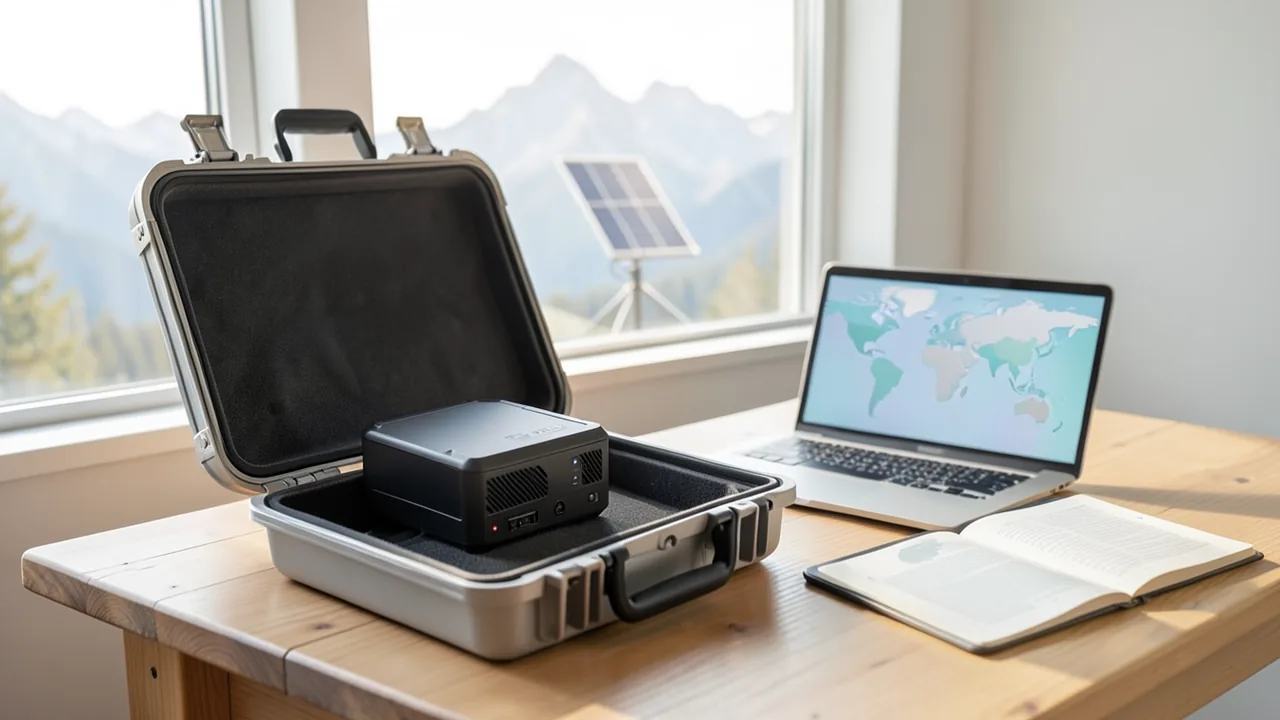
A lot of everyday tasks need an internet connection, including looking something up on Wikipedia or checking a map. When the network goes down, whether from a storm, a power outage or simply because you're in a mountain hut or on a boat, all of that stops working. That's the gap Project NOMAD wants to fill. The name stands for "Node for Offline Media, Archives, and Data." It's a free, open-source knowledge server that runs on your own hardware and is explicitly designed to work without internet.
The project is developed by Chris Sherwood, a networking expert who runs the YouTube channel Crosstalk Solutions. According to dev.ua, he started it out of curiosity, and it has since grown into a community. Sherwood explains the idea in a video:
"When the internet goes down, everything goes down. I wanted to find a way to keep a copy of that information locally."
The code is on GitHub at Crosstalk-Solutions/project-nomad and, according to heise, is released under the Apache 2.0 license. Japanese tech site Gigazine has now put NOMAD through an extensive test.
What's inside
NOMAD bundles several proven open-source projects under one shared web interface, the "Command Center." You open it in your browser at http://localhost:8080.
- Information Library: Wikipedia and other reference works offline, powered by Kiwix. Kiwix stores entire websites in compressed archive files (ZIM files) and makes them searchable. According to Gigazine, a Wikipedia article looks almost exactly like the regular web page, and search and links work. In the "Content Explorer" you choose the language and scope, for example with or without images. According to dev.ua, there's also Project Gutenberg (freely available books), medical references and repair guides. heise cites iFixit content via Kiwix as an example.
- Offline Maps: Maps based on OpenStreetMap, downloadable by region and, according to dev.ua, with navigation and route planning.
- Education Platform: The learning software Kolibri is built in, with Khan Academy courses, educational videos and interactive lessons. According to dev.ua and heise, it covers the entire US curriculum from kindergarten through 12th grade (K-12).
- AI Assistant: A chatbot that runs locally via Ollama or LM Studio, programs that run language models directly on your own computer. Through a "Knowledge Base," you can upload your own PDFs, which the assistant draws on via RAG. RAG (Retrieval-Augmented Generation) means the AI first pulls relevant passages from your documents and bases its answer on them.
- Supply Depot: This is where you install extra apps, such as a collection of IT utilities ("IT Tools") or a simple notes app. There's also update management and a benchmark feature.
According to dev.ua, the complete package comes to about 250 GB. For context, from an OFFGRID Survival guide: English Wikipedia with images is now around 111 GB as a Kiwix file, about 48 GB without images, and the "Mini" version with intros and key facts is about 11 GB.
The hands-on test: mixed results
Gigazine installed NOMAD on Windows 11 with an Nvidia graphics card, running inside WSL2 (Windows Subsystem for Linux, a Linux environment within Windows) with Ubuntu. Installation basically means downloading an install script and running it. Because Docker Desktop on Windows behaves differently from a regular Linux server, one check line in the script had to be tweaked first, as the official instructions describe. Docker is a technology that packages programs into isolated "containers." After that, the containers started automatically.
Here are the results:
| Feature | Result in Gigazine's test |
|---|---|
| Wikipedia offline | works, search and links as usual |
| Offline maps | Japan data (approx. 2.5 GB) downloaded, but the map didn't display |
| Learning platform | works, but no Japanese content |
| AI assistant with RAG | found the test code "BLUE-123" in an uploaded document, but only after several follow-up prompts |
| Benchmark | still not finished after more than 30 minutes |
For the chatbot, Gigazine used an Ollama instance running on Windows. The editors note that accuracy and the number of follow-up prompts needed depend heavily on the language model you pick. The report doesn't say which model was used.
One security note from the test: the admin interface has no login by default. If you run NOMAD, keep it on your local network and don't expose it directly to the internet.
Hardware and installation
According to dev.ua, NOMAD runs on any x86 computer with Linux, meaning regular PCs with Intel or AMD processors. Raspberry Pi and other ARM devices aren't listed as supported platforms. Sherwood recommends three configurations ranging from 150 to more than 1,000 US dollars. heise describes the process like this:
- Grab an old office PC or laptop. For the AI features, you'll want at least 16 GB of RAM.
- Install Ubuntu 26.04 LTS or Debian 12.
- Run two commands. The installer sets up Docker, dependencies and content packs on its own.
- Choose your content packs, such as German Wikipedia, OpenStreetMap Europe, Khan Academy and medical references.
- Optionally add a graphics card so the language models respond faster.
According to heise, you can start experimenting for around 150 euros. Add a graphics card and enough memory for AI models, and you'll quickly hit four figures. On a public benchmark leaderboard, the community compares its systems, from frugal mini PCs to GPU servers.
More than a prepper toy
The apocalypse angle gets clicks, but heise also points to more down-to-earth use cases: school buses and mobile libraries in rural areas, ships at sea or rainforest expeditions where Starlink isn't available or is too expensive, isolated industrial sites like mines or oil rigs, and disaster relief, for example with Germany's THW (Federal Agency for Technical Relief) or Doctors Without Borders. NOMAD is also interesting for privacy: schools or government offices can offer knowledge resources and an AI assistant without a single query ever leaving the local network. At maker events with overloaded Wi-Fi, a NOMAD server can serve up documentation and even an AI coding helper.
heise also sees the project as a good learning exercise: setting it up teaches you Linux administration, Docker, networking basics, running local language models and storage planning.
Our take
None of NOMAD's individual building blocks are new. Kiwix, Kolibri, OpenStreetMap and Ollama have been around for a while, and you could always combine them yourself. The value is in the bundling: one installer and one interface save you a lot of tinkering. On top of that, you get a local AI assistant that can search your own documents. That combination of offline knowledge and local AI is exactly what sets NOMAD apart from classic offline libraries.
But Gigazine's test shows that not everything runs smoothly yet. The maps didn't display, the benchmark hung, and the learning content is tailored to the US curriculum. How good the chatbot is depends entirely on the model you choose and the hardware you have. A laptop without a graphics card will give you noticeably slower and weaker answers than a GPU machine. There's also no login, so you shouldn't casually make the server publicly accessible. Still, for tinkerers, schools in remote regions and privacy-conscious users, this free project is already worth a look. Just don't expect everything to work flawlessly.
Related videos
Sources
- Gigazine (JP) gigazine.net
- dev.ua dev.ua
- offgridsurvival.com offgridsurvival.com
- heise.de heise.de
Ask the AI assistant
Questions about this article, installation or background? Our assistant knows this page and runs on our own machine, not in someone else's cloud.
The Assistant is an AI (Gemma 4) and can make mistakes – please check important details against the source. Questions are used only to generate an answer and are deleted after one hour. Please don't enter any personal data.



Comments
What do you think? Already tried it? Write it here, no sign-up needed.
Comments are public. Links aren't allowed, and we delete abusive posts. You can delete your own comment at any time in this browser. Learn more in the Privacy Policy.