
Nod
An AI agent with its own computer: it handles tasks on real websites for you and asks before it acts.

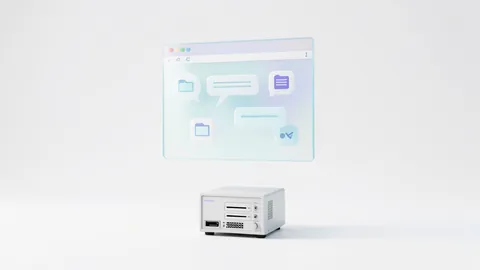
Nod is a desktop app from the n8n team. Inside it, a personal agent works in a sandboxed environment with its own browser. It chases unpaid invoices, prepares meetings or cancels free trials, and checks with you before doing anything important. You choose the language model yourself: an API key (OpenAI, Anthropic, Gemini, OpenRouter …), your ChatGPT Plus subscription or a local model via Ollama or LM Studio. Heads-up: Nod sends usage data to n8n by default. Turn that off under Settings → Privacy & data → Share usage data.
How to try it
Commands from the official guides – just copy them.
Linux
# Preview as a Flatpak (64-bit Intel/AMD, requires GNOME Keyring or KWallet)
# 1. Add Flathub (install Flatpak through your package manager first)
flatpak remote-add --user --if-not-exists flathub https://dl.flathub.org/repo/flathub.flatpakrepo
# 2. From https://github.com/n8n-io/nod/releases, download all nod-linux-x64.flatpak.partNN files
#    and SHA256SUMS-linux-x64 into an empty folder, then run this there:
cat nod-linux-x64.flatpak.part[0-9][0-9] > nod-linux-x64.flatpak && sha256sum --check SHA256SUMS-linux-x64 && flatpak install --user ./nod-linux-x64.flatpak
# 3. Launch (or use your applications menu)
flatpak run io.n8n.Nod
macOS
# macOS 14 or newer
# Apple silicon (M chip): https://github.com/n8n-io/nod/releases/latest/download/nod-arm64.dmg
# Intel Mac: https://github.com/n8n-io/nod/releases/latest/download/nod-x64.dmg
# Open the DMG, drag Nod into your Applications folder and launch it
# At startup, choose "Get started" (local) or "Connect to a server"
Windows (PowerShell)
# Windows 11 x64 (preview). The local agent needs WSL 2 and at least 20 GB of free disk space
# Download and run the installer:
# https://github.com/n8n-io/nod/releases/latest/download/nod-Setup-x64.exe
# SmartScreen may show a warning for new versions
# Then choose "Get started" and follow the prompts to set up WSL
Commands from the official guide. New in the Toolbox since Nov 13, 2026.
Ask the AI assistant
Questions about Nod, installation or background? Our assistant knows this page and runs on our own machine, not in someone else's cloud.
The Assistant is an AI (Gemma 4) and can make mistakes – please check important details against the source. Questions are used only to generate an answer and are deleted after one hour. Please don't enter any personal data.

Comments
What do you think? Already tried it? Write it here, no sign-up needed.
Comments are public. Links aren't allowed, and we delete abusive posts. You can delete your own comment at any time in this browser. Learn more in the Privacy Policy.