
Apple Watch is listening: "Live Rewind" shows you what was just said
With the watchOS 27.3 beta, Apple is testing new AI features for the Apple Watch. Live Rewind shows the last 15 seconds of a conversation as text, and Siri Recap automatically summarizes your conversations throughout the day. Apple promises strong privacy protections, but the features raise questions, and they won't be available in the EU for now.
What's going on
On November 3, 2026, Apple released the first developer betas of watchOS 27.3 and iOS 27.3. They bring two AI features to the watch that listen in on conversations for the first time: Live Rewind and Siri Recap. Both are part of a package called Audio Intelligence, which Apple announced in September at its "Surprise and Shine" hardware event alongside the Apple Watch Series 12 and Apple Watch Ultra 4. According to TechCrunch, Apple first shared the news in a press release from its India team. Later that day, the update also arrived in the US and other markets.
Audio Intelligence includes four features, all of which you have to turn on yourself (opt-in):
- Live Rewind: shows what was said in the last 15 seconds.
- Siri Recap: automatically summarizes conversations.
- Sound Recognition: detects important sounds such as sirens, alarms or doorbells. It's aimed primarily at people who are deaf or hard of hearing.
- Shazam music recognition: identifies songs playing around you.
According to MacRumors, Sound Recognition and Shazam were already available on the watch. What's new, and more controversial, are the two features that process human conversations.
Live Rewind: the last 15 seconds, ready to read back
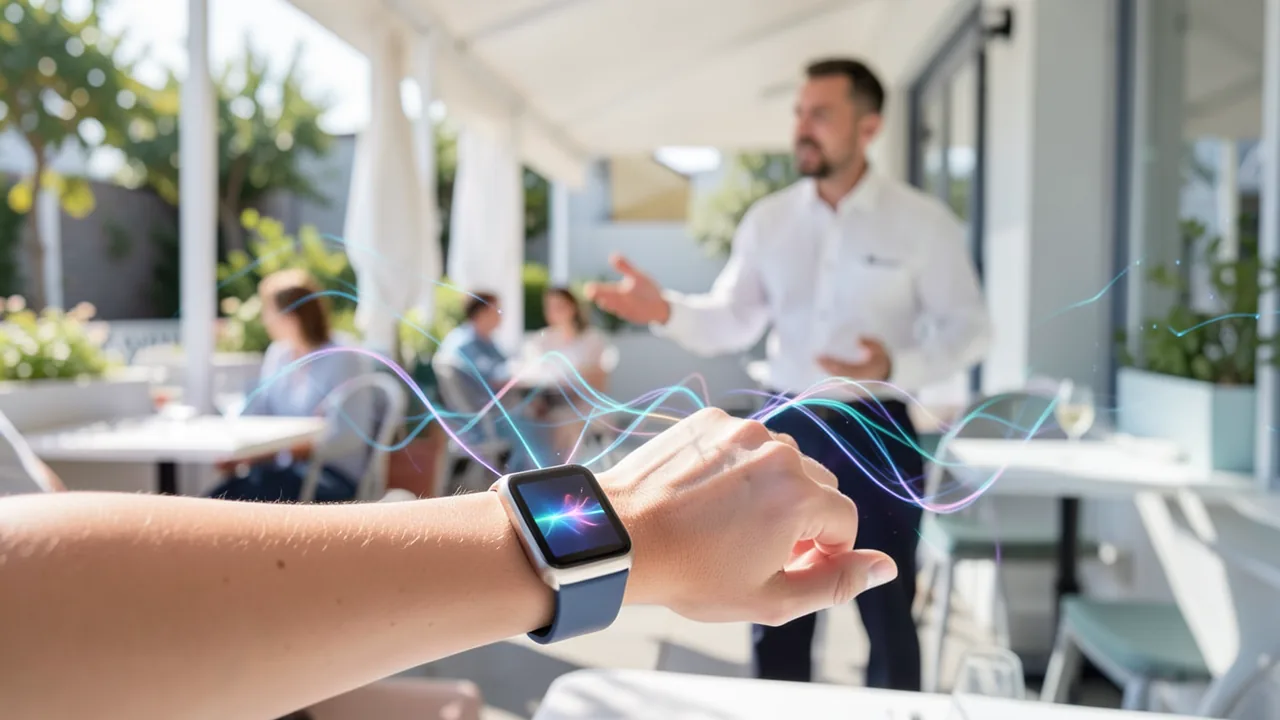
Live Rewind is meant to help in everyday moments: a waiter rattles off the specials, someone gives you directions, or you didn't catch a name. Instead of asking again, you double-click the Digital Crown, the dial on the side of the watch. What was said in the previous 15 seconds then appears as text.
According to iClarified, when the feature is on, the watch keeps a short, continuous audio buffer (a ring buffer) in which old audio is constantly replaced by new audio. Only the double-click triggers speech recognition for that exact 15-second window. So there's no permanent transcript, and the result is text, not a recording you can play back. You turn the feature on in the Watch app on your iPhone under Siri → Live Rewind → "Double Click Digital Crown."
The text snippet disappears about 30 seconds after the display dims. You can, however, save it in the standalone Siri app introduced with iOS 27, or use "Ask Siri" to ask questions about it, such as a technical term or a sauce the waiter mentioned. One important catch: your iPhone has to be within wireless range. If it isn't, Live Rewind fails and discards the buffer. According to iClarified, that even applies to the Ultra 4 with cellular.
To let people nearby know it's listening, the watch plays a chime when you activate it, even in silent mode and with headphones connected. There's also a full-screen animation and a microphone indicator.
Siri Recap: conversation notes in the background
Siri Recap goes considerably further. When it's on, the watch listens in the background. According to TechCrunch, small AI models on the S11 chip detect whether a conversation involving the wearer is taking place. From that, the watch creates a summary with a title, a short sentence and bullet points, for example about appointments, deadlines, prices or payment plans. Apple's examples include work meetings, parent-teacher conferences and sessions with a personal trainer. The notes are meant to be factual, without emotion or tone.
You can control Recap with a schedule based on time, location or both, for example only at work or never at night. You can also switch it on and off at any time from Control Center. Recap pauses while you're listening to media or on a call through connected headphones, and when active noise cancellation is on with AirPods or Beats. In the evening, and in the morning the first time you unlock it, the watch reminds you to review your summaries. Saved recaps can be exported to Notes, Journal or other apps. Unsaved ones are deleted after an adjustable period of up to seven days.
Unlike Live Rewind, Recap has no chime. iClarified points out that people nearby may therefore not realize their conversation is being summarized, and recommends asking before sensitive conversations.
| Live Rewind | Siri Recap | |
|---|---|---|
| Purpose | Read back what was just said | Remember the key points of a conversation |
| Trigger | Double-click the Digital Crown | Manually or via a time/location schedule |
| Output | Text of the last 15 seconds | Summary, no transcript |
| Processing | Watch and iPhone; cloud only when saving or asking Siri | Watch, iPhone and Private Cloud Compute |
| Deletion | approx. 30 sec. after the display dims | up to 7 days if not saved |
| Signal for bystanders | Chime, animation, microphone icon | no activation chime |
How Apple plans to protect privacy
Apple has published a detailed privacy document. The core idea: raw audio goes into the Secure Exclave of the S11 chip, a hardware-isolated area that processes sensor data separately from the rest of the system. Neither apps, the operating system nor Apple are supposed to be able to access it, and neither are you. There's no recording to play back or share.
With Recap, the watch encrypts the audio and sends it to the paired iPhone. There, it's transcribed and condensed inside the iPhone's own protected area. According to iClarified, this "condensed" text is designed to be less than half the length of the original transcript, since filler words and repetitions are dropped. Only this text goes to Private Cloud Compute (PCC), Apple's secured servers, where the actual summary is generated. Apple says the data is used there only for that request and deleted immediately afterward. Calendar events, information about the music currently playing and coarse location data (home, work, city, type of place) are also sent as context, but no precise GPS coordinates.
Apple makes further promises: none of the features recognizes or labels speakers, so there's no "Eric said …" and no "Speaker A." Names mentioned in the conversation can still show up in the summary, though. Recap is supposed to filter out sensitive content such as government ID numbers, financial data and login credentials, certain personal identifiers, and content that encourages self-harm. iClarified notes that automated filters can miss things. Saved recaps and Rewind snippets are synced via iCloud with end-to-end encryption, provided two-factor authentication and a device passcode are enabled. According to Apple, the features shouldn't affect battery life on either the watch or the iPhone.
Requirements and availability
You'll need an Apple Watch Series 12 or Ultra 4 and an iPhone 16 or later with Apple Intelligence and Siri AI. According to iClarified, that means the iPhone 16, 16 Plus, 16 Pro and 16 Pro Max, all iPhone 17 models including the 17e, the iPhone Air, the iPhone 18 Pro and Pro Max, and the iPhone Duo. The iPhone 16e and iPhone 15 Pro aren't supported, even though both support Apple Intelligence. The features are English-only at first, and according to iClarified they're not available in the EU or China. The sources disagree on the minimum age: MacRumors says the features can be used from age 13, with parental permission required under 18. iClarified gives a minimum age of 18. Features that use Apple's server models are also subject to daily usage limits.
A public beta is expected to follow the developer beta. MacRumors expects the final version of watchOS 27.3 in December.
Our take
With Live Rewind and Siri Recap, Apple is bringing "ambient listening" to a device that millions of people wear all day. TechCrunch recalls the criticism aimed at AI wearables such as Meta's glasses. Apple is visibly trying to strike a balance with hardware isolation, no speaker identification, automatic deletion and a chime. Live Rewind seems relatively harmless by comparison: it only works when you press a button, only covers 15 seconds and makes itself known.
Siri Recap is trickier. If you want, it runs in the background for hours without the people you're talking to getting any notice, and it sends text to the cloud, albeit condensed and, according to Apple, without storing it. The privacy promises are the manufacturer's own claims, and nobody has independently verified them yet. The features' absence from the EU is likely tied to the stricter rules there, but the sources don't give a reason. If you're in the EU, that means you can't use the features for now. And as with any AI summary: if in doubt, double-check important dates, amounts or instructions with the people involved.
Related videos
Sources
- Reddit r/artificial dexerto.com
- macrumors.com macrumors.com
- iclarified.com iclarified.com
- techcrunch.com techcrunch.com
Ask the AI assistant
Questions about this article, installation or background? Our assistant knows this page and runs on our own machine, not in someone else's cloud.
The Assistant is an AI (Gemma 4) and can make mistakes – please check important details against the source. Questions are used only to generate an answer and are deleted after one hour. Please don't enter any personal data.


Comments
What do you think? Already tried it? Write it here, no sign-up needed.
Comments are public. Links aren't allowed, and we delete abusive posts. You can delete your own comment at any time in this browser. Learn more in the Privacy Policy.