
Kandinsky SR 2.0 vs. SeedVR2: Which free upscaler does a better job on old photos?
Kandinsky Lab has released two new free upscalers for photos and videos. The developer only compared them against the simplest upscaling method there is. We put licenses, memory needs, run times and known weaknesses side by side with SeedVR2, SUPIR and Real-ESRGAN, and show where you need to be careful with faces and text.
What this is about
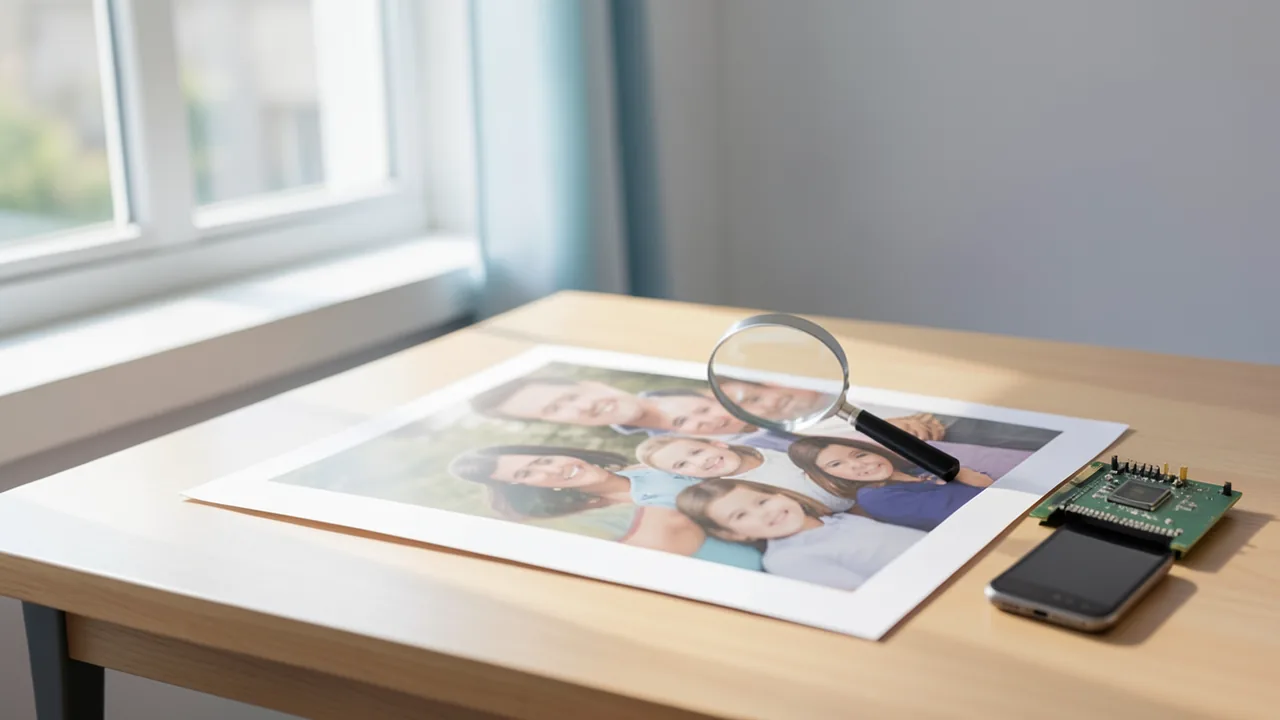
A blurry family photo from 1985, a heavily compressed JPEG from a messaging app, an old 480p phone clip: that's what AI upscalers are for. They enlarge images and compute the missing detail along the way. At the end of November, Kandinsky Lab released two new models under the permissive MIT license: Kandinsky ImageSR 2.0 for photos (November 24) and Kandinsky Video SR 2.0 for clips (November 26). The reigning champion among free upscalers is SeedVR2 from ByteDance.
The question: what do the newcomers actually deliver? The developer only shows side-by-sides with bicubic upscaling, the basic interpolation any image editor can do. Metrics, memory requirements and comparisons with the competition are missing. We still haven't found any independent quality tests. We did not run our own image comparison for this article. Instead, we've gathered what's documented, checked the numbers, and put together a test plan so you can try the models on your own images.
Our hypothesis: a single inference step is fast. But diffusion models (AI models that generate images by working them out of noise) like to invent details that were never there. That's most noticeable with faces and text.
The contenders at a glance
| Kandinsky ImageSR 2.0 | Kandinsky Video SR 2.0 | SeedVR2 3B / 7B | SUPIR | Real-ESRGAN | |
|---|---|---|---|---|---|
| Origin | Kandinsky Lab (Sber ecosystem) | Kandinsky Lab | ByteDance Seed | Research group led by Jinjin Gu | Xintao Wang et al. |
| Size | approx. 5B | 1.41B (SR model) + 1.74B (VAE) + 3.65B (upscaler bank) | 3.39B / 8.24B | built on SDXL plus LLaVA 13B | small (GAN) |
| Inference steps | 1 | 2 per tile | 1 | 50 by default | 1 |
| Scale factors | 2x, 4x | 2x, 2.25x, 4x | any target resolution | any | 4x |
| License | MIT (VAE: Apache 2.0) | MIT | Apache 2.0 | non-commercial only | BSD-3 |
| Quality metrics published | no | no | yes (paper) | yes | yes |
According to the project page, ImageSR 2.0 is a diffusion transformer derived from Kandinsky 5.0 Image Lite. It doesn't need a text prompt: the text encoder and all 50 cross-attention layers have been replaced with precomputed tables. A “creativity” slider from 0 to 8 controls how closely the model sticks to the source. At high values it invents more fine detail. The image is processed in 1024-pixel tiles that are blended smoothly at the edges. Training used artificially degraded images (blur, noise, compression) and, among other things, a GAN loss, where a second network judges whether the result looks real. That's exactly what rewards convincing but not necessarily genuine detail.
According to its paper, SeedVR2 is also a one-step diffusion model, built primarily for video. It works on single images too.
VRAM: what runs on 6, 12 and 24 GB?
The developers don't publish figures. Kandinsky Lab only says on X that Video SR runs “on 16 GB consumer GPUs.” The values below come from developers who built front ends and node packs. They're their own measurements, not independent tests.
| Card | Kandinsky ImageSR 2.0 | Kandinsky Video SR 2.0 | SeedVR2 |
|---|---|---|---|
| 6 GB | “low” profile: 4.5 GB peak, data streamed from system RAM; “minimum”: 1.8 GB, possibly faint tile seams | no data | GGUF Q4_K_M + BlockSwap + VAE tiling (3B) |
| 12 GB | int8: 7.2 GB at 1024 px x4; “balanced” profile: 8.4 GB | int8 + “stitch latent”: 10.5 GB (tight) | FP8 with BlockSwap or tiling |
| 24 GB | full bf16: approx. 11.5–12 GB | default: 13.3 GB | FP16 with no memory-saving tricks |
Sources: the profiles come from the Pinokio app Kandinsky ImageSR 2.0 Studio, measured on an RTX 5090. The int8, bf16 and video figures come from the node pack ComfyUI-KandinskySR, measured on an RTX 4090 with a 15-second clip upscaled from 960×540 to 1080p. The SeedVR2 recommendations come from the numz node.
Two terms to know. Quantization (int8, FP8, GGUF) stores the model's numbers at lower precision so it takes up less space. BlockSwap and offloading move parts of the model into regular system RAM and fetch them back when needed. That saves VRAM but costs time, because the data has to travel over the PCIe bus.
As for disk size: the original Kandinsky transformer is 10.3 GB. Community int8 files range from 3.73 GB (NidAll) to 5.14 GB (PedroMarinhoDev). A W4A8 variant at 2.13 GB supposedly “fits entirely on 4 GB cards,” according to NidAll. Nobody there has actually measured that. For SeedVR2, the 3B model is 3.46 GB as int8 and the 7B model 8.33 GB; in FP16 it's 16.5 GB (Comfy-Org). No GPU at all? The Pinokio app also runs on the CPU, at roughly 40 seconds per 1024-pixel tile.
One contradiction stands out. A developer writes in a GitHub issue that the video model's weights, loaded simultaneously, exceed 16 GB. He considers the developer's 16 GB claim “unqualified.”
Speed: one step is fast, but the comparisons are shaky
- Kandinsky ImageSR, 1024 to 4096 pixels: 7.8 s on an H100 according to the developer, 9.2 s with int8 on an RTX 4090 according to ComfyUI-KandinskySR, about 13 s on an RTX 5090 according to the Pinokio author. For 8K (2048 to 8192 pixels), the H100 needs 37.5 s. Compute time scales with the number of tiles, not the scale factor.
- Kandinsky Video SR, 5 s clip at 768×512, x2: 41 s on the H100 (x4: 118 s). According to the GitHub README, however, these numbers were measured with version 1.0. The ComfyUI wiki attributes them to version 2.0. On an RTX 4090, the official pipeline takes 241 s; the community pack's optimized kernels get it done in 71 to 95 s.
- SeedVR2, 720p video with 100 frames: 269 s (3B) and 299 s (7B) according to the paper. That's more than four times faster than older multi-step diffusion restorers.
Our take: for photos, Kandinsky is likely among the fastest diffusion upscalers on the same card. But nobody has yet published a head-to-head timing comparison with SeedVR2 on identical hardware and image sizes.
Where faces and text fall apart
There's no failure analysis for the Kandinsky models, and the project page lists no limitations. Only general patterns are documented:
- The study “How far have we gone in Generative Image Restoration?” examined 20 models. Diffusion models achieve the best top scores, but they also invent details, such as exaggerated fabric patterns or extra railings. Skin and wrinkles often look too coarse. GAN- and PSNR-oriented models like Real-ESRGAN, by contrast, never add anything. Small faces, hands and text remain hard for all of them.
- ByteDance itself admits that SeedVR2 generates “excessive details” on lightly degraded inputs and isn't always robust against heavy degradation. A guide from Apatero warns of plastic-looking skin with the “sharp” variant of the 7B model. In ByteDance's user study, the smaller 3B model actually scored better than the 7B (+16 percent).
- With Kandinsky, the creativity slider is the key lever. According to the developer, higher levels add more fine detail. For ID photos, documents or evidence, that means the image looks sharper but isn't necessarily more accurate.
An early hands-on report comes from Reddit user smereces. He upscaled videos frame by frame with the image model and got more detail than with the official video model, at 3.1 to 3.5 seconds per frame at 4032×2304. The report doesn't say whether there's flicker when every frame is reinvented independently.
Test plan to try yourself: Run the same five subjects through every contender: an old family photo, a heavily compressed JPEG, a photo with small text (street sign, newspaper), a group shot with small faces, and a short phone clip. Then compare crops side by side. Check whether letters are legible and correct, whether eyes and teeth match the person, and whether skin looks like skin. Real-ESRGAN serves as the honest reference: whatever stays blurry there was probably never in the image.
How to run the models
- Try it without installing anything: the official demo on Hugging Face. It runs on shared GPUs (ZeroGPU); according to the Pinokio author, results are deleted after an hour.
- Pinokio: The Kandinsky ImageSR 2.0 Studio app picks the memory profile automatically and can process entire folders. It needs about 15 GB of disk space and 16 GB of RAM. On the Mac, it requires Apple Silicon with at least 16 GB. If it produces black images on older cards (GTX 10/16, RTX 20), setting ISR_DTYPE=fp32 helps.
- ComfyUI: The video model is officially available as the kandinsky6-sr package in the Manager (ComfyUI 0.8.0 or later, PyTorch 2.8 or later). For photos, there are only community packs such as ComfyUI-KandinskySR. SeedVR2 is now built into ComfyUI, with ready-made templates like “SeedVR2 3B Int8: Upscale Image” (guide). Known bug: int8 produces black images with FlashAttention.
- Ready-made front ends: SEEDVR2 Studio Complete 2.0 bundles SeedVR2, memory-efficient GGUF variants, a 1.4B community model, FlashVSR and other upscalers. Kandinsky isn't listed in the announcement. HEISS-UI is adding Kandinsky as a second engine alongside SeedVR2 in a pull request. So far, only 2x has actually been tested there.
Origin and licensing
MIT and Apache 2.0 both allow commercial use. SUPIR requires written permission for that. Kandinsky comes out of the Sberbank ecosystem: Sber's developer portal lists a dedicated Kandinsky team. Since July 2022 (Implementing Regulation 2022/1270), Sberbank has been listed in Annex I of EU sanctions Regulation 269/2014, which freezes its funds and economic resources. Our assessment, explicitly not legal advice: downloading free MIT-licensed weights doesn't pay Sber anything. For private use, that should be unproblematic. Companies should still clear it with their compliance department.
Our verdict
- Kandinsky ImageSR 2.0 is, going by the developers' figures, the most promising new photo upscaler for smaller cards. It's fast, runs on anything from 4.5 to 12 GB thanks to its memory profiles, and ships under an open license.
- SeedVR2 remains the better-documented choice, especially for video. There's a paper, a user study, official ComfyUI support and months of community experience.
- Kandinsky Video SR 2.0 is too new to judge. The run times come from the previous version, the 16 GB claim is disputed, and it was trained only on 5-second clips.
Our take on the hypothesis: so far, only the general pattern is documented. Diffusion models invent details, and the higher the creativity, the more they invent. No source shows whether Kandinsky invents more than SeedVR2. For family photos, it's worth trying both. For documents and small text, use a low creativity level or go straight to Real-ESRGAN.
Sources
- Hugging Face: kandinskylab/Kandinsky-ImageSR-2.0 huggingface.co
- Kandinsky Lab: Image Super Resolution 2.0 kandinskylab.ai
- GitHub: kandinskylab/kandinsky-image-sr github.com
- GitHub: kandinskylab/kandinsky-video-sr github.com
- Hugging Face: Kandinsky-6.0-VSR-2.0-distilled2steps-Diffusers huggingface.co
- ComfyUI Wiki: Kandinsky SR 2.0 comfyui-wiki.com
- GitHub: PedroMarinhoDev/ComfyUI-KandinskySR github.com
- Hugging Face: NidAll/Kandinsky-ImageSR-2.0-ComfyUI huggingface.co
- GitHub: ThomasEricB/kandinsky-imagesr-2-studio-pinokio github.com
- Pinokio: Kandinsky ImageSR 2.0 Studio pinokio.co
- GitHub: HEISS-UI Pull Request #20 github.com
- GitHub: composer-media-studio Issue #713 github.com
- GitHub: ComfyUI Issue #17998 github.com
- LLMTest: Kandinsky ImageSR 2.0 explained llmtest.io
- AGI Hunt: Video mit KandinskySR-Bildmodell hochskalieren agihunt.info
- KandinskyLab.AI auf X x.com
- GitHub: numz/ComfyUI-SeedVR2_VideoUpscaler github.com
- ComfyUI Docs: SeedVR2 docs.comfy.org
- Hugging Face: Comfy-Org/SeedVR2 Dateien huggingface.co
- arXiv: SeedVR2 One-Step Video Restoration arxiv.org
- GitHub: ByteDance-Seed/SeedVR README raw.githubusercontent.com
- Hugging Face: lvladikov/SeedVR2-1.4B huggingface.co
- Hugging Face: fastforks/seedvr2 (Messwerte) huggingface.co
- Apatero: Removing Artifacts with SeedVR2 apatero.com
- Reddit r/OpenSourceAI: SEEDVR2 Studio Complete 2.0 reddit.com
- arXiv: How far have we gone in Generative Image Restoration? arxiv.org
- GitHub: Fanghua-Yu/SUPIR github.com
- GitHub: xinntao/Real-ESRGAN github.com
- Sber Developers: Kandinsky-Team developers.sber.ru
- Latham & Watkins: EU designates Sberbank lw.com
Ask the AI assistant
Questions about this article, installation or background? Our assistant knows this page and runs on our own machine, not in someone else's cloud.
The Assistant is an AI (Gemma 4) and can make mistakes – please check important details against the source. Questions are used only to generate an answer and are deleted after one hour. Please don't enter any personal data.
Comments
What do you think? Already tried it? Write it here, no sign-up needed.
Comments are public. Links aren't allowed, and we delete abusive posts. You can delete your own comment at any time in this browser. Learn more in the Privacy Policy.